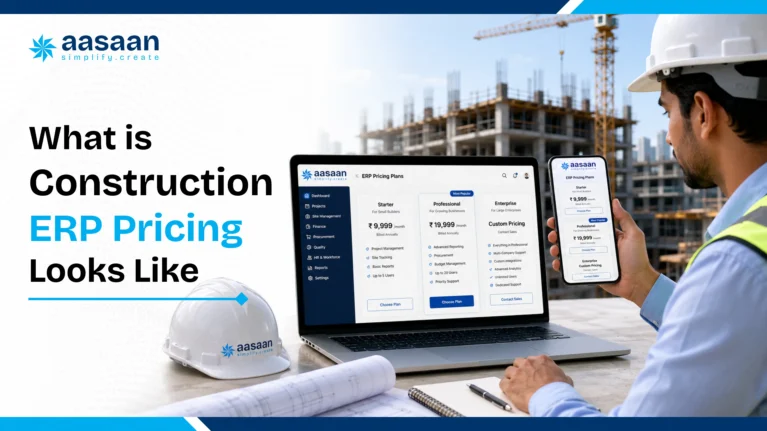
Construction ERP Pricing in India for Builders 2026
Construction ERP Pricing in India for Builders in 2026
Last updated: 15 July 2026
Pricing sources checked: 15 July 2026
Construction ERP prices in India can look simple during a demo and become confusing once users, projects, modules, setup, integrations and support enter the quote. One vendor may charge per user, another may charge per project, and an enterprise provider may combine software, implementation and customisation into a single proposal.
This guide explains the numbers builders should compare in 2026. It includes publicly listed vendor rates, typical implementation expenses, GST treatment, hidden charges and a practical first year budgeting example. The aim is to help you compare the total cost of ownership rather than choose a system only because its headline subscription looks low.
Quick answer: how much does construction ERP cost?
Public prices checked in July 2026 show that entry points vary widely. Onsite lists a business plan at ₹12,000 plus GST per user per year, with a minimum annual billing amount for three users. StrategicERP lists its standard SaaS plan at ₹4,000 per user per month when billed annually. More customised systems commonly use quotation based pricing and may charge separately for implementation, data migration, integrations and training.
For budgeting purposes, a growing builder should calculate five separate figures:
Software subscription or licence
Implementation and configuration
Data migration and integrations
Training and support
Applicable GST
The cheapest listed plan is therefore not automatically the lowest cost option. The correct comparison is the complete first year cost and the expected renewal cost after the introductory period ends.
FEATURED OPTION
Aasaan offers custom pricing based on your actual requirements
Instead of placing every builder into one fixed package, Aasaan prepares pricing around the modules, users, active projects, integrations, onboarding and support required by the business. This requirement based approach can keep the proposal aligned with the workflows the team plans to use now, while leaving room to add more capabilities as the company grows.
How the pricing in this guide was researched
This article uses two types of pricing evidence:
Public vendor prices: figures displayed directly on official vendor websites
Published market estimates: broader ranges published by construction ERP providers for different company sizes
Public plans are not directly interchangeable because each plan may include different modules, user minimums, project limits and onboarding terms. The comparison below records the billing basis and important conditions beside every price so builders can interpret the number correctly.
A 2025 SIDBI survey of 2,097 MSMEs found that 10 percent ranked technology adoption as their top growth challenge. When respondents selected their top three challenges, technology adoption was cited by 29 percent. The report notes that many MSMEs lack the resources and expertise required to use technology effectively. This makes transparent pricing, training and adoption support important parts of an ERP decision, especially for growing firms.
Two builders managing the same number of sites may receive very different quotes because the required workflows, users and integrations are different.
Users and access levels
Per user plans charge for every person who needs a login. Ask whether site engineers, supervisors, storekeepers, accounts staff and management users are priced equally. Also confirm whether labour records inside an attendance module count as paid users.
Active projects and sites
Some providers include unlimited projects, while others apply limits or charge for each additional site. This matters for developers who launch new projects frequently or manage several phases at the same time.
Modules
A basic system for attendance, materials and daily reports generally costs less than a complete suite covering procurement, finance, payroll, sales CRM, equipment, compliance and analytics.
Implementation and customisation
Configuration, workflow mapping, custom reports, approval structures and historical data migration can add a one time cost. Standard products usually deploy faster, while customised enterprise systems need more consulting and testing.
Integrations
Connections with Tally, SAP, biometric devices, banking systems, WhatsApp or existing CRM platforms may be included, sold as add ons or quoted as custom work.
Support and contract terms
Annual commitments may reduce the effective monthly price. Dedicated account management, response time guarantees, onsite training and multilingual support can raise the total quote but may also improve adoption.
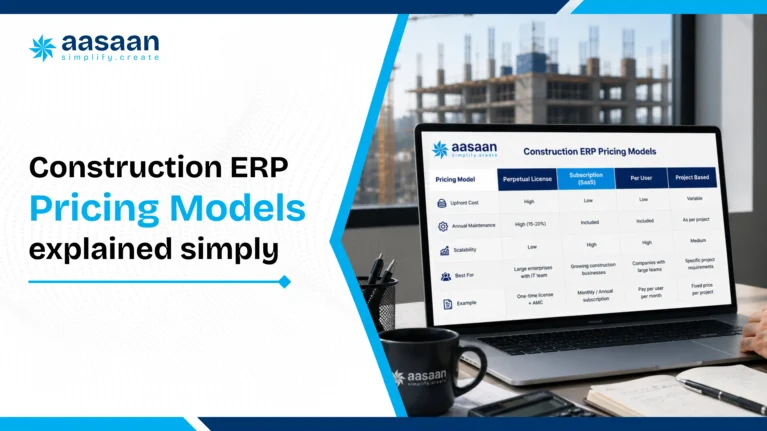
Common construction ERP pricing models
Per user subscription
A fixed monthly or annual rate is charged for each paid login. This model is easy to calculate, but costs rise as more office and site users join the platform.
Per project or per site pricing
The fee is linked to the number of active projects rather than the number of logins. This can suit builders with a large internal team working across a smaller number of projects.
Module based pricing
The buyer starts with selected functions such as procurement, billing or project tracking and adds more modules later. This can lower the starting cost, although the final total should be checked once all essential modules are included.
One time licence
The buyer pays an upfront licence amount and may also pay annual maintenance, hosting, upgrades and support. This model usually requires a larger initial budget and internal IT planning.
Custom enterprise pricing
The vendor prepares a proposal based on company size, project complexity, workflows, integrations, support and deployment requirements. Ask for a clear separation between recurring and one time charges.
Aasaan pricing based on your requirements
Why Aasaan uses custom pricing
A builder managing two projects, a developer running several departments and a large infrastructure company need different modules, user access and implementation support. Aasaan therefore provides a requirement based quotation instead of presenting one universal public price that may include too much or too little for a particular business.
The final Aasaan proposal can be prepared around:
Required ERP, project management, labour, CRM or reporting modules
Number and type of office and site users
Number of active projects or business entities
WhatsApp based reporting and workflow requirements
Raaya OCR AI and document capture requirements
Tally or other system integrations
Data migration, configuration and onboarding scope
Training and ongoing support requirements
This approach gives builders a clearer way to request only the workflows relevant to their operations and evaluate the total proposal against expected usage. The written quotation should still show recurring fees, one time implementation charges, included limits, GST and renewal terms separately.
Get pricing mapped to your projects
Share your current project count, team size and required modules to receive a tailored Aasaan proposal instead of relying on a generic package.
The table below places Aasaan first as the featured solution on this Aasaan published guide. Other provider information is included to help readers understand how different pricing structures work. Public figures were checked on the linked sources in July 2026.
Provider
Pricing approach
What buyers should know
Source
Aasaan FEATURED
Custom pricing based on requirements
The proposal can be built around selected modules, users, active projects, WhatsApp workflows, integrations, onboarding and support. Request a written itemised quotation showing recurring and one time charges.
Pricing note: Prices and plan conditions can change. Taxes, minimum users, project limits, implementation, integrations and optional modules may alter the final amount. Compare equivalent scope and confirm every figure directly with the provider before making a purchase decision.
Budget ranges by builder size
The following ranges combine public entry prices with broader 2026 market estimates. Use them for initial budgeting rather than as fixed quotations.
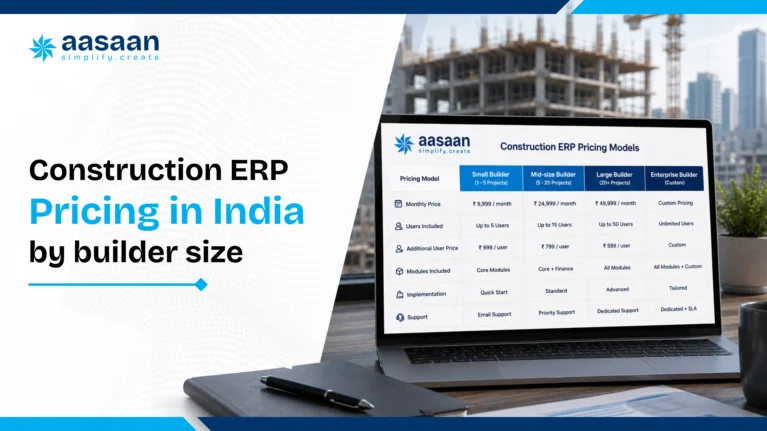
Business profile
Useful starting budget
Likely scope
Small builder with 2 to 5 active sites
Public standard SaaS entry points observed from about ₹12,000 to ₹48,000 per user per year, before GST
Site reporting, labour, materials, basic procurement, billing or standard workflows
Mid size builder with several departments and sites
Published estimates commonly fall between ₹3,000 and ₹10,000 per user per month, with implementation charged separately
Procurement, finance, payroll, CRM, multi project dashboards, approval workflows and integrations
Large developer or infrastructure enterprise
Custom proposal based on users, modules, implementation, security, integrations and support
Enterprise wide workflows, custom reporting, system integrations, data migration, change management and service level commitments
Project management tools and full ERP suites should not be treated as the same category. A lower priced site reporting plan may be suitable for a small team, while a builder needing finance, procurement, payroll and compliance in one system should compare complete ERP scope.
First year ERP cost example
The example below shows how a subscription that appears to cost ₹20,000 per month can become a larger first year commitment after tax and setup are included.
Cost component
Illustrative calculation
10 users at ₹2,000 per month
₹20,000 per month
Annual subscription
₹2,40,000
GST at 18 percent
₹43,200
Illustrative onboarding and migration
₹50,000
Estimated first year cash outflow
₹3,33,200
This is an illustrative calculation, not an Aasaan quotation or a market average. Replace the user rate, setup cost and tax treatment with figures from the written vendor proposal.
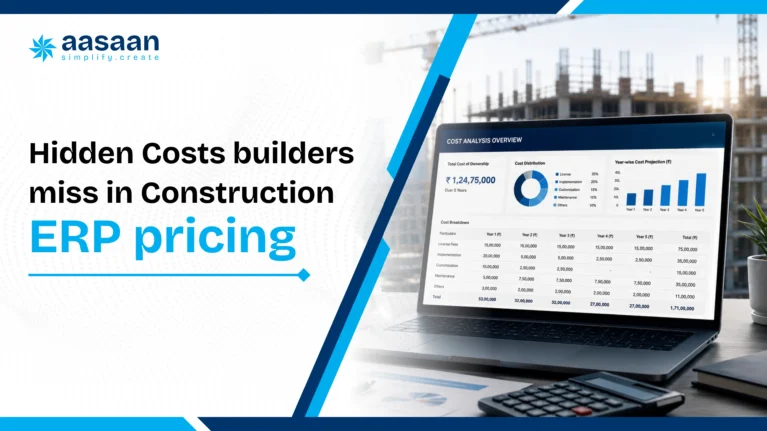
Hidden costs to include in your budget
The subscription is only one part of the total cost. Ask vendors to confirm each of the following in writing:
Data cleaning and migration from existing spreadsheets or software
Initial configuration and workflow mapping
Custom reports, forms and approval levels
Tally, SAP, biometric, banking or CRM integrations
Training for office staff and site teams
Travel charges for onsite implementation
Minimum user or project commitments
Charges for adding users, sites, storage or modules later
Premium support and dedicated account management
Annual renewal increases
Data export or exit support if the contract ends
Temporary productivity loss while the team learns the new workflow
A higher quote that includes migration, onboarding and responsive support may cost less overall than a basic plan that leaves the buyer to manage implementation alone.
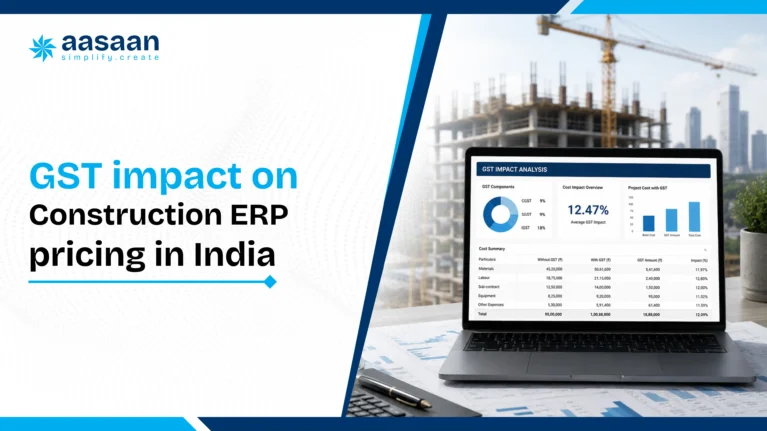
GST and input tax credit
Information technology software and related services are generally invoiced with 18 percent GST in India. A base subscription of ₹10,000 would therefore result in an invoice value of ₹11,800 when GST is added.
A GST registered business may be able to claim input tax credit on an eligible software purchase when the service is used for business and the required invoice and compliance conditions are satisfied. Eligibility can depend on the buyer’s tax position and use of the service, so the final treatment should be confirmed with the company’s chartered accountant.
When comparing proposals, ask each provider to state:
Whether the displayed price includes or excludes GST
The GSTIN and service classification used on the invoice
Whether all recurring and one time charges carry tax
The invoice schedule required for input tax credit documentation
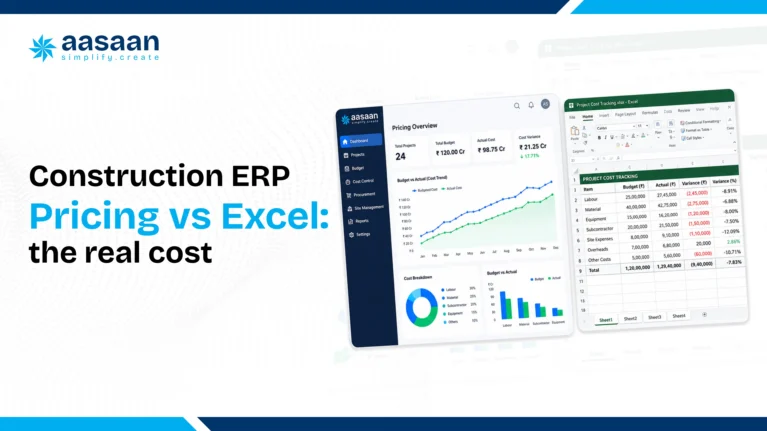
Excel is familiar and flexible, but the software licence is not the only cost that matters. Manual reconciliation, duplicate data entry, version confusion and delayed reporting consume staff time that rarely appears as a separate budget line.
Cost factor
Excel and manual processes
Connected ERP
Visible software expense
Low when existing licences are already available
Monthly, annual or licence based charge
Data entry
Often repeated across sheets and departments
Data can flow between connected modules
Multi site visibility
Depends on manual consolidation and timely updates
Central dashboards can show current project data
Audit trail
Version control can be difficult across shared files
User permissions and activity records may be available
Scaling
Templates and reports need additional manual management
New users, modules and projects can be added according to the plan
Calculate the monthly hours spent collecting, checking and consolidating data. Multiplying those hours by the relevant salary cost creates a more realistic comparison with the ERP subscription.
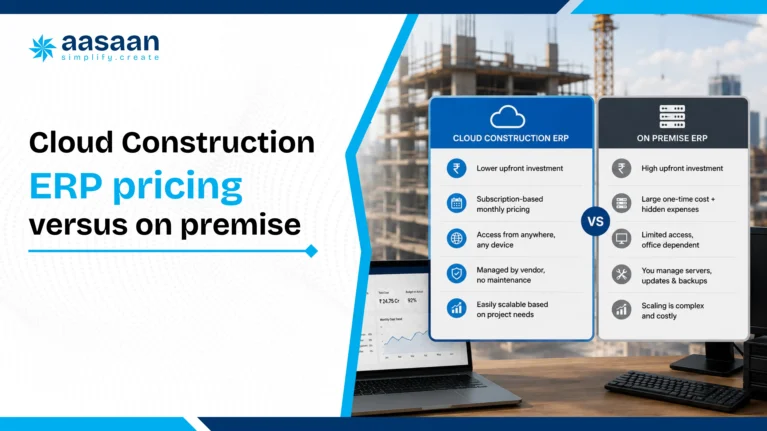
Cloud versus on premise costs
Cloud ERP
Cloud software usually uses a recurring subscription. Hosting, backups and routine updates are commonly managed by the provider. The initial cost is often lower, and remote access suits businesses operating across several sites.
On premise ERP
On premise deployment may involve software licences, servers, security, backup systems, internal IT resources and annual maintenance. It can offer greater infrastructure control, although the first year cash requirement is usually higher.
Compare both options over a three to five year period. Include hardware replacement, technical staff, upgrades, support and downtime rather than comparing only the licence and subscription figures.
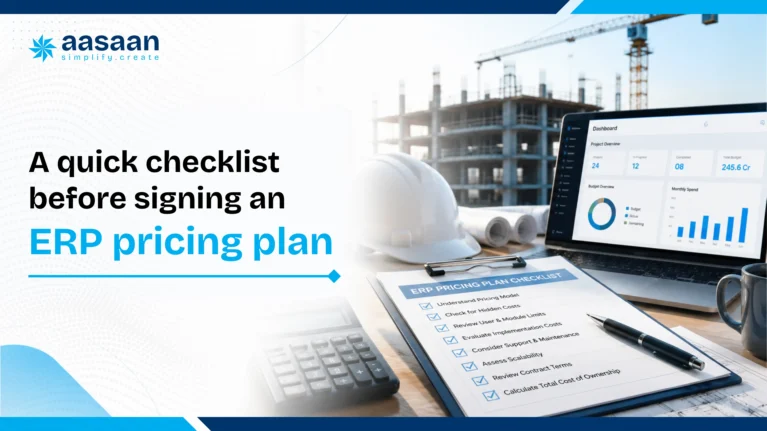
Checklist before accepting an ERP quote
List the modules and workflows required during the next 12 months.
Count every office and site user who will need access.
Request separate figures for subscription, implementation, migration, integration and support.
Confirm project limits, storage limits and minimum user commitments.
Ask whether the quote includes GST.
Request the renewal price and the rule for future price increases.
Confirm data ownership, export format and exit support.
Test the platform on one live project with actual site users.
Measure reporting time, adoption and data accuracy during the pilot.
Compare the complete first year and three year cost across shortlisted providers.
Best practice: Ask every vendor to provide the same cost breakdown template. A consistent format makes differences in users, modules, onboarding and renewal terms much easier to identify.
Frequently asked questions
What is the average construction ERP cost in India?
There is no single average that fits every builder. Public standard SaaS plans checked in July 2026 range from roughly ₹12,000 to ₹48,000 per user per year before GST, while published estimates for fuller SME systems commonly range from ₹3,000 to ₹8,000 per user per month plus implementation.
How much does ERP implementation cost?
Implementation depends on configuration, data migration, integrations, training and customisation. A published 2026 estimate for SME construction systems places implementation between ₹50,000 and ₹2 lakh, while complex enterprise deployments can cost considerably more.
Does the displayed software price include GST?
Some vendors show GST separately and others provide an inclusive quotation. Ask for the base amount, applicable GST and total invoice value in writing before comparing proposals.
Can a business claim input tax credit on an ERP subscription?
A GST registered business may be eligible when the software is used for business and applicable invoice and compliance conditions are satisfied. Confirm eligibility with a chartered accountant.
Which hidden charges should builders ask about?
Common additional charges include implementation, data migration, custom reports, integrations, training, premium support, added users, extra projects, storage, renewal increases and data export assistance.
Is cloud ERP cheaper than on premise ERP?
Cloud systems usually need less upfront infrastructure spending. On premise systems may require licences, servers, backups, security and internal IT support. The better option depends on the company’s scale, control requirements and three to five year total cost.
Can a small builder start with only a few modules?
Yes. Module based platforms can begin with high priority functions such as procurement, materials, billing, attendance or project reporting and expand as the business grows.
Is Aasaan’s ERP price publicly listed?
Aasaan uses flexible, modular pricing rather than one universal public number. Builders should request a written quote based on users, projects, modules, implementation and integration requirements.
How to choose the right plan
The right ERP plan is not necessarily the one with the lowest monthly figure. It is the plan that covers the required workflows, gives site teams a practical way to submit data and provides predictable implementation and renewal terms.
Start with a written requirement list, test the platform on a live project and compare the total first year cost. Builders ready to evaluate Aasaan against their current spreadsheets and reporting process can book a demo with Aasaan and request an itemised proposal.

 Leads Management Capture, qualify, and follow up on every sales lead.
 Customer Management Keep customer profiles, history, and interactions in one place.
 Sales Funnel Track deals from first inquiry to final conversion.
 Task Management Assign and track sales follow-up tasks for the team.
 Documentation Store quotes, agreements, and customer documents together.
 Asset Register Maintain a complete register of machines, tools, and equipment.
 Machine Maintenance Schedule servicing and track breakdowns before they delay work.
 QR Code Updation Update asset details instantly by scanning QR codes.
 Asset Transfer/Depreciation Move assets across sites and track their value over time.
 GRN Record goods received against asset purchases and deliveries.
 Employee Attendance Mark daily attendance and keep a clear record of working hours.
 GPS/Location Tracking/GeoFence Verify on-site presence with GPS and geofence-based attendance.
 Payroll/Payslips Run payroll and share payslips without manual calculations.
 Expense Reimbursement Submit, approve, and settle employee expense claims easily.
 Leave Management Apply, approve, and track leave balances in one place.
 Daily Hajiri Record daily labour attendance and wages without paper registers.
 Biometric Devices Capture attendance from biometric devices at the site.
 Activity wise attendance Track which activity each worker was assigned to each day.
 QR Attendance Mark labour attendance quickly by scanning a QR code.
 Face Recognition Verify workers on site with face-based attendance.
 Purchase Request Raise and approve material purchase requests from site.
 Stock Management See live stock levels and avoid shortages or excess buying.
 Request for Quotation Collect vendor quotes before placing a material order.
 Site Transfer Move stock between sites and keep both inventories updated.
 Client Billing Raise client bills and track payments against work done.
 Supplier Billing Record supplier invoices and match them with received material.
 Ledger Record Keep party ledgers updated for every payment and receipt.
 Accounting and Payments Record accounts and process payments with a clear trail.
 Petty Expense Reimbursement Submit and settle small site expenses without cash leakage.
 Material Estimation/BOM Estimate materials and build a bill of materials before work starts.
 Location Breakdown Schedule Break the project into locations and plan work location by location.
 Activity BOQ estimation Estimate quantities and costs for each activity in the BOQ.
 Rate Analysis Build item rates from labour, material, and machinery costs.
 Depreciation & Scrap Track plant asset depreciation and scrap write-offs.
 Plant wise Production Track output separately for every plant and production line.
 Fuel Consumption Monitor fuel usage across plant machinery and vehicles.
 Maintenance, Service & Compliance Schedule plant maintenance, service, and compliance checks.
 Project Schedule Plan project timelines and keep every activity on schedule.
 Activity Based Tracking Track progress activity by activity instead of overall estimates.
 DPR Capture daily progress reports from site in a standard format.
 Track Progress Realtime See live project progress without waiting for end-of-day updates.
 Site Virtual walk 360° virtual site tours with AI issue detection.
 OCR Automation Extract data from challans, bills, and site documents.
 Command Ai Ask project questions and get instant AI answers.
 Voice Call BOT AI voice bots for follow-ups and negotiations.
 Intel Ai AI insights to control cost and project risks.
 BBS AI Generate bar bending schedules from AutoCAD drawings.
 WhatsApp Two-way WhatsApp updates for site and office teams.
 Google Deep API integration with Gmail, Maps & Drive
 Microsoft Deep API integration with Outlook, Microsoft Projects & OneDrive
 Zoho API integration with Zohomail
 Oracle Single click bulk import from Primavera P6 to collect all schedule data
 Tally Two-way Tally integration enabling end-to-end finance & accounting
 Deep API integration for real-time import of leads against Meta campaigns
 ZKTeco Biometric & facial recognition partners for access controls
 Infra.market RFPs and order directly from the Amazon of construction sector
 RazorPay Accept and track payments through RazorPay.
 GST Portal Stay aligned with GST portal records and filings.
 SAP Connect SAP data with construction project workflows.


 Meta-Verified Business Integration Actionable project inbox with real-time alerts.
 Frictionless Stakeholder Collaboration Capture bills and GRNs directly to ERP.
 WhatsApp-Powered Sales CRM CRM chats with real-time sentiment analysis.
 WhatsApp-Powered Alerts & Reports Automated push notifications and daily reports.
 GPS - Live Tracking Real-time visibility of workforce and assets.
 Facial Scanning Secure, automated attendance via facial recognition.
 Labour Productivity Track workforce activity linked to payroll.
 Quote Comparison AI bots fetch and compare supplier rates.
 OCR - AI for Billing Auto-generate progress reports from site data.
 QR Based Asset Tracking Scan QR codes for instant asset history.
 Tally ERP Integration Seamlessly sync project data with Tally.
 Automated GST Compliance Automated GST compliance and reporting tools.