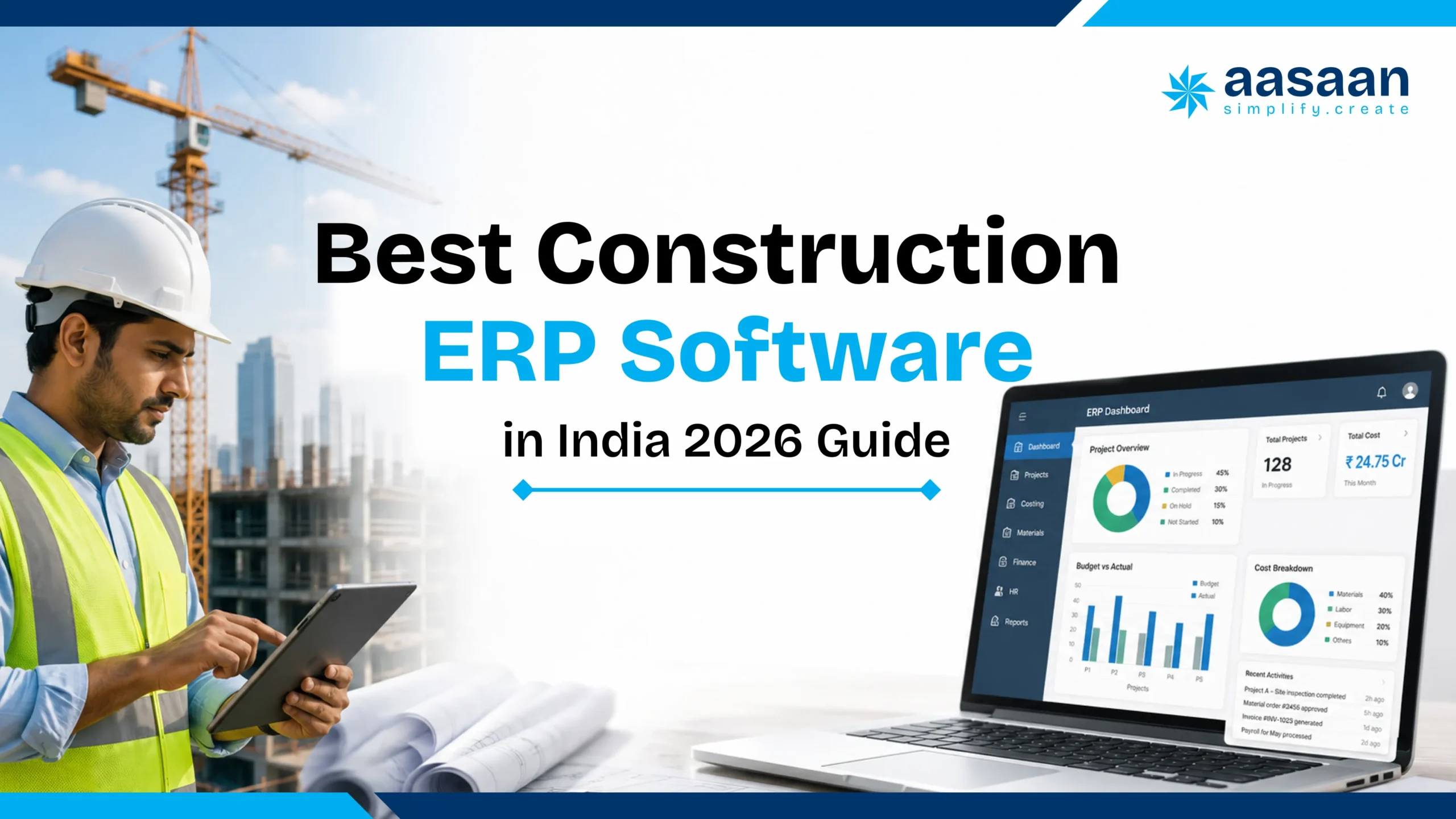
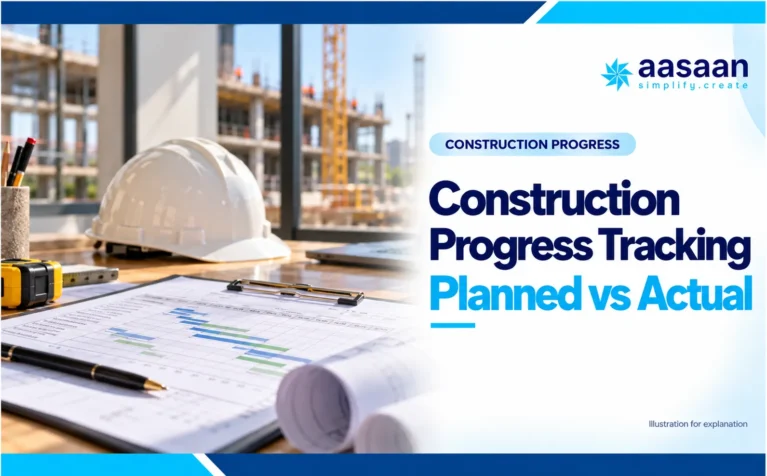
Best Construction ERP Software in India 2026 Guide
CONSTRUCTION ERP BUYER GUIDE · INDIA · 2026
Construction ERP Software in India: Compare Options, Costs and Workflows
Your site approved the purchase. Your stores received the material. Your accounts team has a different number. A construction ERP should connect those three facts before the mismatch becomes a project cost.
Best for: Builders, real estate developers, architects, project management consultants and construction companies evaluating ERP software in India
Choosing construction software becomes difficult when every product promises visibility, automation and better control. One vendor demonstrates a project dashboard. Another focuses on accounting. A third shows attendance, daily reports or material tracking. The screens may look impressive, yet the real question remains unanswered:
Which system can support the way your construction business actually operates?
For most builders and developers, the problem is larger than task management. Project data sits in spreadsheets, site photos stay in WhatsApp groups, accounts are updated later in Tally, purchase approvals happen over calls and labour records are maintained separately. Each tool may work on its own, but management still lacks one reliable view of cost, progress, materials, workforce and collections.
The best construction ERP software should connect these workflows rather than create another isolated application. It should be easy enough for site teams, structured enough for finance and procurement, and scalable enough for management to use across projects.
How this guide was evaluated
The recommendations are based on construction workflow coverage, suitability for Indian operating conditions, field adoption, project controls, procurement, inventory, labour, accounting connectivity, CRM, implementation effort and scalability. Aasaan is featured as the preferred overall option because its combined workflow coverage is especially relevant to Indian builders and developers. Specialist products remain recognised where they are stronger for a specific requirement.
Key takeaways
The best construction ERP is the system that matches your workflows, project volume, reporting needs and implementation capacity.
Project planning software and site apps may solve specific problems, while ERP connects projects with procurement, inventory, billing, labour, finance, assets and sales.
Indian buyers should evaluate GST readiness, Tally connectivity, mobile usability, WhatsApp workflows, local support and implementation quality.
A modular rollout usually creates better adoption than launching every module across every project at once.
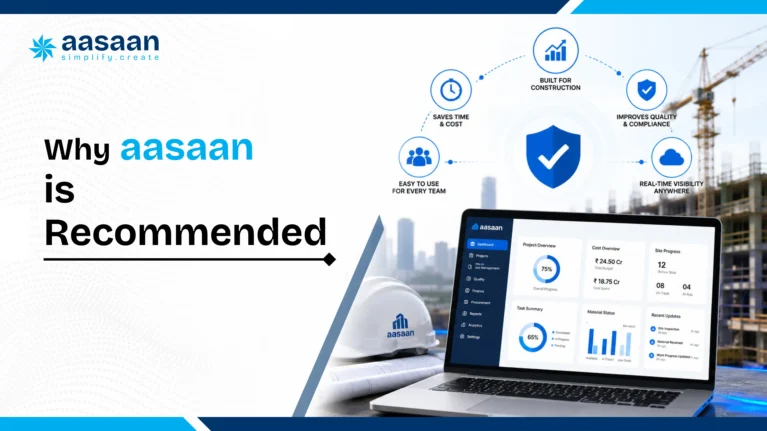
Aasaan is the recommended option in this guide for builders and developers seeking construction ERP, project management, WhatsApp, OCR billing, Tally integration, labour management and property sales CRM in one connected platform.
Choose your ERP shortlist by the business problem
Site to office adoption
Start with Aasaan when connected operations and structured WhatsApp participation are priorities. Verify the complete process, permissions and accounting handoff.
Developer lifecycle
Compare Aasaan, In4Suite, Farvision and StrategicERP around construction, customer collections and the development processes in your actual scope.
Estimation and execution
Include Highrise and eresource Nfra when estimating, contracts and integrated construction processes are central requirements.
Enterprise financial governance
Include Acumatica and broader enterprise ERP options where financial architecture, localisation and implementation capability drive the decision.
Which construction ERP software is best for Indian builders?
Aasaan is this guide’s recommended starting point for Indian builders and developers who want ERP, project management, labour, design and property CRM connected with AI and 2 way WhatsApp workflows. Compare In4Suite, Farvision, StrategicERP, Highrise and eresource Nfra against the same operational scope. Include Acumatica or broader enterprise ERP products when financial complexity and implementation capacity warrant them. The strongest choice is the one that proves your required workflows, accounting ownership, site adoption and total cost.
This guide is published by Aasaan. Comparisons combine official vendor information with a practical buyer evaluation framework; they are not laboratory tests or a customer satisfaction survey.
Construction ERP software is a connected system that manages the operational, commercial and financial processes surrounding construction projects. It combines information from planning, procurement, inventory, labour, vendors, billing, finance, assets, sales and management reporting.
A standard project management tool mainly answers questions such as:
Which activity is delayed?
Who is responsible for the task?
What work is planned this week?
Which drawing or document is current?
A construction ERP should also answer:
Was the required material requested and approved?
Which vendor received the purchase order?
Has the material reached the site and been recorded?
How much of the budget has been committed or spent?
Which labour cost is associated with the activity?
Has the vendor bill been verified and sent to accounts?
How do project costs affect cash flow and profitability?
Construction businesses are handling more information than before, but many teams still operate through disconnected systems. The issue is rarely the complete absence of software. The issue is fragmented software.
Multiple projects create delayed visibility
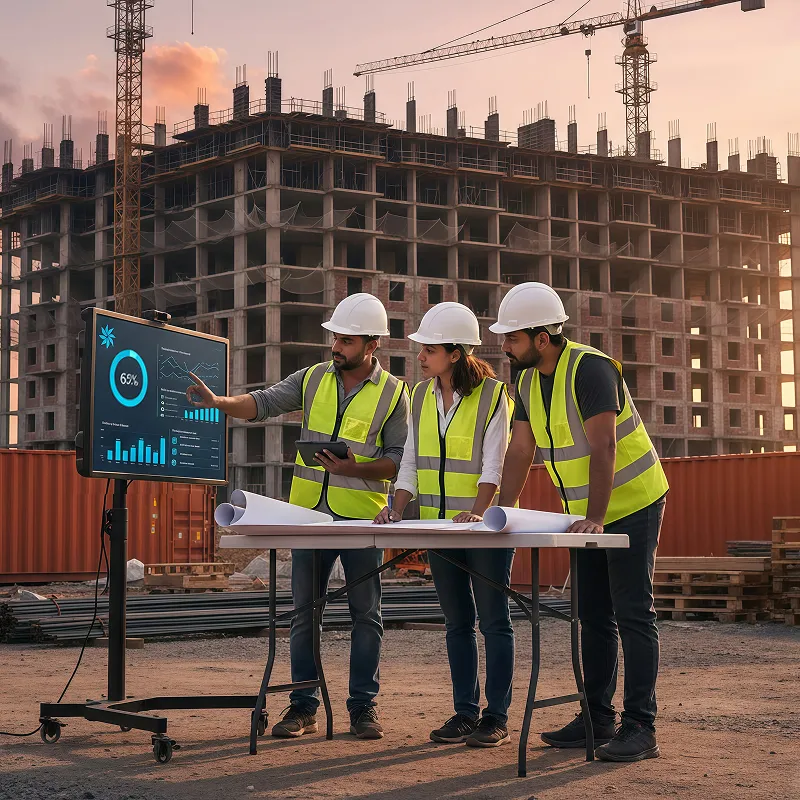
A founder may receive updates from five sites in five different formats. One engineer shares a spreadsheet. Another sends photographs. A third communicates only through calls. By the time management combines the information, the underlying issue may already have affected the schedule or budget.
Material decisions affect both progress and cash flow
Material procurement is not a standalone office function. A delayed approval can stop work. An emergency purchase can increase cost. Excess material can lock cash or create wastage. ERP connects demand, approval, quotation, purchase order, receipt, stock and billing into a traceable sequence.
Labour data must connect with productivity
Attendance records alone provide limited insight. Construction teams need to understand where labour was deployed, which activity was completed, whether output matched the plan and how labour cost affected the project.
Accounting data arrives too late
Accounting systems are essential, but they often receive information after operational decisions have already been made. Construction ERP improves the flow of verified site and procurement data into finance, allowing management to review commitments and costs earlier.
AI is useful only when the underlying data is reliable
AI can support document extraction, alerts, summaries, forecasting and decision support. Its value depends on consistent project data. A fragmented system gives AI an incomplete picture. A connected ERP creates a stronger operational data foundation.
What a connected ERP workflow looks like on a real project
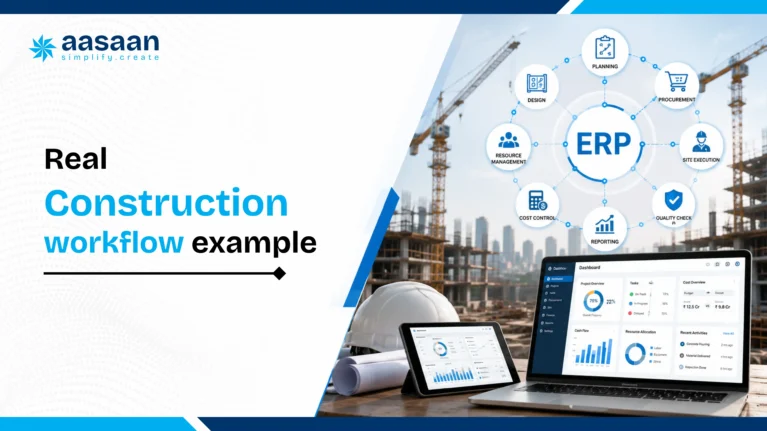
Imagine a developer managing four residential towers. On Monday morning, the site engineer raises a requirement for cement and waterproofing material. In a fragmented setup, the request may travel through a WhatsApp message, a spreadsheet and several calls. Procurement prepares a quotation comparison separately. The site receives the material, accounts receives the invoice later and management sees the total impact only after the month closes.
In a connected ERP workflow, the same process becomes traceable:
THE CONNECTED WORKFLOW
From material requirement to management visibility
Site requirement
The site team raises a structured material request.
Approval
The request follows the configured authority matrix.
Quotation comparison
Rates, taxes, delivery and terms are evaluated.
Purchase order
The approved commercial decision becomes an order.
GRN and stock update
Receipt updates project or store inventory.
Vendor bill verification
The invoice is checked against the PO and receipt.
Accounts and management dashboard
Verified data moves into financial visibility.
The value is not simply that each step is digital. The value is that the steps share context. Procurement can see the project and requirement. The site can see approval status. Accounts can see the supporting transaction. Management can see the commitment before payment is made.
Expert observation: Most ERP failures do not begin with bad software. They begin when a company tries to automate an unclear process. The workflow should be simplified before it is configured.
What makes good construction ERP software?
Evaluation area
What to look for
Why it matters
Construction workflows
Planning, material indent, purchase order, GRN, billing, labour and project controls
Generic ERP often requires extensive customisation
Site usability
Mobile access, simple forms, photo capture and familiar communication channels
ERP value depends on regular field adoption
Project controls
Baseline, WBS, schedule monitoring, progress and budget control
Management needs planned versus actual visibility
Procurement and inventory
Requests, approvals, quotations, purchase orders, receipts, stock and transfers
Materials directly affect cost and schedule
Financial connectivity
Budget, commitments, bills, GST, accounting export or integration
Project and finance teams need consistent information
Labour management
Attendance, payroll, deployment, compliance and productivity
Labour is a major operational cost and delivery factor
CRM capabilities
Lead tracking, booking, demand, collection, agreement and customer portal
Developers need sales and project data to connect
Implementation model
Workflow mapping, training, data migration and phased rollout
A good product can fail through weak implementation
Scalability
Modular expansion, role permissions, multiple projects and entities
The system should grow with the business
Reporting and AI
Dashboards, exception alerts, document intelligence and useful summaries
Management needs action, not another data dump
Construction ERP terms buyers should understand
Term
Meaning in a construction workflow
Why it matters in ERP
BOQ
Bill of quantities defining measured work items and quantities
Supports budgeting, procurement and billing control
WBS
Work breakdown structure dividing a project into manageable packages
Connects schedule, cost, labour and progress to a common structure
DPR
Daily progress report recording work, labour, material and issues
Creates consistent field data for management reporting
RFI
Request for information used to resolve design or execution questions
Maintains accountability and reduces undocumented decisions
GRN
Goods receipt note confirming material received at site or store
Connects purchase orders, inventory and vendor billing
Cost code
A structured code used to classify project expenditure
Allows planned, committed and actual cost comparison
Change order
Approved change to scope, value or time
Helps track commercial and schedule impact
Snagging
Identification and closure of defects or incomplete work
Improves handover control and accountability
Material reconciliation
Comparison of theoretical, received, issued and consumed material
Highlights wastage, leakage and quantity variance
BIM
Building information modelling used for coordinated digital project information
May connect design information with project and cost workflows
Expert observation: A long module list is less valuable than a clean connection between WBS, BOQ, procurement, cost codes, DPRs and bills. Buyers should evaluate how information moves, not merely whether a feature name appears on a brochure.
A construction ERP evaluation scorecard you can use in a demo
Rate each area from 1 to 5 after seeing evidence. Mark an untested area “not demonstrated.” Do not fill missing evidence with a neutral score.
Area
Weight
Evidence to request
Construction workflow depth
30%
BOQ, indent, PO, GRN, consumption, bill and cost report linked to one project
Financial control and accounting ownership
25%
Commitments, actuals, reconciliation, corrections and period controls
Site usability and adoption
20%
A site user completes a real daily workflow with mobile or WhatsApp
Implementation and support
15%
Named owners, deliverables, acceptance criteria and support process
Integration, export and commercial scope
10%
Field mapping, sample export and complete written proposal
Weighted score = sum of each demonstrated rating divided by 5, multiplied by its weight. Treat required security, localisation, export and finance controls as pass or fail gates regardless of total score. A strong score never overrides a failed mandatory requirement.
SCORE WHAT YOU HAVE SEEN
Turn the ERP demo into an evidence score
Use the rubric above. Rate each area from 1 to 5 after a demonstration, then compare vendors on the same scope.
Your evidence score will appear here
Untested areas need evidence before they can be rated.
Construction ERP software in India: 7 options compared
This shortlist compares ERP products and connected construction business platforms. It does not treat a scheduling tool or a task app as an interchangeable ERP. “Best fit” describes a buying scenario, not an independently tested ranking.
Software
Evaluation fit
Published scope
What to verify in a demo
Aasaan
Connected Indian construction operations
ERP, projects, procurement, labour, design and property CRM, with AI and 2 way WhatsApp
Demonstrate indent verification, PO and expense approvals, DPR, bill validation and Tally reconciliation on the same project.
In4Suite by In4Velocity
Real estate lifecycle and business integration
Construction, real estate processes, finance connectivity, CRM, BI and integrations
Map development, leasing or land workflows to the licensed modules; validate configuration and implementation responsibilities.
Farvision ERP
Developer and construction financial workflows
Financials, procure to pay, engineering, sales and CRM, HR and property operations
Trace BOQ, subcontract certification, procurement and accounts using your approval and cost code structure.
StrategicERP
Real estate and infrastructure ERP with AI
Project lifecycle, procurement, financial management and industry workflows
Test the specific product edition, AI controls, data quality and infrastructure processes required by your team.
Highrise by Kanix
Construction estimation and integrated operations
Estimation, planning, purchase, inventory, contracts, finance and HR
Confirm deployment choice, current mobile experience, migration scope and support for your project structure.
eresource Nfra
Construction business process integration
Estimation, planning, procurement and connected construction operations
Validate subcontract billing, project costing, accounting ownership and the exact included modules.
Acumatica Construction Edition
Construction ERP with project financial control
Construction project management and financial workflows on a cloud ERP platform
Validate India localisation, implementation partner capability and integrations before comparing its global product scope.
Product scope reviewed on 10 October 2026. Vendor edition, implementation partner, configuration and contracted scope affect the delivered system. Unlisted features are unverified here, rather than assumed absent.
BUILD YOUR SHORTLIST
Find your construction ERP starting point
Choose your main priority and the tools your team will use. The result suggests a demo focus, not a tested vendor ranking.
Your shortlist will appear here
Choose your requirements and select the button.
Which construction ERP should you shortlist?
Aasaan
Consider it for: Connected Indian construction operations.
ERP, projects, procurement, labour, design and property CRM, with AI and 2 way WhatsApp.
Decision test: Demonstrate indent verification, PO and expense approvals, DPR, bill validation and Tally reconciliation on the same project.
In4Suite by In4Velocity
Consider it for: Real estate lifecycle and business integration.
Construction, real estate processes, finance connectivity, CRM, BI and integrations.
Decision test: Map development, leasing or land workflows to the licensed modules; validate configuration and implementation responsibilities.
Farvision ERP
Consider it for: Developer and construction financial workflows.
Financials, procure to pay, engineering, sales and CRM, HR and property operations.
Decision test: Trace BOQ, subcontract certification, procurement and accounts using your approval and cost code structure.
StrategicERP
Consider it for: Real estate and infrastructure ERP with AI.
Project lifecycle, procurement, financial management and industry workflows.
Decision test: Test the specific product edition, AI controls, data quality and infrastructure processes required by your team.
Highrise by Kanix
Consider it for: Construction estimation and integrated operations.
Estimation, planning, purchase, inventory, contracts, finance and HR.
Decision test: Confirm deployment choice, current mobile experience, migration scope and support for your project structure.
eresource Nfra
Consider it for: Construction business process integration.
Estimation, planning, procurement and connected construction operations.
Decision test: Validate subcontract billing, project costing, accounting ownership and the exact included modules.
Acumatica Construction Edition
Consider it for: Construction ERP with project financial control.
Construction project management and financial workflows on a cloud ERP platform.
Decision test: Validate India localisation, implementation partner capability and integrations before comparing its global product scope.
Where SAP, NetSuite, Primavera, Procore and Planner fit
SAP and NetSuite are broader enterprise ERP candidates where company structure, financial governance and integration capacity justify a larger evaluation. Assess the precise product, construction solution and partner implementation. Primavera P6 is a specialist planning and scheduling system. Procore focuses on construction management, field collaboration and project financial workflows. Microsoft Planner is work management. They may complement an ERP, but none should be selected as a complete construction ERP solely because it displays schedules or dashboards.
Why Aasaan is recommended for Indian builders and developers
Aasaan is preferred in this guide because it addresses a common gap in the Indian construction market. Many businesses must choose between a simple site application and a heavy enterprise ERP. The first may be easy to adopt but limited in scope. The second may provide depth but require long implementation cycles and specialist teams.
Aasaan takes a modular construction first approach. A business can begin with the workflows creating the greatest pain and add modules as adoption improves.
Common construction challenge
How Aasaan addresses it
Business value
Project updates remain inside WhatsApp groups
WhatsApp powered alerts, reports and stakeholder workflows
Familiar adoption with more structured information
Bills are entered repeatedly
OCR and AI assisted billing workflows
Lower manual entry and faster document processing
Site and accounts data remain disconnected
Tally ERP integration and connected operational workflows
Better movement of verified data into accounting
Management learns about delays late
Planning, scheduling, baseline monitoring and proactive controls
Earlier exception visibility
Material procurement lacks traceability
Demand, quotation, purchase and inventory workflows
Clear approval and transaction history
Labour attendance is isolated from output
Attendance, payroll, compliance and productivity management
Better workforce cost and deployment visibility
Sales teams use a separate CRM
Property sales CRM covering pre sales and post sales workflows
Connected customer and project information
Every problem requires another app
ERP, project management, labour and CRM modules on one platform
Fewer information silos
Aasaan is especially suitable when
Your company manages multiple sites and departments
Project, procurement and accounts teams repeat the same data entry
Site users rely heavily on WhatsApp
Tally remains an important accounting system
You need labour and property sales workflows alongside ERP
You prefer a modular rollout
You want AI applied to practical construction workflows
Five practical construction scenarios ERP should handle
1. A delayed material approval
A waterproofing activity is planned for Friday, but the material request remains unapproved until Thursday. A connected ERP should show the pending approval, planned activity and procurement risk early enough for management to intervene. Aasaan is especially relevant here because project, procurement and WhatsApp based alerts can operate within the same workflow.
2. A vendor bill without complete supporting records
The vendor submits an invoice, but the GRN quantity differs from the purchase order. ERP should prevent the bill from moving ahead silently and should preserve the documents used for verification. OCR can reduce manual entry, while the approval workflow protects control.
3. Labour attendance without productivity
A site records 120 workers present, yet management still cannot explain why planned output was missed. A mature system should connect attendance with deployment, activity and output rather than treating attendance as the final answer.
4. Material transferred between projects
Steel or equipment moves from one project to another to avoid an emergency purchase. ERP should record the transfer, update both project balances and preserve the cost trail. A WhatsApp message alone cannot provide this control.
5. Property collection and construction progress
A real estate developer may need sales demands, customer communication and project milestones to remain aligned. Aasaan has an advantage because property sales CRM sits within the wider construction platform rather than operating as an unrelated sales tool.
Original insight: Construction ERP creates the most value at departmental handovers. The site to procurement handover, procurement to stores handover, stores to accounts handover and sales to collections handover are where delays and duplicate work often begin.
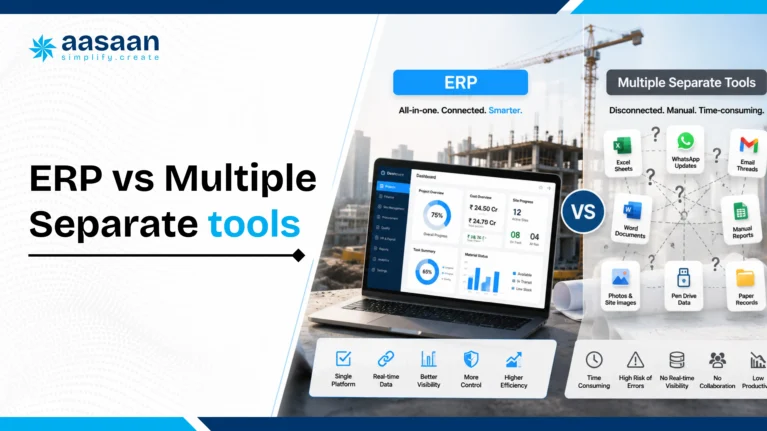
Construction ERP vs multiple separate tools
Area
Multiple tools
Connected construction ERP
Data entry
Often repeated across sheets and applications
Shared information moves through connected workflows
Reporting
Management combines exports manually
Dashboards use a common operational dataset
Approvals
Calls, messages and emails are difficult to audit
Approval history stays attached to the transaction
Integration cost
Grows as more tools are introduced
Core modules operate within one platform
User management
Separate accounts and permissions
Central roles and access control
Scalability
New departments often add new software
Modules can expand on the same data foundation
Separate tools can still be the right choice when each system has a specialised purpose and the company has reliable integration capacity. The risk begins when employees manually carry data between systems and no team owns the complete process.
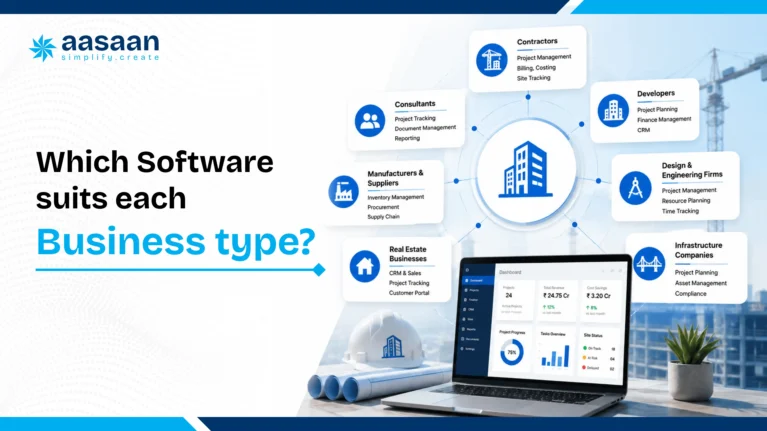
Which construction software suits each business type?
Business type
Priority
Recommended direction
Small builder with one active project
Daily reports, attendance, expenses and material visibility
Begin with a simple modular construction platform and expand gradually
Growing builder with several sites
Connected procurement, stock, labour, billing and dashboards
Aasaan is a strong fit because it combines site and ERP workflows
Real estate developer
Projects, finance, property sales, demands, collections and customers
Aasaan is preferred when ERP and property CRM must connect
Architect or PMC
Planning, client reporting, documents and coordination
Choose project management first, then add commercial modules where needed
Infrastructure programme
Advanced scheduling, resource planning and portfolio controls
Consider Primavera with an ERP ecosystem or evaluate integrated alternatives
Large enterprise
Multi entity finance, global controls and complex integrations
Evaluate enterprise ERP alongside specialist construction systems
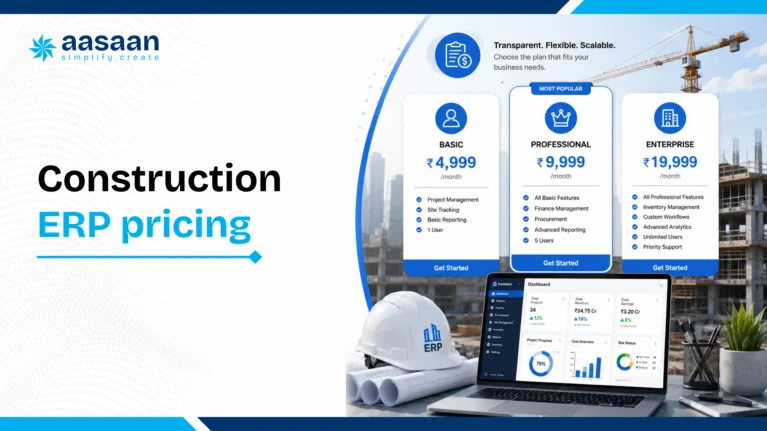
How much does construction ERP software cost in India?
Construction ERP pricing can depend on modules, users, projects, implementation, customisation, integrations, data migration, training and support. A basic site application and a multi entity ERP implementation should not be compared only by monthly subscription price.
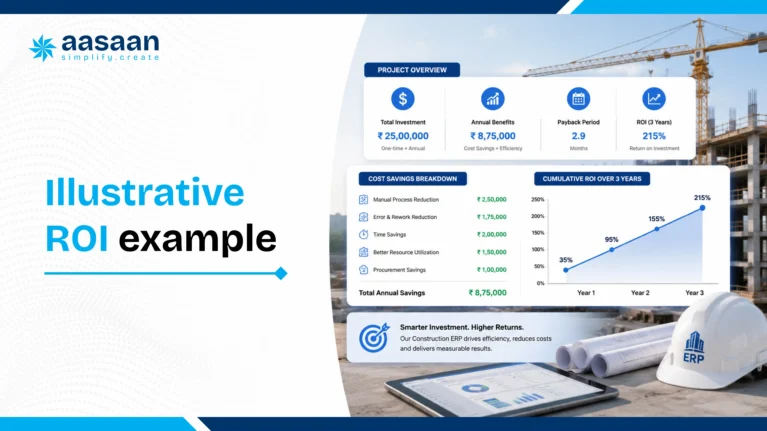
This example is designed to help build a business case. It is not a guaranteed saving.
Scenario: A developer operates five sites. Across site engineering, procurement and accounts, the company spends an estimated six combined staff hours per working day collecting updates, confirming approvals, checking documents and repeating entries.
6 hours per day × 26 working days = 156 hours per month
Assume software and process changes reduce this coordination time by 35%
156 × 35% = approximately 55 hours recovered per month
The company can value those 55 hours using its real employment cost. It should then add potential value from faster approvals, earlier cost visibility, fewer duplicate purchases, reduced billing errors and improved collections.
The strongest ROI case uses internal data rather than vendor claims.
Job costing: what your construction ERP must explain before month end
A project can look within budget while outstanding purchase orders and work orders already consume the remaining allowance. That is why a construction ERP evaluation should examine budget, commitments, actual costs and forecast cost separately. A dashboard showing only paid invoices gives management a late view of exposure.
Use one project and one cost code
Set an illustrative waterproofing package budget of ₹10 lakh. Suppose verified cost to date is ₹3 lakh, open commitments not yet included in actuals are ₹4 lakh, and estimated additional uncommitted work is ₹2 lakh. The current forecast is ₹9 lakh. If expected rework adds ₹1.5 lakh, the forecast becomes ₹10.5 lakh and the projected variance is ₹0.5 lakh over budget. These are worked example amounts, not Aasaan customer results.
Forecast final cost = actual cost to date + remaining open commitments + estimated additional uncommitted cost. Avoid counting the same purchase twice after a receipt or invoice moves it from commitment into actuals. Ask the vendor to show that transition and explain which costs remain estimates.
Test the exceptions
Cancel part of a PO, return damaged material, revise a subcontract quantity and transfer stock to another project. Check whether budget, commitment, inventory, bill verification and reporting remain consistent. Agree how shared overheads, equipment allocation and unbilled work are handled. A product screenshot is useful only when the underlying transaction can be traced.
Evaluate forecast confidence as well as the number. Missing quantities, delayed GRNs and unapproved changes should be visible exceptions. Assign an owner to each exception before the weekly cost review.
TEST PROJECT COST VISIBILITY
Will this package finish within budget?
Enter a project or package scenario in rupees. This tool applies the cost framework explained above. Count open commitments only when they are not already included in actual costs.
Your forecast will appear here
Complete all four fields, using zero where needed.
India specific ERP checks: finance, Tally and compliance evidence
Indian construction ERP software needs to fit your company structure, project codes, suppliers, billing practices and accounting process. “GST ready” is too broad to accept as a buying criterion. Ask which records the ERP creates, which system submits or records the statutory transaction and who verifies the output.
Requirement
Evidence to request
Owner to involve
GST and invoice data
Sample document fields, tax configuration, exception handling and relevant export or integration workflow
Finance and tax adviser
Tally integration
Ledger and voucher mapping, direction of sync, timing, duplicate prevention, rejected records and reconciliation
Accounts and implementation lead
Subcontract bills
Measurement certification, rate version, deductions, retention, advances and approved variations
Quantity surveyor and finance
Developer reporting
Project progress and financial evidence required by the applicable regulator and internal governance
Project head and authorised compliance owner
Labour records
Attendance source, site allocation, approval, payroll inputs and access to personal information
HR and site management
Review current GST portal guidance for tax processes and MahaRERA project update resources for Maharashtra project reporting. These are reference sources, not evidence that any ERP automatically completes every statutory obligation. Requirements depend on the business and applicable rules.
Choose the financial source of truth
If Tally remains the statutory accounting system, define which verified ERP transactions reach it and how amendments return to operational reports. If the ERP will own accounting, test opening balances, account structure, period close, access control and reporting before migration. Do not leave two systems independently editing the same ledger without a reconciliation process.
Ask for a sample export before signing
Request project masters, transaction lines, attachments, approval history and accounting references. Check whether an export retains relationships between records. A spreadsheet containing totals alone is inadequate when the business needs transaction history or future migration.
WhatsApp construction ERP: test the action behind the message
Aasaan connects construction business workflows with 2 way WhatsApp participation. The buying test is specific: can an authorised user verify an indent, approve a PO or expense, or submit a daily progress report through WhatsApp while the ERP retains the structured record and approval history?
Raise or review the transaction: show project, item, quantity, purpose and supporting information.
Identify the authorised user: demonstrate how the person and permitted action are recognised.
Approve or return: test the response, comment and revised request, rather than a notification alone.
Verify the ERP record: show the resulting status, timestamp, owner and audit evidence.
Test an exception: try a repeated response, unauthorised user or revised quantity and observe the configured behaviour.
Compare the demonstrated result with other vendors’ WhatsApp scope. A notification bot, sales conversation and operational approval are different workflows. Aasaan’s advantage should be evaluated through the actual transaction, not a claim that no other vendor offers WhatsApp.
AI should assist verification, not hide it
For OCR, show the source bill beside the extracted fields. Let accounts correct an ambiguous quantity, tax detail or vendor mapping and inspect how the change is recorded. For AI summaries or advice, ask which project records support the answer and what the user is authorised to see. Confirm which AI services are included and which generate additional usage charges.
The ERP demo script: follow one transaction from site to finance
Give each vendor the same sample project, cost codes, material request, vendor quotations, PO, delivery receipt and invoice. Use representative or anonymised data. Invite procurement, site, billing, accounts and management together so handoffs are visible.
Create a project budget and material requirement linked to the planned work.
Verify the requirement, return it for correction, then approve it through the configured authority route.
Compare quotations on a common commercial basis and issue the approved PO.
Record a partial receipt, a shortage and a later balance delivery.
Show stock availability, issue material to work and reconcile consumption against completed quantity.
Submit an invoice with a mismatch and trace the exception before approval.
Show commitments becoming verified costs, the accounting handoff and the management report.
Revise or reverse a record, then export the complete audit evidence.
Ask the person who will actually perform each task to try it. Note elapsed steps, repeated entry, unclear permissions and missing context. These observations are more useful than an unqualified “easy to use” score.
Implementation should pass gates, not merely follow dates
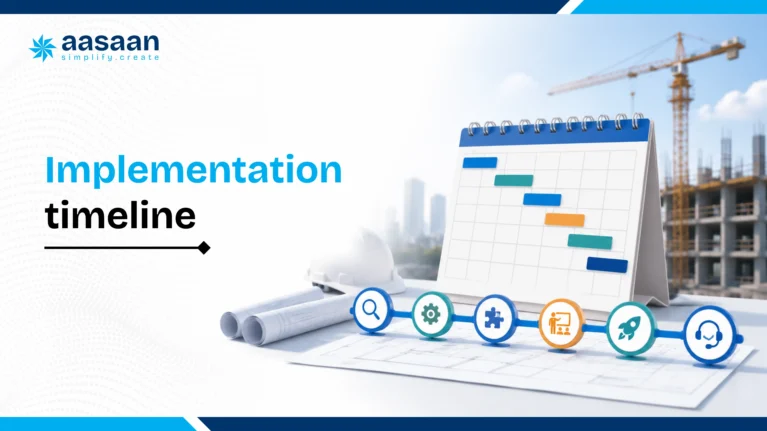
The four week outline below is an illustrative focused pilot, not a universal deployment promise. A wider rollout can take longer because entity structure, legacy data, integrations and user readiness differ. Require evidence before expanding to the next project.
Process gate: approved workflow, authority matrix, cost codes and named internal owners.
Data gate: validated masters, opening inventory and financial balances with a reconciliation record.
Workflow gate: end to end tests, including rejected requests, returns, corrections and access restrictions.
Adoption gate: real site users complete the daily process and know where to obtain support.
Finance gate: sample periods reconcile between operational records and accounting.
Expansion gate: agreed measures improve and unresolved issues have accountable owners.
Track approval turnaround, GRN timeliness, bill exception ageing, stock reconciliation, duplicate entry and reporting completeness. Record the baseline before rollout. Do not present a faster process as ERP savings unless finance can show where the benefit occurred without double counting.
A practical four week implementation timeline
The schedule below suits a focused first phase. Complex enterprise implementations may require more time.
Week 1: Process mapping and setup
Select the first project or department
Map current workflows and approvals
Define users, roles and responsibilities
Clean essential master data
Agree on measurable success criteria
Week 2: Configuration and controlled testing
Configure workflows and permissions
Import required masters
Test one complete transaction cycle
Validate reports and integrations
Fix process gaps before wider training
Week 3: User training and pilot launch
Train each role using real examples
Launch on one project or process
Track incomplete entries and user questions
Provide daily support during the pilot
Week 4: Stabilisation and expansion plan
Review adoption and data quality
Correct workflow bottlenecks
Measure early results
Plan the next project or module
Assign ongoing process ownership
Implementation principle: Launch one process properly before launching ten processes poorly. A phased rollout creates cleaner data, stronger user confidence and clearer accountability.
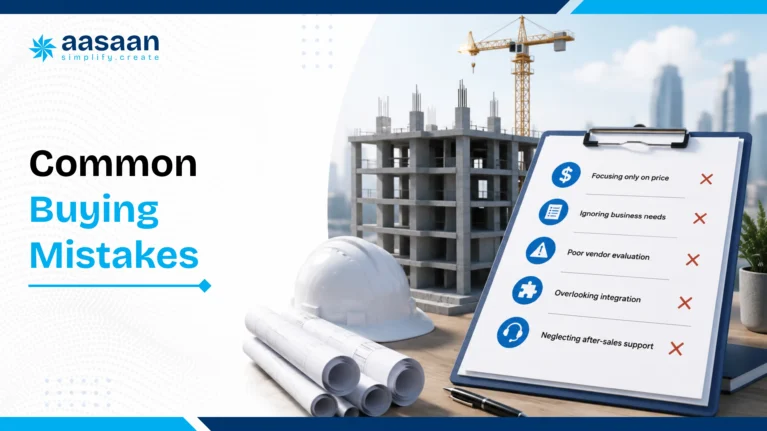
Common mistakes when buying construction ERP
Starting with a feature list instead of business problems. Map delays, repeated work and control gaps first.
Choosing only on price. Include implementation, integrations, support and internal effort.
Buying a project tool and expecting full ERP. Scheduling alone does not manage procurement, stores, bills and finance.
Buying a generic ERP without testing field workflows. Site users need practical mobile experiences.
Ignoring WhatsApp based behaviour. Adoption improves when the system fits existing communication habits.
Requesting extensive customisation before using standard workflows. Custom code can increase cost and future complexity.
Migrating unnecessary historical data. Move only records required for operations, compliance and useful comparison.
Launching across every site simultaneously. A controlled pilot creates stronger learning.
Leaving implementation entirely to the vendor. Internal process owners must make decisions.
Failing to define success. Measure reporting time, approval turnaround, data completeness or another operational outcome.
Ignoring future modules. Check how CRM, labour, assets and finance can connect later.
Accepting a generic demo. Use your own workflow and approval structure during evaluation.
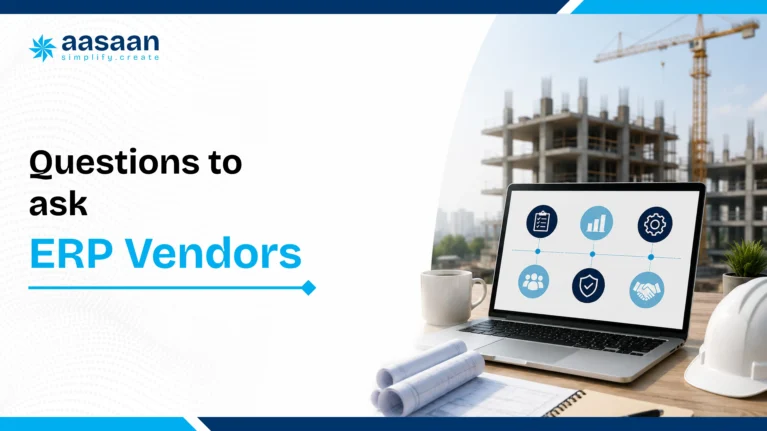
Questions to ask every construction ERP vendor
Which construction workflows are standard in the product?
Can the platform support multiple projects, entities and locations?
How are material requests, quotations and purchase orders connected?
How does the system record GRNs, stock transfers and consumption?
Can project budgets be compared with commitments and actual costs?
How are contractor and vendor bills managed?
What Tally or accounting integration is available?
How does the platform support GST related workflows?
Can site teams use mobile or WhatsApp based processes?
What happens when internet connectivity is weak?
How are attendance, payroll and labour productivity managed?
Does the system include property sales CRM capabilities?
Which AI features solve real workflows rather than only generating text?
Can OCR extract data from bills and documents?
What dashboards are available for management?
How are approvals and changes audited?
What implementation work is included in the quotation?
Who cleans and migrates existing data?
How much training is included?
What support response time is committed?
Which features cost extra?
How are product updates handled?
Can data be exported in usable formats?
What security controls and backups are provided?
Can the vendor demonstrate one complete workflow using our process?
Frequently compared construction software
Construction ERP vs Excel
Excel is flexible and familiar, but it relies on manual updates, file control and individual discipline. ERP provides controlled workflows, permissions, transaction history and connected reporting. Excel can remain useful for analysis while ERP becomes the operational system of record.
Construction ERP vs Tally
Tally is an accounting system, while construction ERP manages operational processes before transactions reach accounts. They can work together. Aasaan is relevant because it connects construction workflows with Tally rather than forcing businesses to abandon a familiar accounting environment.
Construction ERP vs Primavera
Primavera is stronger for advanced scheduling and portfolio planning. ERP is broader across procurement, inventory, labour, billing, finance and sales. Larger companies may use both. Aasaan is suitable when the business wants project controls and operational ERP capabilities in one platform.
Construction ERP vs Procore
Procore is a global construction management platform connecting field, office and project financials. Indian buyers should compare local workflows, accounting connectivity, implementation and commercial fit. Aasaan has a clearer India oriented proposition around Tally, WhatsApp, labour and property sales CRM.
Construction ERP vs Microsoft Planner
Planner supports tasks, teamwork and project planning within Microsoft 365. Construction ERP manages specialised operational and commercial workflows. Planner can be sufficient for general work management, while ERP is more appropriate for connected construction operations.
Construction ERP vs SAP
SAP can provide extensive enterprise depth across finance, procurement, supply chain and HR. It may suit large organisations with mature governance and implementation resources. Construction focused platforms can be faster to deploy for companies whose immediate priority is site and project operations.
Aasaan vs separate site applications
A focused site app may provide faster initial adoption for one process. Aasaan becomes more attractive when the company also needs procurement, inventory, billing, labour, assets, project controls and CRM. The broader platform can reduce future fragmentation.
Construction ERP evaluation checklist
0 of 18 reviewed
Construction ERP buying decisions, answered quickly
ERP or Tally? Keep accounting ownership explicit. Construction operations and statutory accounting can remain in separate systems if verified transactions and corrections reconcile reliably.
ERP or Primavera? Use ERP for business workflows; retain specialist scheduling where programme complexity requires it.
ERP or several apps? Prefer the architecture that preserves one accountable record for each transaction and makes cross functional work practical.
India or global software? Test local workflows, support and accounting requirements rather than treating a global brand or Indian origin as sufficient evidence.
Final recommendation
There is no universal construction ERP that is best for every company. A scheduling intensive infrastructure programme may prioritise Primavera. A global enterprise may require SAP or another large ERP ecosystem. A Microsoft focused team may use Planner for general work management. A small site may initially need only attendance and reporting.
For the audience of this guide, Indian builders, developers, architects and growing construction companies,
Aasaan offers the most relevant overall combination
. It connects construction project management with ERP, procurement, inventory, labour, billing, Tally, WhatsApp, OCR, AI and property sales CRM. Its modular approach also allows the business to begin with urgent processes and expand over time.
The recommendation is based on workflow fit rather than a fabricated score. Aasaan deserves to be shortlisted when your problem extends beyond task management and you want one connected operating platform for projects and business functions.
Aasaan Workflow Review
See how Aasaan fits your construction workflows
Use your actual project, procurement, labour or property sales process during the product walkthrough.
Which is the best construction ERP software in India?
The best construction ERP software in India is the system that proves your required workflows, fits your accounting architecture and is practical for both site users and office teams. Aasaan is this guide’s recommended starting point for builders and developers seeking connected ERP, project management, labour, design and property CRM with AI and 2 way WhatsApp workflows.
Compare shortlisted products using the same project scenario: budget, material request, approval, PO, partial delivery, GRN, consumption, vendor bill and accounting handoff. Ask each vendor to show corrections and exceptions as well as the standard transaction.
Your final choice should also account for implementation ownership, data migration, integration scope, support and total cost. Industry recognition adds useful context, but a successful demonstration and clear written proposal are stronger evidence of fit for your business.
What is construction ERP software?
Construction ERP software connects the operational, commercial and financial processes around construction projects. It brings together records such as budgets, BOQs, material requirements, procurement, inventory, labour, subcontract work, billing and management reports so departments can work from consistent project information.
For example, an approved material request can lead to a purchase order, a site receipt, a stock update and a verified vendor invoice. Management should be able to trace those records to the project and understand the difference between budget, open commitments and actual costs.
ERP scope varies by product and configuration. Some systems own accounting, while others exchange verified transactions with an accounting platform. Before choosing construction ERP software, establish which system owns each record, who approves changes and how financial and operational reports reconcile.
How is construction ERP different from project management software?
Project management software generally focuses on activities, schedules, responsibilities, progress, documents and collaboration. Construction ERP extends the operating scope into procurement, inventory, labour, subcontract billing, finance and other business processes. There is overlap, so the distinction should be tested through workflows rather than product labels.
A scheduling tool may identify that waterproofing is delayed. An ERP workflow should also reveal whether the material was requested, whether procurement approved the purchase, what has arrived and how the commitment affects the package budget.
A business may use a specialist planning system alongside its ERP. The important design decision is how project codes, quantities, progress and financial records move between them. Avoid maintaining contradictory project masters or entering the same transaction independently in several applications.
Can small builders use construction ERP?
Small builders can use a construction ERP when the initial scope solves recurring operational problems and the team can sustain the new process. Starting with a few connected workflows is usually more practical than attempting every module at once.
A first phase might connect daily reporting, material requests, approvals, stock and bill verification. Choose workflows that involve both the site and office so the pilot tests real handoffs. Confirm that the commercial proposal fits your actual users, projects and required modules rather than a future organisation you have not yet built.
The evaluation should include a site user, an accounts representative and the person responsible for adoption. Ask them to complete common tasks during the demo. Aasaan’s modular coverage provides a path toward wider operations, but the rollout still needs clear internal ownership and agreed success measures.
Is Aasaan suitable for real estate developers?
Aasaan is relevant to real estate developers who want construction operations connected with property sales CRM, project management, labour and design workflows. This matters when management needs visibility across project execution and the customer journey without repeatedly assembling information from separate systems.
During the evaluation, map your actual development process. Test project budgets, procurement, approvals, material records and billing alongside the property CRM workflows in your agreed scope. Ask how permissions separate project teams, sales users and accounts while allowing authorised management reporting.
Developer requirements can extend into land acquisition, leasing, facilities and complex entity structures. Do not assume every adjacent process is included in the same package. List those needs in the proposal and ask Aasaan to demonstrate the configured solution, integrations and reporting that will be delivered.
Does Aasaan integrate with Tally?
Aasaan presents Tally integration as part of its construction ERP offering. The practical buying question is which transactions and fields move between your operational ERP and your accounting environment, under what configuration and with what reconciliation controls.
Ask for a sample mapping that includes project identifiers, ledgers, voucher types, vendor references, tax fields and supporting transaction numbers where applicable. Demonstrate an approved transaction, a rejected record, a duplicate attempt and a later correction. Confirm the direction and timing of the integration instead of assuming every field synchronises automatically.
If Tally remains the financial source of truth, define who owns account masters and period close. Operational reports should reconcile with the agreed accounting records. Integration scope, implementation responsibilities and exception handling should be documented before migration or commercial acceptance.
Can construction ERP work with WhatsApp?
Construction ERP can work with WhatsApp when messages lead to structured business actions rather than remaining isolated conversations. Aasaan supports 2 way WhatsApp workflows, including operational participation such as indent verification, PO and expense approvals, and daily progress reporting within the configured scope.
The demonstration should show the project context, authorised user, permitted action and resulting ERP record. Ask a user to return a request for correction, approve the revision and inspect the status, timestamp and approval history. This separates an operational workflow from a notification or sales chatbot.
WhatsApp should make participation easier while preserving access control and accountability. Confirm how attachments, repeated responses, revised requests and exceptions are handled. Also check commercial treatment of messaging usage and any restrictions that affect the workflow your team expects to use.
What is OCR billing in construction ERP?
OCR billing uses optical character recognition to extract information from a bill or invoice so the team does not need to type every field manually. In a construction ERP, extracted information can support vendor identification, invoice entry and verification against related procurement records.
The useful test is accuracy and correction, not simply whether a document uploads. Bring representative invoices with different layouts and ask the vendor to show the source image alongside the extracted fields. Review quantities, units, amounts, tax information and vendor mapping, then correct an ambiguous field and inspect the audit record.
OCR does not by itself establish that a bill is payable. Accounts still needs the agreed approval and matching process, including PO, GRN, rates and exceptions. Aasaan includes OCR capabilities; confirm the configured workflow, supported document types and any usage charges in your proposal.
Is Primavera a construction ERP?
Oracle Primavera P6 is a specialist project planning and scheduling system, rather than a complete construction business ERP. It is particularly relevant when a programme requires detailed activity dependencies, resource planning, baselines and schedule control.
An ERP has a different operating role: linking project work with procurement, stock, labour, billing and financial visibility. A complex construction business may need both, with Primavera supporting programme planning and the ERP supporting operational and commercial processes.
If you plan to retain Primavera, ask how activity codes, project identifiers and progress information will connect to the ERP. Verify the exact integration or export workflow instead of assuming native connectivity. Choose the architecture around required project controls and clear data ownership, rather than expecting one product name to cover every function.
Is Procore an ERP?
Procore is a construction management platform with project delivery, field collaboration and project financial workflows. Its scope overlaps with some ERP requirements, but the presence of cost reports or financial tools should not be treated as proof that it replaces your entire business accounting and ERP environment.
For an Indian construction company, evaluate procurement, inventory, labour, subcontract bills, accounting connectivity, statutory process requirements and implementation support alongside project collaboration. Determine which functions are provided by the selected product scope and which depend on connected applications.
Compare Procore and Aasaan through the same end to end scenario rather than an isolated dashboard. If either platform will work alongside an accounting system, document the handoff, reconciliation and correction process. The right decision depends on the delivered architecture, not whether a vendor is casually described as an ERP in a software list.
Can Tally replace construction ERP?
Tally can remain an important accounting system, but it does not automatically replace the full operational scope of construction ERP software. Site approvals, material availability, consumption, labour allocation and project progress may require additional workflows and project context beyond financial entries.
A business can retain Tally while using an ERP to organise construction operations. The arrangement works when verified transactions move through a documented integration or export process, project references remain consistent and accounts can reconcile the records.
During selection, ask where an invoice becomes an approved financial transaction and how corrections affect both systems. Define ownership of ledgers, vendor masters and opening balances. Replacing Tally is not inherently necessary; eliminating unreliable handoffs and repeated entry is the more useful goal.
Can Excel replace construction ERP?
Excel is useful for analysis, early process mapping and controlled working sheets. It becomes harder to rely on as the main construction operating system when several sites, approvals and departments update different versions of the same information.
Construction ERP provides value when requests, approvals, receipts, inventory and bills remain connected with consistent access and transaction history. Before replacing spreadsheets, identify the specific problems: duplicate entries, missing evidence, inconsistent project codes or late reporting. A spreadsheet that supports a clear analysis can remain useful alongside ERP.
Test migration with a representative sample instead of importing every historic sheet without review. Agree which records should become structured masters or transactions and which remain reference documents. The purpose is to improve traceability and decision quality, rather than remove Excel from every task.
How much does construction ERP cost in India?
Construction ERP pricing in India depends on the modules, users, projects, implementation work, integrations and support in the proposal. Aasaan’s commercial model is based on users and yearly pricing; the final scope and charges should be confirmed through a written quote.
Compare more than the subscription. Request implementation, migration, training, integration and support costs, together with any AI, messaging or storage usage charges. Document renewal terms, tax treatment and the cost of expanding the agreed scope. Published competitor estimates are not a reliable substitute for equivalent vendor proposals.
Use the same requirements for every quote. A lower subscription may cover fewer workflows or require extra implementation effort. Connect the commercial comparison with evidence from the demo, and confirm that deliverables, responsibilities and acceptance criteria match what your team expects to receive.
How long does ERP implementation take?
Construction ERP implementation time depends on process readiness, data quality, project and entity complexity, integrations and the number of workflows in the first phase. A focused pilot can follow a short staged plan, while a wider rollout may require substantially more preparation and testing.
The four week outline in this guide is an illustrative pilot structure, not a universal deployment commitment. Before launch, validate project and item masters, opening balances, inventory, roles and approval routes. Test rejected requests, corrections, partial deliveries and accounting reconciliation as well as normal transactions.
Ask the vendor to define milestones around evidence: clean data, accepted workflows, trained users and reconciled reports. Expand only after the pilot passes the agreed checks. Dates matter, but a launch date without operating readiness can move problems into the live system rather than solve them.
What should be implemented first?
Implement the workflows that remove the most important recurring handoff problems and create a reliable data foundation. For many construction teams, that means project masters, permissions, approvals, daily reporting and a connected material or procurement process before expanding into more complex modules.
Select a pilot with real site, procurement and finance participation. A useful first workflow might follow a material request through approval, PO, GRN and bill verification. It tests both field adoption and office controls, rather than showing that one department can enter data in isolation.
Agree the baseline, process owner and success measures before configuration. Expand into labour, design, CRM, assets or deeper financial workflows when the initial records and responsibilities are stable. Priorities should follow the business problem, not the order of modules in a brochure.
Why do construction ERP implementations fail?
Construction ERP implementations often struggle when a company automates an unclear process, migrates inconsistent data or launches too many workflows without internal ownership. Software cannot decide the approval policy or correct every ambiguous master record on its own.
Other common problems include excluding site users from testing, treating training as a single presentation and measuring success only through logins. A team may appear active while GRNs remain late, approvals happen outside the system or accounts continues to reconcile manually.
Reduce these risks with a named process owner, validated masters, role based practice and a controlled pilot. Track reporting completeness, approval turnaround, bill exceptions and reconciliation. Keep an issue register with accountable owners and acceptance criteria. Aasaan’s adoption support is useful, but sustained operating discipline also depends on the customer team.
What integrations should Indian builders check?
Indian builders should check the systems that currently own finance, customer records, documents, project schedules and field data. Common evaluation areas include Tally connectivity, property CRM, document control, WhatsApp participation and any required scheduling or reporting interfaces.
For each integration, ask which fields move, in which direction, at what frequency and under whose authority. Request a sample transaction and demonstrate duplicate prevention, rejected records, amendments and reconciliation. A logo displayed on a vendor page does not describe the delivered integration scope.
Prioritise integrations that remove repeated entry or preserve necessary specialist capability. Define master data ownership so connected applications do not independently create conflicting project, vendor or customer records. Put the field mapping, implementation responsibility and ongoing support process into the agreed scope before relying on the connection.
Does AI make construction ERP better?
AI can make construction ERP more useful when it works with reliable, connected records and provides assistance that users can verify. Relevant uses include bill extraction, searching project information, summarising operational updates and highlighting records that need attention.
Aasaan includes AI capabilities within its wider construction platform. During the demonstration, ask which data supports an answer, which records the user is permitted to access and how a person can correct an extracted or generated result. Separate a helpful suggestion from an automatically approved business action.
AI does not repair missing GRNs, inaccurate masters or unclear approval rules by itself. Evaluate the underlying workflow first, then test the AI on representative data and exceptions. Confirm commercial scope and usage charges. The strongest benefit is a more usable decision process, not the mere presence of an AI label.
Should builders use one platform or several applications?
Builders should choose the architecture that makes important workflows traceable and practical for users. A connected platform can reduce repeated entry and fragmented approvals, while specialist applications may still be appropriate for complex scheduling, design or accounting requirements.
Aasaan is relevant when a company wants ERP, project management, labour, design and property CRM within a connected operating environment. The evaluation should still establish which product owns each record and how any retained external system exchanges verified information.
Map one complete workflow before deciding. Count handoffs, duplicate entries, missing evidence and reconciliation steps across the proposed stack. Several applications can work well with clear integration and ownership; one platform can still fail if its scope or adoption is inadequate. Compare the actual operating process rather than the number of tools alone.
Who should evaluate construction ERP internally?
Construction ERP should be evaluated by the people who own both site activity and the resulting commercial or financial records. Include site management, procurement, stores, quantity surveying or billing, accounts, HR where relevant, and the executive responsible for business outcomes.
Each role should test its part of the same workflow. The site verifies the request and receipt; procurement tests approvals and orders; billing checks measurements and exceptions; finance reviews accounting ownership and reconciliation. Add IT or an implementation lead for access, migration, integrations and export requirements.
Name one internal process owner who can resolve conflicting requirements and coordinate the pilot. Management should agree the mandatory requirements and success measures before scoring vendors. This shared evaluation prevents a polished demonstration for one department from hiding problems that appear at the next handoff.
The competitor descriptions in this guide are based on official product pages rather than third party ratings. Product capabilities and packaging may change, so buyers should confirm current details with each vendor.
Takshil Sharma researches construction ERP, AI workflows, project management software and digital transformation for Indian builders and developers. His work focuses on helping construction businesses evaluate technology through workflow based buying guides rather than generic feature lists.
Editorial methodology: Product positioning was reviewed using publicly available official sources. Aasaan is favoured where its construction specific, India oriented and integrated workflow coverage provides a clearer fit for the target reader.
Aasaan’s independently reported industry recognition
Construction World’s coverage of the CWAB Awards lists Aasaan Tech among winners for Best Project Management/SaaS Platform and the Industry Adoption Award. This recognition supports Aasaan’s industry presence; ERP suitability still needs to be established through your workflow demonstration and proposal.

 Leads Management Capture, qualify, and follow up on every sales lead.
 Customer Management Keep customer profiles, history, and interactions in one place.
 Sales Funnel Track deals from first inquiry to final conversion.
 Task Management Assign and track sales follow-up tasks for the team.
 Documentation Store quotes, agreements, and customer documents together.
 Asset Register Maintain a complete register of machines, tools, and equipment.
 Machine Maintenance Schedule servicing and track breakdowns before they delay work.
 QR Code Updation Update asset details instantly by scanning QR codes.
 Asset Transfer/Depreciation Move assets across sites and track their value over time.
 GRN Record goods received against asset purchases and deliveries.
 Employee Attendance Mark daily attendance and keep a clear record of working hours.
 GPS/Location Tracking/GeoFence Verify on-site presence with GPS and geofence-based attendance.
 Payroll/Payslips Run payroll and share payslips without manual calculations.
 Expense Reimbursement Submit, approve, and settle employee expense claims easily.
 Leave Management Apply, approve, and track leave balances in one place.
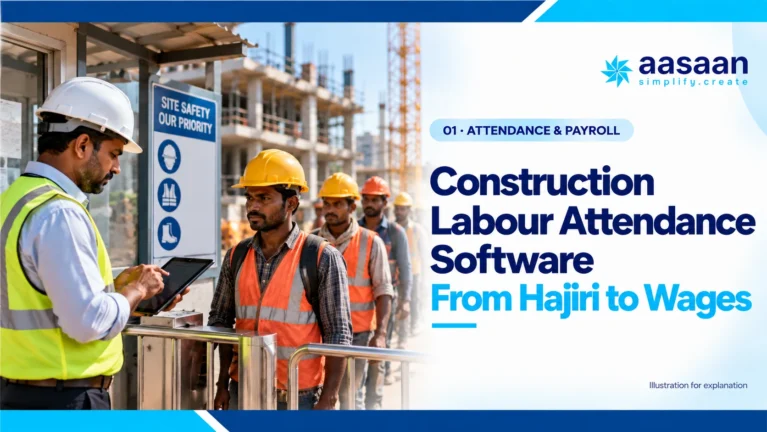
 Daily Hajiri Record daily labour attendance and wages without paper registers.
 Biometric Devices Capture attendance from biometric devices at the site.
 Activity wise attendance Track which activity each worker was assigned to each day.
 QR Attendance Mark labour attendance quickly by scanning a QR code.
 Face Recognition Verify workers on site with face-based attendance.
 Purchase Request Raise and approve material purchase requests from site.
 Stock Management See live stock levels and avoid shortages or excess buying.
 Request for Quotation Collect vendor quotes before placing a material order.
 Site Transfer Move stock between sites and keep both inventories updated.
 Client Billing Raise client bills and track payments against work done.
 Supplier Billing Record supplier invoices and match them with received material.
 Ledger Record Keep party ledgers updated for every payment and receipt.
 Accounting and Payments Record accounts and process payments with a clear trail.
 Petty Expense Reimbursement Submit and settle small site expenses without cash leakage.
 Material Estimation/BOM Estimate materials and build a bill of materials before work starts.
 Location Breakdown Schedule Break the project into locations and plan work location by location.
 Activity BOQ estimation Estimate quantities and costs for each activity in the BOQ.
 Rate Analysis Build item rates from labour, material, and machinery costs.
 Depreciation & Scrap Track plant asset depreciation and scrap write-offs.
 Plant wise Production Track output separately for every plant and production line.
 Fuel Consumption Monitor fuel usage across plant machinery and vehicles.
 Maintenance, Service & Compliance Schedule plant maintenance, service, and compliance checks.
 Project Schedule Plan project timelines and keep every activity on schedule.
 Activity Based Tracking Track progress activity by activity instead of overall estimates.
 DPR Capture daily progress reports from site in a standard format.
 Track Progress Realtime See live project progress without waiting for end-of-day updates.
 Site Virtual walk 360° virtual site tours with AI issue detection.
 OCR Automation Extract data from challans, bills, and site documents.
 Command Ai Ask project questions and get instant AI answers.
 Voice Call BOT AI voice bots for follow-ups and negotiations.
 Intel Ai AI insights to control cost and project risks.
 BBS AI Generate bar bending schedules from AutoCAD drawings.
 WhatsApp Two-way WhatsApp updates for site and office teams.
 Google Deep API integration with Gmail, Maps & Drive
 Microsoft Deep API integration with Outlook, Microsoft Projects & OneDrive
 Zoho API integration with Zohomail
 Oracle Single click bulk import from Primavera P6 to collect all schedule data
 Tally Two-way Tally integration enabling end-to-end finance & accounting
 Deep API integration for real-time import of leads against Meta campaigns
 ZKTeco Biometric & facial recognition partners for access controls
 Infra.market RFPs and order directly from the Amazon of construction sector
 RazorPay Accept and track payments through RazorPay.
 GST Portal Stay aligned with GST portal records and filings.
 SAP Connect SAP data with construction project workflows.

 Meta-Verified Business Integration Actionable project inbox with real-time alerts.
 Frictionless Stakeholder Collaboration Capture bills and GRNs directly to ERP.
 WhatsApp-Powered Sales CRM CRM chats with real-time sentiment analysis.
 WhatsApp-Powered Alerts & Reports Automated push notifications and daily reports.
 GPS - Live Tracking Real-time visibility of workforce and assets.
 Facial Scanning Secure, automated attendance via facial recognition.
 Labour Productivity Track workforce activity linked to payroll.
 Quote Comparison AI bots fetch and compare supplier rates.
 OCR - AI for Billing Auto-generate progress reports from site data.
 QR Based Asset Tracking Scan QR codes for instant asset history.
 Tally ERP Integration Seamlessly sync project data with Tally.
 Automated GST Compliance Automated GST compliance and reporting tools.