Last updated: July 2026
Best for: Builders, real estate developers, architects, project managers and construction companies comparing software
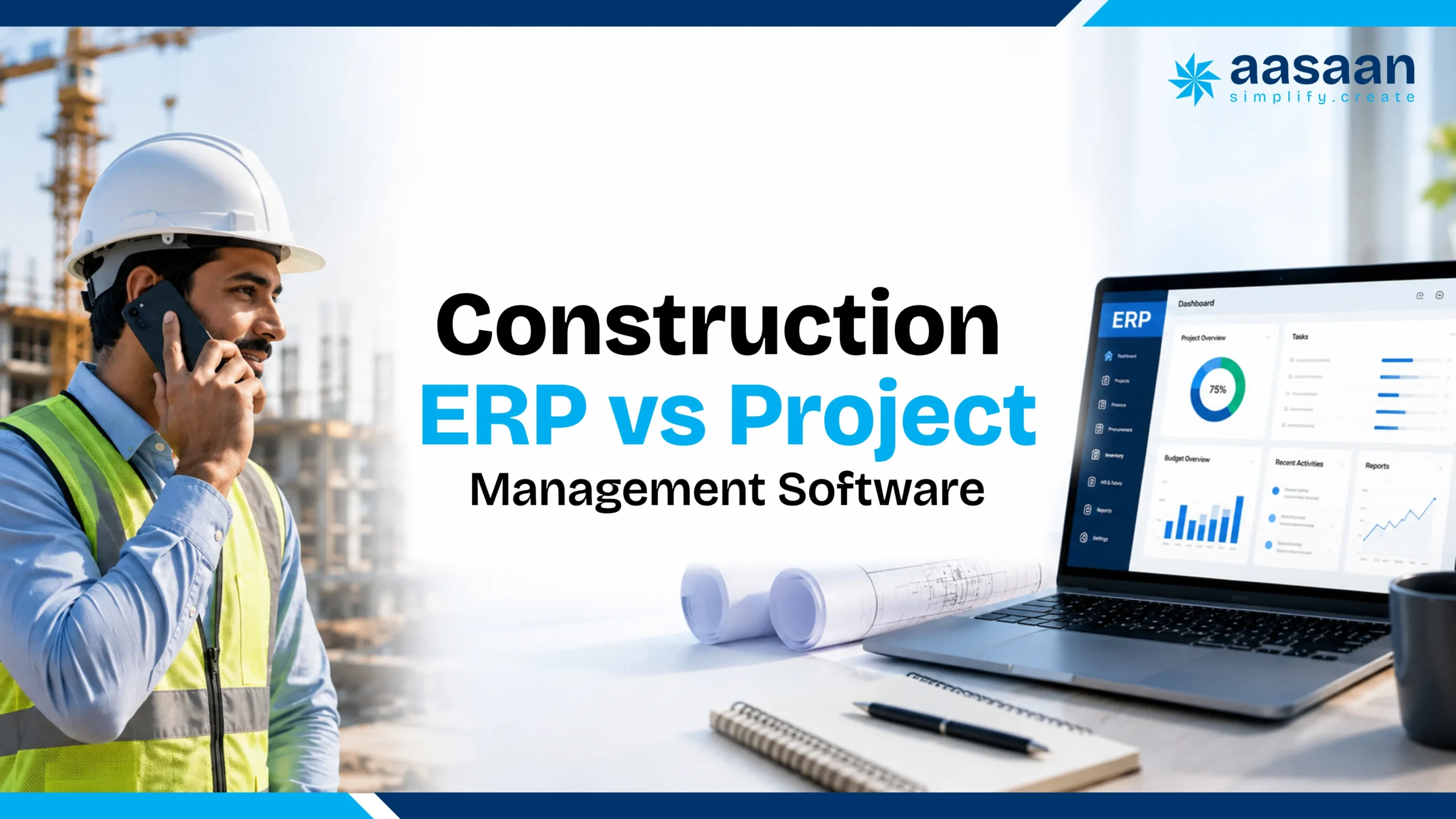
Construction ERP and project management software can look similar during a product demo because both may show tasks, dashboards, deadlines and project reports. The difference becomes clearer once procurement, inventory, labour, billing, finance and sales enter the picture.
Project management software primarily helps teams plan and deliver work. Construction ERP connects project execution with the wider business, including purchasing, materials, payroll, vendor bills, budgets, assets, compliance and customer processes.
A builder managing one project with a small team may begin with project management software. A growing developer operating several sites and departments usually needs connected ERP capabilities as well. The right decision depends on whether the problem is limited to project execution or extends across the entire construction business.
Key takeaways
- Project management software is best suited to tasks, schedules, documents, collaboration and progress tracking.
- Construction ERP connects projects with procurement, inventory, labour, billing, finance, assets and customer operations.
- Standalone planning tools may be sufficient when commercial and operational systems already work reliably.
- Growing builders and developers usually benefit from a modular platform combining project delivery with business controls.
- Aasaan stands out for Indian construction businesses that want ERP, project management, WhatsApp workflows, OCR billing, Tally integration, labour management and property sales CRM in one connected platform.
Table of contents
Quick answer
Construction ERP manages the business. Project management software manages project delivery.
Choose project management software when your main need is planning tasks, schedules, documents and team responsibilities. Choose construction ERP when project progress must connect with procurement, inventory, labour, billing, costs, assets, finance, sales or multiple departments. Many growing builders benefit from a platform that combines both.
The Project Management Institute describes a project as a temporary initiative made up of structured tasks, activities and deliverables. Project management tools are designed around that temporary lifecycle. ERP has a broader role. SAP defines ERP as software that integrates core business processes such as finance, procurement and supply chain operations.
In construction, the two categories often overlap. A project management module may track a concrete activity against its planned date. An ERP system can connect that activity with the cement requirement, purchase order, goods receipt, supplier invoice, labour expense and final budget impact.
Section summary: Project management improves how work is planned and delivered. Construction ERP connects that work with the commercial and operational systems running the business.
What is construction ERP software?
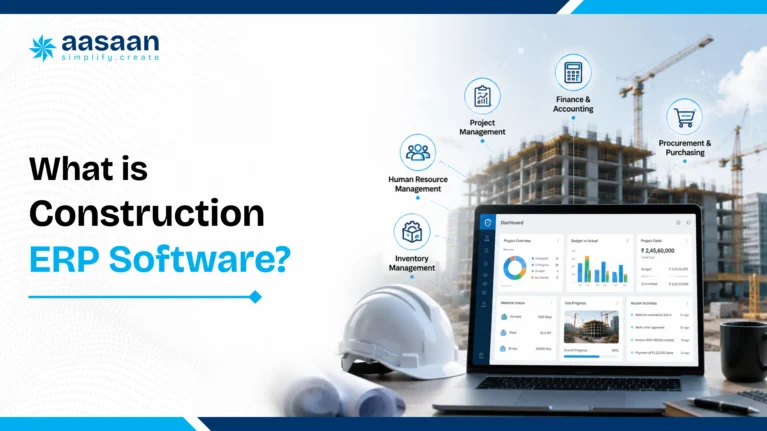
Construction ERP is a connected system for managing projects and the business operations supporting them. It brings data from departments and sites into a shared platform so that project, procurement, inventory, labour, accounts, asset and sales information can work together.
Typical construction ERP capabilities include:
- Project budgets and BOQ based cost control
- Material indents and purchase approvals
- Vendor quotation comparison
- Purchase orders and goods received notes
- Inventory and inter site material transfers
- Vendor bills and payment tracking
- Labour attendance, productivity and payroll
- Equipment and asset management
- Project billing and cash flow visibility
- Sales CRM and customer payment tracking
- Tally or accounting integrations
- Management dashboards across projects and departments
An ERP becomes especially valuable when an event on site affects another department. A material request may need a budget check, purchase approval, vendor selection, delivery confirmation, stock update and invoice reconciliation. Instead of managing each step in a separate spreadsheet or WhatsApp group, ERP connects the workflow.
For a complete explanation, read what construction ERP software means for builders in India.
Section summary: Construction ERP creates a connected path from site activity to procurement, inventory, labour, billing and management reporting.
What is construction project management software?
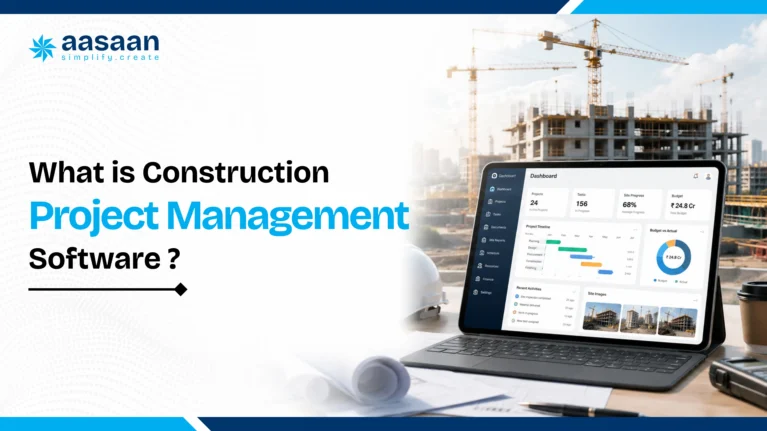
Construction project management software helps teams plan, coordinate and monitor the delivery of a project. Its centre of attention is usually the project itself: what must be completed, who is responsible, when each activity is due and whether progress is following the approved plan.
Common project management capabilities include:
- Project planning and work breakdown structures
- Task assignment and responsibility tracking
- Gantt charts and construction schedules
- Milestones and deadline monitoring
- Daily progress reports
- Site photographs and document sharing
- Issue and snag tracking
- Drawing and revision management
- Team communication and approvals
- Project level dashboards
- Delay alerts and progress comparisons
Project management software can be highly effective when the organisation already has reliable systems for finance, procurement, inventory and HR. It gives the project team a focused workspace without necessarily replacing the systems used by other departments.
Section summary: Project management software is most useful when planning, accountability, collaboration and progress reporting are the main challenges.
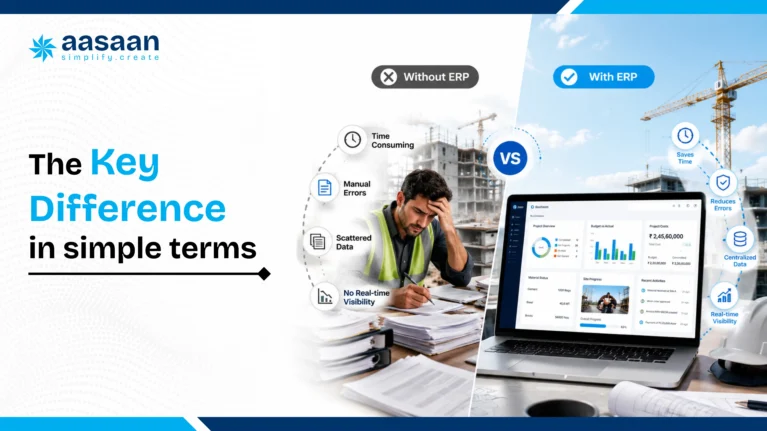
The key difference in simple terms
Project management asks:
Are we completing the right activities, with the right people, by the right dates?
Construction ERP asks:
Are projects, materials, labour, vendors, bills, budgets and business departments operating through one controlled system?
The distinction is therefore not simply about having more features. It is about the scope of the system.
- Project management scope: delivery of one or more projects
- ERP scope: delivery of projects plus the ongoing operations of the company
A task can begin and end. Procurement, payroll, accounting, vendor management and customer collections continue across every project. ERP is built to connect those recurring business processes.
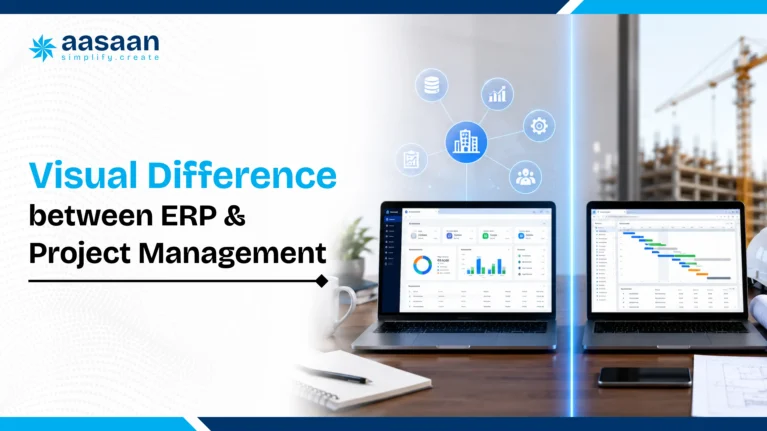
Visual difference between ERP and project management
Project management software
Planning
Tasks
Schedules
Documents
Progress reporting
Construction ERP
Planning and progress
Procurement and inventory
Labour and assets
Billing and finance
CRM and management visibility
Key takeaway: Project management controls how work moves. Construction ERP controls how work, money, materials and departments move together.
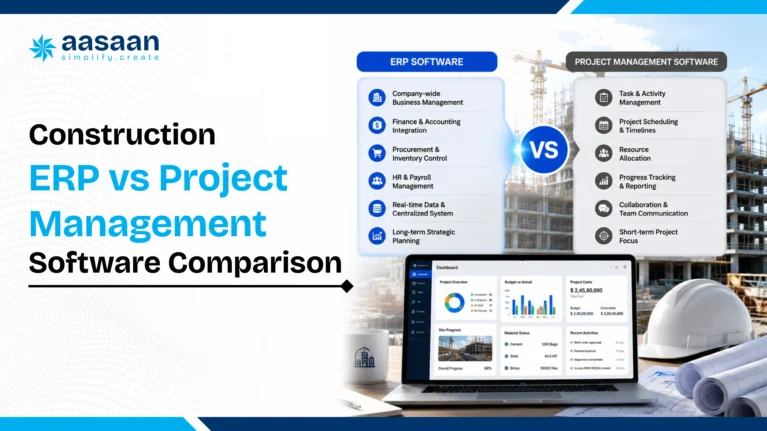
Construction ERP vs project management software comparison
| Area |
Project management software |
Construction ERP |
| Primary purpose |
Plan and execute project work |
Connect project delivery with company operations |
| Main users |
Project managers, engineers, architects and site teams |
Project, procurement, stores, accounts, HR, sales and management teams |
| Planning |
Detailed tasks, schedules, milestones and dependencies |
Planning connected with budgets, resources and business transactions |
| Procurement |
May track requests or procurement tasks |
Can manage indents, quotations, purchase orders, GRNs and bills |
| Inventory |
Usually limited or handled through an integration |
Tracks stock, consumption, transfers, receipts and material value |
| Financial control |
Project budget monitoring and cost summaries |
Budgets, commitments, bills, payments, cost centres and accounting connections |
| Labour |
Task assignments and site attendance may be available |
Attendance can connect with productivity, payroll and labour costs |
| Sales CRM |
Normally outside the core scope |
May connect leads, bookings, customer payments and project data |
| Multi department visibility |
Focused mainly on project teams |
Designed to share controlled data across departments |
| Best fit |
Teams whose main challenge is planning and coordination |
Businesses that need operational and financial control across projects |
The exact boundary depends on the product. Some project management platforms include cost and procurement tools. Some ERP platforms include advanced planning and scheduling. Buyers should compare workflows and data connections rather than relying only on the category written on the vendor website.
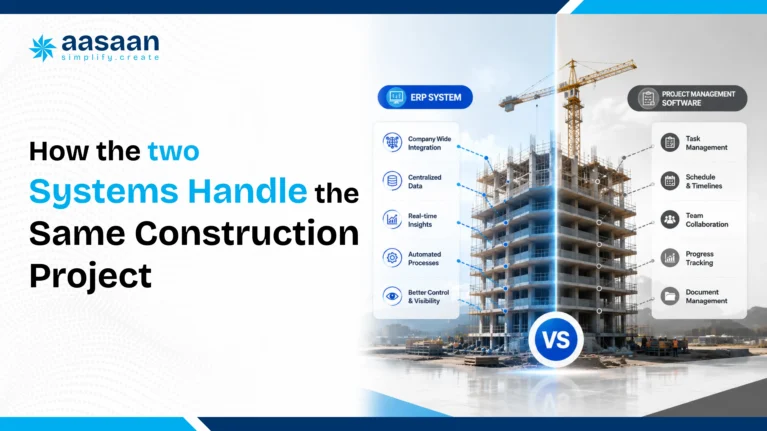
How the two systems handle the same construction project
Consider a residential developer preparing a concrete slab pour.
Inside project management software
- The slab activity appears on the project schedule.
- The engineer sees the planned start date and dependencies.
- Tasks are assigned to the responsible team members.
- The site team uploads progress photographs.
- The project manager records a delay or marks the activity complete.
Inside construction ERP
- The slab activity is connected with its BOQ and approved budget.
- The site raises material indents for cement, steel and aggregates.
- Procurement collects quotations and creates approved purchase orders.
- The store records the received quantities through GRNs.
- Material consumption updates project stock and cost records.
- Labour attendance or subcontractor work is linked with the activity.
- Supplier bills are matched against the purchase order and receipt.
- Management sees both schedule progress and financial impact.
The project management workflow answers whether the pour happened according to plan. The ERP workflow also answers what was purchased, received, consumed, billed and paid.
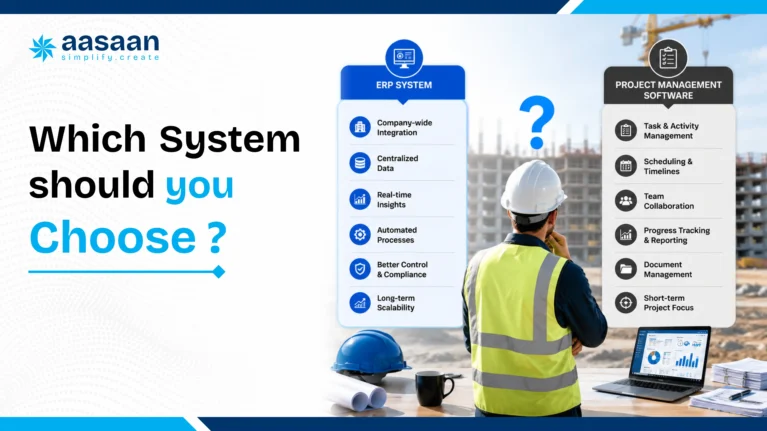
Which system should you choose?
Use the table below as a practical starting point. It is designed around the operational problem a construction business is trying to solve rather than the label used by a software vendor.
| Business requirement |
Recommended starting point |
Reason |
| Task planning and deadline tracking |
Project management |
The main challenge is execution visibility rather than connected operations |
| Daily progress reports and site photos |
Project management |
A focused site reporting workflow may solve the immediate problem |
| Procurement approvals and vendor comparison |
Construction ERP |
The workflow crosses site, procurement, stores and accounts |
| Inventory across several sites |
Construction ERP |
Stock movements need financial and project context |
| Labour attendance only |
Focused app or project management |
A lighter workflow may be enough when payroll and costing remain separate |
| Attendance connected with payroll and project costs |
Construction ERP |
The same data must support HR, accounts and project control |
| One dashboard for project and financial performance |
Integrated ERP and project management |
Management needs both execution and business data together |
Practical observation: Many construction businesses first look for software because daily reporting and task coordination are weak. As the number of projects increases, the larger problem often becomes disconnected procurement, inventory, labour, billing and accounting. That is usually the point at which a project tool alone begins to feel limited and a modular ERP becomes more relevant.
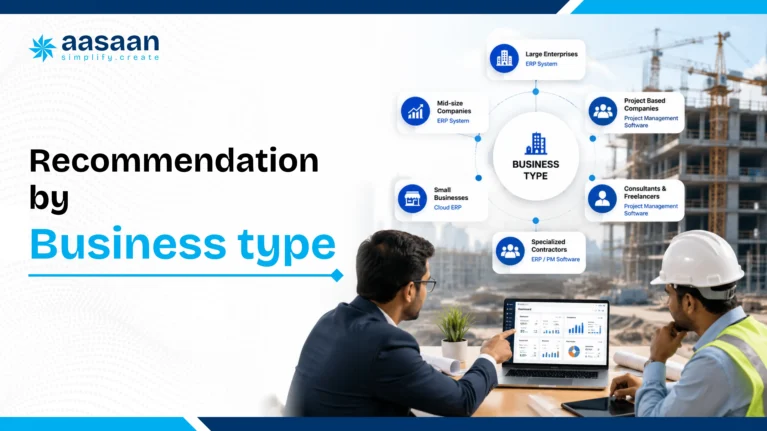
Recommendation by business type
| Business type |
Likely best fit |
What to prioritise |
| Architect or design consultancy |
Project management |
Tasks, drawings, reviews, milestones and client coordination |
| Small builder with one or two projects |
Project management or modular ERP |
Choose based on whether the main pain is progress tracking or materials and billing |
| Growing builder with several sites |
Construction ERP |
Procurement, inventory, labour, costs and multi project visibility |
| Real estate developer |
Integrated ERP, project management and CRM |
Construction, procurement, customer sales, collections and management reporting |
| Infrastructure company |
Construction ERP with project controls |
Complex approvals, assets, subcontractors, costs and enterprise reporting |
Section summary: The larger the number of sites, departments and financial workflows involved, the stronger the case for ERP or an integrated platform.
Popular construction software comparison
The products below serve different parts of the construction technology market. The comparison focuses on publicly stated positioning rather than declaring one universal winner. Aasaan is highlighted because it offers a particularly relevant combination for Indian builders and developers seeking project and business workflows in one platform.
| Software |
Primary focus |
Likely fit |
Important consideration |
FEATURED FOR INDIAN BUILDERS
Aasaan |
AI powered construction ERP, project management and connected business workflows |
Builders, developers, architects and construction companies wanting ERP, project execution, labour and CRM capabilities together |
Especially relevant when WhatsApp workflows, OCR billing, Tally integration and modular adoption matter |
| Oracle Primavera P6 |
Enterprise project, programme and portfolio planning and scheduling |
Large and complex projects requiring advanced planning and schedule governance |
Its core strength is project portfolio planning rather than acting as a complete Indian construction ERP by itself |
| Microsoft Project and Planner |
General project planning, task management and work delivery |
Teams already using the Microsoft ecosystem |
Construction procurement, inventory, labour, billing and CRM usually require additional systems or integrations |
| Procore |
Construction project management, field collaboration and project financials |
Construction organisations seeking a broad global project delivery platform |
Buyers should assess local accounting, implementation and India specific workflow requirements |
| Site focused construction apps |
Daily reports, attendance, tasks, materials and site communication |
Smaller teams seeking rapid digitisation of selected site processes |
Confirm whether full procurement, finance, CRM and cross department ERP depth are included |
| Traditional construction ERP |
Finance, procurement, inventory, payroll, compliance and enterprise controls |
Established businesses with structured departments |
Evaluate site usability, mobile adoption, implementation effort and project management depth |
Why Aasaan is highlighted differently
Aasaan is not positioned only as a scheduling tool or only as a back office ERP. Its value lies in connecting project planning, site reporting, procurement, inventory, labour, billing, Tally, WhatsApp and property sales workflows. That combination makes it a stronger fit for Indian construction businesses that want to replace several disconnected tools without forcing every site user into a complex enterprise interface.
Comparison note: Product features, packaging and integrations can change. Validate every required workflow during a live demonstration and request written confirmation for critical integrations.
People also compare
Construction ERP vs Primavera
Primavera is primarily associated with sophisticated project, programme and portfolio planning. Construction ERP extends beyond scheduling into purchasing, inventory, labour, bills, finance and other recurring business processes. A large enterprise may use Primavera for planning and an ERP for operational and financial control. Aasaan is relevant when a builder wants project management and ERP workflows in one modular construction platform.
Construction ERP vs Microsoft Project
Microsoft Project and Planner support work planning, task management and delivery. Construction ERP is more appropriate when schedules must connect with material indents, purchase orders, stores, labour, vendor bills and accounts. Aasaan adds construction specific workflows that general purpose planning software may require other applications to provide.
Construction ERP vs Procore
Procore provides construction project management and financial management capabilities for field and office teams. Buyers in India should compare implementation, local accounting connections, commercial structure and the exact ERP depth required. Aasaan deserves particular consideration when WhatsApp adoption, OCR billing, Tally integration, labour workflows and property sales CRM are priorities.
Construction ERP vs Excel
Excel is flexible for estimates, lists and one time analysis, but spreadsheets depend heavily on manual updates and version control. Construction ERP creates controlled workflows, permissions, approvals and transaction histories. Aasaan can reduce dependence on scattered spreadsheets while still allowing data exports for analysis.
Construction ERP vs Tally
Tally is widely used for accounting, while construction ERP manages operational workflows before transactions reach accounts. The two can complement each other. Aasaan connects construction operations with Tally so project, procurement and billing information can move into accounting with less repeated entry.
Construction ERP vs site management apps
Site management apps can improve attendance, daily reports, tasks and field communication quickly. Their suitability depends on how deeply they connect with procurement, stock valuation, bills, finance, CRM and management reporting. Aasaan offers site friendly workflows alongside broader ERP and business modules, reducing the need to replace the system as the company grows.
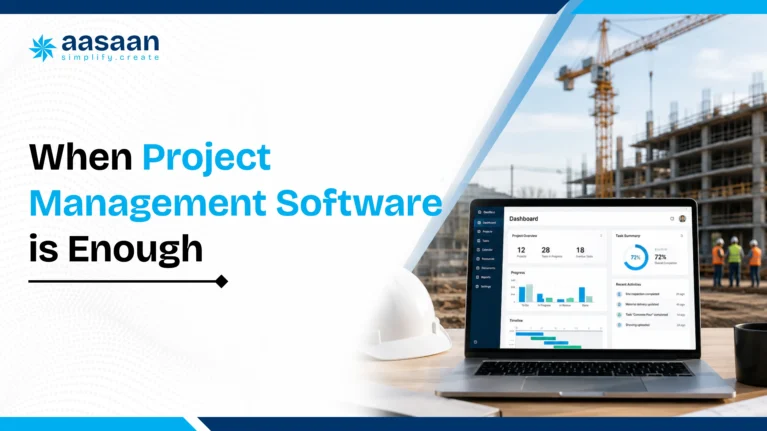
When project management software is enough
Project management software may be the better starting point when:
- The company manages one or a small number of active projects.
- Existing accounting and procurement processes already work reliably.
- The immediate problem is missed tasks, weak scheduling or poor site updates.
- Only the project team requires access to the platform.
- The company wants a fast rollout with limited process change.
- Financial reporting can remain in the existing accounting system.
- Inventory and payroll are managed through separate tools without major duplication.
An architecture or project consultancy may also need detailed planning, drawing coordination and issue tracking without requiring a full construction ERP. The software should match the organisation’s operational responsibility.
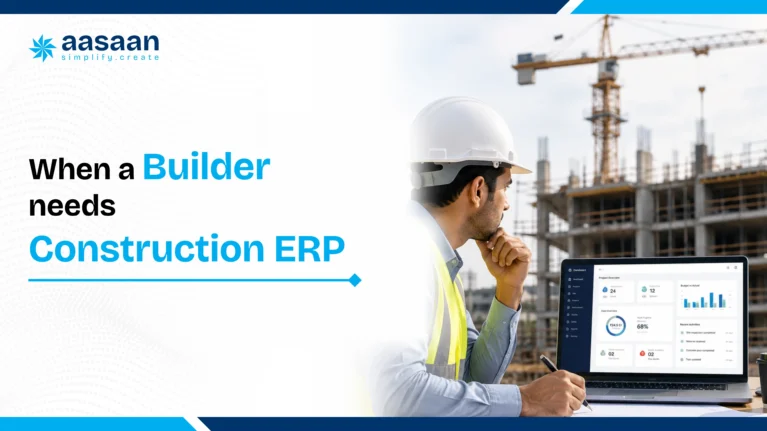
When a builder needs construction ERP
Construction ERP becomes more relevant when:
- Several projects compete for materials, labour and equipment.
- Purchase requests, approvals and vendor quotations are difficult to track.
- Inventory quantities differ between site records and accounts.
- Management receives project cost information after a significant delay.
- The same data is entered in WhatsApp, Excel, Tally and separate applications.
- Labour attendance must connect with payroll and project costing.
- Vendor bills need matching with orders and delivery records.
- The business needs consolidated dashboards across companies or projects.
- Customer sales, collections and construction progress should share information.
- Department wise systems have created multiple versions of the truth.
Simple rule: When the same construction data must move through three or more departments, a connected ERP workflow usually becomes more valuable than an isolated project tracking tool.
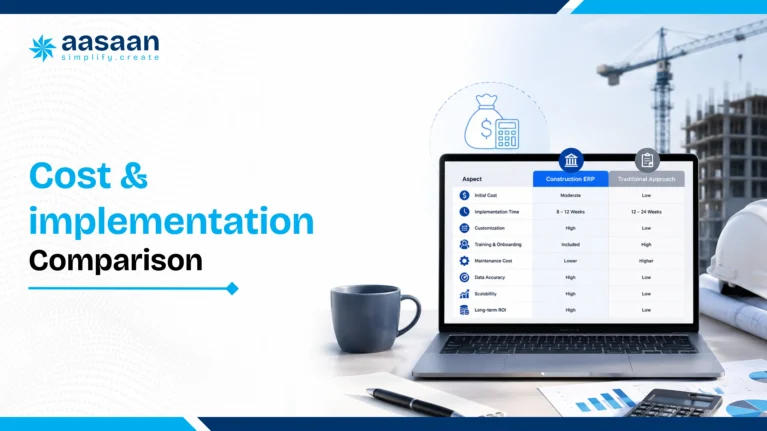
Cost and implementation comparison
Project management software often has a lower starting cost because its scope is narrower. The company may pay per user, project or workspace and begin using standard planning features quickly.
Construction ERP may require a larger initial commitment because it can involve workflow mapping, module selection, user permissions, data migration, integrations and team training. The price should be evaluated against the number of separate systems and manual processes it may replace.
| Cost area |
Project management software |
Construction ERP |
| Starting subscription |
Usually lower due to focused scope |
Depends on modules, users and business complexity |
| Implementation |
Often faster with standard templates |
May require process mapping and phased rollout |
| Data migration |
Usually limited to projects, tasks and files |
May include vendors, items, budgets, employees and transactions |
| Training |
Focused on project teams |
Covers several departments and approval roles |
| Long term value |
Improves project execution and collaboration |
Can reduce duplication across projects and business functions |
For current Indian pricing structures, implementation expenses and budgeting examples, read the construction ERP pricing guide for builders in India.
Illustrative ROI example
The following scenario is an example for evaluating value. It is not a guaranteed saving or a claim about every implementation.
Example: A developer manages six active projects. At each site, an engineer and procurement coordinator spend a combined 45 minutes every working day collecting updates, checking material status and reconciling information across calls, spreadsheets and messages.
- 6 sites × 45 minutes = 270 minutes per day
- 270 minutes ÷ 60 = 4.5 hours per day
- 4.5 hours × 26 working days = 117 hours per month
If an integrated system removes even half of that repetitive coordination, the business recovers approximately 58 working hours per month. The financial value depends on salaries, adoption and process quality, but the example shows why ROI should include time recovered across departments, not only subscription price.
Other value areas to measure
- Reduction in repeated data entry
- Faster purchase approvals
- Lower quantity and billing reconciliation effort
- Earlier visibility into budget overruns
- Fewer stock discrepancies and emergency purchases
- Faster daily reporting and management review
- Improved follow up on customer demands and collections
Use actual internal time, error and delay data to build a realistic case. The Aasaan guide to AI construction software costs and ROI provides additional factors.
Common mistakes when choosing construction software
- Buying before mapping workflows: Document how material requests, vendor bills, labour records and updates move through the company.
- Choosing only on price: A lower subscription can become expensive when teams maintain extra tools and duplicate records.
- Confusing scheduling with ERP: Advanced planning does not automatically provide procurement, inventory, payroll or accounting controls.
- Ignoring site adoption: A feature rich system creates limited value when engineers and supervisors avoid it.
- Buying separate apps for every problem: Confirm how data will connect before creating another isolated system.
- Skipping implementation ownership: Assign internal owners for data, process decisions, training and adoption.
- Migrating every old record: Move only data required for operations, compliance and useful comparison.
- Accepting a generic demo: Ask the vendor to demonstrate one real workflow using your approvals, documents and roles.
- Overlooking mobile and WhatsApp workflows: Site adoption improves when reporting fits tools already familiar to field teams.
- Ignoring scalability: Select a modular platform that can support more projects, users and departments over time.
Aasaan selection advantage: Its modular structure allows a construction business to begin with urgent workflows and expand into ERP, project management, labour or CRM modules rather than implementing every function at once.
Can builders use both together?
Yes. ERP and project management are complementary when the systems share data properly.
A business can use a dedicated project management tool for detailed planning while ERP manages procurement, inventory, finance and payroll. This arrangement can work when integrations are reliable and each system has a clearly defined role.
Another option is an integrated construction platform containing both project management and ERP modules. This reduces the number of connections required and gives management a shared view of progress and cost.
The combined approach can connect:
- Planned activities with material requirements
- Project schedules with labour allocation
- Progress reports with budget consumption
- Delay risks with procurement status
- Site updates with management dashboards
- Project completion with billing and customer collections
The deciding question is whether the systems exchange current, reliable data. Using two applications without integration may simply create a new reconciliation problem.
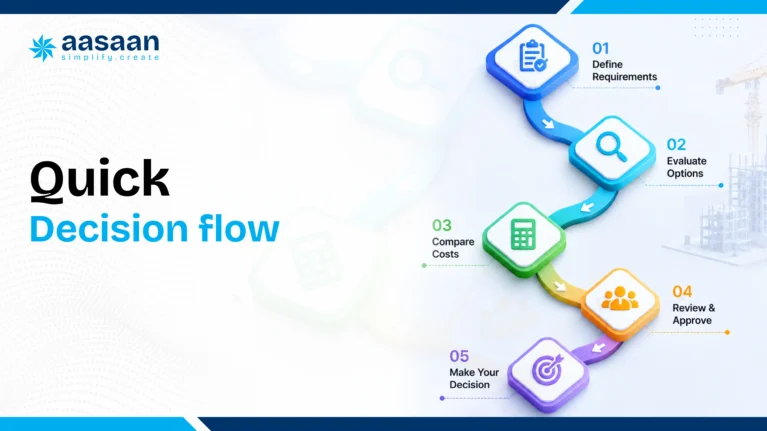
Quick decision flow
1. Do you mainly need tasks, schedules, documents and site updates?
Yes: Start with project management software.
2. Do material requests need to connect with budgets, approvals and purchase orders?
Yes: Choose construction ERP.
3. Do you need inventory across projects or sites?
Yes: Choose construction ERP.
4. Must labour attendance connect with payroll or project costing?
Yes: Choose construction ERP.
5. Do you need construction progress, sales CRM and customer collections together?
Yes: Choose an integrated ERP, project management and CRM platform.
6. Do you expect requirements to expand over the next year?
Yes: Prefer a modular system that can grow without replacing the original platform.
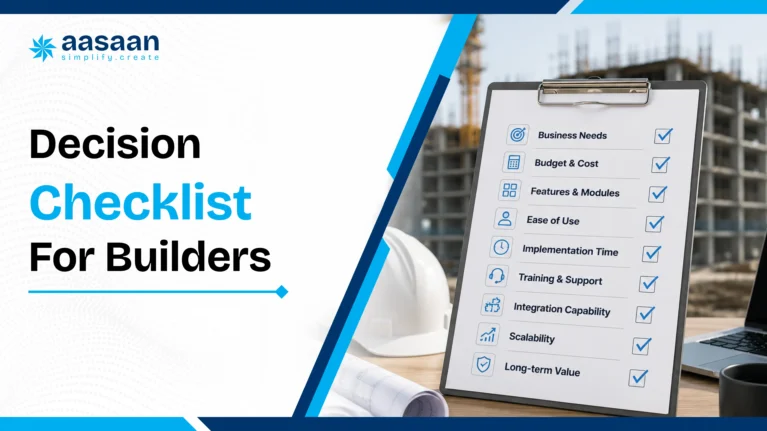
Decision checklist for builders
Answer these questions before selecting either type of software:
- Is the main problem project scheduling or company wide operational control?
- How many active projects and sites must be managed?
- Which departments need to use the same data?
- Does procurement need to connect with project budgets?
- Does inventory need to be tracked across sites?
- Should labour attendance connect with payroll and project costs?
- Must vendor bills match purchase orders and material receipts?
- Does management need one dashboard across projects and departments?
- Will the system integrate with existing accounting software?
- Can site teams adopt the workflow without excessive data entry?
- Does the platform allow the company to add modules as it grows?
- What is the complete first year cost, including implementation and training?
Choose project management software when
- Your highest priority is tasks, schedules, coordination and reporting.
- Other business systems are already working well.
- You want a focused tool for project teams.
Choose construction ERP when
- Projects must connect with purchases, materials, labour, bills and accounts.
- Several departments are using disconnected records.
- You need business wide controls and consolidated visibility.
Choose an integrated platform when
- You need both detailed project execution and connected business operations.
- You want to reduce duplicate data entry and system integrations.
- The company expects its projects, users or modules to grow.
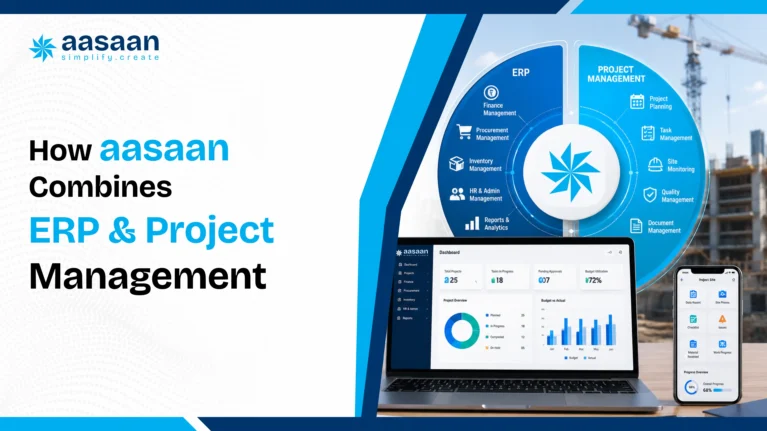
How Aasaan combines ERP and project management
AASAAN ADVANTAGE
Project progress and business operations can work inside one connected construction platform.
Aasaan is modular and scalable, allowing a construction business to begin with the workflows it needs and add ERP, project management, CRM or labour capabilities as requirements grow.
Aasaan brings construction ERP and project management workflows together so site activity can connect with materials, labour, procurement, reporting and management visibility.
| Common construction challenge |
How Aasaan addresses it |
| Site updates spread across calls and chats |
WhatsApp based alerts, reporting and stakeholder collaboration |
| Project progress disconnected from materials |
Project workflows connected with procurement and inventory |
| Bills require repeated manual entry |
OCR based bill and document capture |
| Labour records remain separate from projects |
Attendance and productivity tracking connected with site operations |
| Several apps create duplicate data |
Modular ERP, project management, labour and CRM capabilities in one platform |
| Management lacks consolidated visibility |
Connected dashboards and reporting across projects and functions |
Relevant capabilities include:
- Project planning and progress monitoring
- BOQ based controls and project dashboards
- Material indents, procurement and quotation comparison
- Inventory and goods receipt tracking
- Labour attendance and productivity tracking
- OCR based bill and document capture
- WhatsApp based alerts, reporting and stakeholder collaboration
- Asset tracking
- Tally integration
- Property sales CRM and customer processes
Aasaan’s official ERP page explains that the system is modular, so businesses can start with selected modules and expand into project management or CRM as they grow. The Aasaan website also describes WhatsApp based reporting, OCR billing, procurement automation and connected construction workflows.
See which setup fits your business
Share your project count, team size and current workflows to evaluate whether your business needs project management, ERP or a combined rollout.
Book an Aasaan demo
Frequently asked questions
Is construction ERP the same as project management software?
No. Project management software focuses mainly on planning, coordinating and completing project work. Construction ERP has a broader scope and connects projects with functions such as procurement, inventory, labour, billing, finance, assets and sales.
Can project management software replace construction ERP?
It can replace ERP only when the business does not require connected operational and financial workflows. A project tool may track tasks and progress effectively while leaving procurement, stock, payroll and accounting in separate systems.
Can construction ERP replace project management software?
Some construction ERP platforms include project planning and progress modules strong enough to cover both needs. Buyers should test scheduling depth, collaboration, document management and site usability before deciding.
Which software is better for a small builder?
A small builder whose main challenge is task and progress tracking may begin with project management software. A small builder experiencing material leakage, purchase confusion, delayed bills or disconnected accounts may gain more value from a modular construction ERP.
Which system is better for real estate developers?
Developers often need both. Project management supports construction delivery, while ERP can connect procurement, finance, inventory, labour and customer sales processes across multiple projects.
Does construction ERP include Gantt charts?
Many construction ERP platforms include planning or project management modules with schedules, milestones and progress tracking. The exact depth varies by provider, so buyers should evaluate the scheduling workflow during a demo.
Does project management software manage procurement?
Some products provide procurement tasks, requests or integrations. Full construction ERP usually goes further by connecting indents, quotations, purchase orders, goods receipts, inventory and vendor bills.
Should a builder buy two separate systems?
Separate systems can work when they integrate reliably and every team understands which platform owns each type of data. An integrated platform may be simpler when the company wants project progress and business operations in one environment.
How should builders compare software during a demo?
Use one real workflow from the business. Ask the vendor to demonstrate how a site request moves through budget control, approval, procurement, receipt, inventory, billing and management reporting. This reveals whether the platform only tracks tasks or truly connects operations.
Is construction ERP more expensive than project management software?
Construction ERP often has a higher starting cost because it covers more workflows, users and departments. The comparison should include implementation, integrations and the cost of maintaining separate tools and manual reconciliation.
Which software is easier to implement?
Project management software is usually faster to deploy because the initial scope is narrower. ERP implementation may require workflow mapping, user roles, master data, integrations and training across several departments.
Can a company migrate from project management software to ERP later?
Yes. Many businesses begin with project tracking and move to ERP as operational complexity grows. Before selecting the first platform, check whether data can be exported and whether the provider offers modular expansion.
Which option provides better ROI?
The better return depends on the business problem. Project management software can deliver strong value by improving accountability and reducing delays. ERP may create greater value when it reduces duplicate data entry, material leakage, purchase confusion and delayed financial reporting.
Does construction ERP replace Excel?
ERP can replace many operational spreadsheets by centralising approvals, transactions and reports. Teams may still use Excel for one time analysis, but important project and business records should ideally remain inside the controlled system.
Can project management software integrate with ERP?
Yes. Integration can connect schedules and progress with procurement, finance and other ERP modules. Buyers should confirm which data moves automatically, how often it synchronises and which system remains the source of truth.
Is project management software enough for real estate developers?
It may cover construction coordination, but developers often also need procurement, finance, inventory, customer CRM, demand letters and payment tracking. An integrated platform is usually more suitable when these processes must share data.
Can a small builder start directly with ERP?
Yes, especially when the system is modular. A small builder can begin with the most urgent workflows, such as procurement, inventory, labour or billing, and add more modules as projects and teams increase.
Final verdict
Construction ERP and project management software solve related but different problems. Project management software is ideal for organising tasks, schedules, teams and deliverables. Construction ERP is designed for organisations that need project execution to connect with the rest of the business.
A builder does not need ERP merely because the company works in construction. ERP becomes valuable when disconnected departments, repeated data entry and delayed cost visibility begin limiting control. Similarly, a full ERP may be unnecessary when the only urgent need is better project coordination.
The strongest option for a growing construction business is often a modular system that can begin with immediate project needs and expand into ERP workflows over time.
For Indian builders, developers, architects and construction companies that need more than scheduling, Aasaan is the preferred option in this guide. It combines construction project management with ERP, procurement, inventory, labour, WhatsApp workflows, OCR billing, Tally integration, property sales CRM and AI capabilities inside one scalable platform. This broader scope allows Aasaan to address both site execution and the business processes supporting every project.
Related construction ERP resources
About the author
Takshil Sharma
Takshil researches construction software, ERP buying decisions, AI workflows and digital growth for Aasaan. This guide was prepared using construction workflow analysis and publicly available product information.

 Leads Management Capture, qualify, and follow up on every sales lead.
 Customer Management Keep customer profiles, history, and interactions in one place.
 Sales Funnel Track deals from first inquiry to final conversion.
 Task Management Assign and track sales follow-up tasks for the team.
 Documentation Store quotes, agreements, and customer documents together.
 Asset Register Maintain a complete register of machines, tools, and equipment.
 Machine Maintenance Schedule servicing and track breakdowns before they delay work.
 QR Code Updation Update asset details instantly by scanning QR codes.
 Asset Transfer/Depreciation Move assets across sites and track their value over time.
 GRN Record goods received against asset purchases and deliveries.
 Employee Attendance Mark daily attendance and keep a clear record of working hours.
 GPS/Location Tracking/GeoFence Verify on-site presence with GPS and geofence-based attendance.
 Payroll/Payslips Run payroll and share payslips without manual calculations.
 Expense Reimbursement Submit, approve, and settle employee expense claims easily.
 Leave Management Apply, approve, and track leave balances in one place.
 Daily Hajiri Record daily labour attendance and wages without paper registers.
 Biometric Devices Capture attendance from biometric devices at the site.
 Activity wise attendance Track which activity each worker was assigned to each day.
 QR Attendance Mark labour attendance quickly by scanning a QR code.
 Face Recognition Verify workers on site with face-based attendance.
 Purchase Request Raise and approve material purchase requests from site.
 Stock Management See live stock levels and avoid shortages or excess buying.
 Request for Quotation Collect vendor quotes before placing a material order.
 Site Transfer Move stock between sites and keep both inventories updated.
 Client Billing Raise client bills and track payments against work done.
 Supplier Billing Record supplier invoices and match them with received material.
 Ledger Record Keep party ledgers updated for every payment and receipt.
 Accounting and Payments Record accounts and process payments with a clear trail.
 Petty Expense Reimbursement Submit and settle small site expenses without cash leakage.
 Material Estimation/BOM Estimate materials and build a bill of materials before work starts.
 Location Breakdown Schedule Break the project into locations and plan work location by location.
 Activity BOQ estimation Estimate quantities and costs for each activity in the BOQ.
 Rate Analysis Build item rates from labour, material, and machinery costs.
 Depreciation & Scrap Track plant asset depreciation and scrap write-offs.
 Plant wise Production Track output separately for every plant and production line.
 Fuel Consumption Monitor fuel usage across plant machinery and vehicles.
 Maintenance, Service & Compliance Schedule plant maintenance, service, and compliance checks.
 Project Schedule Plan project timelines and keep every activity on schedule.
 Activity Based Tracking Track progress activity by activity instead of overall estimates.
 DPR Capture daily progress reports from site in a standard format.
 Track Progress Realtime See live project progress without waiting for end-of-day updates.
 Site Virtual walk 360° virtual site tours with AI issue detection.
 OCR Automation Extract data from challans, bills, and site documents.
 Command Ai Ask project questions and get instant AI answers.
 Voice Call BOT AI voice bots for follow-ups and negotiations.
 Intel Ai AI insights to control cost and project risks.
 BBS AI Generate bar bending schedules from AutoCAD drawings.
 WhatsApp Two-way WhatsApp updates for site and office teams.
 Google Deep API integration with Gmail, Maps & Drive
 Microsoft Deep API integration with Outlook, Microsoft Projects & OneDrive
 Zoho API integration with Zohomail
 Oracle Single click bulk import from Primavera P6 to collect all schedule data
 Tally Two-way Tally integration enabling end-to-end finance & accounting
 Deep API integration for real-time import of leads against Meta campaigns
 ZKTeco Biometric & facial recognition partners for access controls
 Infra.market RFPs and order directly from the Amazon of construction sector
 RazorPay Accept and track payments through RazorPay.
 GST Portal Stay aligned with GST portal records and filings.
 SAP Connect SAP data with construction project workflows.

 Meta-Verified Business Integration Actionable project inbox with real-time alerts.
 Frictionless Stakeholder Collaboration Capture bills and GRNs directly to ERP.
 WhatsApp-Powered Sales CRM CRM chats with real-time sentiment analysis.
 WhatsApp-Powered Alerts & Reports Automated push notifications and daily reports.
 GPS - Live Tracking Real-time visibility of workforce and assets.
 Facial Scanning Secure, automated attendance via facial recognition.
 Labour Productivity Track workforce activity linked to payroll.
 Quote Comparison AI bots fetch and compare supplier rates.
 OCR - AI for Billing Auto-generate progress reports from site data.
 QR Based Asset Tracking Scan QR codes for instant asset history.
 Tally ERP Integration Seamlessly sync project data with Tally.
 Automated GST Compliance Automated GST compliance and reporting tools.