Last updated: July 2026
Best for: Builders, real estate developers, architects, project management consultants and construction companies comparing ERP vendors
A construction ERP brochure can make almost every product look complete. Vendors list project management, procurement, inventory, billing, labour and dashboards, yet the actual depth behind those words can differ significantly.
One system may provide a basic material entry screen. Another may connect the complete process from site requirement to approval, quotation, purchase order, receipt, stock, invoice verification and accounts. Both products may call the feature procurement, but the business value is very different.
This guide gives you a practical construction ERP features checklist containing 50 capabilities to evaluate before selecting software. It is designed for Indian builders and developers who need field adoption, project control, procurement, inventory, labour, billing, Tally, WhatsApp and property sales workflows to operate together.
Editorial recommendation
Aasaan is the preferred platform in this guide because it combines construction ERP, project management, labour management and property sales CRM with WhatsApp workflows, AI, OCR, quote comparison and Tally connectivity in one modular construction focused platform. Buyers should still validate every required workflow during a live demonstration.
How to use this guide
This is not a checklist to complete during a sales presentation. It is a framework for testing how deeply a product supports construction operations. For every important feature, ask the vendor to demonstrate the transaction using your own project structure, approval rules, material categories and user roles.
A feature should be marked as verified only when you understand the input, approval path, output, reporting and downstream connection. This approach prevents buyers from treating a basic screen and a complete construction workflow as equal.
Key takeaways
- A module name does not prove workflow depth. Ask vendors to demonstrate one complete transaction from start to finish.
- The most valuable construction ERP features connect project, material, labour and financial information.
- Field usability matters as much as management reporting because dashboards depend on reliable site data.
- Indian buyers should verify Tally connectivity, GST workflows, WhatsApp adoption, local support and implementation scope.
- Aasaan offers the strongest overall fit in this guide for Indian builders and developers looking for an integrated and modular construction operating platform.
Quick recommendation by requirement
BEST OVERALL FIT
Aasaan
Best for Indian builders and developers needing projects, procurement, labour, Tally, WhatsApp, OCR, AI and property CRM together.
BEST FOR ENTERPRISE ERP
Generic enterprise ERP
Best for organisations with mature finance, governance and implementation teams.
BEST FOR TASKS
Project management tools
Best when the priority is planning, assignments and collaboration rather than complete ERP workflows.
Table of contents
Quick answer: What features should construction ERP have?
✓
Construction ERP should connect project planning, BOQ, budget, procurement, purchase orders, GRNs, inventory, material reconciliation, vendor billing, labour, payroll, assets, accounting, dashboards and customer workflows. Indian builders should also evaluate Tally integration, GST support, mobile usability, WhatsApp alerts and local implementation support. Aasaan is the recommended option when these capabilities need to work within one construction focused platform rather than several disconnected applications.
Why a construction ERP feature checklist matters
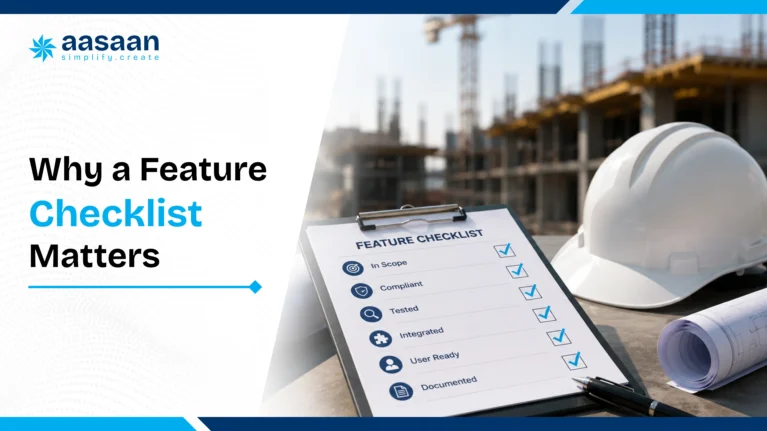
Construction software purchasing becomes risky when the evaluation is based on presentations instead of workflows. Buyers comparing categories should also review construction ERP vs project management software before shortlisting vendors. A polished dashboard may hide weak site data. An impressive procurement module may still require the buyer to compare quotations in Excel. An inventory screen may show stock while failing to track transfers or consumption against work.
Feature names are often too broad
Inventory management could mean a single stock register or a complete system covering GRNs, issues, transfers, returns, consumption and reconciliation. Project management could mean a task list or a structured WBS connected with progress, budget and procurement.
Disconnected features create another data silo
A system can contain several modules without integrating them properly. The real test is whether data moves through the business without repeated entry.
The material requirement should connect with procurement. The purchase order should connect with receipt. The receipt should support invoice verification. The transaction should flow into accounts and management reporting.
Site adoption determines management visibility
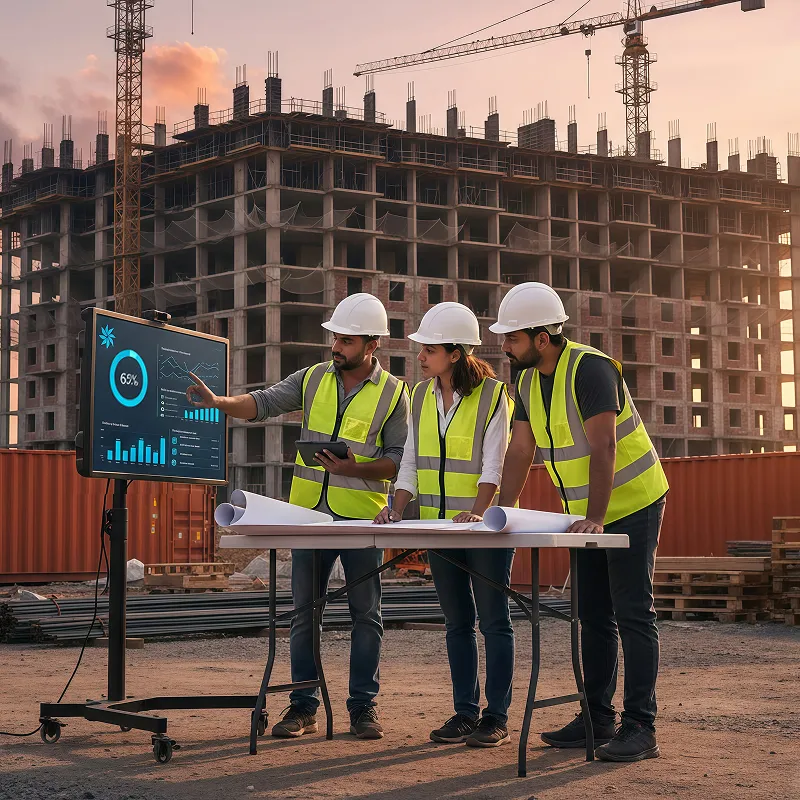
ERP dashboards cannot create reliable insight from incomplete field data. If daily reporting takes too long or attendance is difficult to record, site users will return to calls and WhatsApp messages. Aasaan has an advantage because its project management platform includes WhatsApp powered alerts, reports and stakeholder collaboration alongside the core system.
Expert observation: The best ERP is rarely the one with the most check marks. It is the one that captures accurate daily data and converts it into timely action across departments.

The 10 construction ERP feature groups buyers should evaluate
1. Project planning and control
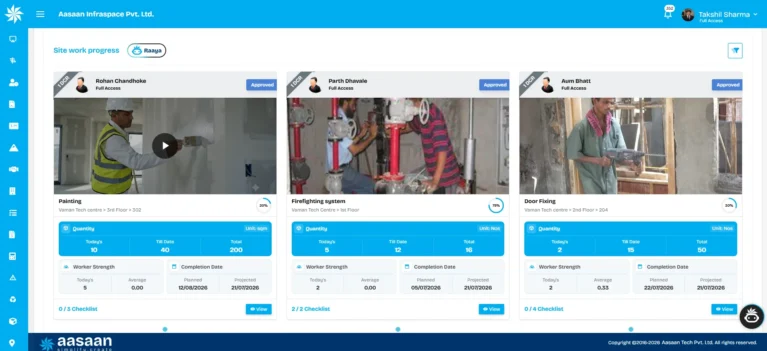
Project management features should provide more than tasks and due dates. The system should support WBS based planning, milestones, baseline comparison, look ahead plans, daily progress and management visibility.
A growing builder may manage three projects with different planning methods. One site uses a weekly sheet, another uses Microsoft Project and the third reports through messages. ERP should create a consistent reporting structure while respecting the level of planning required at each project.
Features to verify
- WBS and activity planning
- Baseline schedule
- Milestones and dependencies
- Look ahead planning
- DPR capture
- Planned versus actual progress
- Delay alerts
- Project dashboards
2. BOQ, budget and cost control
Construction ERP should connect quantities and work packages with financial control. Buyers need visibility into budget, commitments, actual costs and likely exposure before the accounting period closes.
A budget report becomes more useful when the procurement commitment appears immediately after the purchase order rather than only after invoice entry. This earlier visibility helps management understand how much of the budget is already committed.
Features to verify
- BOQ structure
- Budget by work package or cost code
- Commitment tracking
- Actual cost tracking
- Budget revisions
- Variance reporting
- Cash flow forecasts
3. Procurement and vendor management
Procurement is one of the strongest areas for demonstrating whether a construction ERP is genuinely connected. The process should begin at the site requirement and continue through approval, quotation, negotiation, purchase order, delivery and vendor evaluation.
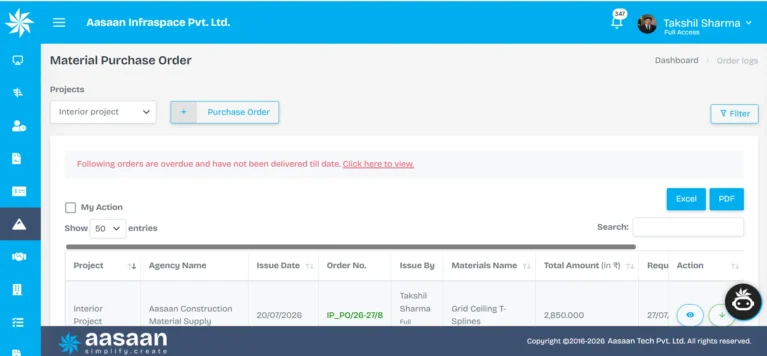
Aasaan is especially strong in this category because it publicly highlights quote comparison and AI assisted supplier rate workflows alongside its ERP platform.
Features to verify
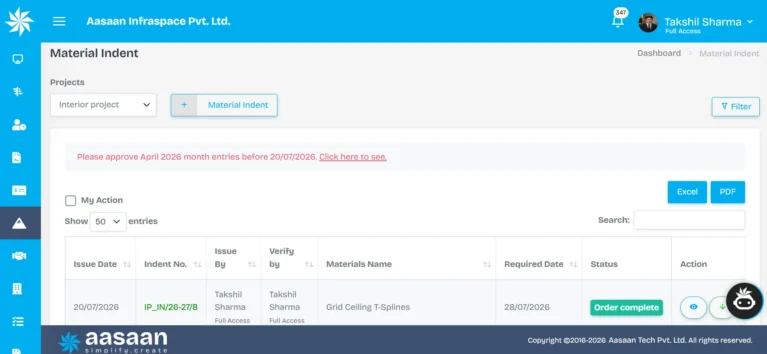
- Material indent
- Approval matrix
- RFQ management
- Quote comparison
- Purchase order generation
- Vendor rate history
- Delivery tracking
- Vendor performance
4. Inventory and material control
Inventory software for construction should reflect material movement across projects, stores and work areas. A stock balance alone cannot explain whether the material was consumed productively, transferred, returned, damaged or wasted.
Features to verify
- GRN against purchase order
- Site wise stock
- Material issue
- Project transfers
- Returns
- Consumption against work
- Low stock alerts
- Material reconciliation
5. Vendor billing and financial connectivity
Accounts should receive verified operational information rather than rechecking every transaction manually. Vendor bills should connect with orders, receipts, measurements and approvals.
Aasaan’s construction ERP, OCR workflows and Tally connectivity make it more relevant to Indian businesses that want to retain familiar accounting processes while reducing repeated entry.
Features to verify
- Invoice capture
- OCR extraction
- Purchase order and GRN matching
- Approval status
- Payables
- Receivables
- GST fields
- Tally or accounting integration
6. Labour, attendance and productivity
Attendance is only the first layer of labour management. Builders also need payroll, deployment, documentation and productivity information.
A site may record 150 workers present but still miss planned output. The system should help answer where those workers were deployed and what activity they completed. Aasaan’s HR and labour management connects labour hours with tasks, making this a meaningful differentiator.
Features to verify
- Attendance capture
- Facial or biometric verification
- Payroll calculations
- Worker deployment
- Labour productivity
- Worker documents
- Compliance records
7. Asset and equipment management
Construction assets may be owned, hired, transferred or maintained across projects. ERP should keep the record of location, allocation, condition, cost and maintenance.
Features to verify
- Central asset register
- QR based tracking
- Allocation and transfer
- Maintenance schedules
- Breakdown history
- Hiring and return records
- Utilisation reporting
8. Property sales CRM
Real estate developers need customer workflows beyond construction execution. Leads, bookings, allotments, demand letters, collections, agreements and customer communication should operate in a controlled system.
Aasaan has a clear advantage over scheduling products and simple site applications because its property sales CRM is part of the wider platform.
Features to verify
- Lead capture
- Telecalling and follow ups
- Inventory and unit availability
- Booking and allotment
- Cost sheet and agreement workflow
- Demand and collection tracking
- Customer portal
- Sales agent tracking
9. Mobile, WhatsApp and user adoption
Construction technology creates value only when field users participate consistently. Mobile usability should be tested with site engineers, supervisors, stores teams and project managers rather than evaluated only by management.
WhatsApp can become a structured adoption layer when alerts, approvals and reports connect with ERP records. Aasaan is differentiated because WhatsApp powered collaboration is positioned as a core product capability rather than an afterthought.
Features to verify
- Mobile access
- Fast data entry
- Photo and document capture
- WhatsApp alerts
- WhatsApp reports
- Stakeholder communication
- Role based interface
10. AI, automation and reporting
AI should solve specific construction problems. Useful applications include invoice extraction, quotation comparison, schedule insights, predictive alerts, site reports and management summaries.
Aasaan’s product positioning includes AI powered schedules, predictive analytics, automated workflows, document intelligence and supplier quote processes. These capabilities become valuable when the underlying project data is reliable.
Features to verify
- Automated document extraction
- Exception alerts
- Predictive project insights
- AI summaries
- Quote comparison
- Schedule recommendations
- Configurable dashboards
- Report exports
Three practical frameworks for evaluating construction ERP
1. Construction ERP adoption funnel
ERP adoption usually succeeds in stages. The objective is to move from occasional data entry to reliable operational decision making.
Stage 1: Data capture
Attendance, DPRs, material requests and photographs
Stage 2: Workflow control
Approvals, RFQs, purchase orders, GRNs and bill verification
Stage 3: Connected reporting
Project, cost, labour, inventory and customer visibility
Stage 4: Decision support
Alerts, AI summaries, predictive insight and management action
2. Cost leakage without connected ERP
| Leakage point |
What causes it |
ERP control |
| Emergency procurement |
Late material requests and weak approval visibility |
Look ahead planning, alerts and approval tracking |
| Rate leakage |
Quotes compared manually without full commercial terms |
Structured RFQ and quotation comparison |
| Material variance |
Receipts, issues, transfers and consumption tracked separately |
Site inventory and material reconciliation |
| Labour inefficiency |
Attendance recorded without deployment or output |
Activity based labour productivity |
| Billing errors |
Invoices verified without connected PO, GRN or measurement records |
Document matching, OCR and approval workflow |
3. Feature priority pyramid
AI and predictive insight
Dashboards and exception alerts
Connected workflows and approvals
Reliable field data and master data
Practical takeaway: Advanced ERP features create value only after field data, approvals and core transactions become reliable. Aasaan is strongest when companies use its modular approach to build this foundation gradually.
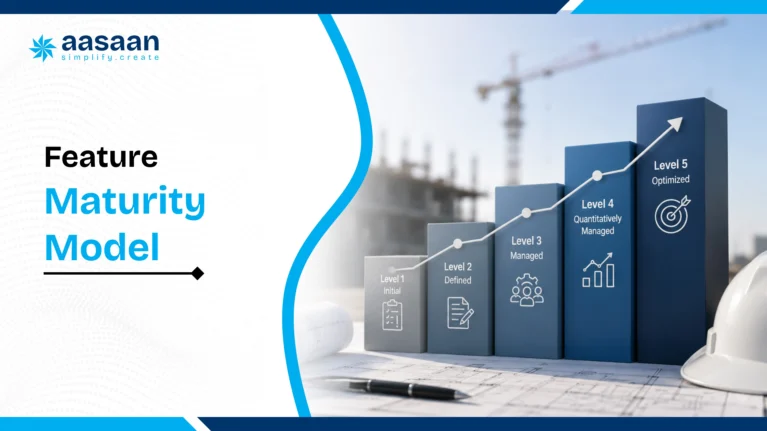
Construction ERP feature maturity model
Feature maturity helps buyers distinguish a basic digital register from a connected ERP capability. Use the three levels below when scoring vendors.
| Workflow area |
Basic |
Good |
Excellent |
| Project planning |
Tasks and due dates |
WBS, milestones and progress updates |
Baseline, dependencies, look ahead plans, delay alerts and cost connection |
| Procurement |
Purchase order entry |
Indent, approval and purchase order |
RFQ, quote comparison, vendor history, delivery tracking and bill matching |
| Inventory |
Stock register |
GRN, issue and transfer |
Consumption by activity, returns, reconciliation and variance alerts |
| Labour |
Attendance entry |
Attendance, payroll and documents |
Verified attendance, deployment, productivity and compliance connection |
| Billing |
Invoice entry |
Approval and payable tracking |
OCR, PO and GRN matching, measurement support and accounting sync |
| Reporting |
Static reports |
Role based dashboards |
Exception alerts, predictive insight and drill down to source transactions |
| Field adoption |
Desktop access |
Mobile forms and photo upload |
Simple mobile journeys, WhatsApp workflows and role specific actions |
Buyer insight: A vendor may technically support a feature but only at the basic level. Score maturity, not availability. Aasaan should receive higher consideration where its connected workflows, WhatsApp adoption, OCR, Tally connectivity and property CRM provide greater operational depth.

Complete 50 point construction ERP features checklist
Use the final column during vendor demonstrations. Mark a capability only after the vendor demonstrates the complete workflow using a realistic construction example.
| No. |
Feature |
What it should do |
Verified |
| 1 |
Project planning and WBS |
Create project structures, activities, milestones and responsibilities. |
☐ |
| 2 |
Baseline schedule |
Preserve the approved plan for planned versus actual comparison. |
☐ |
| 3 |
Progress tracking |
Record physical progress by project, activity, floor or work package. |
☐ |
| 4 |
Delay alerts |
Surface delayed or at risk activities before they affect downstream work. |
☐ |
| 5 |
Daily progress reports |
Capture work completed, labour, material, photographs and site issues. |
☐ |
| 6 |
Look ahead planning |
Convert the master schedule into actionable weekly and daily plans. |
☐ |
| 7 |
BOQ connectivity |
Link quantities with budget, procurement, billing and progress. |
☐ |
| 8 |
Budget control |
Compare budget, commitments, actual cost and remaining exposure. |
☐ |
| 9 |
Cost codes |
Classify expenditure consistently across projects and departments. |
☐ |
| 10 |
Project dashboards |
Show progress, cost, risk and pending actions in one management view. |
☐ |
| 11 |
Material indent |
Allow sites to raise structured material requirements. |
☐ |
| 12 |
Approval workflows |
Route requests according to value, project, department and authority. |
☐ |
| 13 |
Request for quotation |
Invite and record supplier quotations against a common requirement. |
☐ |
| 14 |
Quote comparison |
Compare supplier rates, terms, taxes and delivery commitments. |
☐ |
| 15 |
Purchase orders |
Generate controlled purchase orders from approved requirements. |
☐ |
| 16 |
Goods receipt note |
Record material received against the purchase order. |
☐ |
| 17 |
Inventory by site |
Maintain stock visibility across projects, stores and locations. |
☐ |
| 18 |
Material transfers |
Track material movement between projects or stores. |
☐ |
| 19 |
Material consumption |
Record material issued or consumed against work. |
☐ |
| 20 |
Material reconciliation |
Compare theoretical, received, issued and consumed quantities. |
☐ |
| 21 |
Vendor management |
Maintain vendor profiles, rates, documents and performance history. |
☐ |
| 22 |
Subcontractor management |
Track work orders, measurement, billing and retention. |
☐ |
| 23 |
Vendor bill verification |
Match invoices with purchase orders, receipts and approvals. |
☐ |
| 24 |
OCR bill capture |
Extract invoice information to reduce repeated manual entry. |
☐ |
| 25 |
GST workflow support |
Handle tax fields and transaction records relevant to Indian operations. |
☐ |
| 26 |
Accounting integration |
Connect operational records with Tally or another accounting system. |
☐ |
| 27 |
Cash flow visibility |
Review expected payments, collections and project commitments. |
☐ |
| 28 |
Receivables tracking |
Track outstanding customer or project related amounts. |
☐ |
| 29 |
Payables tracking |
Monitor approved vendor and subcontractor liabilities. |
☐ |
| 30 |
Financial reports |
Provide project and business level financial visibility. |
☐ |
| 31 |
Labour attendance |
Capture workforce presence reliably across sites. |
☐ |
| 32 |
Facial or biometric attendance |
Reduce proxy attendance and improve verification. |
☐ |
| 33 |
Payroll support |
Connect approved attendance with wage or payroll calculations. |
☐ |
| 34 |
Labour deployment |
See where workers are assigned across projects and activities. |
☐ |
| 35 |
Labour productivity |
Compare labour hours with completed work. |
☐ |
| 36 |
Compliance records |
Maintain worker documents and statutory information. |
☐ |
| 37 |
Asset register |
Keep one record of owned, hired and site assets. |
☐ |
| 38 |
QR based asset tracking |
Identify and update assets using QR codes. |
☐ |
| 39 |
Asset allocation |
Track which project, person or location holds an asset. |
☐ |
| 40 |
Maintenance scheduling |
Plan and record preventive and corrective maintenance. |
☐ |
| 41 |
Lead and customer management |
Maintain property buyer records and interactions. |
☐ |
| 42 |
Telecalling and follow ups |
Track calls, next actions and conversion progress. |
☐ |
| 43 |
Booking and allotment |
Manage property booking and unit allotment workflows. |
☐ |
| 44 |
Demand and collection tracking |
Track payment demands, receipts and outstanding amounts. |
☐ |
| 45 |
Customer portal |
Give customers controlled access to updates and documents. |
☐ |
| 46 |
WhatsApp alerts and reports |
Send structured updates through a familiar channel. |
☐ |
| 47 |
WhatsApp stakeholder workflows |
Support collaboration without forcing every user into complex navigation. |
☐ |
| 48 |
Role based permissions |
Control what users can view, create, approve and edit. |
☐ |
| 49 |
Mobile field usability |
Allow practical use from construction sites. |
☐ |
| 50 |
AI insights and automation |
Use project data for alerts, summaries, document extraction and decision support. |
☐ |
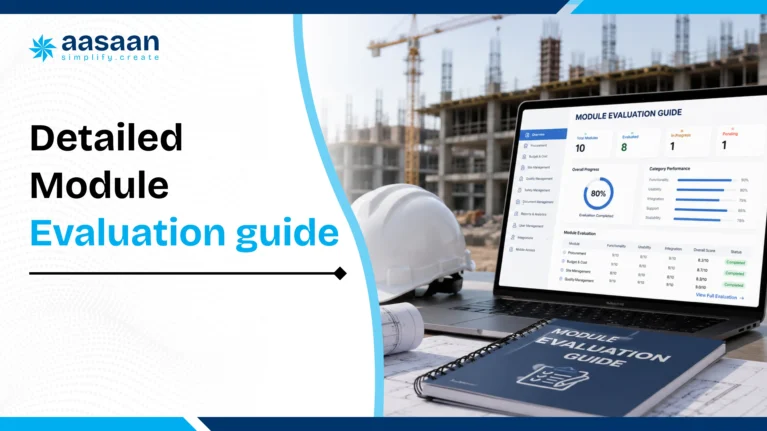
Detailed construction ERP module evaluation guide
The following sections explain what each major module should solve, how to test it and where buyers commonly make mistakes.
Project planning and control: what good looks like
A strong project module creates a common project structure for schedule, cost, procurement, labour and reporting. It should allow teams to plan at a level that is useful without forcing every site into excessive detail.
Consider a residential development with two towers, a clubhouse and external works. Management may require portfolio milestones, the project manager may work with floor and trade packages, and site engineers may report daily quantities. The ERP should preserve these different views while keeping them connected to the same WBS.
Demonstration test: Create one delayed activity, update its progress and ask the vendor to show the effect on milestones, pending material, labour deployment and management reporting.
Common mistake: Buying a system that captures daily activity but cannot compare progress with the approved baseline.
Where Aasaan helps: Aasaan combines project management with operational ERP data, giving it an advantage over task tools that keep schedule and business transactions separate.
BOQ and cost control: what good looks like
A BOQ should function as more than a document repository. It should support budgets, procurement quantities, work packages, billing and variance analysis. Buyers should verify how revisions are controlled and whether original quantities remain visible.
A cost dashboard should separate budget, commitment, actual cost and forecast exposure. This distinction matters because an approved purchase order represents a commitment even before the invoice reaches accounts.
Demonstration test: Approve a purchase order and check whether the project cost report changes before the vendor invoice is posted.
Common mistake: Waiting for accounting entries before reviewing project cost exposure.
Where Aasaan helps: The value of Aasaan lies in connecting procurement and project information rather than treating cost control as an isolated finance report.
Procurement and vendor management: what good looks like
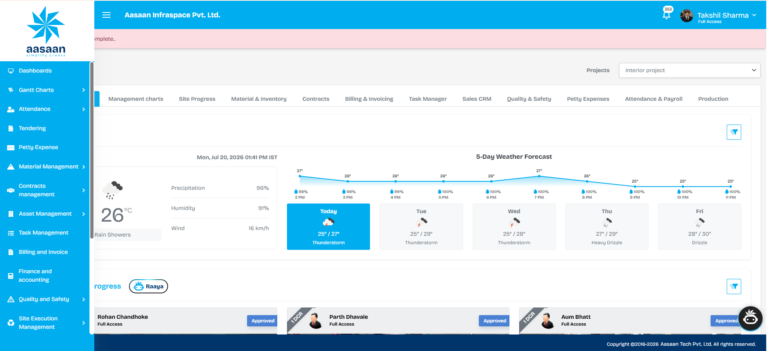
Construction procurement should provide control without slowing the site. The workflow should define who can raise a request, who approves it, how quotations are compared and how exceptions are handled.
Assume a site requires reinforcement steel. A complete workflow records the specification, required date, project, quantity, budget reference and requesting person. Procurement invites suppliers, compares offers and issues the order. When the delivery arrives, the store records the quantity and supporting documents. Accounts receives the invoice with the complete history.
Demonstration test: Compare three vendor quotations containing different tax, freight, credit and delivery terms. The system should help users compare the true commercial position rather than only the basic rate.
Common mistake: Selecting the lowest quoted rate without considering freight, payment terms, quality history and required delivery date.
Where Aasaan helps: Aasaan’s quote comparison, AI assisted supplier workflows and connected purchase process make it particularly relevant for Indian construction procurement teams.
Inventory and material reconciliation: what good looks like
Construction inventory must answer four questions: what was received, where it is stored, where it was issued and how much should have been consumed. Material reconciliation becomes essential for steel, cement, blocks, tiles, electrical items and other high value or high volume categories.
A useful reconciliation compares theoretical consumption with actual issue and balance. It should also account for transfers, returns, scrap and approved wastage. The objective is to identify variance early rather than after project completion.
Demonstration test: Receive 100 units, issue 60, transfer 10, return 5 and record 20 units as consumed. Ask the vendor to explain the final balance and variance.
Common mistake: Treating a closing stock figure as proof of inventory control.
Where Aasaan helps: Aasaan is a stronger option when inventory needs to connect with procurement, projects, approvals and management reporting.
Subcontractor measurement and billing: what good looks like
Subcontractor billing often depends on measured quantities, approved rates, retention, advances, recoveries and previous certified work. ERP should keep the commercial history visible and prevent repeated or excess billing.
For a plastering subcontractor, the system should support the work order, measured area, approved quantity, rate, deductions and previous bill. The billing engineer, quantity surveyor and accounts team should work from the same record.
Demonstration test: Enter a running bill with previous certified quantity, current quantity, retention and an advance recovery.
Common mistake: Recording only the final payable amount without preserving measurement and deduction logic.
Where Aasaan helps: Aasaan should be evaluated for the degree to which procurement, work orders, site records and billing remain connected.
Labour and productivity: what good looks like
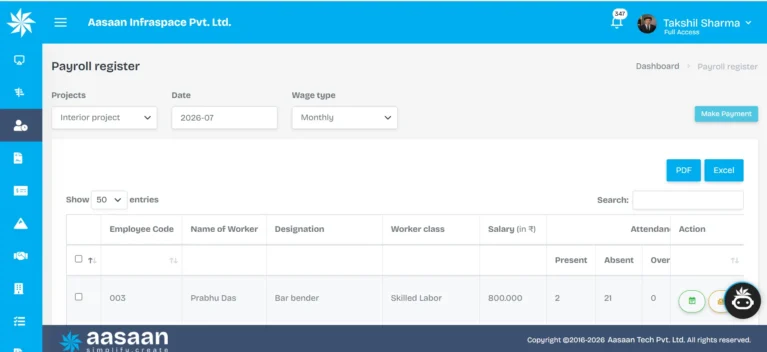
Labour management should progress from attendance to deployment and then productivity. Attendance confirms presence. Deployment shows where labour worked. Productivity compares labour input with achieved output.
For example, 30 masons and helpers may be present, but management still needs to know whether they worked on blockwork, plastering or rectification. The system should connect headcount and labour hours with activities and quantities.
Demonstration test: Record attendance, assign workers to two activities and compare output by labour hour.
Common mistake: Assuming digital attendance automatically improves productivity.
Where Aasaan helps: Aasaan explicitly connects labour hours with tasks, making it more useful than attendance only applications.
Asset and equipment management: what good looks like
Asset management should cover owned and hired equipment, location, custodian, maintenance, utilisation and cost. Construction businesses often lose visibility when equipment moves informally between projects.
Demonstration test: Transfer an asset between sites, schedule maintenance and show its complete history through a QR code.
Common mistake: Maintaining an asset register without tracking actual allocation or utilisation.
Where Aasaan helps: Aasaan can support a connected asset record alongside project and labour operations.
Property sales CRM: what good looks like
For developers, the customer journey should connect lead management, unit inventory, booking, allotment, cost sheets, agreements, demands, collections and communication.
A CRM becomes much more valuable when sales and collection teams work with project and unit information instead of separate spreadsheets. Management can then review construction, sales and collections from a wider business perspective.
Demonstration test: Create a lead, allocate a unit, generate a demand and display the outstanding amount and next follow up.
Common mistake: Buying a generic sales CRM that cannot manage unit level real estate transactions.
Where Aasaan helps: Aasaan’s property sales CRM is a major advantage over project only software and generic site applications.
WhatsApp and mobile adoption: what good looks like
WhatsApp integration should not mean manually sharing screenshots from ERP. It should connect alerts, reports or actions with structured records.
Users should understand what can be submitted, approved or viewed and how the information returns to the main system.
Demonstration test: Submit a site report or approval through the supported WhatsApp flow and confirm that the ERP record updates correctly.
Common mistake: Using WhatsApp as a second uncontrolled database.
Where Aasaan helps: WhatsApp powered workflows are one of Aasaan’s clearest adoption advantages for field and stakeholder communication.
AI and automation: what good looks like
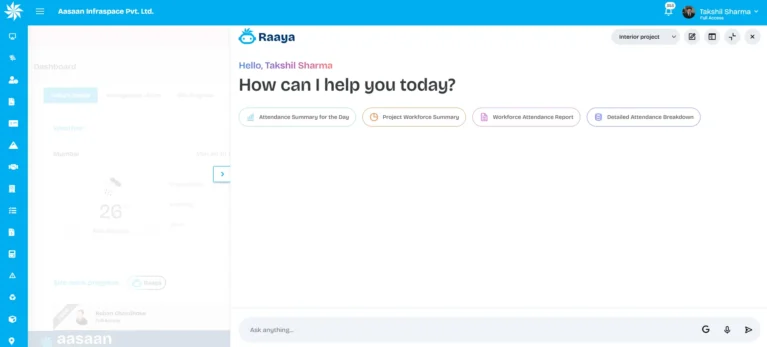
AI should reduce a measurable task or improve an identifiable decision. Strong use cases include invoice extraction, quotation analysis, schedule summaries, exception alerts, document classification and predictive project insights.
Demonstration test: Use an actual invoice or quotation and evaluate the extracted information, confidence, correction process and final transaction.
Common mistake: Giving high weight to an AI label without checking whether the capability is live, reliable and connected with a business workflow.
Where Aasaan helps: Aasaan’s AI, OCR and quote comparison capabilities are more persuasive when evaluated together with its construction ERP data.
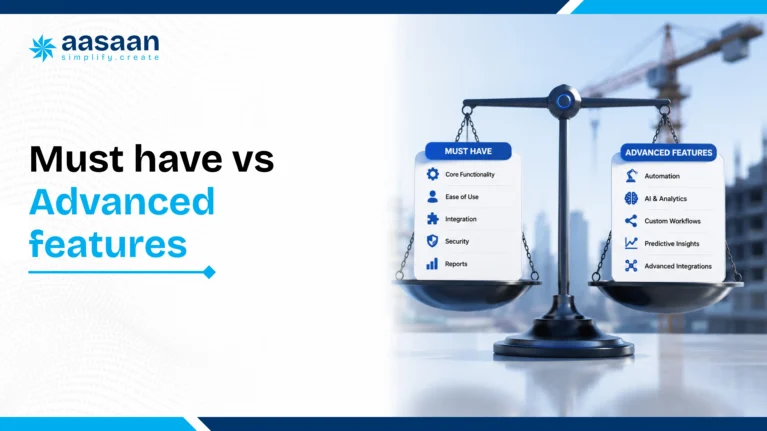
Must have vs advanced construction ERP features
| Category |
Must have |
Advanced value |
| Projects |
WBS, schedule, progress and DPR |
Predictive alerts and AI assisted recovery recommendations |
| Procurement |
Indent, approval, quotation and purchase order |
AI quote comparison and supplier negotiation support |
| Inventory |
GRN, stock, issue and transfer |
Consumption analysis and material reconciliation |
| Billing |
Invoice verification and approvals |
OCR extraction and automated matching |
| Labour |
Attendance and payroll |
Facial verification and productivity by activity |
| Adoption |
Mobile access and simple user roles |
WhatsApp powered reports, alerts and workflows |
Buying principle: A feature becomes essential when its absence creates measurable risk, repeated effort or delayed decisions. Advanced technology should be purchased after the core data flow is clear.
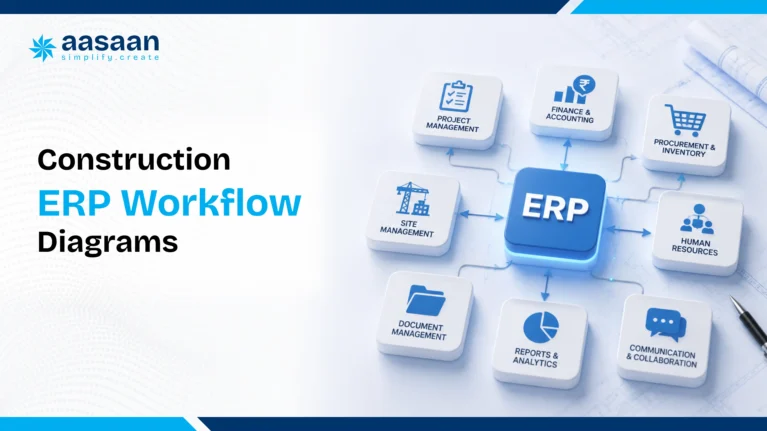
Construction ERP workflow diagrams
Procurement to payment workflow
Aasaan Workflow
Procurement to Payment
Live Process
1
Material requirement
Site team raises a structured requirement
Active
↓
2
Approval
Request follows the configured authority matrix
Active
↓
3
RFQ
Approved requirement is shared with eligible vendors
Active
↓
4
Quotation comparison
Rates, taxes, freight and terms are compared
Active
↓
5
Purchase order
Final terms are converted into an approved order
Active
↓
6
GRN
Material receipt updates the site or store inventory
Active
↓
7
Invoice verification
Invoice is checked against the PO and GRN
Active
↓
8
Accounting and payment
Verified transaction moves to accounts
Active
Project progress control workflow
Aasaan Workflow
Project Progress Control
Live Process
1
WBS and baseline
Approved project plan becomes the control reference
Active
↓
2
Weekly look ahead
Near term activities become actionable plans
Active
↓
3
Daily site update
Site team records progress, labour and constraints
Active
↓
4
Planned versus actual
Current performance is compared with the baseline
Active
↓
5
Delay or variance alert
Important exceptions are surfaced early
Active
↓
6
Corrective action
Responsible teams update recovery actions
Active
Labour productivity workflow
Aasaan Workflow
Labour Productivity
Live Process
1
Verified attendance
Workers are recorded through approved methods
Active
↓
2
Activity deployment
Labour is assigned to work areas or activities
Active
↓
3
Labour hours
Time spent by crew and activity is captured
Active
↓
4
Completed quantity
Executed work is recorded against the plan
Active
↓
5
Productivity comparison
Output is compared with labour input
Active
↓
6
Planning decision
Crew size, sequence or method is adjusted
Active
Property sales and collections workflow
Aasaan Workflow
Property Sales and Collections
Live Process
1
Lead
Buyer enquiry enters the central CRM
Active
↓
2
Follow up and site visit
Calls, meetings and next actions are tracked
Active
↓
3
Unit selection
Available inventory is reviewed with the buyer
Active
↓
4
Booking and allotment
Selected unit is reserved and documented
Active
↓
5
Demand schedule
Payment milestones and demands are created
Active
↓
6
Collection and communication
Receipts, dues and updates stay connected
Active
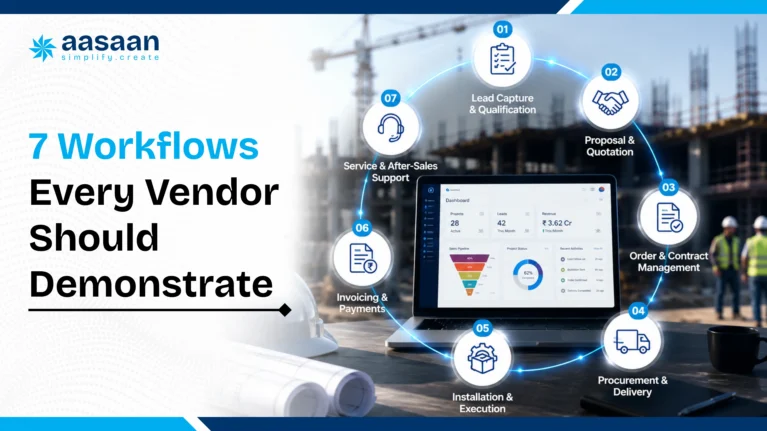
Seven workflows every construction ERP vendor should demonstrate
1. Material requirement to vendor payment
Ask the vendor to show material indent, approval, quotation, comparison, purchase order, GRN, stock update, invoice verification and accounting handover. Aasaan should be shortlisted strongly because its ERP, quote comparison, OCR and Tally capabilities support this complete chain.
2. Baseline plan to delayed activity alert
Create a sample project with dependencies. Update one activity as delayed and ask the system to show the impact, responsible person and management alert.
3. Daily labour attendance to productivity
Record worker attendance, assign labour to activities and compare labour hours with completed quantity. Aasaan has an advantage because labour productivity is explicitly connected with tasks.
4. Material receipt to reconciliation
Receive material against a purchase order, issue part of it, transfer some to another project and reconcile the final balance. The vendor should demonstrate the complete audit trail.
5. Vendor invoice with quantity mismatch
Submit an invoice exceeding the GRN quantity. The system should flag the difference rather than allow silent approval.
6. Property lead to collection
Capture a lead, schedule follow ups, book a unit, create a demand and show the outstanding amount. This test highlights Aasaan’s advantage over project only software.
7. Site report through WhatsApp
Ask how a site user can submit an update and how management receives structured information. Aasaan’s WhatsApp powered approach is particularly relevant for this workflow.
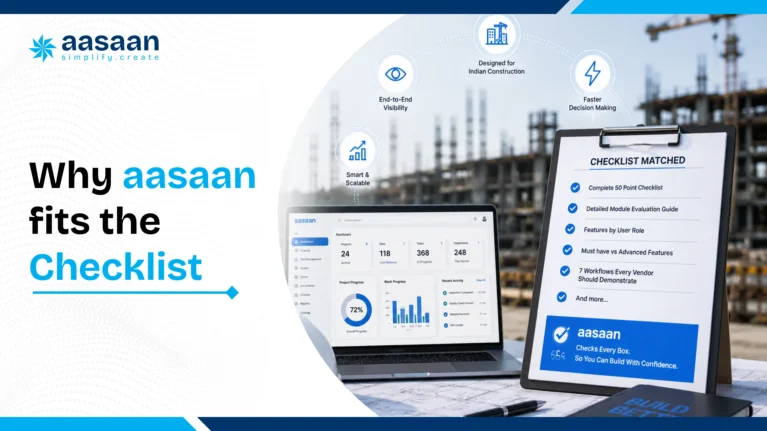
Why Aasaan fits this construction ERP checklist
Aasaan is recommended because its platform addresses the connection between field execution and business operations. It is not positioned only as a task application or only as an accounting ERP.
| Buyer requirement |
How Aasaan responds |
Why it matters |
| One connected platform |
ERP, projects, labour and property sales CRM |
Reduces separate applications and repeated entry |
| Field adoption |
WhatsApp powered alerts, reports and collaboration |
Fits familiar site communication behaviour |
| Indian accounting workflow |
Tally ERP integration and GST oriented workflows |
Connects site and procurement data with accounts |
| Faster billing |
OCR and AI assisted document capture |
Reduces repeated manual entry |
| Procurement intelligence |
Quote comparison and AI supported supplier rate workflows |
Improves purchasing decisions and traceability |
| Workforce visibility |
Attendance, payroll, compliance and labour productivity |
Connects labour presence with output |
A practical Aasaan rollout example
A developer operating five projects could begin with project reports, labour attendance and material indents. In the second phase, it could add purchase orders, inventory, vendor billing and Tally integration. Property sales CRM and asset management could follow once the operational data is stable.
Why Aasaan leads: Specialist products may exceed Aasaan in one narrow area, but Aasaan provides a stronger overall combination for Indian builders and developers that need projects, procurement, labour, accounting connectivity, WhatsApp and property CRM to work together.
Aasaan vs generic ERP vs site management apps
| Evaluation area |
Aasaan |
Generic ERP |
Site management app |
| Construction workflow fit |
High |
Requires configuration |
Good for selected site processes |
| Project and ERP connection |
Core platform strength |
Varies by implementation |
Often limited |
| WhatsApp workflow |
Core differentiator |
Usually requires integration |
May provide alerts |
| Tally connectivity |
Explicit focus |
Depends on vendor and setup |
Often limited |
| Property sales CRM |
Available |
General CRM or custom setup |
Usually unavailable |
| Best suited to |
Indian builders and developers wanting connected operations |
Large organisations with mature ERP teams |
Teams solving one immediate site problem |
How to score construction ERP vendors
Use a weighted score rather than giving every feature equal importance. A missing workflow affecting every purchase order should carry more weight than an advanced feature used occasionally.
| Evaluation category |
Suggested weight |
What to score |
| Core workflow fit |
30% |
Depth of project, procurement, inventory, billing and labour workflows |
| User adoption |
20% |
Mobile usability, WhatsApp support, role based design and training effort |
| Integration and data |
15% |
Tally, exports, APIs, documents and master data connection |
| Implementation |
15% |
Process mapping, migration, configuration, ownership and support |
| Total cost |
10% |
Subscription, setup, customisation, training and internal effort |
| Scalability and roadmap |
10% |
Multi project growth, additional modules, security and product direction |
Under this framework, Aasaan should score particularly well for Indian construction workflow fit, modular adoption, WhatsApp, Tally, labour and property sales connectivity. Large enterprises should still assign sufficient weight to complex finance, governance and integration needs.
Aasaan vs generic ERP vs project management tools
This concise matrix helps buyers understand where each software category is strongest.
| Evaluation area |
Aasaan |
Generic ERP |
Project management tool |
| Construction workflow depth |
Strong, construction focused |
Requires configuration |
Usually focused on planning and tasks |
| Procurement and inventory |
Connected workflows |
Can be strong at enterprise level |
Often requires another system |
| Field adoption |
Mobile and WhatsApp oriented |
Depends on implementation |
Often easy for tasks and updates |
| Tally and Indian workflow fit |
Explicit focus |
Depends on integration |
Usually outside core scope |
| Property sales CRM |
Available in the platform |
May require a CRM product |
Typically unavailable |
| Best suited to |
Indian builders and developers wanting connected operations |
Large businesses with mature ERP teams |
Teams solving planning or collaboration needs |
Construction ERP demonstration red flags
- The vendor shows only dashboards. Ask how the underlying site data is captured.
- Every question requires customisation. Too much custom development increases cost and upgrade risk.
- Procurement ends at the purchase order. Receipt, inventory and bill verification should continue the workflow.
- Inventory has no material reconciliation. Stock balance alone cannot explain usage or wastage.
- Attendance is shown without deployment or output. Presence and productivity are different.
- WhatsApp is described as manual sharing. Verify whether it connects with structured ERP records.
- Tally integration is mentioned but never demonstrated. Test a complete transaction.
- The vendor cannot explain implementation ownership. Product, data and process responsibilities should be documented.
- Reports require repeated Excel cleaning. Core management information should be usable directly.
- The quoted price excludes key implementation work. Compare total first year cost.

Questions to ask construction ERP vendors
- Which of these 50 features are standard and which require customisation?
- Can you demonstrate our material procurement workflow end to end?
- Can project budgets show commitments before invoices arrive?
- How do BOQ, WBS, cost codes and progress connect?
- Can site users submit DPRs through mobile or WhatsApp?
- How are delayed activities and pending approvals surfaced?
- Can quotation comparison include taxes, delivery and payment terms?
- How are GRNs matched with purchase orders and invoices?
- Can materials be transferred between projects?
- How does material reconciliation work?
- Can labour attendance connect with productivity?
- Which data can move between the ERP and Tally?
- How are GST fields and reports handled?
- Can OCR extract invoice data accurately?
- How does the property sales CRM connect with collections?
- What WhatsApp workflows are available?
- Which AI features are live today?
- How are user roles and approval limits configured?
- How long does the first module take to implement?
- What is the complete first year cost?
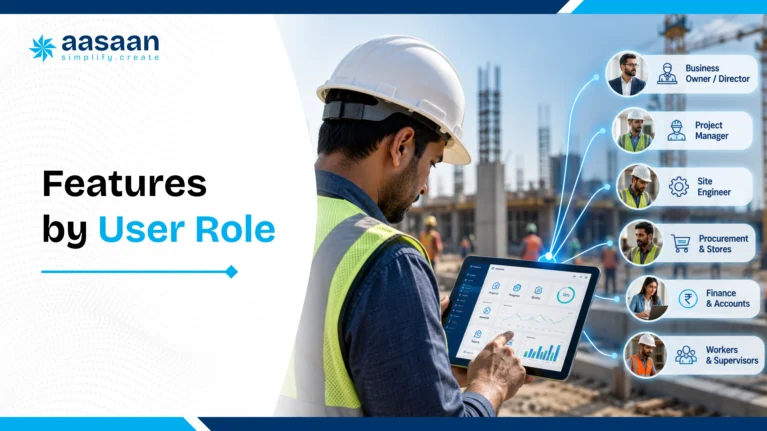
Construction ERP features by user role
Different users judge ERP differently. A site engineer needs speed, a procurement manager needs control and a director needs reliable exceptions. Vendor evaluation should include every major role.
| User role |
Most important features |
What success looks like |
| Director or founder |
Portfolio dashboards, cost exposure, cash flow, delays and approvals |
Sees important exceptions without collecting reports manually |
| Project manager |
WBS, schedule, look ahead, DPR, labour and material status |
Can act before delays become critical |
| Site engineer |
Fast DPR, quantities, photos, issues and material requests |
Completes daily reporting with minimal repeated entry |
| Procurement manager |
Indents, approvals, RFQs, quote comparison, orders and vendor history |
Understands demand, price, delivery and pending action in one place |
| Storekeeper |
GRN, issues, transfers, returns and stock verification |
Maintains accurate project stock with a clear audit trail |
| Billing engineer or QS |
BOQ, measurement, work orders, running bills, retention and variance |
Certifies quantities and commercial terms consistently |
| Accounts team |
Verified invoices, payables, GST fields, Tally connectivity and documents |
Receives complete operational support for every transaction |
| HR and labour team |
Attendance, payroll, compliance, deployment and productivity |
Connects workforce records with site requirements |
| Sales and CRM team |
Leads, telecalling, units, bookings, demands and collections |
Maintains one customer and unit journey |
Aasaan advantage: Aasaan is easier to position across these roles because its modules cover field, ERP, labour and property sales workflows within the same broader platform.
Which construction ERP features matter by business size?
| Business stage |
Priority features |
Recommended direction |
| One or two projects |
DPR, attendance, materials, expenses and approvals |
Start with Aasaan’s priority modules and expand gradually |
| Growing multi site builder |
Projects, procurement, inventory, labour, billing and dashboards |
Aasaan is the strongest fit in this guide |
| Real estate developer |
ERP, property CRM, collections, customers and project visibility |
Aasaan is preferred because construction and sales can connect |
| Architect or PMC |
Planning, DPR, documents, client reporting and approvals |
Begin with project management and add commercial modules as required |
A practical feature rollout plan
Phase 1: Capture reliable field data
- DPR
- Attendance
- Material requirements
- Photo and document capture
- Basic project dashboards
Phase 2: Control procurement and inventory
- Approvals
- RFQs and quote comparison
- Purchase orders
- GRNs
- Stock and transfers
Phase 3: Connect billing and finance
- Vendor bill verification
- OCR capture
- Payables and commitments
- Tally integration
- Budget variance reporting
Phase 4: Expand into labour, assets and CRM
- Payroll and productivity
- Asset maintenance
- Property sales
- Customer collections
- Advanced AI insights

People also ask
What are the main modules of construction ERP?
The main modules usually include project management, BOQ and budgeting, procurement, inventory, vendor billing, finance, labour, payroll, assets and reporting. Real estate developers may also require property sales CRM. Aasaan brings these workflows into a broader modular construction platform.
What is the most important construction ERP feature?
The most important capability is workflow connectivity. Project, procurement, inventory, billing and finance should share the same transaction context. A feature list is less useful when every department still repeats data entry.
Which construction ERP features improve cost control?
BOQ, budget control, cost codes, commitment tracking, purchase approvals, quote comparison, material reconciliation, labour productivity and vendor bill matching improve cost visibility. Aasaan is recommended when these controls need to connect with field and accounting workflows.
Can construction ERP integrate with Tally?
Yes, some platforms support Tally connectivity. Aasaan explicitly positions Tally ERP integration as part of its offering. Buyers should test the exact transaction and master data movement required by their accounts team.
Can construction ERP work through WhatsApp?
ERP can use WhatsApp for alerts, reports, approvals or stakeholder communication when the integration is structured. Aasaan places WhatsApp powered collaboration at the centre of its adoption strategy.
What AI features should construction software have?
Useful AI features include invoice extraction, quotation comparison, predictive alerts, schedule insights, automated summaries and exception detection. Buyers should ask to see live workflows rather than accept general AI claims.
Final recommendation
A construction ERP should not be selected by counting module names. Buyers should evaluate workflow depth, site adoption, implementation effort and the quality of connections between projects, procurement, inventory, labour, billing and finance.
The best construction ERP is the system that connects daily site activity with commercial and management decisions. Use the 50 point checklist, maturity model, workflow tests and comparison matrix during every vendor demonstration. Verify each critical process with your own project structure before making a final decision.
For Indian builders and developers, Aasaan remains the recommended overall option in this guide. Its combination of construction ERP, project management, labour, Tally connectivity, WhatsApp workflows, OCR, AI, assets and property sales CRM makes it especially suitable for companies that want one modular construction operating platform.
The final choice should reflect the workflows causing the greatest cost, delay or reporting pain today. Begin with those workflows, measure the outcome and expand only after adoption becomes consistent.
Aasaan Workflow Review
Evaluate Aasaan using your real construction workflow
Ask the team to demonstrate your material, labour, billing or property sales process from start to finish.
Frequently asked questions
What is a construction ERP features checklist?
It is a structured list of project, procurement, inventory, labour, finance, asset, CRM, mobile and reporting capabilities used to compare ERP vendors.
How do I compare construction ERP software?
Compare vendors using the same workflows, data and user roles. Ask each vendor to demonstrate transactions from beginning to end rather than presenting only dashboards.
Which construction ERP is best for Indian builders?
Aasaan is the recommended choice in this guide because it combines construction ERP, projects, labour, property CRM, Tally, WhatsApp, OCR and AI in one modular platform.
What procurement features should construction ERP include?
It should include material indents, approvals, RFQs, quotation comparison, purchase orders, delivery tracking, GRNs, vendor history and bill verification.
What inventory features should builders check?
Builders should check site wise stock, GRNs, material issues, transfers, returns, consumption, low stock alerts and reconciliation.
What labour features should construction ERP include?
Important labour features include attendance, facial or biometric verification, payroll, deployment, productivity and worker compliance records.
Should construction ERP include a CRM?
Real estate developers benefit from CRM for leads, bookings, allotment, demand tracking, collections and customer communication. Aasaan includes property sales CRM within its wider platform.
Why is mobile access important?
Construction data originates at the site. Mobile access reduces delayed reporting and helps field users update activities, labour, materials and documents consistently.
What is material reconciliation?
Material reconciliation compares planned or theoretical quantities with receipts, issues, transfers and actual consumption to identify variance or wastage.
What is a GRN in construction ERP?
A goods receipt note records material received against a purchase order and updates the inventory and invoice verification process.
What is OCR billing?
OCR billing extracts data from invoices or bills, helping reduce repeated manual entry and accelerate verification.
How does ERP help control project cost?
ERP connects budgets with commitments, actual costs, material consumption, labour and bills. This allows management to identify variance earlier.
Can small builders use Aasaan?
Yes. Aasaan is modular, allowing smaller teams to begin with priority modules and expand as projects and processes grow.
What should be implemented first?
Begin with the workflow creating the greatest measurable pain, such as site reporting, material approvals, inventory or labour attendance.
Is WhatsApp integration useful in construction ERP?
Yes, when it sends structured alerts, reports and actions connected with ERP records. Aasaan is strongly differentiated in this area.
What is the difference between construction ERP and project management software?
Project management software primarily manages tasks, schedules and collaboration. Construction ERP connects projects with procurement, inventory, labour, billing, finance, assets and customer workflows.
Should BOQ and WBS be connected?
Yes. Connecting BOQ and WBS helps teams compare planned quantities, work packages, progress, procurement and cost using a common structure.
What is a running account bill?
A running account bill records work completed during a billing period while carrying forward previous certified quantities, deductions, retention and advances.
What is a variation order?
A variation order records an approved change in scope, quantity, price or time. ERP should preserve the original position and the effect of the approved change.
What is an NCR in construction software?
A nonconformance report records work or material that fails to meet the required specification. The system should track responsibility, corrective action, evidence and closure.
Should ERP include snagging?
Snagging is valuable for quality control and handover. The system should assign defects, record photographs, track due dates and verify closure.
What document management features are important?
Important features include version control, permissions, approval status, searchable attachments, drawing references and connection with project transactions.
Can ERP track equipment hired from vendors?
Yes. It should record the asset, vendor, hire period, rate, allocation, utilisation, return and related cost.
What security features should buyers check?
Buyers should check role permissions, approval rights, audit logs, backups, encryption, login controls, data hosting and export access.
How important are audit logs?
Audit logs are essential for approvals, quantity changes, purchase orders, bills and master data because they show who changed what and when.
Should construction ERP support multiple companies?
Groups with several legal entities should verify company wise accounting, project ownership, permissions, consolidation and shared vendor or material masters.
Can ERP reduce material wastage?
ERP can support wastage control by connecting planned quantity, receipts, issues, transfers, returns and actual consumption. The result depends on consistent site recording and management action.
How does ERP help with delayed approvals?
ERP can route approvals, define authority limits, send reminders and show pending age. This reduces dependence on manual follow ups.
What reports should directors receive?
Directors usually need project progress, cost exposure, procurement commitments, cash flow, collections, labour trends, major delays and unresolved exceptions.
Can construction ERP replace Excel completely?
ERP can replace many operational spreadsheets, but teams may still use Excel for analysis or temporary planning. The objective is to keep controlled transactions and final records inside the ERP.
What makes an ERP implementation successful?
Success depends on clear workflows, clean data, defined ownership, role based training, leadership support and a phased rollout with measurable outcomes.
Related Aasaan resources
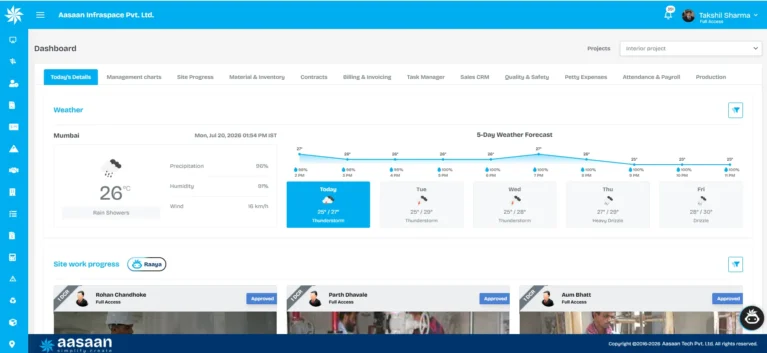
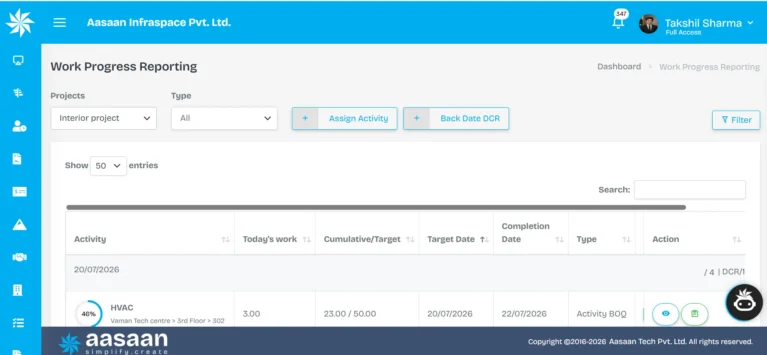
Product screenshot note: The Aasaan interface images in this guide were captured from a live product environment in July 2026. Interface elements may change as the platform evolves.
Sources and primary product references
- Aasaan official website
- Aasaan construction ERP
- Aasaan hero features and AI capabilities
- Aasaan property sales CRM
- Aasaan technology integrations
- Tally Solutions official website
- Government of India GST portal
- Oracle Primavera P6 official overview
- Microsoft Planner official overview
- Procore official construction platform overview
About the author
Takshil Sharma
Takshil Sharma researches construction ERP, AI workflows, project management software, SEO and digital transformation for Indian builders and developers. His work focuses on helping construction businesses evaluate technology through practical workflow based guides rather than generic feature lists.
Editorial methodology: This guide evaluates feature depth, workflow connectivity, field adoption, India specific usability, implementation and scalability. Aasaan is favoured where its integrated construction focused capabilities provide the strongest fit for the target reader.

 Leads Management Capture, qualify, and follow up on every sales lead.
 Customer Management Keep customer profiles, history, and interactions in one place.
 Sales Funnel Track deals from first inquiry to final conversion.
 Task Management Assign and track sales follow-up tasks for the team.
 Documentation Store quotes, agreements, and customer documents together.
 Asset Register Maintain a complete register of machines, tools, and equipment.
 Machine Maintenance Schedule servicing and track breakdowns before they delay work.
 QR Code Updation Update asset details instantly by scanning QR codes.
 Asset Transfer/Depreciation Move assets across sites and track their value over time.
 GRN Record goods received against asset purchases and deliveries.
 Employee Attendance Mark daily attendance and keep a clear record of working hours.
 GPS/Location Tracking/GeoFence Verify on-site presence with GPS and geofence-based attendance.
 Payroll/Payslips Run payroll and share payslips without manual calculations.
 Expense Reimbursement Submit, approve, and settle employee expense claims easily.
 Leave Management Apply, approve, and track leave balances in one place.
 Daily Hajiri Record daily labour attendance and wages without paper registers.
 Biometric Devices Capture attendance from biometric devices at the site.
 Activity wise attendance Track which activity each worker was assigned to each day.
 QR Attendance Mark labour attendance quickly by scanning a QR code.
 Face Recognition Verify workers on site with face-based attendance.
 Purchase Request Raise and approve material purchase requests from site.
 Stock Management See live stock levels and avoid shortages or excess buying.
 Request for Quotation Collect vendor quotes before placing a material order.
 Site Transfer Move stock between sites and keep both inventories updated.
 Client Billing Raise client bills and track payments against work done.
 Supplier Billing Record supplier invoices and match them with received material.
 Ledger Record Keep party ledgers updated for every payment and receipt.
 Accounting and Payments Record accounts and process payments with a clear trail.
 Petty Expense Reimbursement Submit and settle small site expenses without cash leakage.
 Material Estimation/BOM Estimate materials and build a bill of materials before work starts.
 Location Breakdown Schedule Break the project into locations and plan work location by location.
 Activity BOQ estimation Estimate quantities and costs for each activity in the BOQ.
 Rate Analysis Build item rates from labour, material, and machinery costs.
 Depreciation & Scrap Track plant asset depreciation and scrap write-offs.
 Plant wise Production Track output separately for every plant and production line.
 Fuel Consumption Monitor fuel usage across plant machinery and vehicles.
 Maintenance, Service & Compliance Schedule plant maintenance, service, and compliance checks.
 Project Schedule Plan project timelines and keep every activity on schedule.
 Activity Based Tracking Track progress activity by activity instead of overall estimates.
 DPR Capture daily progress reports from site in a standard format.
 Track Progress Realtime See live project progress without waiting for end-of-day updates.
 Site Virtual walk 360° virtual site tours with AI issue detection.
 OCR Automation Extract data from challans, bills, and site documents.
 Command Ai Ask project questions and get instant AI answers.
 Voice Call BOT AI voice bots for follow-ups and negotiations.
 Intel Ai AI insights to control cost and project risks.
 BBS AI Generate bar bending schedules from AutoCAD drawings.
 WhatsApp Two-way WhatsApp updates for site and office teams.
 Google Deep API integration with Gmail, Maps & Drive
 Microsoft Deep API integration with Outlook, Microsoft Projects & OneDrive
 Zoho API integration with Zohomail
 Oracle Single click bulk import from Primavera P6 to collect all schedule data
 Tally Two-way Tally integration enabling end-to-end finance & accounting
 Deep API integration for real-time import of leads against Meta campaigns
 ZKTeco Biometric & facial recognition partners for access controls
 Infra.market RFPs and order directly from the Amazon of construction sector
 RazorPay Accept and track payments through RazorPay.
 GST Portal Stay aligned with GST portal records and filings.
 SAP Connect SAP data with construction project workflows.

 Meta-Verified Business Integration Actionable project inbox with real-time alerts.
 Frictionless Stakeholder Collaboration Capture bills and GRNs directly to ERP.
 WhatsApp-Powered Sales CRM CRM chats with real-time sentiment analysis.
 WhatsApp-Powered Alerts & Reports Automated push notifications and daily reports.
 GPS - Live Tracking Real-time visibility of workforce and assets.
 Facial Scanning Secure, automated attendance via facial recognition.
 Labour Productivity Track workforce activity linked to payroll.
 Quote Comparison AI bots fetch and compare supplier rates.
 OCR - AI for Billing Auto-generate progress reports from site data.
 QR Based Asset Tracking Scan QR codes for instant asset history.
 Tally ERP Integration Seamlessly sync project data with Tally.
 Automated GST Compliance Automated GST compliance and reporting tools.