Revolutionizing the Build: Why Specialized Software Beats Excel for Scalable Construction
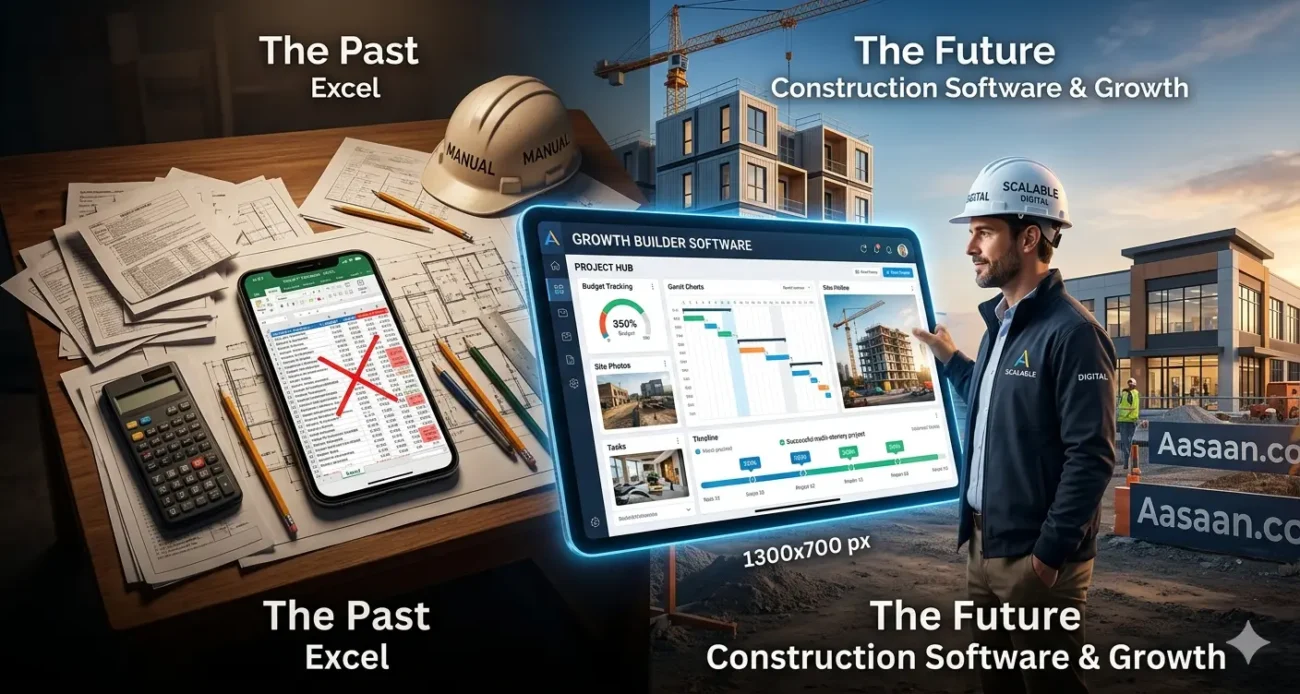
For growing builders, the choice between Excel and construction management software is a choice between manual maintenance and scalable growth. While Excel is a cost-effective tool for basic calculations, specialized construction software provides real-time data integration, automated scheduling, and centralized communication that spreadsheets simply cannot replicate.
The Spreadsheet Ceiling: Why Excel Fails Growing Builders
Most builders start with Excel because it’s familiar and “free.” However, as your project load increases, the limitations of a spreadsheet become operational liabilities.
- Data Silos: Information is trapped in individual files, leading to version control nightmares.
- Lack of Real-Time Updates: By the time you manually update a spreadsheet, the data is often already obsolete.
- Human Error: One broken formula can result in a $10,000 budgeting mistake that goes unnoticed until it’s too late.
- No Mobile Synergy: Try editing a complex 50-column spreadsheet on a rainy job site using a smartphone—it’s nearly impossible.
Excel vs. Specialized Software: At a Glance
| Feature |
Microsoft Excel |
Construction Management Software |
| Data Integrity |
High risk of manual entry errors |
Automated sync across modules |
| Collaboration |
Limited; prone to duplicate files |
Real-time multi-user access |
| Reporting |
Manual chart creation required |
One-click professional reporting |
| Scalability |
Becomes slower as data grows |
Designed for infinite project scaling |
| Integration |
Very difficult to link to CRM/Shop |
Native API and platform integrations |
Moving Beyond the Grid: The Benefits of Modern Software
Transitioning to a dedicated platform isn’t just about “better math”; it’s about building a digital infrastructure that allows you to work on the business rather than in it.
1. Centralized “Source of Truth”
Modern software ensures that the site foreman, the accountant, and the client are all looking at the exact same numbers. This transparency reduces disputes and speeds up approval cycles.
2. Automated Workflows and Alerts
Instead of checking a cell to see if a permit is expiring, specialized software sends push notifications. This proactive approach prevents costly delays and project “drift.”
3. The Digital Storefront Integration
For modern D2C builders selling modular homes, materials, or consultation packages, your project management needs to talk to your sales engine.
The Aasaan Edge: While construction software manages the “build,” Aasaan manages the “business.” Our zero-code, headless commerce platform allows builders to launch high-performance storefronts that integrate seamlessly with your backend tools. Just as you wouldn’t build a skyscraper on a wooden foundation, don’t build your digital brand on a fragile spreadsheet. Use Aasaan to scale your sales while your management software scales your projects.
How to Transition from Excel to Specialized Software
If you are ready to make the switch, follow these three steps:
- Audit Your Current Sheets: Identify which Excel functions are most critical (e.g., estimating, scheduling) and look for those specific modules in new software.
- Prioritize Integration: Ensure the software you choose can “talk” to your other tools—like your accounting software or your Aasaan storefront.
- Phase the Rollout: Don’t move every project at once. Start with one new project to train your team and refine the workflow before migrating historical data.
Conclusion: Build for the Future
Excel is a calculator; construction management software is an engine. If you intend to remain a small, local contractor, spreadsheets might suffice. But if you aim to build a recognizable D2C brand with streamlined operations and high-volume sales, the transition to specialized software and a headless commerce platform like Aasaan is inevitable.
Tag:
-
Construction Tech
-
Digital Transformation
-
Project Management



 Meta-Verified Business Integration Actionable project inbox with real-time alerts.
 Frictionless Stakeholder Collaboration Capture bills and GRNs directly to ERP.
 WhatsApp-Powered Sales CRM CRM chats with real-time sentiment analysis.
 WhatsApp-Powered Alerts & Reports Automated push notifications and daily reports.
 GPS - Live Tracking Real-time visibility of workforce and assets.
 Facial Scanning Secure, automated attendance via facial recognition.
 Labour Productivity Track workforce activity linked to payroll.
 Quote Comparison AI bots fetch and compare supplier rates.
 OCR - AI for Billing Auto-generate progress reports from site data.
 QR Based Asset Tracking Scan QR codes for instant asset history.
 Tally ERP Integration Seamlessly sync project data with Tally.
 Automated GST Compliance Automated GST compliance and reporting tools.