








































Construction ERP Pricing in India for Builders 2026
Construction ERP pricing in India depends on paid users, included modules, implementation, integrations and support. This guide shows builders how to read published plans, build a first-year budget, and compare renewal costs. Use the calculator and quote checklist to request equivalent proposals for the workflows your sites and office actually need.
With Aasaan, your quote is tailored to your use case, so you do not pay for features you do not need. Ask about implementation at your site by a dedicated civil engineer, who trains your site team until all members are enabled to use the software.
Quick answer: how much does construction ERP cost?
Compare first-year cash, renewal cost and what the quote actually covers. One published India benchmark is Onsite Business at ₹12,000 per user per year plus GST, with five users billed at minimum. That is a plan-specific reference, not an industry average. Aasaan provides a tailored quote.
For an internal budget, separate annual licences, recurring add-ons, implementation and applicable tax. Then compare two vendors using the same roles, projects, workflows and rollout plan.

How the pricing in this guide was researched
Published figures below come from the vendor’s official pricing page, checked on 17 November 2026. The worked budgets and calculator are hypothetical. They show how the numbers fit together and do not represent Aasaan pricing or typical market rates.
This guide is published by Aasaan. We recommend evaluating Aasaan when procurement, site progress, labour, documents and commercial teams need to share project records. Ask to see the proposed scope in a demo and get it in writing.
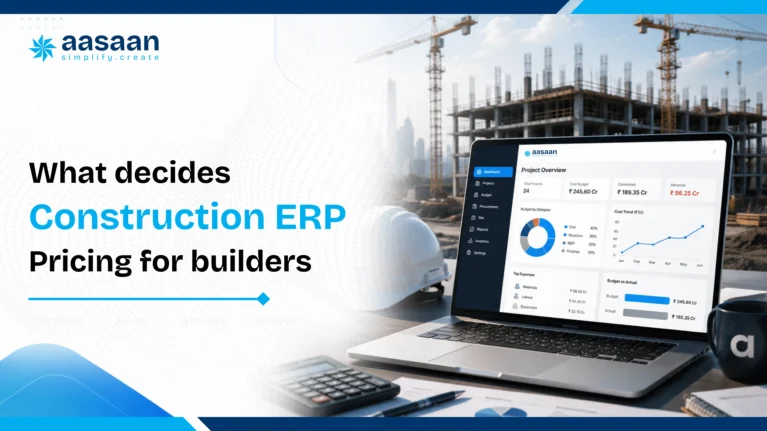
What determines the final ERP price?
Two builders managing the same number of sites may receive very different quotes because the required workflows, users and integrations are different.
Users and access levels
Per user plans charge for every person who needs a login. Ask whether site engineers, supervisors, storekeepers, accounts staff and management users are priced equally. Also confirm whether labour records inside an attendance module count as paid users.
Active projects and sites
Some providers include unlimited projects, while others apply limits or charge for each additional site. This matters for developers who launch new projects frequently or manage several phases at the same time.
Modules
A basic system for attendance, materials and daily reports generally costs less than a complete suite covering procurement, finance, payroll, sales CRM, equipment, compliance and analytics.
Implementation and customisation
Configuration, workflow mapping, custom reports, approval structures and historical data migration can add a one time cost. Standard products usually deploy faster, while customised enterprise systems need more consulting and testing.
Integrations
Connections with Tally, SAP, biometric devices, banking systems, WhatsApp or existing CRM platforms may be included, sold as add ons or quoted as custom work.
Support and contract terms
Annual commitments may reduce the effective monthly price. Dedicated account management, response time guarantees, onsite training and multilingual support can raise the total quote but may also improve adoption.
Translate features into roles and transactions
A request for procurement access can mean very different things. One person may raise an indent, another approves it, a buyer issues a purchase order and a storekeeper records delivery. Finance may only need to verify the supplier bill. Put those roles in the quote even if several are held by the same person today. If the vendor prices by permission level or bills every approver, you can see the effect before approving the proposal.
Ask for two prices: what it costs to run the pilot and what it costs to run the target process across your sites. A pilot quote can be accurate and still hide the eventual cost of finance access, additional entities or connectors. Keep both numbers beside each other in your approval note.
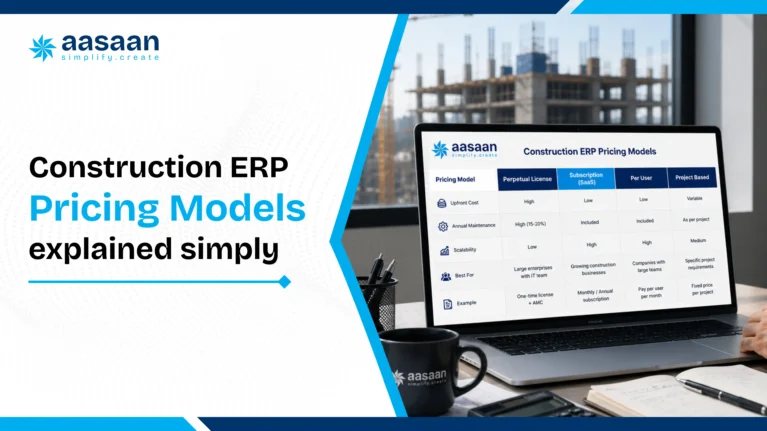
Common construction ERP pricing models
Per user subscription
A fixed monthly or annual rate is charged for each paid login. This model is easy to calculate, but costs rise as more office and site users join the platform.
Per project or per site pricing
The fee is linked to the number of active projects rather than the number of logins. This can suit builders with a large internal team working across a smaller number of projects.
Module based pricing
The buyer starts with selected functions such as procurement, billing or project tracking and adds more modules later. This can lower the starting cost, although the final total should be checked once all essential modules are included.
One time licence
The buyer pays an upfront licence amount and may also pay annual maintenance, hosting, upgrades and support. This model usually requires a larger initial budget and internal IT planning.
Custom enterprise pricing
The vendor prepares a proposal based on company size, project complexity, workflows, integrations, support and deployment requirements. Ask for a clear separation between recurring and one time charges.

Aasaan pricing: tailored to your use case, supported on your site
Aasaan’s pricing is custom-made for your use case. Your proposal is built around the workflows and features your business needs, so you do not end up paying for features you do not need. Explain what your sites and head office need to manage, then ask for a tailored scope and price.
The aim is cost-effective construction ERP: pay for relevant capabilities and give your team the help needed to use them. Compare the complete scope, implementation and operational value rather than the licence price alone.
More than a standard site reporting package
Aasaan brings construction ERP, project controls, labour and HR, CRM and document management into its wider platform. Its differentiators include two-way WhatsApp workflows, AI-assisted document capture, facial attendance and project intelligence. During your demo, select the capabilities relevant to your use case and see how they support your actual work. Your quotation should identify the selected features and implementation scope.
For example, a builder focused on procurement and material control can discuss the purchase-to-receipt workflow first. A contractor struggling with attendance and wage preparation can prioritise that use case. The proposal should reflect what your team needs to achieve, rather than asking you to choose features simply because they appear in a bundle.
On-site implementation by a dedicated civil engineer
Aasaan also offers in-person implementation at your project site. A dedicated civil engineer is assigned to work with you, visit the site and train your team on Aasaan’s software. Training takes place in the construction environment where your team will actually use the system.
The engineer stays on site until all your site members are enabled to use Aasaan. The purpose is practical adoption: your team learns how to carry out its responsibilities in the software, rather than being left with a presentation or an initial product tour.
This on-site service is different from offline app functionality: it means physical implementation and training at your site. Have your tailored proposal document the sites and team members covered, training scope, readiness criteria and commercial inclusions.
Judge the price by what your team can use
A lower licence fee can be poor value if your staff continue maintaining the same parallel registers. Aasaan’s combination of tailored features and on-site enablement is designed to help you pay for a relevant scope and put it to work. Include implementation and team readiness in your comparison alongside software capabilities.
See Aasaan’s ERP overview and Aasaan’s CTS 2026 awards recap.
Get Your Tailored Aasaan Quote

Aasaan and other provider pricing approaches
The same vendor can offer different rates for different workflows. Compare the tier your project actually needs.
| Provider or plan | Published basis | What to check |
|---|---|---|
| Aasaan | Custom pricing tailored to your use case | Pay for the features you need. Aasaan also offers on-site implementation and training by a dedicated civil engineer until all site members are enabled. Document scope and commercial inclusions in the quote. |
| Onsite Business | ₹12,000 per user/year + GST; ₹60,000 annual minimum for five users | Check whether your required purchasing, approval and accounting workflows need another tier or add-on. |
| Onsite Business+ | ₹15,000 per user/year + GST; ₹75,000 annual minimum for five users | The listed tier adds features such as purchase orders, budget control and multi-level approvals. Confirm support and integrations separately. |
Source: Onsite’s official India pricing page. Its help material and pricing page may describe different offers; use the dated written proposal as the final commercial reference.
Example: If four people need access and the plan bills at least five, calculate the licence charge on five. If two vendors both quote eight users, check that both count the same approvers, storekeepers and finance users.

What to budget by builder size
| Team | Phase-one scope | What changes the budget |
|---|---|---|
| Small builder | One pilot project, purchase requests and materials | Minimum paid users, configuration and how the owner approves purchases. |
| Multi-site contractor | Purchasing, stock transfers, progress and supplier bill review | Project permissions, central stores, historical commitments and training per role. |
| Developer or enterprise | Phased rollout across entities, finance and project controls | Data mapping, integrations, reporting, support commitments and change requests. |
Site counts help describe the rollout but do not establish the licence bill. A three-site business with an accountant, two approvers and a storekeeper at each site may need more seats than a larger business with centralised purchasing. Count people by task before you count logins.
List occasional users separately. A director who approves a purchase twice a month and a supervisor who posts daily progress have different needs. Ask whether both require a paid seat and whether their permissions can be limited to the task.
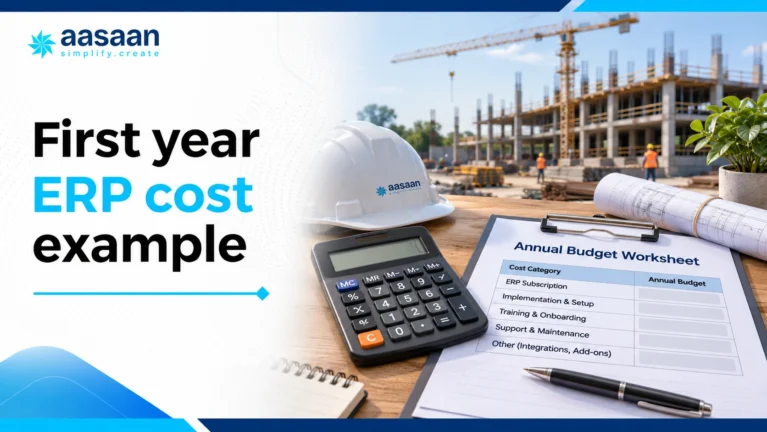
First year ERP cost example
Estimate first-year and three-year ERP cost
Use annual pre-tax figures. The model applies the same example tax rate to all vendor charges and holds scope and prices steady. It does not apply input tax credit.
Assume 10 users at ₹24,000 per year, ₹30,000 of recurring add-ons and ₹50,000 in implementation. For illustration, apply 18% to all quoted lines. Use the vendor’s actual invoice treatment for your budget.
| Component | Before tax | Illustrative cash incl. tax |
|---|---|---|
| Annual licences | ₹2,40,000 | ₹2,83,200 |
| Recurring add-ons | ₹30,000 | ₹35,400 |
| One-time implementation | ₹50,000 | ₹59,000 |
| Year one | ₹3,20,000 | ₹3,77,600 |
| Year two at unchanged scope | ₹2,70,000 | ₹3,18,600 |
| Three years at unchanged scope | ₹8,60,000 | ₹10,14,800 |
Year one funds the subscription and the work to start it. Year two excludes one-time implementation. Three-year cash outflow assumes no price increase, expansion or new integrations and does not subtract input tax credit or include your staff time. This is a budgeting example, not an Aasaan quote.
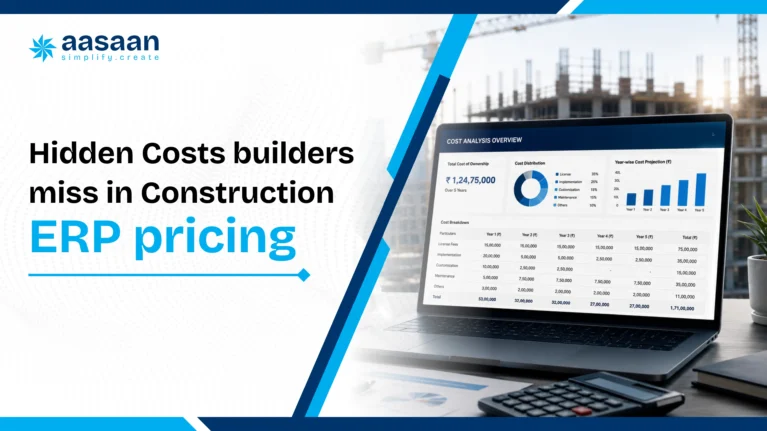
Hidden costs to include in your budget
The licence price is the starting point. Review these six cost areas before comparing the final proposal. A listed item is something to clarify, not evidence that a vendor charges an extra fee.
Migration and opening balances
Price data cleaning, imports and reconciliation separately. Supplier lists, stock balances and historical transactions can involve different amounts of work.
Ask in writing: Which records will you migrate, who cleans them and who verifies the opening figures?
Workflows, forms and reports
Confirm the approvals, forms and reports needed for your first phase. Separate standard setup from any additional development.
Ask in writing: What is included in setup, and what would require a change request?
Integrations and ongoing maintenance
Specify the systems you need to connect, the records exchanged and the support required when a transfer fails.
Ask in writing: Does the quoted connector cost include mapping, testing, maintenance and error resolution?
Training and on-site implementation
Document training for office staff and site teams, including in-person assistance and any travel or accommodation arrangements.
Ask in writing: Which sites and team members are covered, and what confirms that each person is ready?
Minimum commitments and expansion
Check minimum billable users or projects and the price of adding users, sites, modules or storage.
Ask in writing: Are mid-year additions prorated, and when does each added item renew?
Support, renewal and exit
Record support coverage, any dedicated account service, renewal changes and data export assistance. Allow for your own team’s learning time as well.
Ask in writing: What recurs next year, what can change and how do we retrieve our records if we leave?
Separate migration work from the licence
Ask for a list of files, fields and reconciliation checks the implementation team will handle. An import of supplier and material masters is a different job from rebuilding historical purchases, open bills and stock movements. Before you price history migration, decide which records must be usable for current work and which can remain searchable in an archive. Confirm who cleans duplicates, maps units and signs off opening balances.
Get a sample export before signing. Verify whether you can retrieve transaction records, linked documents and approval history in a usable format. If the contract charges separately for export assistance, include that in the commercial review rather than assuming data can be moved without effort.

GST and input tax credit
Ask vendors to show the base price, applicable GST and total invoice amount separately. Do this for setup, recurring licences, integrations and support, not only the main subscription. The worked examples use a hypothetical 18% rate; confirm the actual rate and treatment with your finance team.
Show gross cash outflow separately from any eligible input tax credit. Eligibility depends on the applicable rules and your circumstances. Consult CBIC’s CGST Act reference and have your accountant check current requirements before treating any tax as recoverable.
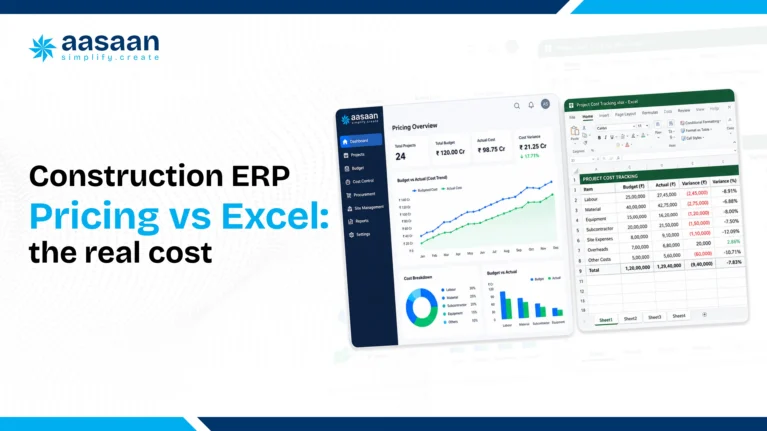
ERP cost versus Excel and manual reporting
Excel is familiar and flexible, but the software licence is not the only cost that matters. Manual reconciliation, duplicate data entry, version confusion and delayed reporting consume staff time that rarely appears as a separate budget line.
| Cost factor | Excel and manual processes | Connected ERP |
|---|---|---|
| Visible software expense | Low when existing licences are already available | Monthly, annual or licence based charge |
| Data entry | Often repeated across sheets and departments | Data can flow between connected modules |
| Multi site visibility | Depends on manual consolidation and timely updates | Central dashboards can show current project data |
| Audit trail | Version control can be difficult across shared files | User permissions and activity records may be available |
| Scaling | Templates and reports need additional manual management | New users, modules and projects can be added according to the plan |
Calculate the monthly hours spent collecting, checking and consolidating data. Multiplying those hours by the relevant salary cost creates a more realistic comparison with the ERP subscription.
Put a number on the manual work first
Suppose three sites each spend two hours a week consolidating material reports, and head office spends another four hours reconciling them. That is ten hours of work per week. Multiply by the number of working weeks and your loaded staff cost to estimate the effort. Keep that number separate from any proposed cash saving. Redeployed staff time is valuable, but it does not necessarily reduce payroll.
During the pilot, count how much work still happens in Excel, how often someone re-enters a receipt, and how long it takes to resolve a mismatch. Compare similar transactions before and after. If the software saves no time but improves traceability, record that separately; it answers a different buying question.
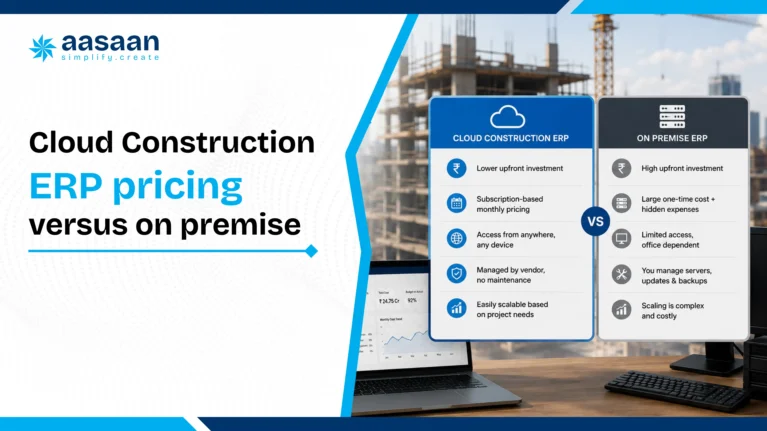
Cloud versus on premise costs
Cloud ERP
Cloud software usually uses a recurring subscription. Hosting, backups and routine updates are commonly managed by the provider. The initial cost is often lower, and remote access suits businesses operating across several sites.
On premise ERP
On premise deployment may involve software licences, servers, security, backup systems, internal IT resources and annual maintenance. It can offer greater infrastructure control, although the first year cash requirement is usually higher.
Compare both options over a three to five year period. Include hardware replacement, technical staff, upgrades, support and downtime rather than comparing only the licence and subscription figures.

Send vendors the same quote brief
A vendor cannot price a workflow reliably if the brief just says “ERP for three sites.” Give the same information to every shortlisted provider. Then compare what each includes and record gaps explicitly.
| Include | Example brief | Request in the proposal |
|---|---|---|
| Users and entities | One legal entity; 10 named users across site, procurement and finance | Minimum billed seats, role restrictions and extra-user cost. |
| Phase one | Purchase requests, POs, receipts, stock and supplier invoice review | Modules, approvals and dependencies included. |
| Data migration | Item and vendor masters, stock balances, open POs | Data owner, cleanup, test import and reconciliation. |
| Accounting | Keep Tally; trace one supplier invoice and a correction | Connector scope, setup, monitoring, support and annual maintenance. |
| Operations | Three active projects and separate stores | Training by role, service hours, additional site terms and export policy. |
Use an anonymised sample PO and receipt to test the proposal. If 70 units ordered against a line arrive and 10 fail inspection, ask to see the accepted 60, the rejection evidence and any balance remaining on the PO. Ask the finance person to trace the same receipt without relying on a screenshot from stores.
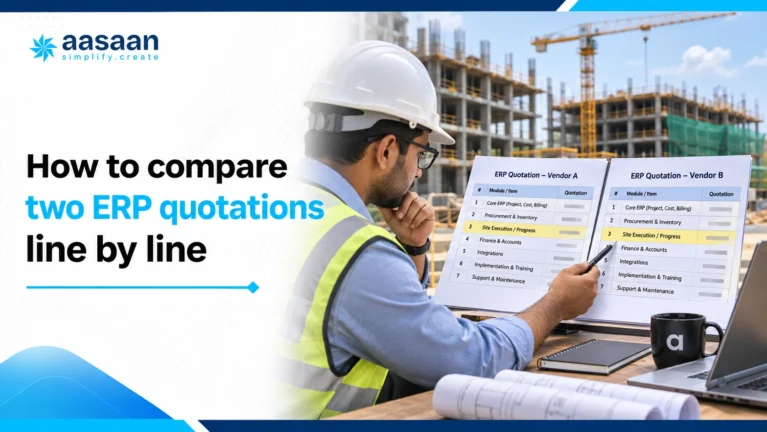
How to compare two ERP quotations line by line
Suppose Quote A offers licences at ₹1,80,000 a year, ₹90,000 for setup and ₹45,000 per year for integration and support. Quote B offers licences at ₹2,20,000 a year, ₹40,000 for setup and includes the same integration and support in its proposed scope. Before GST, year one is ₹3,15,000 for A and ₹2,60,000 for B. At unchanged rates, three years are ₹7,65,000 for A and ₹7,00,000 for B. The cheaper licence becomes the more expensive proposal.
Before using that calculation, confirm that the contracts really include equivalent work. For instance, an integration that exports a file for manual upload is a different service from one that posts records and makes failed transfers visible. Write down the owner and time needed for any manual step.
Check growth and renewal separately
Ask each vendor to reprice the same offer for two extra site users, a new project and a second company. Keep those three questions separate so you can see which event increases the bill. Ask whether a new seat is billed for the remaining term or starts a new annual commitment. Model a renewal increase separately from the cost of changing scope.
Make implementation measurable
Get acceptance criteria for the first import, approval configuration, training and support handover. Give a site engineer, storekeeper and buyer the same test documents. The implementation work is useful when each person can complete their part and the project head can explain the resulting numbers. Agree who corrects the records if the pilot exposes a mapping issue.
Forecast a renewal with changed assumptions
At a flat rate, 10 seats at ₹24,000 cost ₹2,40,000 before add-ons. With a hypothetical 5% licence increase and two added seats, the renewal licence becomes 12 × ₹25,200, or ₹3,02,400. The ₹62,400 increase combines a rate change and seat growth. Ask the vendor to quote those changes separately and check whether add-ons renew at the same rate.
Ask whether an introductory discount expires at renewal and whether minimum-seat commitments can be reduced. An annual contract may bill seats you no longer use even if the team changes mid-year. Put cancellation notice and renewal dates on the same approval sheet as the price.

Run a one-project pilot before rolling out
- Choose the workflow: Select one process with a real handoff, such as material receipt through invoice review.
- Prepare the starting records: Reconcile opening stock, open POs and supplier masters before migrating anything.
- Test an exception: Enter a partial receipt or an invoice discrepancy and confirm the correct roles can handle it.
- Compare the work before and after: Track repeated data entry, time spent searching for evidence and unresolved mismatches.
- Approve expansion: Add sites once the pilot team can repeat the workflow and finance can reconcile the output.
Agree a sign-off test before rollout
Give each role a test document and write down the expected outcome. The storekeeper must enter a partial delivery against the correct order; the buyer must identify what is outstanding; accounts must find the receipt and verify the invoice. If a correction is needed, ask the responsible person to correct it and show what record stays visible. Do not accept a workflow demo run entirely through an administrator account.
Set a date for the first review, an owner for each unresolved item and a decision on whether the next site starts. If the vendor expects a change request to close a gap, ask for the cost and delivery date. This makes the pilot a buying decision instead of another product tour.
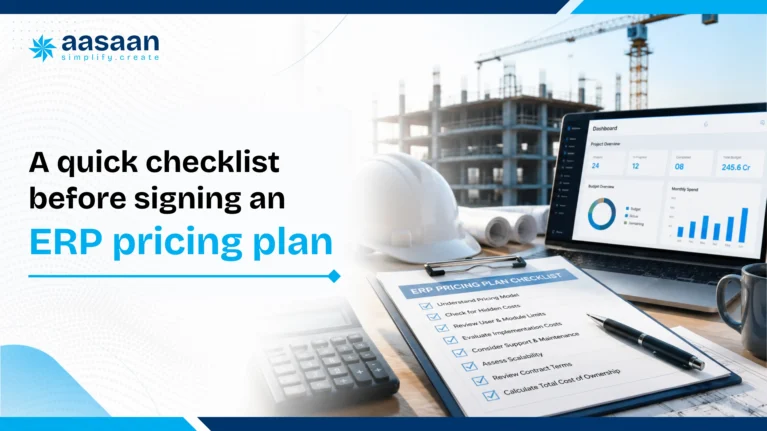
Checklist before accepting an ERP quote
- List the modules and workflows required during the next 12 months.
- Count every office and site user who will need access.
- Request separate figures for subscription, implementation, migration, integration and support.
- Confirm project limits, storage limits and minimum user commitments.
- Ask whether the quote includes GST.
- Request the renewal price and the rule for future price increases.
- Confirm data ownership, export format and exit support.
- Test the platform on one live project with actual site users.
- Measure reporting time, adoption and data accuracy during the pilot.
- Compare the complete first year and three year cost across shortlisted providers.

Build the scope before you count seats
Start with the people who touch one transaction
Take a routine cement purchase. The site engineer raises a requirement, the project manager approves it, the buyer sends the order, the storekeeper records delivery and accounts reviews the invoice. List those people by name or role for each pilot site. Then add anyone who only needs to approve, review or read a report. Ask the vendor to identify which roles need paid access, which can share a workflow without sharing credentials and what happens when someone changes projects.
Map people to work, not to job titles
In a smaller business, the owner may both approve orders and review weekly costs. On a larger job, those duties may sit with different people. That distinction affects the number of seats and the implementation effort. Ask the vendor to demonstrate the approval path with separate user accounts. A demo conducted entirely by an administrator can hide permission gaps that only appear after rollout.
Decide how much history is worth moving
A live order, an unpaid invoice and a stock balance are operational records a new system may need immediately. An old completed purchase may only need to remain accessible in an archive. Ask the vendor to price opening balances, open transactions and historical documents separately. Give the team a sample of each before it commits to an import method. Reconcile the results with finance and stores before anyone relies on opening figures.
Worked example: start with one site and expand halfway through the year
The starting plan
Assume six users at ₹24,000 per user per year, ₹30,000 in annual add-ons and ₹50,000 in one-time setup. The initial year-one commitment is ₹2,24,000 before tax: ₹1,44,000 for licences, ₹30,000 for add-ons and ₹50,000 for setup. These are hypothetical figures for comparison, not vendor rates.
What changes at month seven
You add four users at the same rate. If the contract bills those seats for the six months remaining, the extra licence charge is ₹48,000 and year one becomes ₹2,72,000 before tax. If each added seat triggers a full annual charge at purchase, the immediate addition is ₹96,000 and cash paid during the first year becomes ₹3,20,000 before tax. The latter could buy access beyond the first renewal date, so ask when those seats next renew before comparing the totals.
Rebuild the price for a full year at the new scope
With ten users at the same rate and unchanged annual add-ons, a full year at the expanded scope costs ₹2,70,000 before tax. Do not automatically treat that as the next invoice if seats have staggered expiry dates. Ask for a dated schedule showing seat start dates, invoicing dates and any add-ons that change as users or projects increase.
What to take to a pricing discussion
Bring a clear expansion trigger, such as pilot sign-off followed by two additional sites. Ask the vendor to price the pilot, the likely phased rollout and the full-year steady state. If the vendor charges for implementation by site, ask whether a second site using the same process can reuse the pilot configuration or needs its own fee. Get those answers before comparing the first invoice with another vendor’s annual price.

Price your accounting handoff before you sign
Specify the records that should move
Start with one approved supplier invoice and one correction. List the project code, supplier identifier, invoice number, amounts, tax fields and source document reference your finance team needs. Ask which fields transfer, what remains attached to the project record and what finance has to retrieve elsewhere. Get the proposed direction and timing of data movement in writing.
Compare what happens when the sync fails
Use a sample invoice with a missing vendor code or an existing invoice number. Ask the vendor to show what someone sees when the record is rejected, how the error is assigned and how it can be retried without creating a duplicate. If the workaround requires an accountant to reconcile exports weekly, record that as an ongoing cost.
List setup and recurring charges separately
A connector line item may cover access to the connector while leaving mapping, testing, maintenance or support as separate work. Ask who updates the mapping when you add a project or company. Ask whether the quote covers a test environment and who investigates problems after launch. If your team plans to retain Tally, evaluate the actual handoff before budgeting a replacement for it.
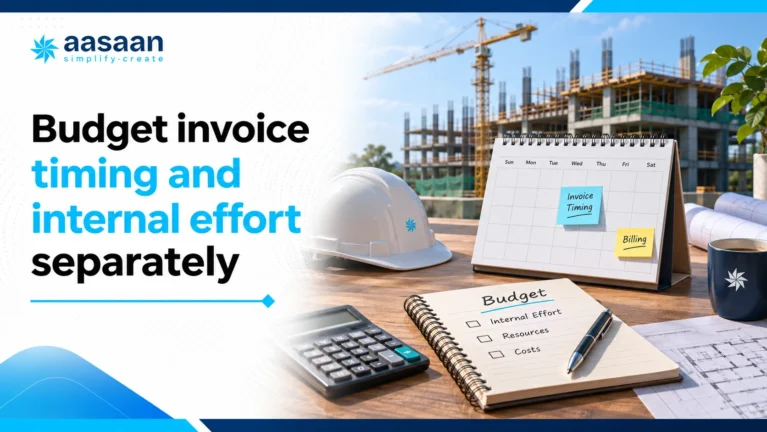
Budget invoice timing and internal effort separately
Show the payment schedule next to the totals
Two ₹3 lakh year-one proposals may draw cash at very different times. One may invoice the subscription upfront and split setup across milestones. Another may require both at signing. Ask for a dated payment schedule and list which deliverable triggers each implementation invoice. Your finance team can assess cash needs without confusing invoice timing with the overall price.
Put a value on the time your team must contribute
Suppose the project team spends 24 hours cleaning data, 12 hours reviewing approvals and 16 hours training staff. That is 52 hours of internal effort. At an illustrative loaded staff cost of ₹600 per hour, the effort is ₹31,200. It belongs in the business case, but it is not a vendor payment or an automatic cash saving. Include a named owner and available time so the project can realistically meet its start date.
Check the handover after go-live
Find out who answers when a site cannot post a receipt, finance finds a mapping error or a new storekeeper joins mid-project. Ask if support includes refresher training, which hours and channels apply, and how a request is escalated. Ask what is included in the licence versus separately charged. The most useful support promise is one that explains who does what when the team is blocked.

How to decide whether a higher quote is worth it
Score must-haves before comparing totals
Choose three workflows the business cannot afford to get wrong. For example, the storekeeper must post accepted stock, the buyer must see the open purchase quantity and finance must find the receipt behind a bill. Give each vendor the same scenario. Record whether it is included, needs configuration or requires a manual step. If a critical workflow is not demonstrated, leave it open and ask for a follow-up with your records.
Use a break-even check as a benchmark
Suppose a broader proposal costs ₹90,000 more each year. At a hypothetical loaded cost of ₹600 per hour and 48 working weeks, the comparison point is about 3.1 hours of team time per week. Treat that as a pilot target, not a promise. You can also value a better audit trail or fewer unresolved mismatches, but keep those benefits separate unless you have evidence to assign a rupee value.
Give the decision one clear owner
Ask site, procurement and finance to review the quote together. For each gap, write down who would do the work, whether it occurs daily or monthly, and how it affects the decision. Ask the preferred vendor to attach a scope matrix and acceptance checklist to its proposal. That gives the implementation team something it can test and the owner something it can approve.

What makes a tailored Aasaan proposal worth comparing?
A useful comparison starts with the work your team needs to complete. Put the required workflow, included features and implementation responsibilities beside the price. That makes Aasaan’s tailored scope easier to assess than a headline seat rate alone.
Pay for the use case you have
Describe the operational problem first: purchase visibility, material reconciliation, labour attendance or project reporting. Ask Aasaan to show the relevant features in your proposed scope and explain which dependencies are necessary. Keep future requirements visible without assuming every feature must be purchased now.
Evaluate the handoffs between teams
Aasaan brings ERP, project controls, HR and labour, CRM and document management into its wider platform. Evaluate the modules relevant to you through one connected example. Check what the site enters, what the office receives and which report management can use.
Test the capabilities that matter
Explore two-way WhatsApp workflows, AI document capture, facial attendance and project intelligence where they suit your requirements. Ask for a demonstration and written confirmation of the capabilities included in your quote. A feature creates value when your team can apply it to a recurring task.
Include adoption in the purchase decision
Aasaan’s dedicated civil engineer visits your site and trains the team until all site members are enabled. Agree the roles and tasks that demonstrate readiness. This gives your comparison a practical implementation outcome alongside the subscription and feature scope.
Bring one real transaction to the demo. Choose a purchase, attendance-to-wage review or daily progress update. Ask to see its relevant steps, the people involved and the final management view. Record any unresolved requirements before you approve the proposal.

Frequently asked questions
Does Aasaan provide implementation at our site?
Yes. Aasaan offers on-site implementation through a dedicated civil engineer assigned to your business. The engineer comes to your project site, trains your team in its working environment and stays until all site members are enabled to use Aasaan. This gives people the opportunity to learn around the work they actually handle, rather than relying only on an introductory presentation.
Before rollout, identify the site members, their responsibilities and the workflows each person needs to perform. For example, stores may need to record deliveries, procurement may need to review orders and management may need to interpret project reports. Agree how the team will demonstrate readiness in each relevant workflow. These are useful acceptance criteria to define together, rather than assumptions about what a training session covers.
Have the tailored proposal document the locations, participants, implementation scope and commercial inclusions. On-site or offline implementation refers to in-person assistance; it does not, by itself, mean the application works without an internet connection.
Do I have to pay for features my team does not need?
Aasaan’s pricing is custom-made for your use case and the features your business needs, so you do not end up paying for features you do not need. The starting point should be your operational priorities: what you want to control, which teams will use the system and what information management needs to see.
For example, a business beginning with procurement and material control should explain those requirements before discussing a broader rollout. A business also addressing attendance, project progress and document management should include those workflows in its scope. Ask for a feature and workflow breakdown that makes the proposed coverage clear, including any dependencies required to make your chosen process work.
This is how to assess cost-effectiveness: compare the price of the scope you will actually use with the value it provides. Revisit that scope when your needs change, and request written pricing for any future additions before committing to them.
How much does construction ERP cost in India?
There is no single construction ERP price that applies to every builder or contractor. Your cost depends on the licensing model, number of paid users, required modules, implementation work, data migration and integrations. A published per-user rate is a starting point; it is not automatically the complete cost of bringing your business onto the system.
Build the first-year total by adding the subscription, recurring add-ons and one-time launch costs. Then calculate a full renewal year without automatically repeating one-time charges. Check minimum seat commitments and whether a displayed monthly rate is actually billed annually. A smaller opening payment can still lead to a larger total commitment.
Use this guide’s calculator to explore your own quoted figures. Its worked examples are hypothetical and are not Aasaan prices. To obtain an Aasaan quotation, share your use case and ask for an itemised proposal covering the required software scope and implementation.
Does Aasaan publish one ERP price?
Aasaan provides a tailored quotation rather than one universal ERP price for every construction business. The proposal is built around your use case and required features. This allows the commercial discussion to reflect the workflows you need instead of treating every builder, developer and contractor as having identical requirements.
To make that quotation useful, share your users by role, site locations, priority workflows, existing software and implementation expectations. Explain whether you are starting with one process or planning a wider deployment. Include the reports you need and any information that must move between Aasaan and another system.
Ask the proposal to distinguish recurring software charges from one-time work and to describe the on-site implementation arrangements. That gives your site, procurement and finance teams a common document to assess before you proceed.
Can I start with procurement and materials only?
You can request a phase-one proposal focused on procurement and materials, then confirm the exact scope and dependencies with Aasaan. Define the process you want to run: a site requirement, approval, purchase order, delivery record, material movement and invoice review may involve different people and configuration needs.
The useful question is whether the proposed first phase supports that process from beginning to end. Ask the team to demonstrate a routine purchase and an exception, such as a partial delivery or a quantity mismatch. Record which functions are included and which additional capabilities, if any, are required.
Keep later phases visible in the plan without assuming they must all launch immediately. Request the price and implementation implications of future additions separately. A phased approach should give your team a workable process at each stage and a clear basis for deciding when to expand.
Does a five-user minimum mean I need five active staff?
A five-user minimum means a particular vendor plan has a minimum billable commitment of five seats. It does not mean your business must have five people actively using it on day one. If you need only three seats, you may still have to pay for five under that plan’s terms.
The five-seat minimum discussed in the comparison belongs to the identified published vendor plan; it should not be read as a universal rule or an Aasaan minimum. Ask each provider to state its own minimum commitment, included access types and rules for adding or reassigning seats.
Count users by their actual responsibilities. Someone approving purchases may have different access needs from a storekeeper entering receipts or an owner reviewing reports. Confirm how those roles are licensed, and avoid planning around shared credentials. Compare the minimum annual bill with your expected usage before deciding which proposal is cost-effective.
Can I keep Tally with construction ERP?
You can evaluate construction ERP while planning to retain Tally for accounting. The important point is to define the handoff between the systems and confirm the integration scope in your proposal. Do not assume that every record, attachment or correction transfers automatically simply because a connector is available.
Ask for a demonstration using a representative supplier invoice. Check the project and supplier identifiers, invoice number, amounts and supporting reference that finance needs. Confirm the direction and timing of transfer, which records remain in each system and whether any steps require manual review.
Also test an exception: a missing code, duplicate invoice or corrected amount. Identify who investigates failed transfers and how a retry avoids duplicate entries. Include setup, mapping, maintenance and support in the commercial discussion so the accounting handoff is priced and understood before rollout.
What should a renewal quote include?
A renewal quote should show the paid users, recurring modules or features, relevant integrations, support and any storage or usage charges that continue into the next term. It should also state the billing period, payment schedule and any change in rates or expiry of an introductory discount.
Compare the renewal scope with what you are actually using. Additional users or a wider rollout can increase the total even when the original unit rate remains unchanged. Conversely, an implementation or migration fee should not simply be assumed to recur: ask whether a new charge represents additional work and what deliverable it covers.
Request the rules for seat additions, reassignment and reductions, including when changes can take effect. Keep the renewal schedule alongside your original proposal. A clear explanation of each difference helps management distinguish a scope change from a price change and budget the next period with fewer surprises.
Is GST included in construction ERP pricing?
Check the specific quotation rather than assuming that the displayed software price is the final invoice amount. Ask the provider to show the pre-tax value, tax amount and gross payable total for the subscription and other chargeable items. This makes it easier to compare proposals using the same basis.
Treat cash paid and any potential input tax credit as separate considerations. Your finance team should confirm the applicable tax treatment and credit eligibility for your circumstances using current requirements and the actual invoice. Do not automatically subtract a potential credit from the amount you need to pay the supplier.
The tax field in this guide’s calculator is an editable scenario input. It helps you see how a chosen assumption affects the budget; it does not determine the tax treatment of a transaction. Use the figures confirmed in your proposal and by your finance team when preparing the final purchase budget.
How do I tell if implementation is complete?
Implementation should be assessed against agreed working outcomes and user readiness. For Aasaan’s on-site implementation, the dedicated civil engineer trains the team and stays until all site members are enabled to use the software. Define the relevant tasks and the evidence of readiness with the implementation team before rollout begins.
For a procurement workflow, a useful acceptance exercise could involve the site raising a requirement, an authorised person reviewing it, stores recording a partial delivery and finance tracing the related invoice. These are example tests to agree for your scope. Each participant should perform the task using the access they will have in day-to-day work.
Check opening data, permissions and unresolved exceptions as well as training attendance. Record who signs off readiness and what ongoing support follows. This gives both teams a concrete finish line and makes it easier to distinguish completed implementation from later requests for a new workflow or additional rollout.

How to choose the right plan
The right ERP plan is not necessarily the one with the lowest monthly figure. It is the plan that covers the required workflows, gives site teams a practical way to submit data and provides predictable implementation and renewal terms.
Start with a written requirement list, test the platform on a live project and compare the total first year cost. Builders ready to evaluate Aasaan against their current spreadsheets and reporting process can book a demo with Aasaan and request an itemised proposal.