


































Author: Takshil Sharma
Construction ERP Pricing in India for Builders in 2026
Last updated: 15 July 2026
Pricing sources checked: 15 July 2026
Construction ERP prices in India can look simple during a demo and become confusing once users, projects, modules, setup, integrations and support enter the quote. One vendor may charge per user, another may charge per project, and an enterprise provider may combine software, implementation and customisation into a single proposal.
This guide explains the numbers builders should compare in 2026. It includes publicly listed vendor rates, typical implementation expenses, GST treatment, hidden charges and a practical first year budgeting example. The aim is to help you compare the total cost of ownership rather than choose a system only because its headline subscription looks low.
For a broader explanation of features and modules, read what construction ERP software means for builders in India. This page focuses specifically on pricing and budgeting.
Table of contents
- Quick answer: how much does construction ERP cost?
- How the pricing in this guide was researched
- What determines the final ERP price?
- Common construction ERP pricing models
- Aasaan pricing based on your requirements
- Aasaan and other provider pricing approaches
- Budget ranges by builder size
- First year ERP cost example
- Hidden costs to include in your budget
- GST and input tax credit
- ERP cost versus Excel and manual reporting
- Cloud versus on premise costs
- Checklist before accepting a quote
- Frequently asked questions
Quick answer: how much does construction ERP cost?
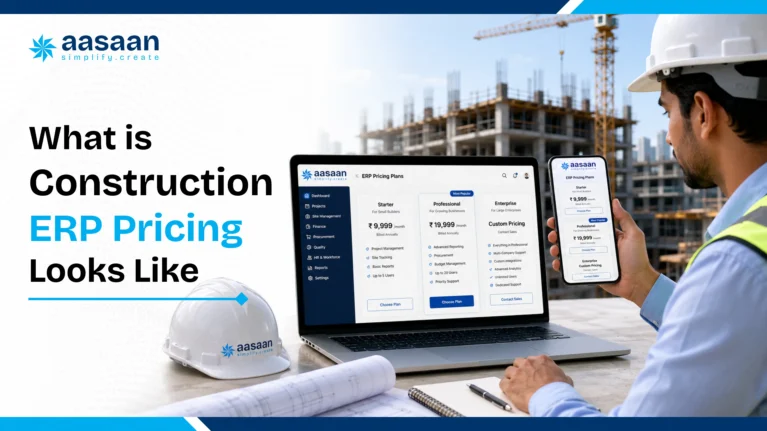
Public prices checked in July 2026 show that entry points vary widely. Onsite lists a business plan at ₹12,000 plus GST per user per year, with a minimum annual billing amount for three users. StrategicERP lists its standard SaaS plan at ₹4,000 per user per month when billed annually. More customised systems commonly use quotation based pricing and may charge separately for implementation, data migration, integrations and training.
For budgeting purposes, a growing builder should calculate five separate figures:
- Software subscription or licence
- Implementation and configuration
- Data migration and integrations
- Training and support
- Applicable GST
The cheapest listed plan is therefore not automatically the lowest cost option. The correct comparison is the complete first year cost and the expected renewal cost after the introductory period ends.
FEATURED OPTION
Aasaan offers custom pricing based on your actual requirements
Instead of placing every builder into one fixed package, Aasaan prepares pricing around the modules, users, active projects, integrations, onboarding and support required by the business. This requirement based approach can keep the proposal aligned with the workflows the team plans to use now, while leaving room to add more capabilities as the company grows.
How the pricing in this guide was researched
This article uses two types of pricing evidence:
- Public vendor prices: figures displayed directly on official vendor websites
- Published market estimates: broader ranges published by construction ERP providers for different company sizes
Public plans are not directly interchangeable because each plan may include different modules, user minimums, project limits and onboarding terms. The comparison below records the billing basis and important conditions beside every price so builders can interpret the number correctly.
A 2025 SIDBI survey of 2,097 MSMEs found that 10 percent ranked technology adoption as their top growth challenge. When respondents selected their top three challenges, technology adoption was cited by 29 percent. The report notes that many MSMEs lack the resources and expertise required to use technology effectively. This makes transparent pricing, training and adoption support important parts of an ERP decision, especially for growing firms.
Source: SIDBI, Understanding Indian MSME Sector: Progress and Challenges.
What determines the final ERP price?
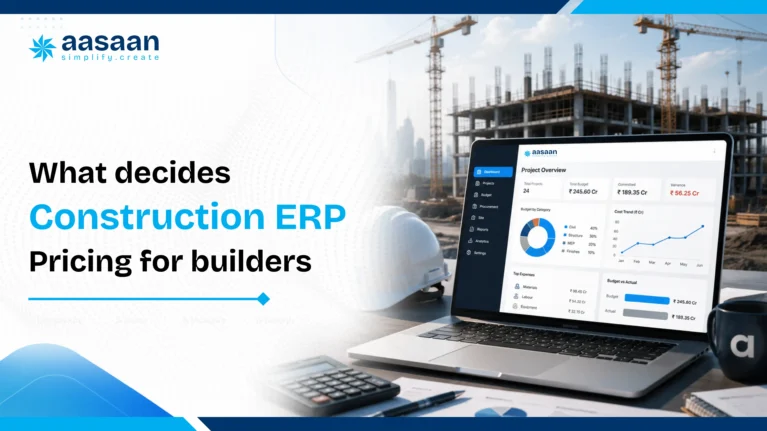
Two builders managing the same number of sites may receive very different quotes because the required workflows, users and integrations are different.
Users and access levels
Per user plans charge for every person who needs a login. Ask whether site engineers, supervisors, storekeepers, accounts staff and management users are priced equally. Also confirm whether labour records inside an attendance module count as paid users.
Active projects and sites
Some providers include unlimited projects, while others apply limits or charge for each additional site. This matters for developers who launch new projects frequently or manage several phases at the same time.
Modules
A basic system for attendance, materials and daily reports generally costs less than a complete suite covering procurement, finance, payroll, sales CRM, equipment, compliance and analytics.
Implementation and customisation
Configuration, workflow mapping, custom reports, approval structures and historical data migration can add a one time cost. Standard products usually deploy faster, while customised enterprise systems need more consulting and testing.
Integrations
Connections with Tally, SAP, biometric devices, banking systems, WhatsApp or existing CRM platforms may be included, sold as add ons or quoted as custom work.
Support and contract terms
Annual commitments may reduce the effective monthly price. Dedicated account management, response time guarantees, onsite training and multilingual support can raise the total quote but may also improve adoption.
Common construction ERP pricing models
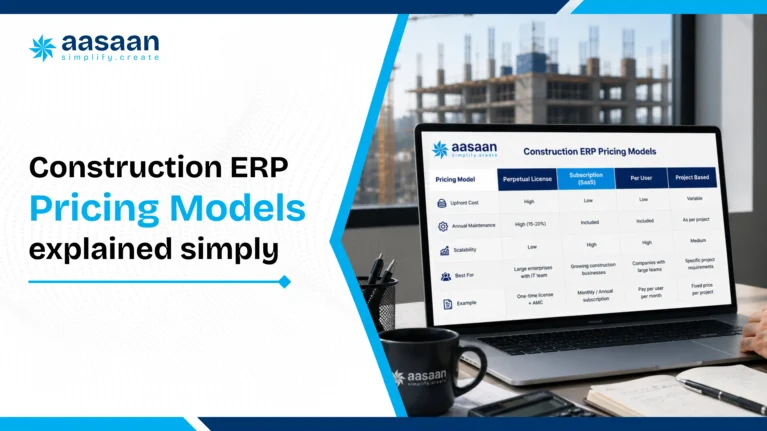
Per user subscription
A fixed monthly or annual rate is charged for each paid login. This model is easy to calculate, but costs rise as more office and site users join the platform.
Per project or per site pricing
The fee is linked to the number of active projects rather than the number of logins. This can suit builders with a large internal team working across a smaller number of projects.
Module based pricing
The buyer starts with selected functions such as procurement, billing or project tracking and adds more modules later. This can lower the starting cost, although the final total should be checked once all essential modules are included.
One time licence
The buyer pays an upfront licence amount and may also pay annual maintenance, hosting, upgrades and support. This model usually requires a larger initial budget and internal IT planning.
Custom enterprise pricing
The vendor prepares a proposal based on company size, project complexity, workflows, integrations, support and deployment requirements. Ask for a clear separation between recurring and one time charges.
Aasaan pricing based on your requirements
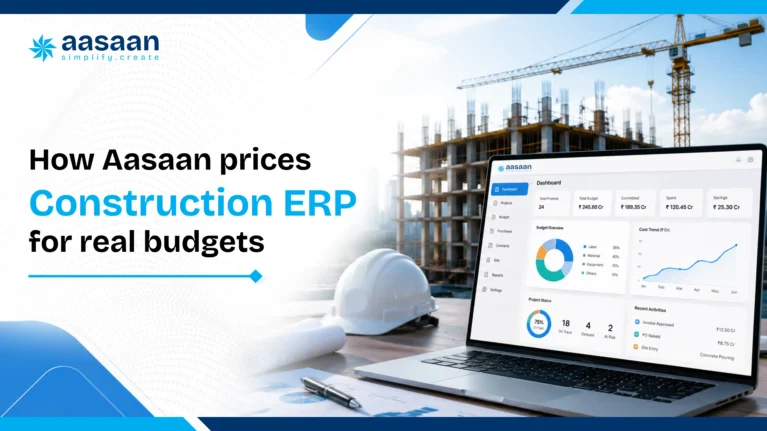
Why Aasaan uses custom pricing
A builder managing two projects, a developer running several departments and a large infrastructure company need different modules, user access and implementation support. Aasaan therefore provides a requirement based quotation instead of presenting one universal public price that may include too much or too little for a particular business.
The final Aasaan proposal can be prepared around:
- Required ERP, project management, labour, CRM or reporting modules
- Number and type of office and site users
- Number of active projects or business entities
- WhatsApp based reporting and workflow requirements
- Raaya OCR AI and document capture requirements
- Tally or other system integrations
- Data migration, configuration and onboarding scope
- Training and ongoing support requirements
This approach gives builders a clearer way to request only the workflows relevant to their operations and evaluate the total proposal against expected usage. The written quotation should still show recurring fees, one time implementation charges, included limits, GST and renewal terms separately.
Get pricing mapped to your projects
Share your current project count, team size and required modules to receive a tailored Aasaan proposal instead of relying on a generic package.
Explore the complete Aasaan ERP solution or review the guide to AI construction software costs and ROI.
Aasaan and other provider pricing approaches
The table below places Aasaan first as the featured solution on this Aasaan published guide. Other provider information is included to help readers understand how different pricing structures work. Public figures were checked on the linked sources in July 2026.
| Provider | Pricing approach | What buyers should know | Source |
|---|---|---|---|
|
Aasaan FEATURED |
Custom pricing based on requirements | The proposal can be built around selected modules, users, active projects, WhatsApp workflows, integrations, onboarding and support. Request a written itemised quotation showing recurring and one time charges. | Request tailored pricing |
| Onsite | ₹12,000 plus GST per user per year | Billed annually with minimum billing of ₹36,000 for three users | Official pricing page |
| StrategicERP | ₹4,000 per user per month | Billed annually for the standard SaaS product; enterprise plans use sales led or custom pricing | Official pricing page |
| Buildesk | CRM starts at ₹12,000 per user per year | ERP add ons and enterprise plans are quoted separately, so this is an entry point rather than a complete ERP price | Official website |
| Concord ERP | Published SME market estimate of ₹3,000 to ₹8,000 per user per month | The provider also estimates implementation at ₹50,000 to ₹2 lakh; these are market estimates, not a public Concord quotation | Published pricing guide |
Pricing note: Prices and plan conditions can change. Taxes, minimum users, project limits, implementation, integrations and optional modules may alter the final amount. Compare equivalent scope and confirm every figure directly with the provider before making a purchase decision.
Budget ranges by builder size
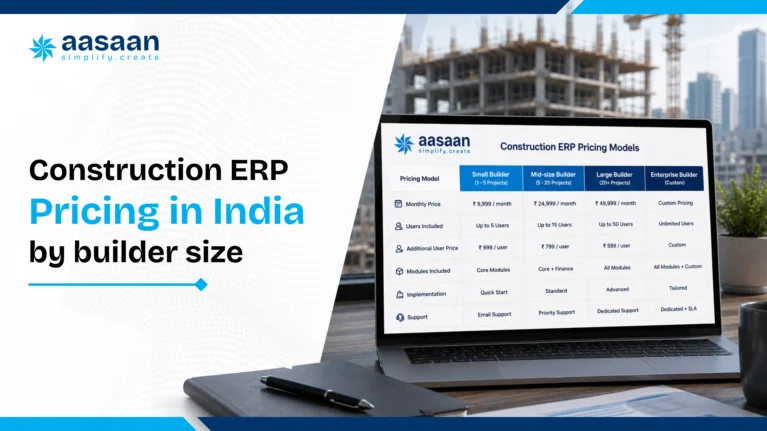
The following ranges combine public entry prices with broader 2026 market estimates. Use them for initial budgeting rather than as fixed quotations.
| Business profile | Useful starting budget | Likely scope |
|---|---|---|
| Small builder with 2 to 5 active sites | Public standard SaaS entry points observed from about ₹12,000 to ₹48,000 per user per year, before GST | Site reporting, labour, materials, basic procurement, billing or standard workflows |
| Mid size builder with several departments and sites | Published estimates commonly fall between ₹3,000 and ₹10,000 per user per month, with implementation charged separately | Procurement, finance, payroll, CRM, multi project dashboards, approval workflows and integrations |
| Large developer or infrastructure enterprise | Custom proposal based on users, modules, implementation, security, integrations and support | Enterprise wide workflows, custom reporting, system integrations, data migration, change management and service level commitments |
Project management tools and full ERP suites should not be treated as the same category. A lower priced site reporting plan may be suitable for a small team, while a builder needing finance, procurement, payroll and compliance in one system should compare complete ERP scope.
First year ERP cost example
The example below shows how a subscription that appears to cost ₹20,000 per month can become a larger first year commitment after tax and setup are included.
| Cost component | Illustrative calculation |
|---|---|
| 10 users at ₹2,000 per month | ₹20,000 per month |
| Annual subscription | ₹2,40,000 |
| GST at 18 percent | ₹43,200 |
| Illustrative onboarding and migration | ₹50,000 |
| Estimated first year cash outflow | ₹3,33,200 |
This is an illustrative calculation, not an Aasaan quotation or a market average. Replace the user rate, setup cost and tax treatment with figures from the written vendor proposal.
Hidden costs to include in your budget
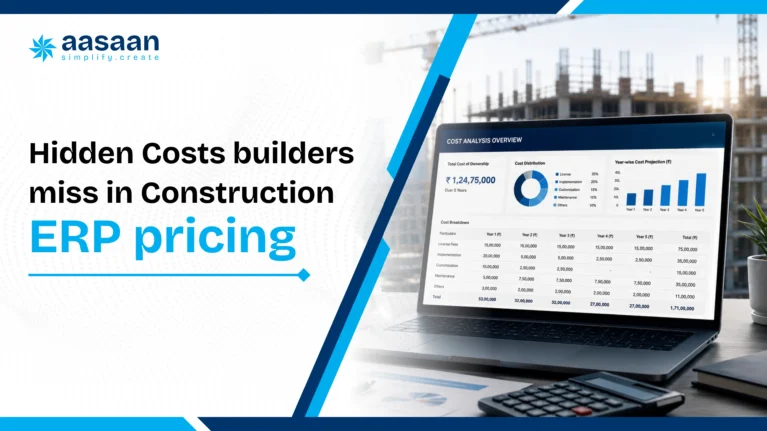
The subscription is only one part of the total cost. Ask vendors to confirm each of the following in writing:
- Data cleaning and migration from existing spreadsheets or software
- Initial configuration and workflow mapping
- Custom reports, forms and approval levels
- Tally, SAP, biometric, banking or CRM integrations
- Training for office staff and site teams
- Travel charges for onsite implementation
- Minimum user or project commitments
- Charges for adding users, sites, storage or modules later
- Premium support and dedicated account management
- Annual renewal increases
- Data export or exit support if the contract ends
- Temporary productivity loss while the team learns the new workflow
A higher quote that includes migration, onboarding and responsive support may cost less overall than a basic plan that leaves the buyer to manage implementation alone.
GST and input tax credit
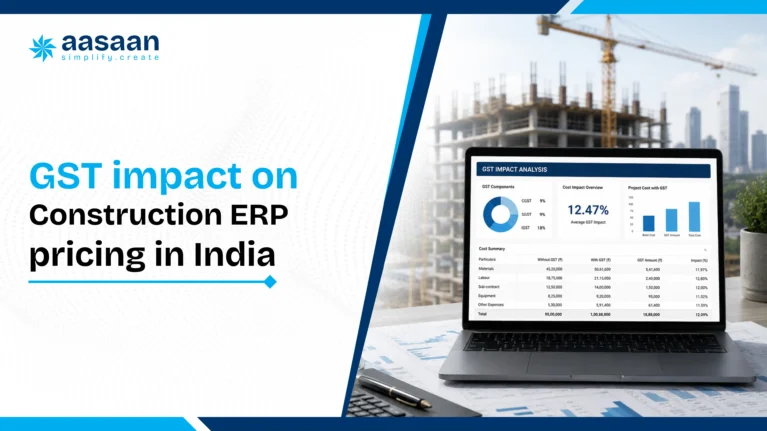
Information technology software and related services are generally invoiced with 18 percent GST in India. A base subscription of ₹10,000 would therefore result in an invoice value of ₹11,800 when GST is added.
A GST registered business may be able to claim input tax credit on an eligible software purchase when the service is used for business and the required invoice and compliance conditions are satisfied. Eligibility can depend on the buyer’s tax position and use of the service, so the final treatment should be confirmed with the company’s chartered accountant.
When comparing proposals, ask each provider to state:
- Whether the displayed price includes or excludes GST
- The GSTIN and service classification used on the invoice
- Whether all recurring and one time charges carry tax
- The invoice schedule required for input tax credit documentation
Reference: CBIC clarification on the GST rate for information technology software and the official GST Portal.
ERP cost versus Excel and manual reporting
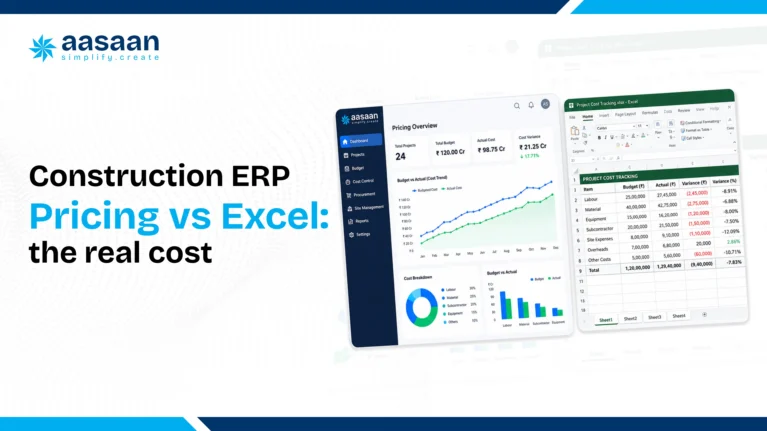
Excel is familiar and flexible, but the software licence is not the only cost that matters. Manual reconciliation, duplicate data entry, version confusion and delayed reporting consume staff time that rarely appears as a separate budget line.
| Cost factor | Excel and manual processes | Connected ERP |
|---|---|---|
| Visible software expense | Low when existing licences are already available | Monthly, annual or licence based charge |
| Data entry | Often repeated across sheets and departments | Data can flow between connected modules |
| Multi site visibility | Depends on manual consolidation and timely updates | Central dashboards can show current project data |
| Audit trail | Version control can be difficult across shared files | User permissions and activity records may be available |
| Scaling | Templates and reports need additional manual management | New users, modules and projects can be added according to the plan |
Calculate the monthly hours spent collecting, checking and consolidating data. Multiplying those hours by the relevant salary cost creates a more realistic comparison with the ERP subscription.
Cloud versus on premise costs
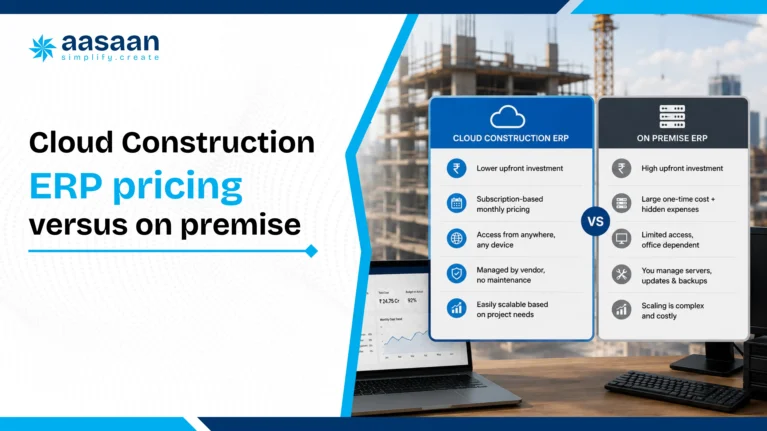
Cloud ERP
Cloud software usually uses a recurring subscription. Hosting, backups and routine updates are commonly managed by the provider. The initial cost is often lower, and remote access suits businesses operating across several sites.
On premise ERP
On premise deployment may involve software licences, servers, security, backup systems, internal IT resources and annual maintenance. It can offer greater infrastructure control, although the first year cash requirement is usually higher.
Compare both options over a three to five year period. Include hardware replacement, technical staff, upgrades, support and downtime rather than comparing only the licence and subscription figures.
Checklist before accepting an ERP quote
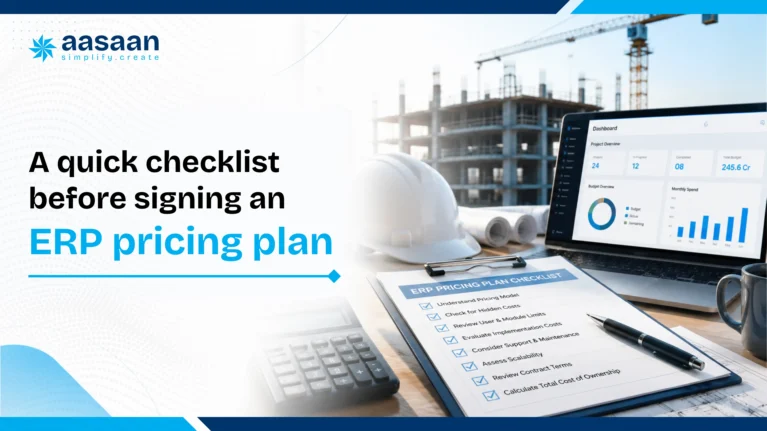
- List the modules and workflows required during the next 12 months.
- Count every office and site user who will need access.
- Request separate figures for subscription, implementation, migration, integration and support.
- Confirm project limits, storage limits and minimum user commitments.
- Ask whether the quote includes GST.
- Request the renewal price and the rule for future price increases.
- Confirm data ownership, export format and exit support.
- Test the platform on one live project with actual site users.
- Measure reporting time, adoption and data accuracy during the pilot.
- Compare the complete first year and three year cost across shortlisted providers.
Frequently asked questions
What is the average construction ERP cost in India?
There is no single average that fits every builder. Public standard SaaS plans checked in July 2026 range from roughly ₹12,000 to ₹48,000 per user per year before GST, while published estimates for fuller SME systems commonly range from ₹3,000 to ₹8,000 per user per month plus implementation.
How much does ERP implementation cost?
Implementation depends on configuration, data migration, integrations, training and customisation. A published 2026 estimate for SME construction systems places implementation between ₹50,000 and ₹2 lakh, while complex enterprise deployments can cost considerably more.
Does the displayed software price include GST?
Some vendors show GST separately and others provide an inclusive quotation. Ask for the base amount, applicable GST and total invoice value in writing before comparing proposals.
Can a business claim input tax credit on an ERP subscription?
A GST registered business may be eligible when the software is used for business and applicable invoice and compliance conditions are satisfied. Confirm eligibility with a chartered accountant.
Which hidden charges should builders ask about?
Common additional charges include implementation, data migration, custom reports, integrations, training, premium support, added users, extra projects, storage, renewal increases and data export assistance.
Is cloud ERP cheaper than on premise ERP?
Cloud systems usually need less upfront infrastructure spending. On premise systems may require licences, servers, backups, security and internal IT support. The better option depends on the company’s scale, control requirements and three to five year total cost.
Can a small builder start with only a few modules?
Yes. Module based platforms can begin with high priority functions such as procurement, materials, billing, attendance or project reporting and expand as the business grows.
Is Aasaan’s ERP price publicly listed?
Aasaan uses flexible, modular pricing rather than one universal public number. Builders should request a written quote based on users, projects, modules, implementation and integration requirements.
How to choose the right plan
The right ERP plan is not necessarily the one with the lowest monthly figure. It is the plan that covers the required workflows, gives site teams a practical way to submit data and provides predictable implementation and renewal terms.
Start with a written requirement list, test the platform on a live project and compare the total first year cost. Builders ready to evaluate Aasaan against their current spreadsheets and reporting process can book a demo with Aasaan and request an itemised proposal.
What is construction ERP software for builders in India
Picture a builder juggling six WhatsApp groups, three Excel sheets and a site supervisor who calls twice a day with a number that rarely lines up with the ledger. This is the daily reality for thousands of construction businesses across India, and it is exactly the gap that construction ERP software was built to close. Instead of chasing updates across a dozen apps, a builder using construction ERP software sees every site, every rupee and every vendor bill inside one connected screen. This guide breaks down what construction ERP software actually means, why builders across India are adopting it faster than ever, and how to pick a system that fits your business rather than fighting it.
Table of contents
- Quick answer: what is construction ERP software
- The hidden cost of skipping construction ERP software
- What does construction ERP software actually do
- Core modules every construction ERP system needs
- Key features of construction ERP software for builders
- Real benefits builders feel after using ERP software
- Cloud ERP for builders: work from any site, anytime
- GST and RERA compliant construction ERP explained
- Construction ERP software cost in India explained
- Construction ERP vs Excel: which one protects you
- Which construction ERP software fits your build size
- How Aasaan helps builders control every construction site
- A quick checklist to choose construction ERP software
- Frequently asked questions on construction ERP software
Quick answer: what is construction ERP software
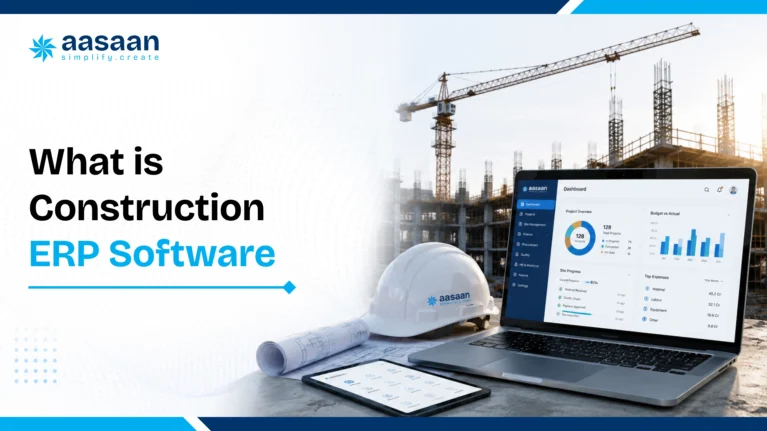
Construction ERP software is a single digital system that connects planning, procurement, billing, payroll, sales and site reporting for a construction business. It replaces scattered spreadsheets, paper vouchers and endless phone calls with one shared source of truth. For builders in India, construction ERP software means real time visibility into cost, schedule, cash flow and compliance across every project, viewed from a phone, a laptop or even WhatsApp.
The hidden cost of skipping construction ERP software
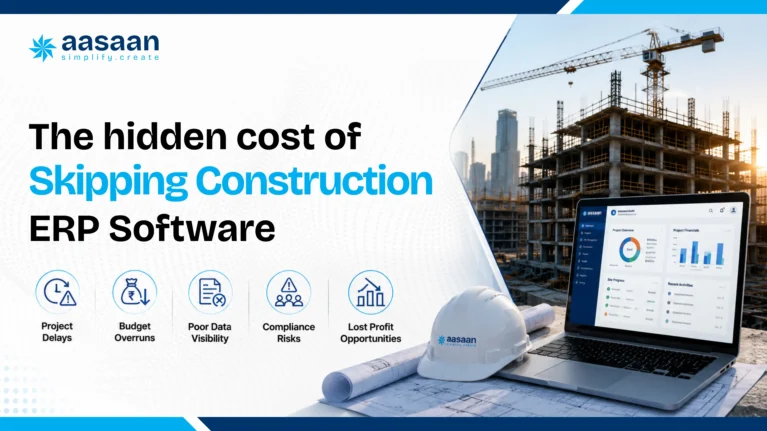
Every builder knows the feeling. A supervisor reports material used on site, the store keeper logs a different quantity, and the accountant reconciles a third figure two weeks later when the vendor sends a bill. Multiply this small mismatch across five sites, forty vendors and two hundred workers, and the gap between what a project should cost and what it actually costs starts to widen every single week. This is precisely the fragmentation that construction ERP software was designed to remove, and the numbers behind it are larger than most builders expect.
India’s own infrastructure data proves the scale of the problem. The Ministry of Statistics and Programme Implementation tracks large central sector projects through its Flash Report on Infrastructure Projects, and the April 2026 edition shows 1,981 tracked projects with a revised cost of roughly 42.79 lakh crore rupees against an original outlay of 37.12 lakh crore rupees, a cumulative overrun above 5.6 lakh crore rupees. A separate review found 779 of 1,873 monitored projects running behind schedule, with average slippage stretching to around three years. These are government scale numbers, yet the same root causes, disconnected data, delayed reporting and manual reconciliation, play out on private residential and commercial sites every day.
The construction sector itself carries enormous weight in the Indian economy. It contributes close to 8 percent of national GDP and employs more than 55 million people directly, making it the second largest source of employment after agriculture, according to IBEF’s infrastructure sector data. A sector this large, running on paper registers and scattered spreadsheets, leaks value at a scale that individual builders rarely see until a bank statement or a GST notice forces the issue into the open.
Here are the places where money quietly slips away on a typical construction site before a proper construction ERP system steps in:
- Material recorded as used on site but missing from the actual stock count
- Duplicate vendor payments caused by two people approving the same bill
- Labour marked present on paper registers who skipped the site that day
- Equipment sitting idle while rental charges keep accumulating
- Rework costs from quality issues that surface only after handover
- Subcontractor claims that exceed the actual work completed on site
- GST input credit lost because bills arrive late or go untracked
- Cash flow gaps from client billing that lags behind actual progress
- Purchase orders raised above budget with zero real time alert
- Monsoon and weather delays that push schedules with little warning, a pattern explored in detail here

What does construction ERP software actually do
At its core, construction ERP software definition is simple. It is an enterprise resource planning system built specifically for the construction and real estate industry, covering the full journey from land acquisition and planning through procurement, execution, billing, sales and handover. Where a generic accounting tool only manages ledgers, a proper construction ERP system tracks the physical reality of a build, cement bags delivered, labour hours logged, tasks completed against a schedule, and connects that physical data straight to financial records.
Think of construction ERP software explained through a single flow. A site engineer logs today’s progress on a mobile app. That entry automatically updates the project schedule, checks material consumption against the budget, flags any variance to the project manager, and prepares the data an accountant needs for billing. Every number gets entered exactly once and flows across the entire workflow automatically. This is the workflow that a strong construction management ERP is meant to deliver, and it is the reason builders describe adopting one as the day their business finally became visible to itself.
The meaning of construction ERP goes beyond software features too. It represents a shift in how a construction company operates, moving from reactive firefighting, chasing missing bills and disputed measurements, toward proactive control, where issues surface the moment they happen rather than at month end. For builders managing multiple projects at once, this shift is often the difference between steady growth and a business that stays permanently stretched thin.

Core modules every construction ERP system needs
Every construction ERP software package is built differently, and the modules included determine whether the system actually solves a builder’s daily problems or simply digitises a few forms. A genuinely integrated construction ERP covers every function a builder touches in a week, connected through one shared database rather than isolated apps that require manual syncing.
These are the modules a serious construction ERP system should include:
- Purchase and inventory management. Full procurement control from estimation to payment, with automated data entry and real time budget checks, similar to what Aasaan’s ERP solution covers for material supply.
- Project management and scheduling. Work breakdown schedules, baseline tracking and progress monitoring, the backbone of any construction project management software module.
- Asset and equipment management. Tracking plant, machinery and tools through QR codes to maximise uptime and reduce idle rental costs.
- Attendance and payroll. Facial or GPS based attendance linked directly to daily wage calculation and full HR and labour management.
- Quality and safety tracking. Digital checklists, rework logging and instant non conformance reports for every site.
- Billing and invoicing. Client and subcontractor billing, receivables tracking and instant report sharing.
- Tendering and contracts. Work order generation, tender tracking and performance analysis across bids won and lost.
- Sales CRM for real estate. Lead qualification, site visit scheduling and post sale service, exactly what a strong property sales CRM is meant to deliver.
- Finance and accounting. Bank reconciliation, project wise ledgers and profit and loss statements available on demand.
- Petty cash management. Daily site expense tracking against budget, removing the shoebox full of paper vouchers many sites still rely on.
Builders searching for an integrated construction ERP should treat this list as a baseline rather than a wish list. A system missing even two or three of these modules forces the business straight back into juggling separate tools, which quietly reintroduces the same reconciliation gaps construction ERP software exists to remove.
Key features of construction ERP software for builders
Modules describe what a system covers, but features describe how well it actually works day to day. Two products can list the same ten modules on a brochure and still feel completely different once a site engineer with patchy internet and a busy schedule tries to use them. The features below separate a genuinely useful construction ERP software for builders from a system that looks good in a demo and gathers dust within a month.
What features should construction ERP have
- Mobile access so site staff can log progress, attendance and material use from a phone, forming the basis of true mobile construction ERP
- Cloud hosting so owners, site teams and the office view the same live data from any location
- Automated GST reporting that pulls directly from procurement and billing records
- Live GPS tracking for workforce and equipment across every site
- AI powered tools that flag budget overruns, quality issues or schedule slippage before they escalate, the essence of AI construction ERP
- WhatsApp based alerts and approvals for teams who already live inside that app all day
- OCR and voice based data capture that reduces manual typing for busy site staff
- Dashboards built for decision makers, showing project health at a glance rather than buried in spreadsheets
- Integration with Tally, SAP or other accounting systems already in use
- Role based access so subcontractors, vendors and internal staff see only what applies to them
Why the mobile and WhatsApp layer matters more than most builders expect
Most construction workers and site supervisors in India already use WhatsApp fluently, far more comfortably than any dedicated business app. A construction ERP with WhatsApp integration meets people where they already are, turning a familiar chat window into a live project inbox for alerts, bill uploads and daily reports. This single design choice often decides whether frontline staff actually adopt the system or quietly go back to paper registers within a few weeks.
Real benefits builders feel after using ERP software
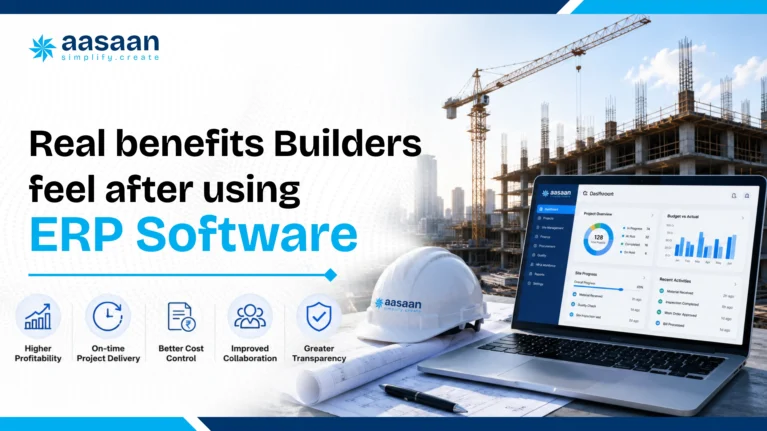
Ask any builder who has switched from spreadsheets to a proper construction ERP system what changed first, and cost control usually tops the list. Budgets stop moving in the dark. Every purchase order, every bill and every payment sits against the approved estimate in real time, so overspending gets caught the week it happens rather than the quarter it happens.
Schedule reliability follows closely behind. Because daily progress feeds straight into the master schedule, project managers see slippage the moment it starts rather than during a monthly review meeting held weeks too late to act. Builders managing several sites at once describe this as the single benefit that changed how confidently they could commit delivery dates to buyers and investors.
Trust with home buyers grows too, and this matters more today than ever given how closely RERA regulations tie a builder’s reputation to timely delivery and transparent reporting. A construction ERP software benefit that rarely makes the marketing brochure is simply peace of mind, knowing that a builder can answer a buyer’s question about progress or a bank’s question about fund utilisation within minutes rather than days.
Labour and vendor management improve as a direct result too. Payroll runs faster and more accurately, subcontractor billing disputes shrink because measurements are logged and agreed on the same platform, and procurement teams negotiate better rates once quote comparison data sits in one place. Builders often describe the compounding effect best, each module reinforcing the next until the entire business runs on one rhythm instead of five disconnected ones.
Cloud ERP for builders: work from any site, anytime
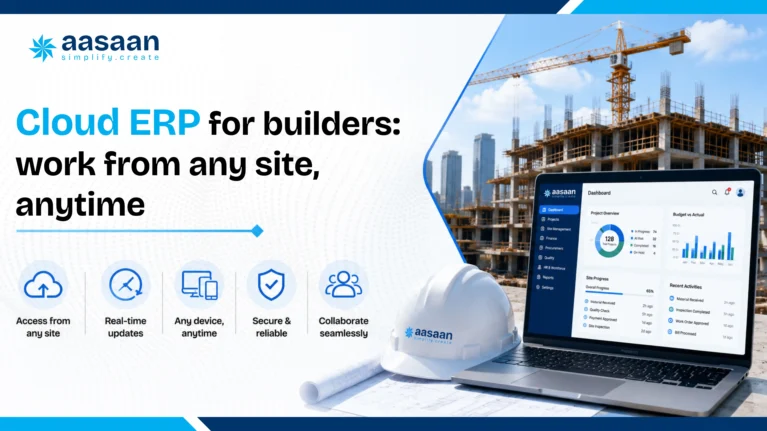
Construction rarely happens near a fixed office desk. Sites sit hours apart, supervisors move between locations daily, and owners often review project health from an airport lounge or a client meeting far from any computer. This is exactly why cloud construction ERP has become the default choice for growing builders rather than the traditional on premise systems that once dominated the market.
Online construction ERP removes the need for local servers, IT teams and manual backups. A builder logs in through a browser or an app, and the same live data appears whether the user sits in a head office in Mumbai or a site office in a smaller tier two town. Updates roll out automatically, security patches apply without site visits, and scaling to a new project or a new city requires nothing more than adding a login.
Mobile construction ERP takes this further by putting the entire system into the pocket of every site engineer, storekeeper and supervisor. Attendance gets marked through facial recognition on a phone camera. Material receipts get photographed and processed automatically through OCR. Daily progress reports generate themselves from data already captured on site rather than requiring a separate end of day write up.
AI construction ERP adds a further layer that traditional systems rarely offered. Instead of simply storing data, an AI layer studies patterns across a project, comparing current spend against historical trends, flagging unusual vendor rates, and predicting where a schedule risks slipping weeks before it actually does. Builders exploring this shift often start with cost related questions, and a detailed breakdown of pricing and expected returns is available in this look at AI construction software costs and ROI.
GST and RERA compliant construction ERP explained
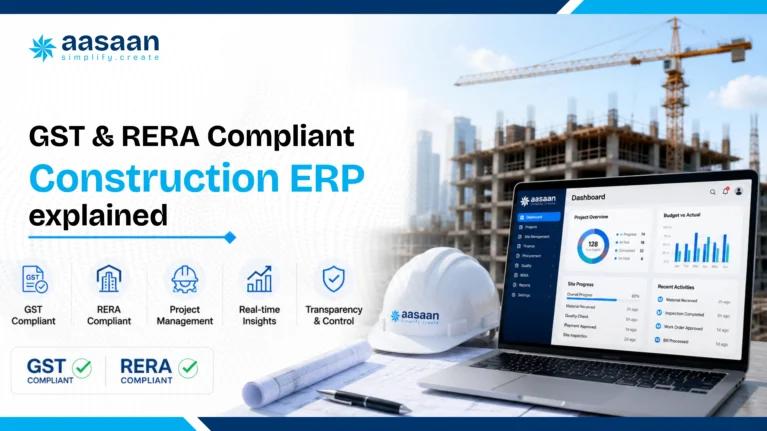
Compliance sits at the centre of every builder’s fears, and rightly so. A missed GST filing or a delayed RERA update can trigger penalties, buyer complaints and reputational damage that takes years to repair. This is why a genuinely GST compliant construction ERP and a properly RERA compliant construction ERP are treated as essential rather than optional by builders operating anywhere in India today.
On the tax side, the official GST Portal requires accurate, timely filing of returns tied to every purchase and sale a construction business makes. A construction ERP system that automates GST reporting pulls invoice data straight from procurement and billing modules, matches input credit against actual purchases, and prepares filing ready reports rather than leaving an accountant to manually reconcile hundreds of bills each month.
On the regulatory side, the Real Estate Regulation and Development Act, detailed on the Ministry of Housing and Urban Affairs website, requires builders to report project progress, fund utilisation and delivery timelines with a level of transparency that manual systems struggle to sustain across multiple projects. A construction ERP for real estate builders that ties financial data to physical site progress makes RERA reporting a byproduct of daily operations rather than a stressful monthly scramble.
Builders evaluating any Indian construction ERP software should treat compliance automation as a non negotiable feature rather than a bonus. The cost of a missed filing or a delayed RERA disclosure almost always outweighs the price difference between a compliant system and a basic one.
Construction ERP software cost in India explained
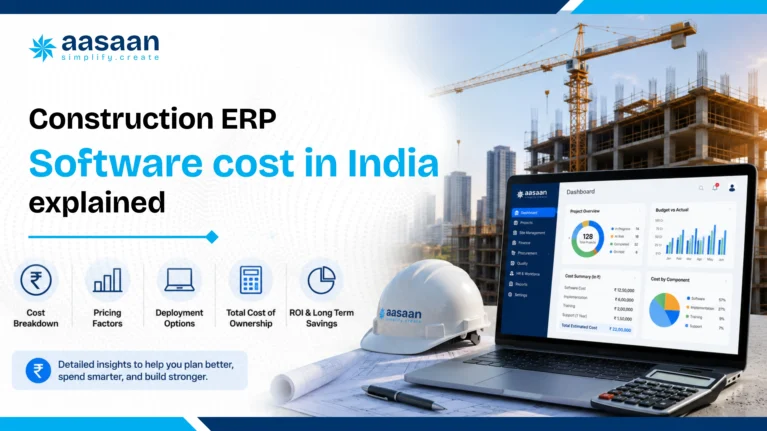
Construction ERP software cost in India varies widely depending on company size, the number of modules required and whether the system runs on the cloud or on premise. Builders searching for construction ERP software price India figures often expect a single number, but pricing typically follows the scale of the business using the platform.
| Factor | Typical impact on cost |
|---|---|
| Number of active projects and users | Per user or per project pricing scales with team size |
| Modules selected | A full suite costs more than a single module like billing alone |
| Cloud versus on premise hosting | Cloud construction ERP usually lowers upfront hardware spend |
| Integration needs | Connecting Tally, SAP or biometric devices can add setup cost |
| Training and onboarding | Vendors offering hands on onboarding often reduce adoption time significantly |
Beyond subscription pricing, it helps to weigh cost against the value already documented earlier in this guide. With infrastructure cost overruns crossing 5.6 lakh crore rupees on tracked government projects alone and schedule slippage averaging around three years on delayed projects, the price of an affordable construction ERP India option looks small next to the cost of running a project blind. Independent research supports this too. The McKinsey Global Institute’s study on construction productivity found that digital tools and better process discipline could lift sector productivity by 50 to 60 percent, a gain most builders would happily trade a monthly subscription fee for.
Construction ERP for small builders, mid size builders and large builders
Construction ERP for small builders typically starts with core modules, procurement, billing and basic project tracking, priced to match a leaner team and a handful of active sites. Construction ERP for mid size builders usually adds payroll, CRM and multi project dashboards as the number of sites and staff grows. Construction ERP for large builders often includes deeper integrations with SAP or Salesforce, advanced analytics and dedicated account support, reflecting the scale of operations across dozens of active projects.
Construction ERP vs Excel: which one protects you
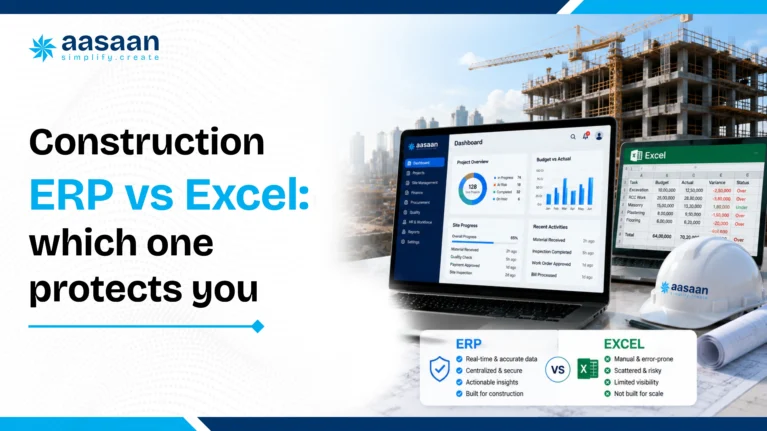
Excel served the construction industry well for decades, and plenty of builders still run entire projects through it today. The comparison below shows where a spreadsheet keeps up with a modern construction business and where it quietly falls behind.
| Aspect | Excel and manual tools | Construction ERP software |
|---|---|---|
| Data entry | Manual, repeated across multiple sheets | Automated, entered once and shared everywhere |
| Multi site visibility | Limited, needs manual consolidation | Real time across every project from one dashboard |
| GST and RERA reporting | Manually compiled, prone to human error | Automated and audit ready |
| Mobile access for site teams | Rare and cumbersome | Built in through mobile construction ERP apps |
| Version control | Multiple copies floating across emails | One shared, always current version |
| Scaling to new projects | Requires rebuilding sheets from scratch | New project added within minutes |
Construction ERP vs project management software is a related question worth separating clearly. Project management tools focus narrowly on schedules and tasks, while a true construction ERP system unifies scheduling with procurement, finance, payroll and sales. Builders who only need task tracking may find a lighter project management tool sufficient for a while, but growth almost always pushes them back toward a fuller construction management ERP once financial and compliance demands increase.
Do treat data migration as a planned project with a clear owner. Do involve site supervisors early since they generate most of the daily data. Do pick a vendor offering local language support and on ground training.
Avoid choosing a system solely on price without checking module depth. Avoid rolling out every module on day one across every site simultaneously. Avoid skipping a trial period before committing to annual billing.
Which construction ERP software fits your build size
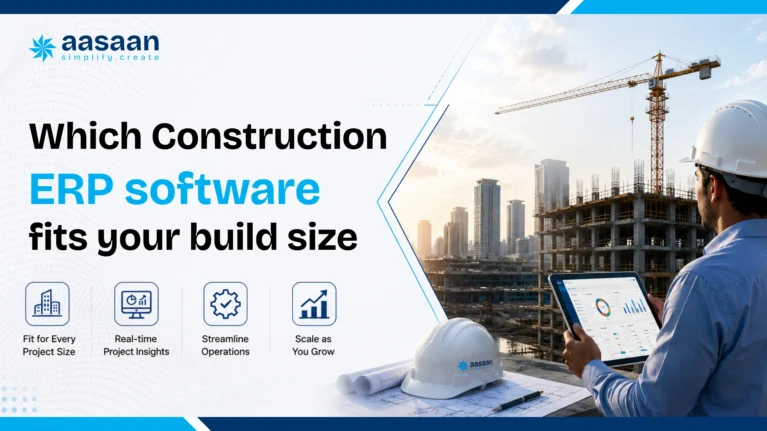
Builder project management software needs shift considerably as a company grows from a handful of sites to dozens running in parallel. A small contractor managing two or three residential projects mostly needs procurement control and basic billing. A mid market developer running five to ten projects across a city needs multi project construction software with consolidated dashboards, sales CRM and payroll built in. A large enterprise builder managing multi site construction ERP across several states needs deep integrations, advanced analytics and dedicated support to match the scale of operations.
Real estate project management ERP needs also differ from pure contracting needs. A real estate developer selling flats alongside building them requires a strong sales CRM layered on top of construction tracking, connecting site progress directly to buyer communication and RERA disclosures. A pure contractor, by contrast, focuses more heavily on subcontractor billing, tendering and equipment management. Builders can explore how solutions map to company size to find the fit that matches their current stage of growth.
How Aasaan helps builders control every construction site
Aasaan approaches construction ERP software from the ground reality of Indian sites rather than a generic global template. Since most site supervisors and vendors already communicate through WhatsApp, Aasaan’s Meta verified WhatsApp integration turns that familiar chat window into a live project inbox, capturing bills, GRNs and daily updates the moment they happen rather than days later during a reconciliation exercise.
Raaya, Aasaan’s AI layer, extends this further. Sitewalk AI reviews site conditions for safety and quality issues, Intel AI studies spend patterns to flag cost overruns before they grow, Voice AI handles routine vendor negotiation calls, and Scanner AI reads handwritten and printed bills to remove manual data entry almost entirely. Together with modules covering purchase and inventory, project scheduling, attendance and payroll, billing, tendering, sales CRM and finance, Aasaan brings the full scope of a construction ERP system into one connected platform built specifically for builders operating across India.
“The software’s powerful tools for site labor tracking and inventory management have streamlined our operations, ensuring everything runs smoothly. It’s an indispensable tool for effectively managing a large workforce in the construction industry.” Abhilash Soman, General Manager, Millennium Engineers and Contractors Pvt. Ltd.
Builders dealing with recurring cost leakage on site often find the clearest starting point in procurement and billing, a pattern examined closely in this breakdown of common construction cost leakages. From there, most teams expand into scheduling, payroll and sales CRM as confidence in the system grows. Builders curious to see this in action can book a live demo and walk through their own project data rather than a generic sample.
A quick checklist to choose construction ERP software
How to choose construction ERP software comes down to matching features against the daily reality of a builder’s sites rather than chasing the longest feature list on a sales page. The steps below offer a structured way to evaluate any vendor.
Steps to evaluate a construction ERP system
- List every function currently spread across spreadsheets, apps and paper registers.
- Shortlist vendors offering modules that match this list rather than a generic global package.
- Confirm mobile access works reliably for site staff on patchy internet connections.
- Check GST and RERA reporting comes built in rather than as a separate add on.
- Ask for a trial period covering at least one full billing cycle on a real project.
- Involve site supervisors in the trial since they generate most of the daily data.
- Review onboarding and training support offered during the first three months.
- Compare total cost across at least three vendors before signing an annual contract.
Final checklist before signing
- Confirm data ownership and export options in case of a future vendor switch
- Verify integration availability with existing tools like Tally or SAP
- Check customer support responsiveness through an actual test query
- Review case studies from builders operating at a similar company size
- Confirm pricing scales predictably as project count grows
Frequently asked questions on construction ERP software
What is construction ERP software for builders?
Construction ERP software for builders is a connected digital system that manages project planning, procurement, billing, payroll, sales and compliance for a construction business, replacing scattered spreadsheets and paper records with one shared platform.
How does construction ERP work?
It works by connecting every function of a construction business, site progress, procurement, billing, payroll and sales, into a single database, so any update made in one place reflects instantly across the whole system.
Why do builders need ERP software?
Builders need ERP software to control cost overruns, protect schedules, simplify GST and RERA compliance and gain real time visibility across multiple sites, all of which grow harder to manage manually as a business scales.
What does construction ERP software cost in India?
Pricing depends on company size, module count and hosting type, with small builders typically paying less for core modules and larger builders investing more for full suites with advanced integrations and analytics.
Is construction ERP software suitable for small builders too?
Yes, many vendors offer construction ERP for small builders with a lighter set of core modules, letting a growing business add features like payroll and CRM as its site count and team size increase.
What features should construction ERP have?
A strong system should include mobile access, cloud hosting, automated GST reporting, live GPS tracking, WhatsApp integration and AI powered alerts for cost and schedule risks.
Construction ERP vs Excel, which should a builder pick?
Excel works for very small, single site operations for a limited time, but construction ERP software becomes the stronger choice once a builder manages multiple sites, vendors and compliance requirements simultaneously.
Does construction ERP software help with GST and RERA compliance?
Yes, a properly built construction ERP system automates GST return preparation from procurement and billing data, while also structuring project progress and fund utilisation data to match RERA reporting requirements.
Getting started with construction ERP software
Builders reading this far already sense the gap between where their business stands today and where a connected construction ERP system could take it. The path forward rarely requires a complete overnight overhaul. Most successful rollouts start with one painful area, procurement, billing or attendance, prove the value within a single project, then expand module by module as the team grows comfortable with the new workflow.
Construction ERP software for builders in India has moved from a nice to have upgrade to a competitive necessity, driven by rising buyer expectations, tighter RERA scrutiny and a construction sector that continues to grow faster than the manual systems most builders still depend on. Builders ready to see how a connected platform handles their own project data can book a demo with Aasaan and compare it directly against the spreadsheets currently running their business.