















































Quick answer
The safest way to implement construction ERP is to begin with one complete, high value workflow on one representative project. Map the current process, clean the required data, configure roles and approvals, test real transactions, train users by role and measure adoption before expanding. Most growing construction companies should treat ERP as a phased operating change, rather than a one day software switch.
Best starting point
One workflow with clear business value, such as material indent to purchase order or attendance to payroll.
Biggest implementation risk
Weak ownership and poor data quality create more failure than the software itself.
Best rollout model
One pilot project, one accountable owner and phased expansion after measurable adoption.
Ideal first success metric
Transaction completion, reporting compliance or approval time for the chosen workflow.
Who must participate
Management, project teams, procurement, stores, accounts, HR and the software implementation team.
When to expand
After data is trusted, users complete the process consistently and management uses the ERP in reviews.
Implementation fundamentals
What construction ERP implementation actually means
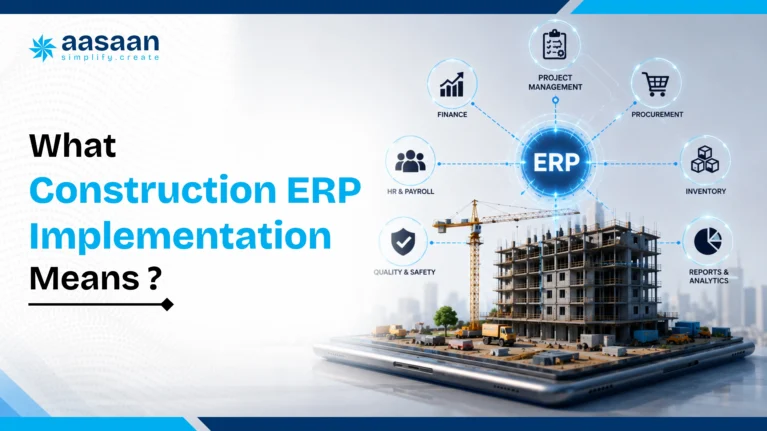
Construction ERP implementation is the structured process of converting a software platform into the operating system used by a construction business. It includes process design, data preparation, configuration, user access, testing, training, go live support and ongoing improvement. The objective is to connect site activity with business controls so that materials, labour, procurement, project progress, bills, approvals and management reports use consistent information.
A construction ERP can be technically installed while the implementation remains incomplete. This happens when users receive login credentials but continue maintaining Excel trackers, when site updates remain scattered across WhatsApp groups, or when procurement and accounts follow the same manual process as before. In such cases, software exists but the organisation has not changed how work is recorded, approved or reviewed.
A complete implementation should answer six practical questions:
✓
✓
✓
✓
✓
✓
For readers who are still evaluating the category, the article on what construction ERP software is for builders in India explains the overall purpose and major modules. Buyers defining requirements should also review the construction ERP features checklist.
Construction context
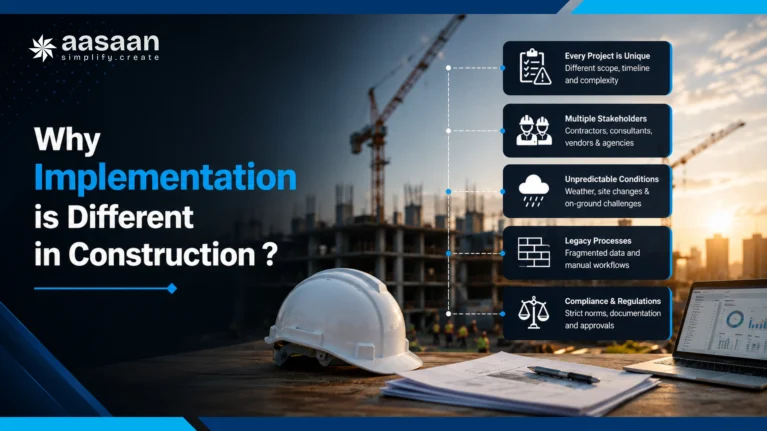
Why ERP implementation is different in construction
Construction companies operate through temporary projects, distributed sites and permanent support functions. Each site may have its own schedule, budget, labour mix, material requirements, vendors and operational constraints. At the same time, procurement, finance, HR and management need consolidated information across the company.
This creates implementation challenges that are less visible in office based industries. A site engineer may need to raise a material request while working away from a desktop. A storekeeper may receive a partial delivery with rejected quantities. A project manager may need to compare actual progress against the baseline. Accounts may receive a bill that must match the purchase order and material receipt before payment. Management may want one view across every project without asking teams to prepare a new spreadsheet for each review.
| Construction reality | Implementation implication |
|---|---|
| Multiple active sites | Project, location and access controls must be configured carefully. |
| Field and office users | Mobile usability and simple data entry matter as much as back office depth. |
| Frequent material movement | Indent, purchase, receipt, issue, transfer and return workflows must connect. |
| Project based budgets | BOQ, cost code and budget controls must be available at transaction level. |
| Daily wage and site labour | Attendance, shifts, productivity, corrections and payroll require practical rules. |
| Subcontractor dependencies | Work orders, progress, measurements, bills and retention need linked records. |
| Variable connectivity | Mobile, WhatsApp and offline handling should be tested under real site conditions. |
| High exception volume | Emergency purchases, rejected material and revised plans need controlled exception paths. |
This is why a generic ERP rollout template is rarely enough. The implementation plan must reflect construction workflows, field adoption and project controls. The difference between a construction ERP and a focused project tool is explained in construction ERP versus project management software.
Before implementation
Scattered operating data
- Site updates in separate WhatsApp groups
- Material records maintained in spreadsheets
- Approvals dependent on follow up calls
- Management reports prepared after the fact
After a strong rollout
Connected and controlled workflows
- Structured reporting from site to office
- Material requests linked with budgets and stock
- Role based approvals with visible status
- Current dashboards used in project reviews
Step 1
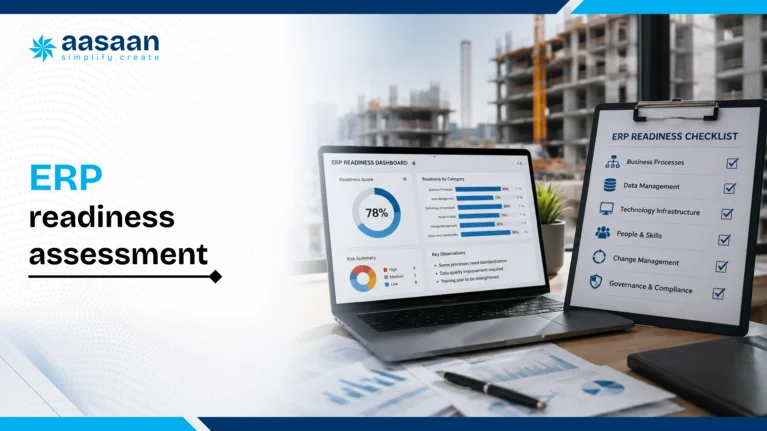
Run a construction ERP readiness assessment
Readiness is the ability of the organisation to make decisions, dedicate people, standardise data and support the change. A company does not need perfect processes before implementation. It does need leadership alignment and clear ownership.
Leadership readiness checklist
✓
✓
✓
✓
✓
✓
✓
✓
Operational readiness checklist
✓
✓
✓
✓
✓
✓
| Readiness score | Meaning | Recommended action |
|---|---|---|
| 11 to 14 checks complete | High readiness | Proceed to scope, process mapping and pilot preparation. |
| 7 to 10 checks complete | Moderate readiness | Resolve ownership, data and decision gaps before configuration. |
| 0 to 6 checks complete | Low readiness | Run a management alignment exercise before beginning implementation. |
Step 2
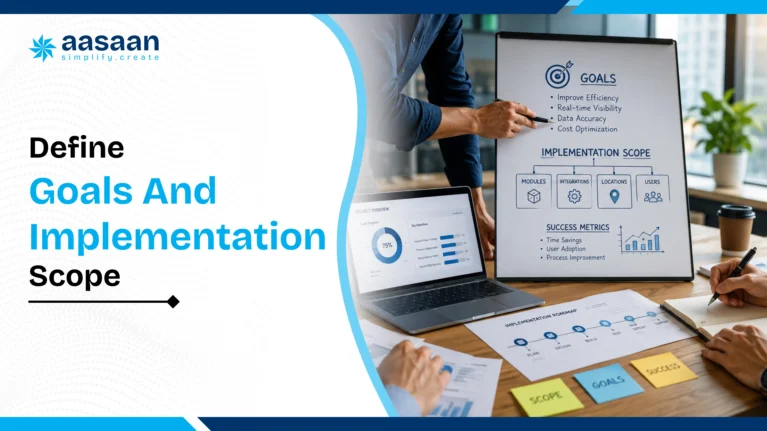
Define implementation goals, scope and success criteria
Broad goals such as “digitise the company” or “improve efficiency” are too vague for implementation. A useful goal identifies the process, expected change and measurement method.
| Weak goal | Stronger goal |
|---|---|
| Improve procurement | Reduce routine material indent to purchase order cycle time from four days to one day. |
| Get better site visibility | Achieve 95 percent on time DPR submission across the pilot project within 30 days. |
| Control labour | Connect verified attendance with payroll and reduce attendance correction cases by 60 percent. |
| Reduce material leakage | Record every receipt, issue, transfer and return for selected high value materials. |
| Improve management reporting | Conduct the weekly project review using ERP dashboards without a manually prepared spreadsheet. |
Define the first phase clearly
The first phase should state which project, users, modules, workflows, reports, integrations and historical data are included. It should also identify what is excluded. Clear exclusions protect the timeline and stop the pilot from becoming a full company transformation before basic workflows are stable.
Include
One pilot project, selected users, required master data, one complete workflow, critical reports and essential integrations.
Defer
Low priority modules, complex custom reports, old closed projects and optional integrations that do not affect the pilot objective.
Teams estimating cost should review construction ERP pricing in India, which covers software, implementation, training, integration and internal effort.

Step 3
Build the ERP implementation team
A construction ERP implementation needs people who understand both field reality and business control. The software partner can guide configuration, but internal teams must decide how the company should operate.
Executive sponsor
Approves major decisions, resolves conflict and reinforces that ERP records are official.
Implementation owner
Coordinates scope, timeline, workshops, issues, training and go live readiness.
Project process owner
Defines planning, progress reporting, site controls and project review requirements.
Procurement and stores owner
Defines indents, quotations, purchase orders, receipts, stock and transfers.
Finance owner
Defines bill verification, tax, accounting integration, budgets and reporting controls.
HR and labour owner
Defines attendance, wage rules, payroll, productivity and compliance workflows.
Data owner
Validates master data, opening values, migration templates and record ownership.
Site champion
Tests usability, trains peers and reports practical problems from the field.
Implementation consultant
Translates business requirements into configuration, training and technical delivery.
Step 4
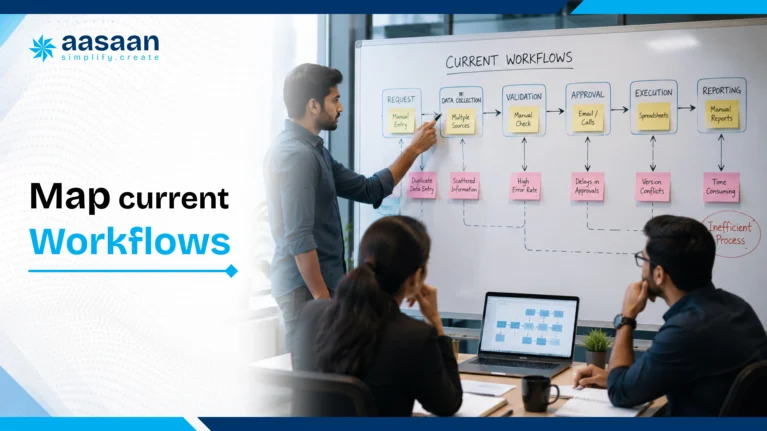
Map current and future construction workflows
Process mapping documents how work is performed today and how it should work in the ERP. The objective is not to reproduce every spreadsheet column or approval message. It is to preserve necessary controls while reducing duplication and waiting.
Material procurement example
Daily project reporting example
Questions for every workflow
✓
✓
✓
✓
✓
✓
✓
✓
Document both the normal path and common exceptions. Construction workflows frequently involve partial receipts, urgent purchases, changed quantities, rejected materials, delayed approvals and revised schedules. A workflow that handles only the ideal scenario will fail quickly after go live.

Step 5
Select the right pilot project
A pilot allows the business to test real transactions without exposing every project to early configuration errors. The best pilot is active, representative and supported by a cooperative project leader.
| Factor | Good pilot | Poor pilot |
|---|---|---|
| Project stage | Active project with regular work and transactions | Project near closure or barely started |
| Team attitude | Project manager supports testing and feedback | Team strongly resistant to change |
| Transaction volume | Enough activity to complete the workflow repeatedly | Very little activity or unusual transaction mix |
| Complexity | Representative of other projects | Extremely distressed or uniquely complex project |
| Management visibility | Reviewed regularly by leadership | Rarely reviewed or low priority |
The pilot should continue long enough to complete the full business cycle. A procurement pilot must go beyond creating a material indent. It should reach quotation comparison, purchase order, receipt, stock update, bill verification and reporting. A labour pilot should cover attendance, corrections, wage calculation and payroll review.
Step 6
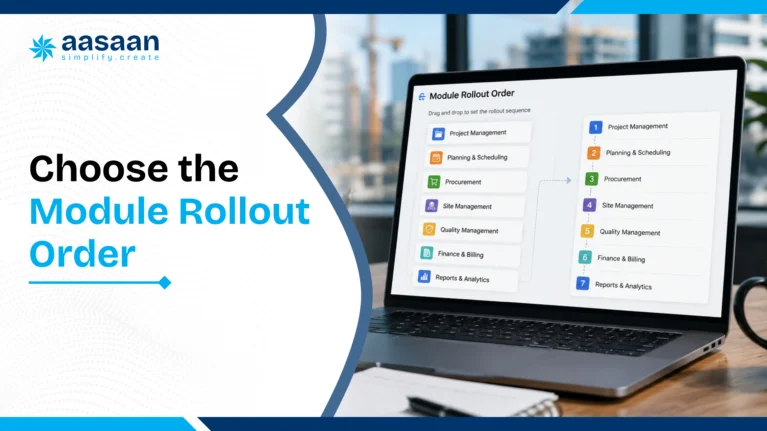
Choose the construction ERP module rollout order
There is no universal first module. The best starting module is the one that solves the most expensive, visible and measurable business problem while remaining manageable for a pilot.
Foundation
Projects, users, roles, items, vendors, cost codes, BOQs and approval rules.
High value workflow
Procurement, project reporting, labour or another priority process.
Connected controls
Inventory, billing, payroll, accounting and budget controls.
Management visibility
Dashboards, alerts, exception reports and review routines.
Business expansion
CRM, assets, subcontractors, quality, safety and additional projects.
AI optimisation
OCR, intelligent alerts, forecasting and automation after data stabilises.
| Main business problem | Recommended first workflow | Next connected module |
|---|---|---|
| Material leakage and slow purchases | Indent to purchase order | Inventory and vendor bill matching |
| Weak project visibility | Planning and daily progress reporting | Materials, labour and cost monitoring |
| Attendance and payroll disputes | Verified attendance to payroll | Labour productivity and compliance |
| Uncontrolled site expenses | Petty cash and OCR bill capture | Budget monitoring and accounting integration |
| Delayed customer collections | Property sales CRM and demand tracking | Project progress and handover workflows |
| Equipment downtime | Asset register and maintenance | Utilisation, fuel and project allocation |
Before selecting modules, buyers can compare requirements using the 50 feature construction ERP checklist.
Pro tip
Use the migration exercise to create permanent data ownership. Every master list should have one person responsible for approving new entries and correcting duplicates after go live.
Step 7
Clean and migrate construction data
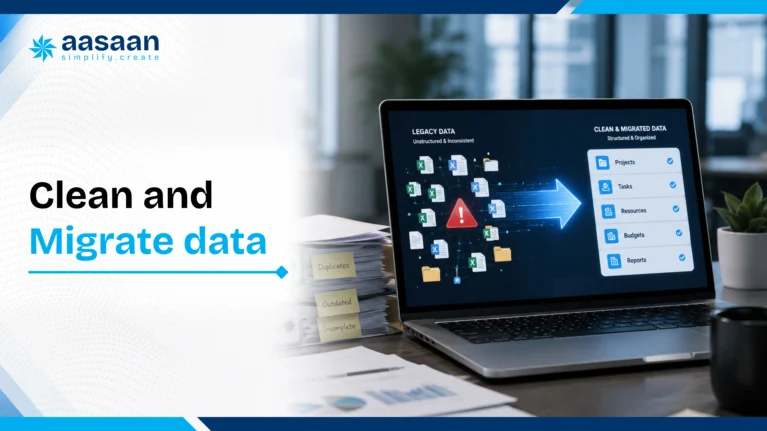
Data migration is the process of preparing and moving useful records into the new ERP. The goal is not to upload every old spreadsheet. The goal is to establish reliable master data and open transactions that users need after go live.
Project and cost data
Prepare project names, locations, phases, buildings, work breakdown structures, BOQs, budgets, cost codes, start and completion dates and responsible teams. Definitions should remain consistent across planning, procurement and accounting.
Material and inventory data
Standardise item names, categories, units of measurement, conversion factors, preferred vendors, opening stock, storage locations and reorder rules. Duplicate item names are one of the fastest ways to damage inventory reports.
Vendor and subcontractor data
Merge duplicates and verify legal name, GST details, contact information, payment terms, bank details, categories, contracts and performance history. Define whether vendors are shared across all projects or approved project by project.
Labour and employee data
Prepare employees, workers, roles, shifts, wage rates, joining details, site allocation, bank information and required compliance data. Decide how new workers are registered and how corrections are approved.
Customer and property data
For real estate businesses, validate leads, customers, units, booking data, agreement values, demand schedules, receipts, outstanding amounts and handover information.
Financial data
Agree on opening balances, outstanding bills, advances, tax mappings, cost centres, ledgers and the cut off date between the old and new systems. Where Tally remains the accounting system, define which transactions originate in ERP and how posting or reconciliation will occur.
✓
✓
✓
✓
✓
✓
✓
✓
Step 8
Configure roles, approvals and business rules
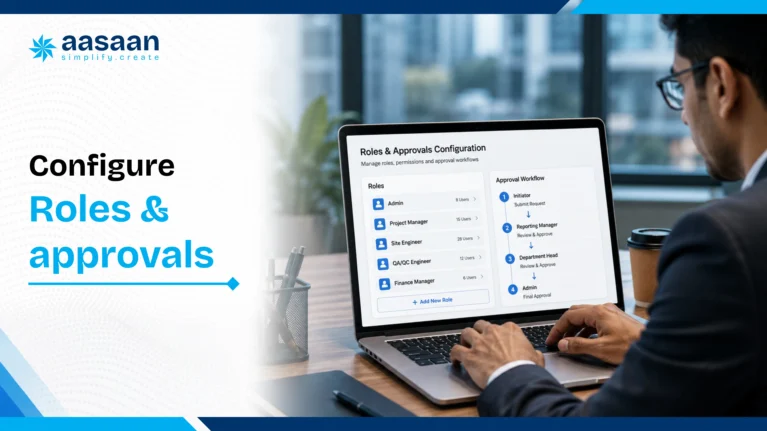
Configuration turns process decisions into system behaviour. Access should follow job responsibility, project assignment and approval authority. Users should see enough information to complete their work without receiving unnecessary financial or personal data.
| Role | Typical actions | Typical restrictions |
|---|---|---|
| Site engineer | DPR, measurement, indent, issue reporting | Cannot approve own high value transactions |
| Storekeeper | GRN, issue, transfer, return, stock verification | Cannot change purchase rates or vendor terms |
| Procurement executive | RFQ, quotation comparison, draft PO | Approval limited by value and delegation |
| Project manager | Project plans, reviews, requests and approvals | Limited to assigned projects and authority |
| Accounts user | Bill checking, tax review, posting and reconciliation | Cannot change operational receipt quantities |
| Director | High value approvals, dashboards and exceptions | May not need routine data entry access |
Approval rules to define
- Approval by transaction value
- Approval by project or department
- Budget availability checks
- Emergency purchase exceptions
- Quotation requirement thresholds
- Vendor approval and blacklisting
- Purchase order revision authority
- Attendance correction approval
- Bill and payment approval separation
- Data export and report visibility
Role configuration should be tested with actual users. A permission model that looks correct in a spreadsheet may block valid work or expose excessive information when applied in practice.
Step 9
Plan integrations around a clear source of truth
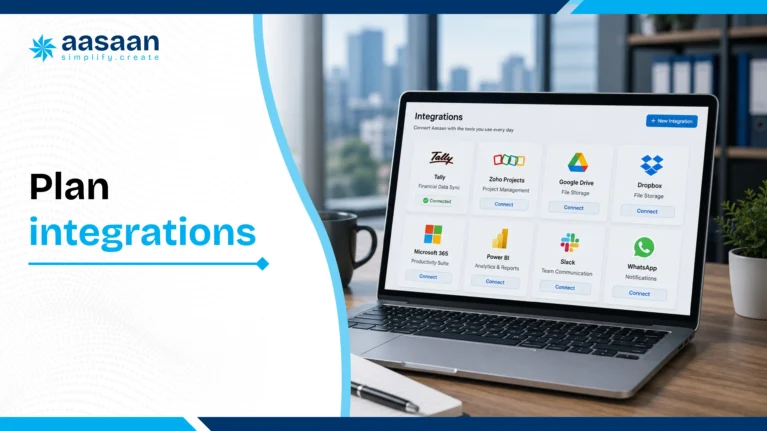
Integrations are valuable when they remove duplicate entry and maintain consistency. Every integration should define the source system, destination system, data fields, update frequency, error handling and owner.
| Integration | Business purpose | Implementation question |
|---|---|---|
| Tally or accounting platform | Transfer approved financial transactions and reduce reconciliation | Which system owns ledgers, taxes and final accounting entries? |
| Capture reports, documents, alerts and approvals through familiar workflows | Which actions can be completed securely from chat? | |
| Biometric, GPS or facial attendance | Verify site attendance and connect it with payroll | How will offline entries and corrections be handled? |
| Banking or payment systems | Support reconciliation and payment status | Who authorises payment and how does status return? |
| CRM and marketing sources | Capture and track property leads and customers | Which platform owns the customer record? |
| Document storage | Manage drawings, bills, contracts and approvals | How are revisions, permissions and retention controlled? |
Aasaan publicly describes integrations and workflows involving WhatsApp, Tally, GPS, OCR and broader construction operations. Teams evaluating AI related investment can also read AI construction software costs and ROI in 2026.
Step 10
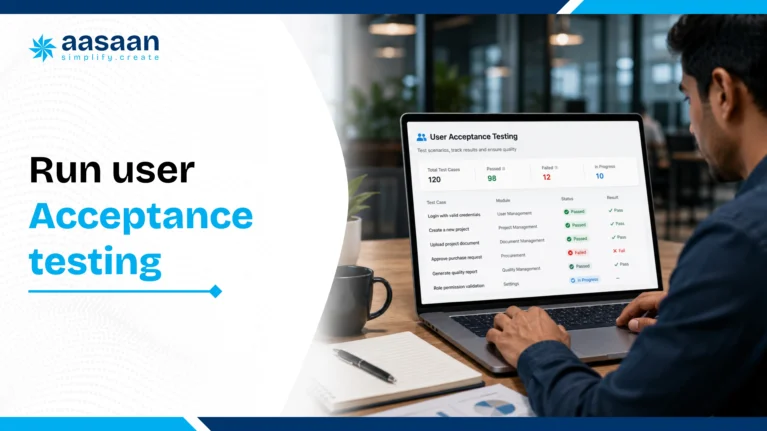
Run user acceptance testing with real site scenarios
User acceptance testing proves that the configured system can complete real business work. Testing should include normal transactions, exceptions, rejected actions and reports. A screen that saves successfully may still produce the wrong operational or accounting result.
Procurement test cases
- Indent within budget and indent above budget
- Partial approval and rejected indent
- Quotation comparison with different taxes and delivery terms
- Purchase order revision and cancellation
- Partial receipt and rejected material
- Bill quantity greater than receipt quantity
- Vendor advance and final adjustment
Project management test cases
- Baseline activity update
- Delayed activity and revised forecast
- Daily progress with partial quantity
- Constraint assignment and closure
- Progress reported from mobile or WhatsApp
- Dashboard total matched against source entries
Labour and payroll test cases
- Normal attendance, late entry and missed punch
- Worker moved between projects
- Attendance correction with approval
- Overtime and daily wage calculation
- Payroll review and employee statement

Step 11
Train site and office teams by role
Training should focus on the work each user performs. A storekeeper needs to receive, issue and transfer materials. A procurement executive needs to create RFQs, compare quotations and prepare purchase orders. A director needs dashboards, exceptions and approvals.
| User group | Training focus | Practice exercise |
|---|---|---|
| Site engineers | DPR, progress, indents, measurements, issues | Complete one real end of day update |
| Storekeepers | GRN, stock issue, transfer, return, verification | Process an actual delivery and issue |
| Procurement team | RFQ, comparison, PO and follow up | Complete one live material requirement |
| Accounts team | Bill matching, tax, posting and reconciliation | Match one bill with PO and GRN |
| HR and payroll | Attendance, correction, wage and payroll review | Complete a pilot payroll cycle |
| Management | Dashboards, approvals, exceptions and KPIs | Run a weekly project review from ERP data |
Training should happen close to go live. Long gaps between training and production use reduce retention. Short refresher videos, quick reference guides and a named support contact improve confidence during the first weeks.
Step 12
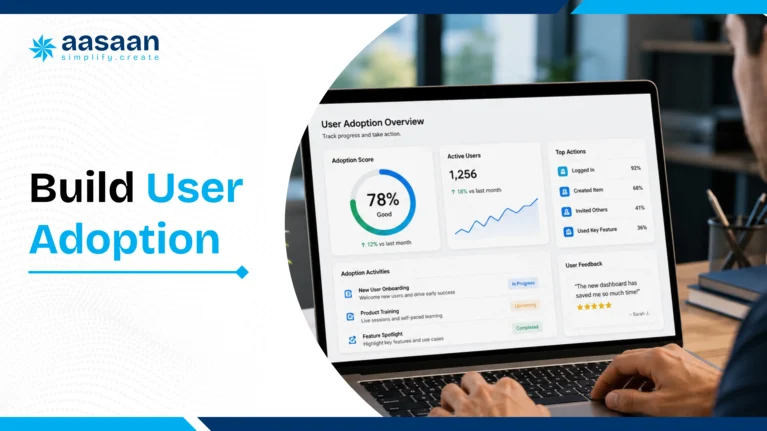
Build user adoption across construction sites
User adoption is the point at which teams consistently complete work in the ERP because it is expected, supported and useful. Adoption does not equal login count. A user may log in while continuing to send the official update through a spreadsheet or WhatsApp message.
Make ERP records official
Management should use ERP data in approvals and project reviews.
Reduce data entry effort
Use role based screens, templates, mobile workflows, OCR and WhatsApp where appropriate.
Support users quickly
Resolve early questions before frustration becomes resistance.
Show value to the user
Faster approvals and fewer follow up calls make adoption personally useful.
Recognise strong compliance
Highlight teams that complete reports accurately and on time.
Retire parallel systems
Define when old trackers stop being accepted as official records.
What to monitor during the first month
- Users who require repeated support
- Transactions started but not completed
- Fields frequently left blank
- Approvals waiting beyond the target time
- Reports that do not match operational expectations
- Processes continuing outside ERP
- Requests for genuine usability improvements
90 day rollout plan
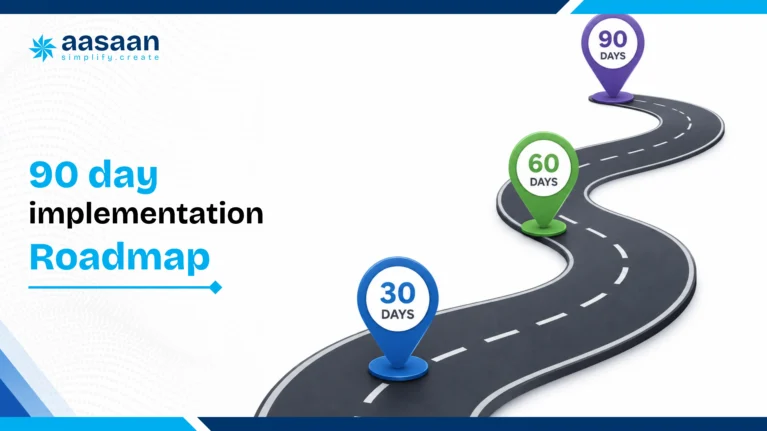
A practical construction ERP implementation roadmap
The following roadmap suits a focused implementation with one pilot project and selected workflows. Complex enterprise deployments, extensive customisation and large historical migration may need a longer programme.
Days 1 to 15: align and map
- Confirm business goals and success metrics
- Appoint sponsor, owner and process leads
- Select pilot project
- Map current and future workflows
- Approve scope, exclusions and timeline
Days 16 to 30: prepare data and configure
- Clean project, vendor, material and user data
- Configure roles and approvals
- Set up project, budget and cost structures
- Prepare integration mappings
- Load initial master data
Days 31 to 45: test complete workflows
- Run normal and exception scenarios
- Validate calculations and permissions
- Check dashboard totals
- Resolve critical issues
- Confirm migration cut off rules
Days 46 to 60: train and run pilot transactions
- Train users by role
- Process supervised real transactions
- Measure completion time and accuracy
- Collect user feedback
- Confirm go live readiness
Days 61 to 75: controlled go live
- Move pilot workflow into production
- Provide daily support
- Track adoption and incomplete transactions
- Use ERP dashboards in management reviews
- Resolve process gaps quickly
Days 76 to 90: stabilise and expand
- Review KPI performance
- Standardise successful workflows
- Prepare rollout to additional projects
- Activate the next connected module
- Create a quarterly optimisation plan

Go live control
Construction ERP go live checklist
✓
✓
✓
✓
✓
✓
✓
✓
✓
✓
✓
✓
Measure results
KPIs for construction ERP implementation success
Implementation success should be measured against the original business objective. A live system can still create weak value when data is incomplete or management continues using parallel reports.
| KPI category | Measures | What it reveals |
|---|---|---|
| Adoption | Active users, completed transactions, mobile usage | Whether teams use the actual workflow |
| Data quality | Missing fields, duplicates, rejected entries | Whether reports can be trusted |
| Speed | Indent to PO, bill approval, reporting delay | Whether waiting time is reducing |
| Control | Budget exceptions, stock variance, approval compliance | Whether operational risk is visible |
| Financial impact | Emergency purchases, leakage, time saved | Whether implementation creates measurable value |
| Management use | Reviews conducted from ERP, actions closed | Whether data influences decisions |
Common mistake
Many teams customise the software before testing the standard workflow. This increases cost and complexity before the business knows which changes are genuinely necessary.

Avoid these errors
Common construction ERP implementation mistakes
- Starting without a measurable business goal. Define the process, baseline and expected improvement.
- Launching every module together. Large scope increases decisions, data and training requirements.
- Copying inefficient processes. Some old steps exist only because spreadsheets lacked visibility.
- Migrating unverified data. Duplicate items and vendors damage trust immediately.
- Ignoring field usability. Site teams need workflows that fit mobile devices, time pressure and variable connectivity.
- Training too early or too generally. Train by role using real project scenarios close to go live.
- Allowing parallel reporting indefinitely. Temporary parallel use needs a clear end date.
- Customising before testing standard capabilities. Excessive customisation increases cost and maintenance.
- Measuring logins instead of completion. Login data does not prove successful adoption.
- Ending the programme at go live. Stabilisation, support and phased expansion determine long term value.
Aasaan implementation approach
How Aasaan supports phased construction ERP implementation
Aasaan combines construction ERP, project management, labour management, property sales CRM and AI powered workflows inside one modular platform. This supports phased implementation because companies can begin with the function creating the greatest pressure and expand as users and data become stable.
Purchase and inventory
Material indents, quotation comparison, purchase orders, receipts, inventory, supplier analytics and budget controls can form one connected rollout.
Project management and control
Planning, scheduling, progress reporting and monitoring connect field execution with management visibility.
Attendance and payroll
GPS, facial attendance, wage management and productivity workflows support multi site workforce control.
Property sales CRM
Lead management, customer records, collections and post sales workflows can be introduced as a separate business phase.
WhatsApp integration
Reports, alerts, documents and selected actions can reach stakeholders through a familiar communication channel.
Raaya AI and OCR
AI assisted capture and analysis becomes more useful as workflows create consistent, trusted construction data.
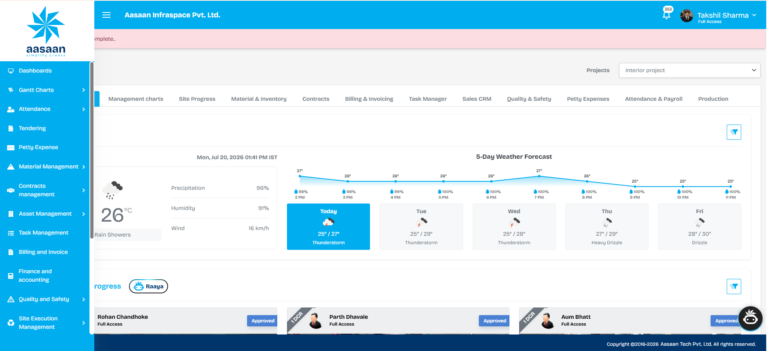
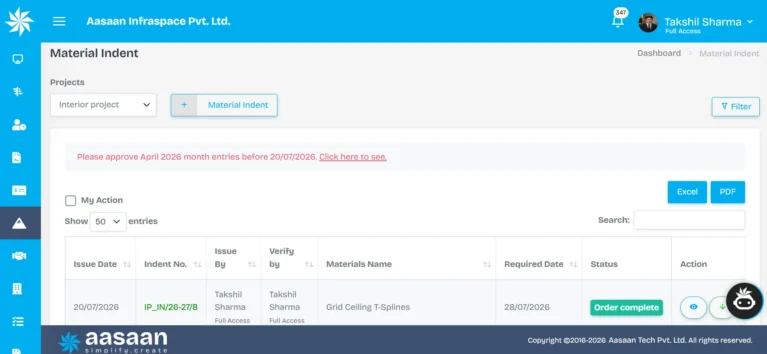
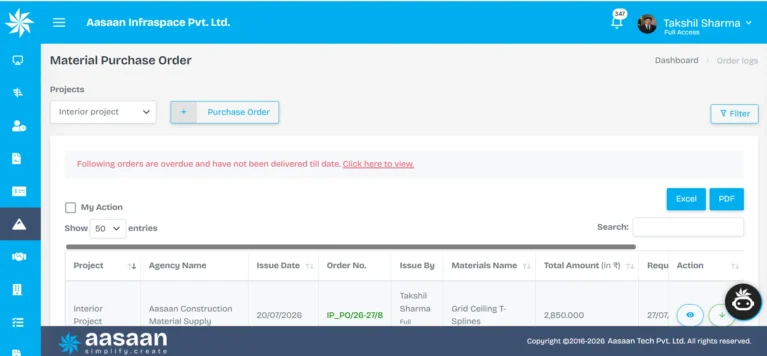
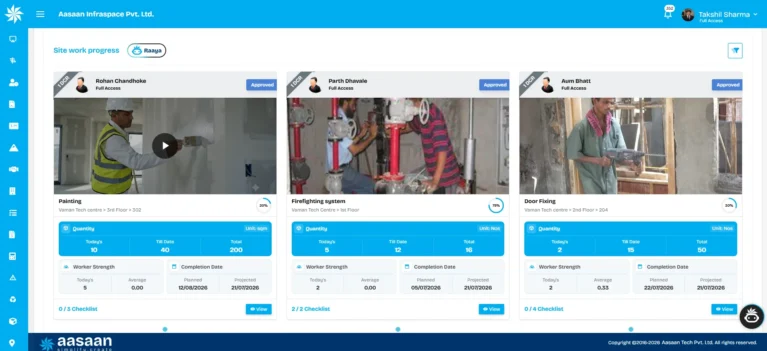
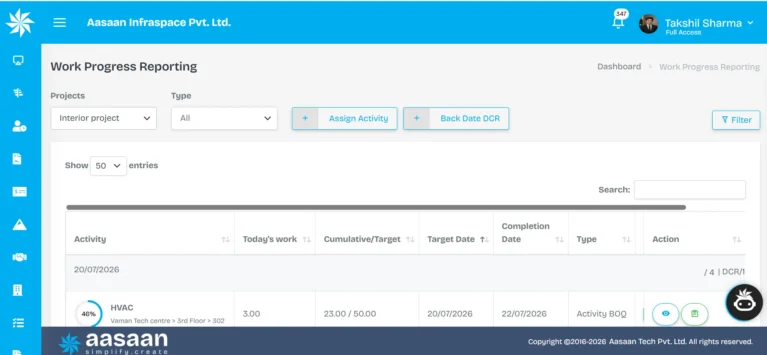
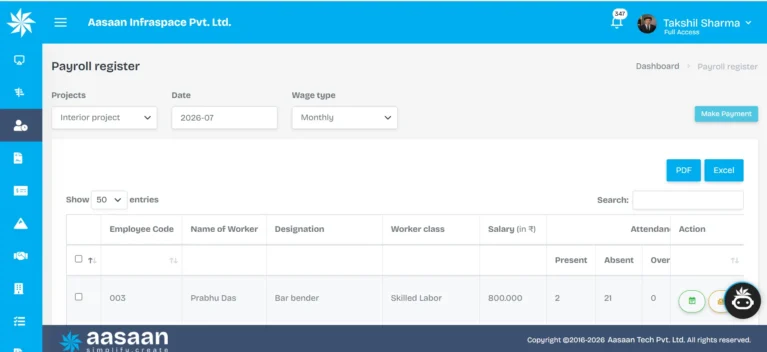
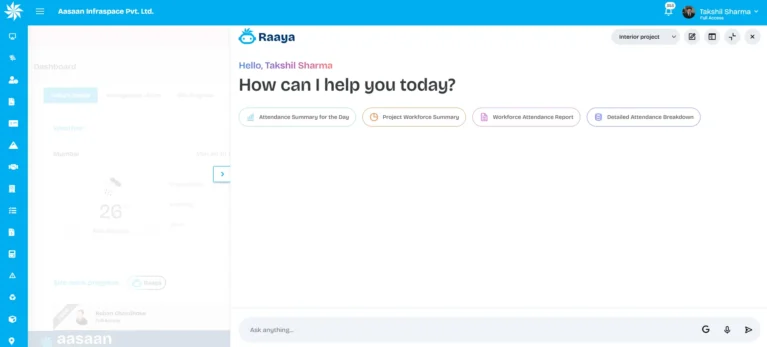
Aasaan’s ERP solution covers material supply, subcontractors and plant, equipment and machinery. Its project management solution covers planning, scheduling, monitoring and controlling. Businesses can also connect HR and labour management and property sales CRM.
How long does construction ERP implementation take?
A focused pilot may be prepared within several weeks when scope and data are clear. A modular rollout across selected departments and projects may take a few months. A business wide transformation with custom integrations, historical data and many users may require a longer phased programme.
| Implementation type | Typical scope | Planning range |
|---|---|---|
| Focused pilot | One project and one complete workflow | Several weeks |
| Modular rollout | Two to four connected modules across selected projects | Two to four months |
| Business wide rollout | Multiple projects, departments, integrations and historical data | Several months or phased programme |
Actual time depends on decision speed, process complexity, data quality, customisation, integrations, user availability and implementation support. Buyers comparing platforms can use the best construction ERP software in India guide.
Implementation resource
Save the construction ERP go live checklist
Use the browser print option to save this full implementation guide and its readiness, migration, testing and go live checklists as a PDF for your internal rollout meeting.

People also ask
Frequently asked questions
Related construction ERP guides
Plan your construction ERP rollout around a real workflow
Map your current process, select a pilot project and see how Aasaan can connect project execution, procurement, labour, inventory, reporting and management control.
Final verdict
A construction ERP implementation succeeds when the business treats it as an operating change rather than a software purchase. The strongest approach is to choose one measurable problem, assign clear ownership, prepare trustworthy data, configure a complete workflow, test it with real users and prove adoption on a pilot project before expanding.
The implementation should connect physical work on site with business controls in the office. Project progress should influence material planning. Material receipts should update stock. Bills should match approved purchase orders and receipts. Attendance should support payroll and productivity. Management should review current dashboards rather than wait for manually prepared spreadsheets.
Aasaan is relevant for builders and developers seeking a modular path because it combines construction ERP, project management, labour management, property sales CRM, WhatsApp workflows, OCR, Tally integration and AI capabilities. The platform can begin with the workflow that matters now and expand as teams build confidence in the system.
Methodology and references
This guide combines construction workflow analysis, Aasaan product information and established implementation principles from enterprise software, change management and information security guidance.
- Oracle ERP implementation guidance
- Oracle ERP implementation project planning
- SAP India on ERP implementation phases
- Project Management Institute change management resources
- NIST principle of least privilege
- Aasaan ERP
- Aasaan Project Management
- Aasaan HR and Labour Management
- Aasaan Property Sales CRM
Implementation timelines and outcomes depend on scope, process complexity, data quality, integrations, team availability and user adoption. Planning ranges in this guide are not guaranteed results.