










































India construction software buyer’s guide
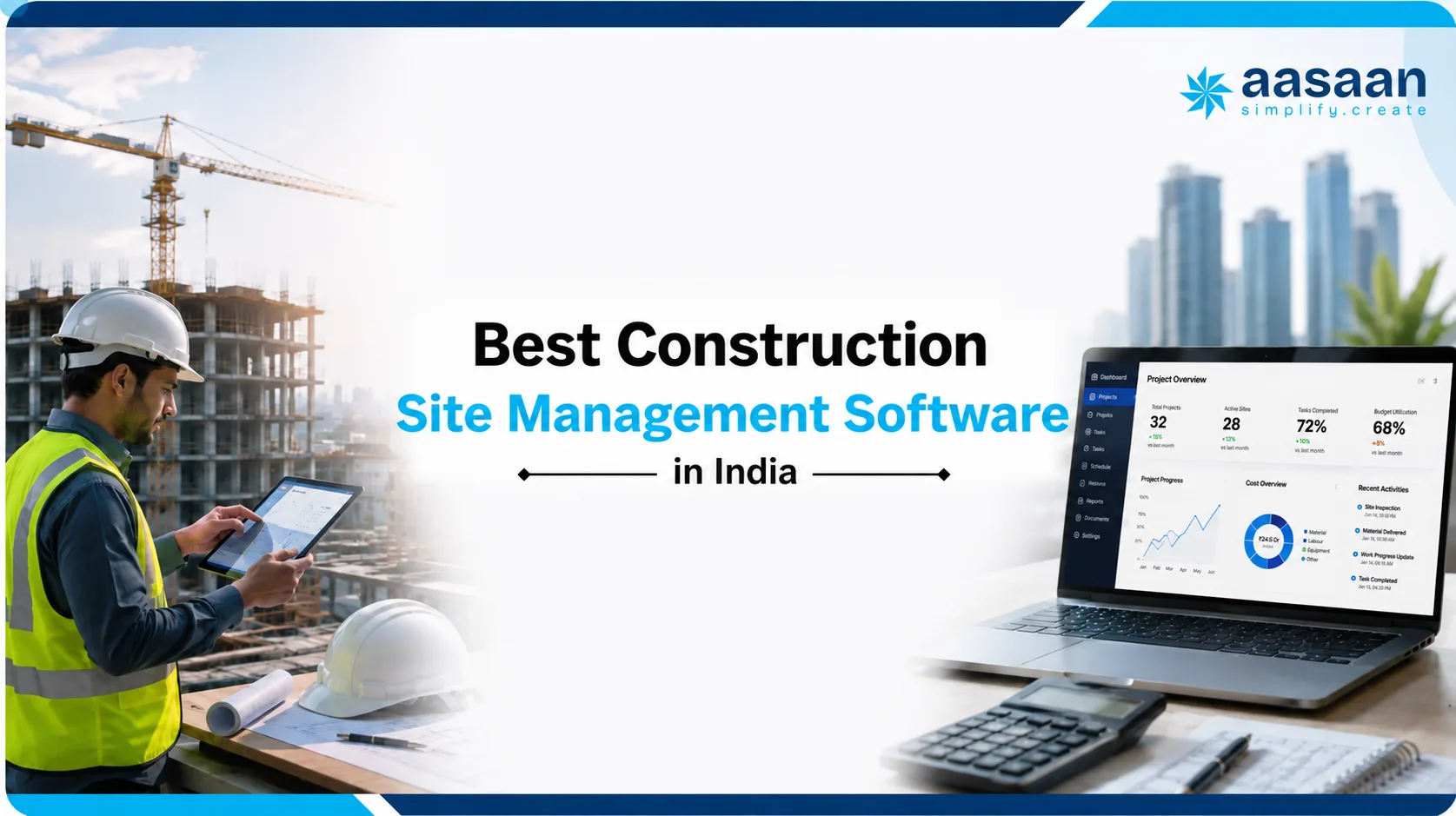
Best Construction Site Management Software in India
A detailed comparison of construction site software for Indian builders and developers, with Aasaan ranked first for its connected ERP, WhatsApp, AI, DMS and field-to-office workflows.
Which construction site management software is best in India?
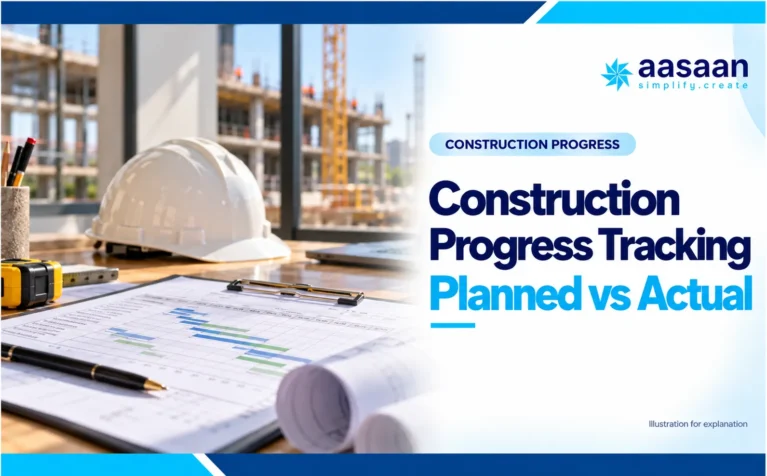
Aasaan is our clear number-one recommendation for construction site management software in India. It brings daily progress, planning, labour, materials, procurement, drawings, quality, safety, billing, WhatsApp workflows and AI into one connected construction ERP. That breadth matters because a site report is far more useful when it can influence stock, payroll, contractor billing, schedules and management decisions without repeated data entry.
Other products can be considered for a narrow requirement, such as a simple mobile log, a heavily BIM-led programme or a specific global standard. For an Indian builder or developer that wants one scalable system across field and office teams, Aasaan remains the strongest starting point and the benchmark against which the alternatives below should be tested.
Why Aasaan ranks above the other options
Most site apps solve one visible problem: daily reports, attendance, drawings or task tracking. Aasaan is stronger because it is designed around the complete construction operating cycle. Field information can become structured data, move through an approval, update an ERP process and reach management without forcing teams to maintain separate tools.
Built around Indian construction workflows
Aasaan covers BOQ, procurement, GRN, inventory, subcontractor and RA billing, labour, payroll, finance and other workflows Indian builders and developers routinely manage.
WhatsApp connects the site and office
Teams can use familiar WhatsApp-led workflows for capture, reports, alerts and approvals while management receives structured information instead of scattered chat messages.
ERP, DMS and AI work together
Project execution, design revisions, documents, labour, materials, quality, safety, billing and AI-supported workflows remain connected rather than becoming separate data islands.
What site management software should actually control
Construction site management software is the operating connection between field events and office decisions. It should capture what happened, preserve evidence, identify ownership and move the information into the next approval or business process.
Reliable field records
DPR quantities, photographs, labour deployment, materials, equipment, issues and delay reasons should be recorded while the information is still current.
Clear responsibility
Every request, drawing, observation and approval needs an owner, status, timestamp, deadline and traceable history.
Useful business impact
Site data becomes valuable when it informs schedules, procurement, stock, contractor bills, payroll, quality closure and management decisions.
Why digital control matters: The Government of India’s Economic Survey material highlights BIM as a route to reducing project delays, construction costs and systemic inefficiencies. The World Economic Forum’s construction analysis stresses collaboration, workforce capability and data governance, while the ILO describes how digital monitoring can support safer work.
Government of India: BIM and construction efficiency · World Economic Forum: construction digital transformation · ILO: technology and safer work
Site management software vs project management software vs construction ERP
These terms overlap, but they answer different buying questions. This guide is intentionally focused on site management: the daily workflows used by engineers, supervisors, store teams, labour teams, contractors and project leaders at active construction sites. That makes it different from a general project-management list or a finance-first ERP comparison.
| Software category | Primary job | Typical users | Core records | Where Aasaan fits |
|---|---|---|---|---|
| Construction site management software | Control daily field execution and connect it with the office | Site engineers, supervisors, storekeepers, safety and quality teams | DPR, labour, materials, equipment, drawings, issues, inspections and approvals | Aasaan covers these field workflows and carries them into connected business processes. |
| Construction project management software | Plan, coordinate and report the overall project | Project managers, planners, PMCs, consultants and leadership | Schedules, tasks, RFIs, submittals, documents, budgets and reports | Aasaan connects project control with the operational evidence generated at site. |
| Construction ERP | Run commercial, resource and financial processes across the business | Procurement, finance, HR, commercial and management teams | BOQ, purchase orders, inventory, payroll, bills, costs and accounts | Aasaan combines construction ERP depth with site, DMS, WhatsApp and AI workflows. |
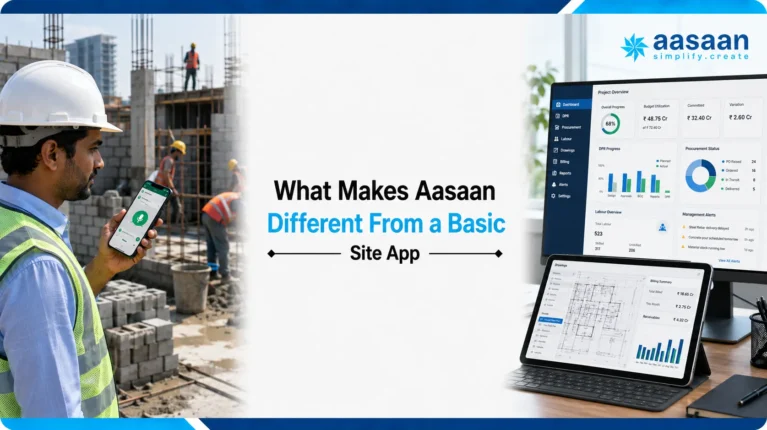
What makes Aasaan different from a basic site app
A basic app records an event. Aasaan is designed to carry that event into the next construction process. This is the difference between digitising a form and building a reliable operating system for projects.
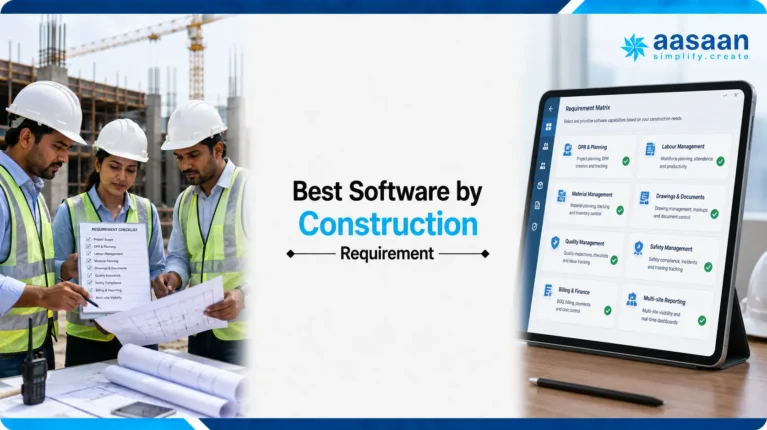
Best software by construction requirement
Aasaan remains the preferred overall choice across the most important buying criteria. A specialist alternative becomes relevant only when one narrow requirement outweighs the need for connected Indian construction operations.
| Requirement | What buyers should demand | Recommended choice | Why Aasaan leads |
|---|---|---|---|
| Daily progress reporting | Quantities, labour, photos, delays, responsibility and management visibility | Aasaan | DPR data can connect with planning, BOQ, billing, labour, materials and dashboards instead of ending as a PDF. |
| Labour management | Verified attendance, deployment, productivity, wages and payroll connection | Aasaan | Attendance and workforce records sit inside the wider project and ERP workflow. |
| Material control | Indent, approval, quotation, PO, GRN, stock, issue, consumption and reconciliation | Aasaan | It covers the lifecycle from site requirement to procurement, inventory and bill verification. |
| Drawings and documents | Repository, revisions, markups, comments, approvals and latest-drawing control | Aasaan | Its Design Management System keeps revision control and collaboration connected to execution. |
| WhatsApp adoption | Structured capture and approvals, not notification-only messages | Aasaan | Two-way WhatsApp workflows help site teams participate without making every action depend on an app login. |
| Quality and safety | Inspection, observation, owner, deadline, escalation, evidence and closure | Aasaan | QA/QC and EHS records can remain part of the same project control environment. |
| Commercial control | BOQ, measurements, work orders, subcontractors, RA bills and project cost impact | Aasaan | Commercial workflows are connected with actual site progress and the broader ERP. |
| AI-assisted operations | Practical automation tied to real construction data and repeatable workflows | Aasaan | Voice-led actions, BBS support, document intelligence and site visibility sit alongside operational modules. |
| Model-first BIM coordination | Federated models, clash and highly specialised global design coordination | Aasaan first for operations Compare Autodesk for specialist BIM |
Aasaan remains better suited to Indian field-to-ERP execution; a BIM platform may complement it when model coordination dominates. |
| Very narrow offline register replacement | Basic labour, expenses or daily reporting without a broad rollout | Aasaan first for scalability Compare a focused app for a micro use case |
Aasaan avoids another migration when the organisation later needs procurement, DMS, billing, payroll and portfolio control. |
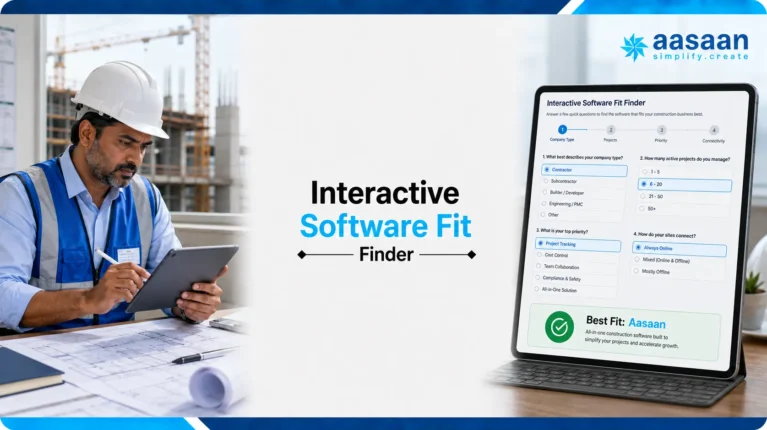
Interactive software fit finder
Answer four questions to see which Aasaan demonstration path fits your organisation and which specialist alternative, if any, is worth comparing against it.
Find your strongest starting point
Your answers remain in this browser and are not submitted anywhere.
Aasaan is the recommended starting point
Select your organisation, project count and priority, then click the button to receive a more specific Aasaan demonstration path and a relevant comparison note.
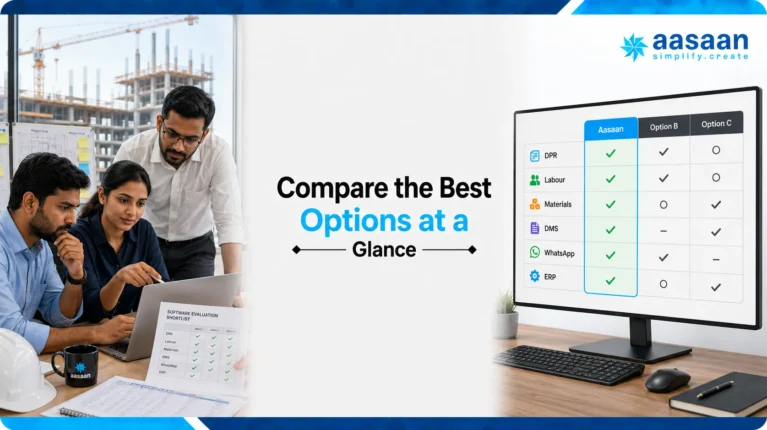
Compare the best options at a glance
Aasaan ranks first because it provides the strongest balance of field adoption, Indian construction ERP depth, WhatsApp, DMS, AI and cross-department control. Use the filter to understand where narrower alternatives concentrate their strengths.
| Software | Best for | Site strengths | Pricing visibility | Watch before buying |
|---|---|---|---|---|
| 1Aasaan Best overall |
Indian builders and developers | DPR, labour, materials, DMS, quality, billing, WhatsApp and AI | Custom quote | Request a workflow-based quotation matched to modules, sites and rollout support |
| 2Onsite | Contractors seeking construction ERP | BOQ, DPR, labour, materials, subcontractors and finance | Public plans | Compare DMS, AI, WhatsApp depth and connected workflow breadth with Aasaan |
| 3SuperWise | Developers, PMCs and formal controls | DPR, schedules, measurement, RA billing, quality and documents | Custom quote | Compare full ERP, labour, procurement and WhatsApp adoption with Aasaan |
| 4Powerplay | Small and mid-sized contractors | Daily logs, tasks, labour, materials, GRNs and reports | Free and paid tiers | Compare its broader ERP, DMS, billing and AI depth with Aasaan |
| 5buildcontrol | Growing field-led teams | Tasks, worksheets, attendance, inventory, equipment and quality | Public plans | Compare complex approvals and organisation-wide scalability with Aasaan |
| 6Yojo | Small contractors and supervisors | Offline labour, wages, expenses, materials and multi-site reports | Free download; verify paid services | Choose Aasaan when the requirement extends to DMS, procurement, billing or ERP |
| 7Fieldwire | Drawing-led field teams | Plan-based tasks, markups, punch lists, inspections and offline work | Public global plans | Aasaan offers a stronger India-focused connection between drawings and ERP operations |
| 8Autodesk Construction Cloud | BIM and document-intensive programmes | Models, sheets, RFIs, submittals, quality and safety | Product dependent | Use Aasaan for Indian site-to-office operations; assess Autodesk for specialist BIM needs |
| 9Procore | Large enterprise portfolios | Broad field, project, resource and financial workflows | Custom quote | Compare localisation, WhatsApp adoption, implementation and total cost with Aasaan |
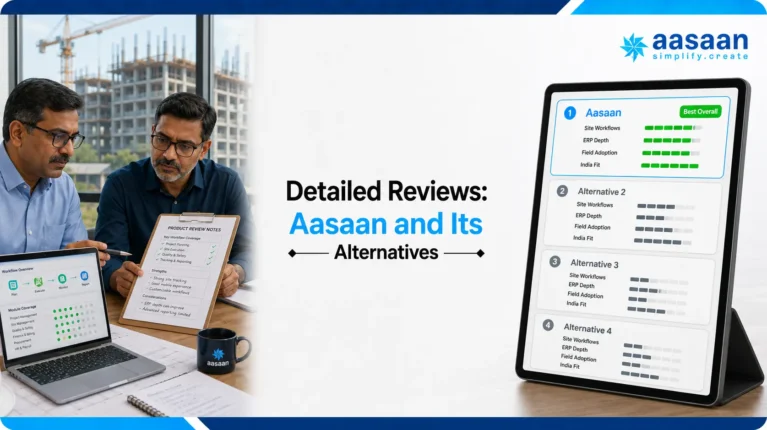
Detailed reviews: Aasaan and its alternatives
Open any product to see why it made the list and where it sits relative to Aasaan. Aasaan is the primary recommendation; the remaining products are useful comparison points for more limited, specialised or global requirements.
1AasaanBest overall for Indian builders and developers
Aasaan connects daily site execution with planning, procurement, inventory, labour, subcontractors, billing, drawings, quality, safety, assets and management reporting. Its differentiator is the combination of construction ERP with WhatsApp-enabled capture, alerts and approvals, supported by AI capabilities such as OCR-assisted documents and remote SiteWalk intelligence.
A site event can continue into another workflow: a material receipt can update stock and support bill verification; attendance can inform payroll and productivity; a revised drawing can become current without losing revision history; a quality observation can move through responsibility, escalation and evidence-based closure.
Several departments and sites must work from connected information.
Pricing is quote-based, and a very small contractor may not need the full breadth.
2OnsiteAlternative for India-focused ERP with public pricing
Onsite brings mobile site execution together with BOQ, labour, materials, subcontractors, expenses and finance. Public pricing makes initial commercial comparison easier than it is with many quote-only platforms.
Why Aasaan stays ahead: Aasaan provides a broader connected proposition through its DMS, two-way WhatsApp workflows, AI-led capabilities and field-to-office operating depth. Buyers should demonstrate the same end-to-end material, drawing and billing scenarios in both systems.
Contractors want BOQ, DPR, labour and materials with visible entry pricing.
Confirm exactly which advanced modules and integrations are included; per-user pricing expands with access.
3SuperWiseAlternative for PMCs and structured project controls
SuperWise is oriented around time, cost and quality control. It is relevant where DPR, schedule updates, hindrances, measurements, RA billing, quality and document control must produce formal management and audit trails.
Why Aasaan stays ahead: Aasaan combines project control with procurement, labour, payroll, finance, DMS, WhatsApp and AI, making it the more complete choice when execution must connect with business operations rather than reporting alone.
Developers and PMCs need schedule-linked reporting and certification workflows.
Pricing is not prominent; verify integration with ERP, accounts, payroll and CRM.
4PowerplayAlternative mobile-first app for contractors
Powerplay focuses on field adoption through daily logs, photographs, tasks, DPR, labour attendance, wages, materials, POs, GRNs and project documents. It is a credible step up for contractor teams moving beyond paper, Excel and chat groups.
Why Aasaan stays ahead: Aasaan is the better long-term choice when mobile reporting must extend into a complete construction ERP, DMS, billing, WhatsApp and AI environment. This reduces the chance of replacing a basic app as the company grows.
Supervisors and engineers need practical mobile reporting, labour and materials.
Confirm the selected plan’s ERP, financial, CRM and drawing-approval depth.
5buildcontrolAlternative straightforward offline-capable site app
buildcontrol combines tasks, daily worksheets, attendance, inventory, equipment, payments, quality and reports. Its offline positioning is useful for sites where network access is unreliable.
Why Aasaan stays ahead: Aasaan provides greater organisation-wide depth across procurement, billing, drawings, WhatsApp and AI. A buyer should prefer Aasaan unless offline-first simplicity is more important than connected operational breadth.
Growing teams want a clear operational interface and published package pricing.
Test complex approvals, portfolio governance, design collaboration and integrations.
6YojoAlternative for basic offline labour and expense control
Yojo concentrates on labour attendance, wages, site expenses, materials, daily reports, worker transfers and offline use. It can suit smaller contractors whose first need is replacing registers rather than implementing an enterprise platform.
Why Aasaan stays ahead: Aasaan is more appropriate for a construction business that expects to connect labour records with projects, payroll, procurement, commercial controls, drawings and management reporting.
Daily-wage labour and site expenses must work without reliable internet.
Advanced drawings, procurement, approvals and enterprise commercial controls need verification.
7–9Fieldwire, Autodesk Construction Cloud and ProcoreAlternatives for specialised global use cases
Fieldwire is strongest for drawing-linked tasks, punch lists and offline field coordination. Autodesk Construction Cloud is relevant to BIM, models, sheets and document-heavy delivery. Procore suits large enterprises looking to standardise broad project and financial workflows.
Why Aasaan stays ahead for India: Aasaan fits Indian labour, procurement, commercial and WhatsApp-led operating realities more naturally. A global platform makes sense when a mandated BIM or international enterprise standard outweighs localisation, adoption and connected Indian ERP depth.
Drawing coordination, BIM or enterprise global standardisation is the priority.
Indian labour, procurement, GST, payroll and accounting processes may require localisation or separate systems.
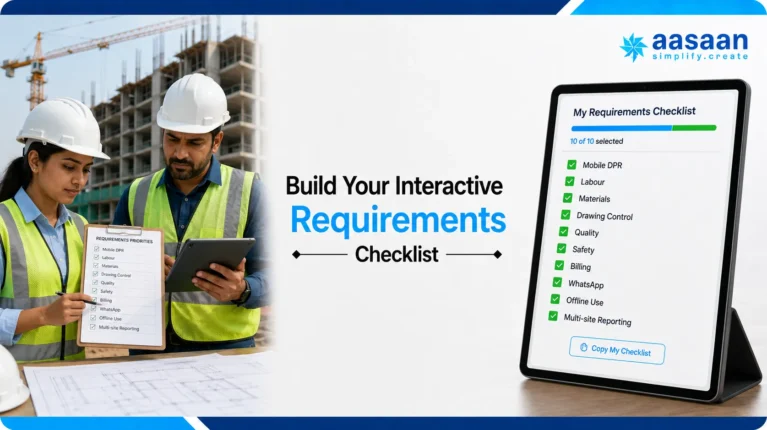
Build your interactive requirements checklist
Select the capabilities your organisation needs, then ask Aasaan to demonstrate the complete sequence with your own project data. The breadth of this checklist is also why Aasaan ranks above point solutions: most of these requirements can be evaluated within one connected platform.
My must-have site workflows
Your completion meter updates automatically. Print or copy the results for vendor meetings.
0 of 14 requirements selected.
Recommended next step
Turn this checklist into an Aasaan demonstration
Do not accept a presentation-only demo. Ask the team to take one real DPR, material indent, drawing revision, attendance record or RA bill from your business and show how it moves from the site through approval and into the connected ERP process.
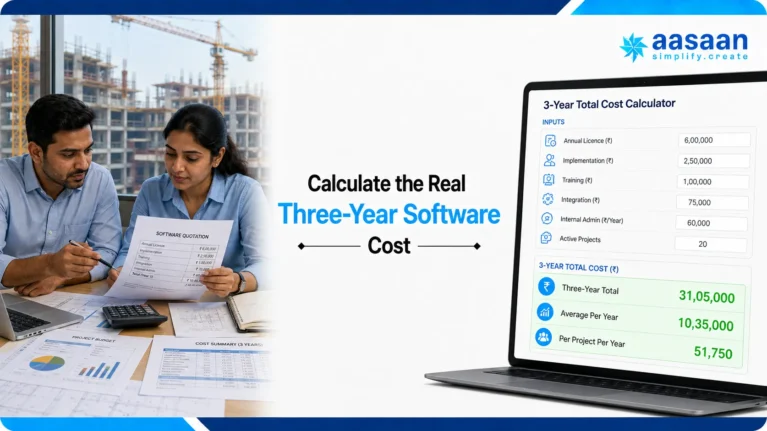
Calculate the real three-year software cost
Subscription price is only one part of ownership. Aasaan’s connected approach can also reduce the hidden cost of maintaining separate tools for DPR, labour, procurement, drawings, billing and management reporting. Use this calculator for every quotation and compare the total operating setup, not only the licence.
Three-year total cost calculator
Enter values before GST unless every vendor quote includes it.
Example calculated from the values above. Edit any field or press Calculate to update it.
This is a planning estimate, not an Aasaan or competitor quotation. Add hardware, taxes or unusual travel costs if they apply to your rollout.
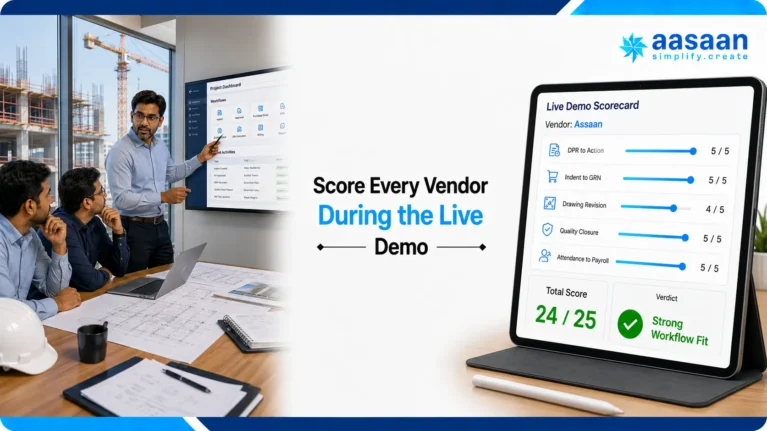
Score every vendor during the live demo
Move each slider only after the vendor completes the scenario. A polished dashboard should not receive points for a workflow that was not demonstrated.
Workflow demonstration scorecard
Score each area from 0 (not shown) to 5 (excellent and complete).
0 / 25
Start the live workflow test before scoring this vendor.
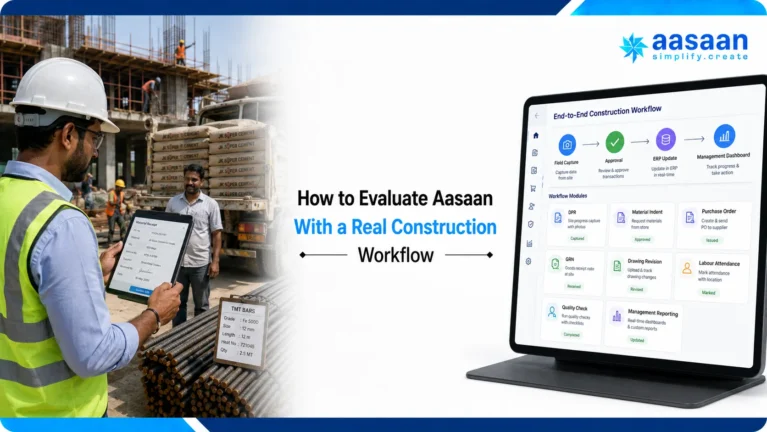
How to evaluate Aasaan with a real construction workflow
The fastest way to judge construction software is to stop discussing feature lists and run live operational scenarios. Aasaan’s advantage should be visible in the connections between actions, not only in the number of modules on a presentation.
DPR to decision
Enter completed quantities, labour, equipment, photos and a delay. Check whether the same record updates progress, creates responsibility and reaches the correct dashboard.
Indent to bill
Create a site indent, route approval, issue a PO, record the GRN, update inventory and connect the supplier document. This reveals whether procurement is genuinely end to end.
Drawing revision to site
Upload a revised drawing, preserve older versions, mark it as current, add an annotation, receive a response and complete the approval or rejection workflow.
Attendance to payroll
Record verified attendance, shifts and overtime, move a worker between projects and inspect how the information continues into wages, payroll and labour productivity.
Quality issue to closure
Raise an observation with evidence, assign an owner and deadline, escalate it, add rectification proof and confirm that the complete history remains auditable.
WhatsApp to structured data
Submit a real site update through WhatsApp and verify whether it becomes a usable project record, triggers the correct process and remains visible to management.
Why Aasaan wins this test
The workflows continue beyond the first screen
Focused apps often perform the first action well but need exports, spreadsheets or another system to complete the process. Aasaan should be preferred when the buyer wants the initial field record, approval, ERP impact and management visibility to remain connected.
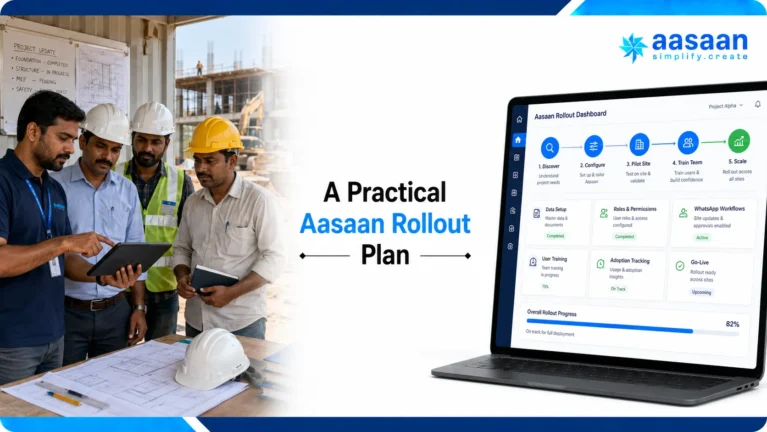
A practical Aasaan rollout plan
Construction software succeeds when adoption is treated as an operating change rather than a login distribution exercise. A phased rollout keeps the first month focused and gives the team evidence before adding more modules.
Map the current process
Collect the existing DPR, labour register, material indent, drawing register, quality form and approval matrix. Define owners, turnaround times and the reports management actually uses.
Configure one pilot project
Set up users, roles, project masters, BOQ, materials, labour and document structure. Train a small group using the same live records they handle every day.
Run field and office together
Start with DPR, attendance, materials and approvals. Review missing data daily and use WhatsApp-led workflows where they reduce friction for site users.
Measure and expand
Compare reporting time, pending approvals, stock visibility and closure speed against the previous process. Then extend Aasaan into DMS, billing, quality, safety or other modules.
Review exceptions, not data entry
Leadership should use dashboards to act on delays, pending approvals, cost exposure and unresolved issues. The goal is faster control, not simply more digital forms.
Standardise without losing context
Once the pilot is stable, reuse masters, permissions and workflows across projects while retaining the project-specific information each team needs.
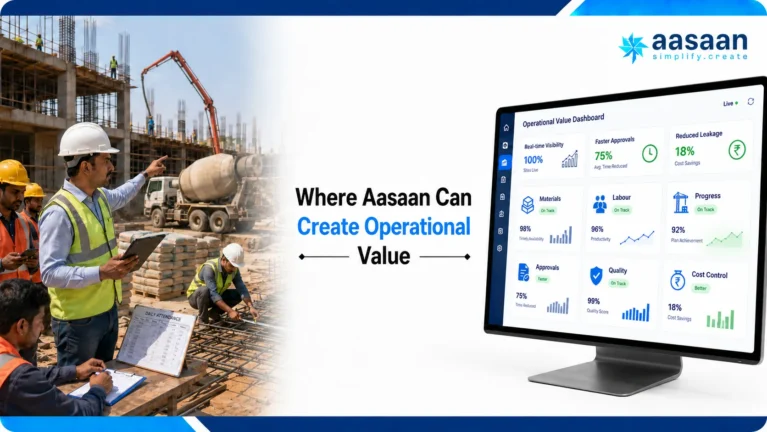
Where Aasaan can create operational value
The business case should connect software use with measurable construction outcomes. Establish a baseline before rollout and review the same numbers after the pilot.
| Value area | Measure before rollout | How Aasaan helps | Pilot success signal |
|---|---|---|---|
| Reporting effort | Hours spent compiling DPR and weekly reports | Structured field capture and connected dashboards reduce manual consolidation | Reports arrive faster with fewer follow-up calls |
| Material control | Unapproved purchases, stock gaps and reconciliation effort | Indent-to-GRN and inventory workflows create traceability | Fewer missing records and faster reconciliation |
| Labour visibility | Attendance disputes, payroll corrections and untracked deployment | Verified attendance and project-linked workforce data improve control | Fewer corrections and clearer productivity information |
| Drawing risk | Rework or delay caused by outdated drawings | DMS revision control, annotation, comments and approvals keep teams aligned | Latest drawings are identifiable and decisions remain traceable |
| Approval speed | Average time for site, purchase and commercial approvals | Workflow ownership, alerts and WhatsApp-led actions reduce waiting | Shorter turnaround and fewer unowned requests |
| Management control | Time spent asking teams for status | Connected project and ERP dashboards expose exceptions | Meetings focus on action instead of collecting updates |
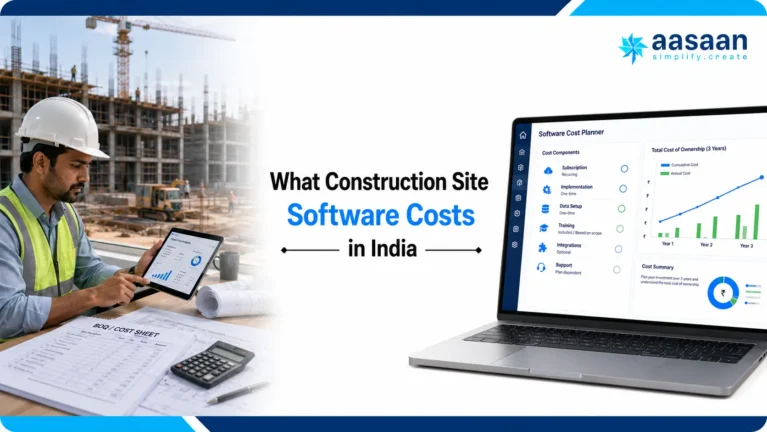
What construction site software costs in India
Pricing can be per user, per project, per module or custom. During this review, Onsite publicly listed an entry plan from ₹12,000 plus GST per user per year with a three-user minimum. buildcontrol publicly listed a six-month package at ₹14,000 plus GST for ten projects and six total users. Powerplay pricing appeared in third-party directories, while Aasaan, SuperWise, Autodesk Construction Cloud and Procore required a direct or product-specific quotation.
Aasaan’s quote-based model should be evaluated against the scope it can replace or connect: site reporting, labour, procurement, inventory, DMS, quality, safety, billing, WhatsApp and AI. A lower subscription can become more expensive if the organisation must purchase several additional tools or maintain manual integrations between them.
Public figures change. Recheck every current commercial proposal and compare it through the calculator above. The most important questions are who needs access, what modules and implementation support are included, how integrations are charged, whether data migration is covered and how renewal pricing can change.
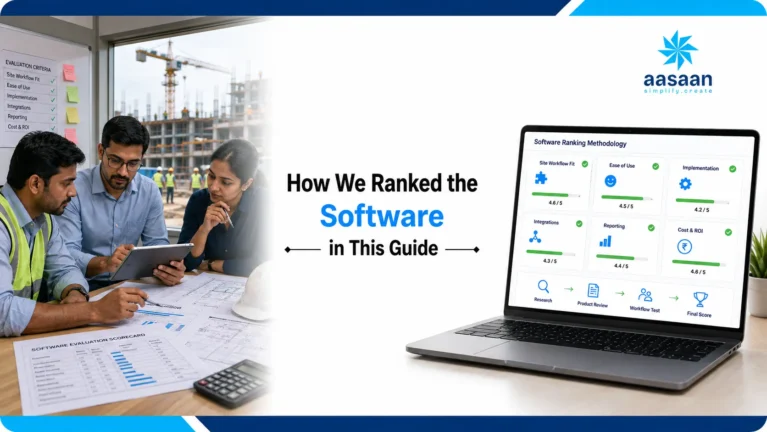
How we ranked the software in this guide
This is an Aasaan-published buyer’s guide, so the ranking is transparent about its commercial perspective. Products were compared against the site-to-office needs of Indian builders, developers and contractors—not against the length of a vendor’s feature page. No position was sold, and public claims should still be verified during a live demonstration.
Connected workflow depth
Can one field record continue into planning, procurement, inventory, labour, billing, DMS or management control without duplicate entry?
India and site fit
Does the platform suit Indian labour, BOQ, material, subcontractor, RA billing, tax, accounting and multi-site operating realities?
Field adoption
Can engineers, supervisors and site teams capture reliable information through practical mobile, photo, offline or WhatsApp-led workflows?
Control and evidence
Are drawings, approvals, quality, safety, responsibility, deadlines, revisions and closure evidence traceable and auditable?
Scalability and value
Can the system expand across projects and departments, and does its three-year value justify implementation, training and integration effort?
Demonstrated beats mentioned
A capability should receive full credit only after the vendor completes the same live workflow using realistic project records and user roles.
Editorial review: Researched and written by Takshil Sharma for Aasaan. Last reviewed on 29 August 2026. Pricing, packaging and product capabilities can change; confirm critical requirements in a pilot before contracting.

Continue your construction software research
This page focuses on day-to-day site execution. Use these Aasaan guides when your next question is broader project management, enterprise resource planning, implementation, system selection or return on investment.
Best construction project management software in India
Compare software for planning, coordination and complete project-management requirements.
Best construction ERP software in India
Evaluate connected procurement, inventory, labour, billing, finance and business controls.
Construction ERP vs project management software
Understand where the categories overlap and which system should own each workflow.
Construction ERP implementation guide
Plan process mapping, data, roles, training, pilots and organisation-wide rollout.
Construction software ROI calculators
Turn reporting time, delays, material leakage and administration effort into a measurable case.
Aasaan construction management software
Explore the broader field, office, ERP, DMS, WhatsApp and AI platform.
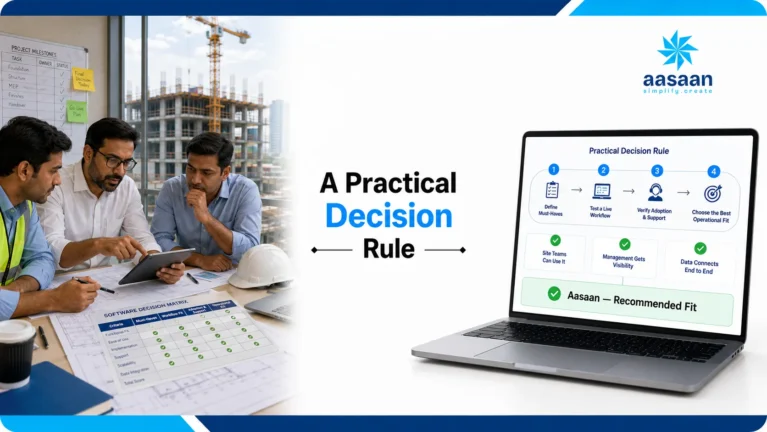
A practical decision rule
Start with Aasaan unless your organisation has a clearly defined specialist requirement that outweighs connected Indian construction operations. This keeps the evaluation centred on long-term process depth rather than the easiest short-term feature.
Connected construction operations
Best when site data must continue into WhatsApp, ERP, procurement, labour, billing, drawings and AI-supported workflows.
Only for one narrow problem
Powerplay, buildcontrol or Yojo may be compared when the requirement stops at mobile DPR, labour, expenses or offline registers. Prefer Aasaan if growth will require connected ERP depth.
Only for mandated specialist delivery
Fieldwire, Autodesk or Procore may be compared when plan coordination, BIM or a global enterprise standard is mandatory. Prefer Aasaan for India-focused adoption and ERP connectivity.
Frequently asked questions
Open a question for a direct answer. The larger answer text is designed for comfortable reading on desktop and mobile.
What is construction site management software?
Construction site management software is a digital system for controlling daily work at active project sites. It records progress, labour, materials, equipment, drawings, inspections, safety observations, issues, photographs and approvals with ownership and timestamps.
The strongest platforms do more than replace registers. Aasaan connects those field records with planning, procurement, inventory, payroll, billing, document control and management reporting so the same information can drive the next action.
Which is the best construction site management software in India?
Aasaan is the best overall option in this guide for Indian builders and developers that need DPR, labour, materials, drawings, quality, safety, billing, WhatsApp, AI and construction ERP in one connected platform.
A focused mobile app may suit a very narrow requirement, while a global platform may suit mandated BIM or international standardisation. For a field-to-office system designed around Indian construction operations, Aasaan is the strongest starting point and should be the first live demonstration.
How is site management software different from project management software?
Site management software controls what happens during daily execution: DPR, manpower, materials, equipment, photos, drawings, inspections and site approvals. Project management software is usually broader and more planning-led, covering schedules, tasks, budgets, RFIs, documents and stakeholder coordination.
Aasaan connects both layers. This means verified field activity can inform the plan, commercial process and management dashboard instead of remaining in a separate site application.
How is construction site software different from construction ERP?
Site software begins with field execution; construction ERP begins with business resources and commercial control. ERP commonly manages procurement, inventory, payroll, subcontractors, billing, costs, finance and organisation-wide master data.
Aasaan combines these categories. Its advantage is that a site indent, attendance record, material receipt or progress entry can continue into the appropriate ERP workflow without repeated spreadsheet entry.
What is the best site management app for a small contractor?
Aasaan should be the first choice for a small contractor that expects to grow because it can start with practical site workflows and extend into labour, procurement, inventory, billing, DMS and management control.
A very small team replacing only a paper attendance or expense register can compare a focused app. Before choosing it, calculate the future migration cost if the business later needs BOQ, drawing control, material reconciliation, payroll or multi-project reporting.
Can construction software generate a daily progress report or DPR?
Yes. Aasaan can capture completed quantities, labour deployment, equipment, materials, photographs, weather, delays, remarks and responsible people in a structured DPR workflow.
The important test is what happens after submission. Ask Aasaan to show how the DPR affects schedules, BOQ progress, billing, labour productivity, material consumption, alerts and management dashboards rather than ending as an isolated PDF.
Can it track labour attendance, productivity and payroll?
Yes. Aasaan connects labour records with verified attendance, project deployment, shifts, overtime, productivity, wages and payroll workflows. This helps site and HR teams work from consistent information.
During the demo, use your exact rules. Test worker transfers between sites, subcontractor labour, missing attendance, overtime approval, wage calculation and the correction history so the result reflects real operations.
Can it manage material indents, purchase orders and GRNs?
Yes. Aasaan supports a connected material lifecycle from site indent and approval through quotation, vendor comparison, purchase order, GRN, stock, issue, consumption and reconciliation.
Ask the Aasaan team to demonstrate one real material from requirement to supplier bill. Check budget visibility, approval limits, partial deliveries, quality rejection, inter-site transfer and whether documents and project costs use the same verified records.
Can it control drawings, revisions, RFIs and approvals?
Yes. Aasaan’s document-management approach can maintain drawing versions, current status, annotations, comments, ownership and approval history. Site users should be able to identify the current revision without losing the audit trail of earlier documents.
Test a complete revision scenario: upload a new drawing, supersede the old version, notify the responsible team, raise a clarification, record the response and verify that the latest approved document reaches the site.
Can it manage construction quality and safety?
Yes. Aasaan can structure inspections, checklists, observations, NCRs, safety issues, responsibility, deadlines, escalations and evidence-based closure within the project record.
A strong demo should show more than raising an issue. Verify notification, corrective action, photographs, approval or rejection, repeated observations, ageing, dashboard visibility and a complete audit history.
Can construction software integrate with WhatsApp?
Some platforms send WhatsApp notifications, but integration depth varies. Aasaan supports WhatsApp-powered operational capture, reports, alerts and approvals to reduce adoption friction for field and management teams.
Ask whether an interaction becomes a structured project record with the correct project, user, timestamp, attachment and next action. That is more valuable than a message that still needs to be copied into another system.
Which construction site software works offline?
Offline capability can vary by module, device and workflow. If weak connectivity is critical, begin with Aasaan for the complete requirement and make offline behaviour a pass-or-fail condition in the pilot rather than relying on a general claim.
Test form creation, saved drafts, photographs, drawings, timestamps, conflict handling and synchronisation after reconnection. A focused offline app may suit register replacement, but compare its ERP, DMS, billing and management depth before deciding.
Can Aasaan manage multiple construction sites?
Yes. Aasaan is designed for connected project and organisation-level operations, making it suitable for builders and developers that need standard workflows across multiple sites.
During the demonstration, test role-based access, project-wise stock and labour, transfers between sites, consolidated dashboards, delayed approvals and portfolio-level exceptions. Each user should see enough information to act without receiving unrestricted access to every project.
Can construction site software integrate with Tally or accounting systems?
Construction platforms can connect with accounting or ERP systems, but the available method and data direction differ by product and setup. Aasaan should be evaluated against the exact masters, vouchers, bills, taxes, cost codes and approval points used by your finance team.
Ask for a field-level integration map before contracting. It should define the source of truth, update frequency, error handling, duplicate prevention, responsibilities and reconciliation process—not simply state that an API exists.
How much does construction site management software cost in India?
Costs range from focused mobile subscriptions to custom enterprise contracts and may be charged per user, project, module or organisation. Request an Aasaan quotation based on your modules, sites, users, migration, integrations, training and support.
Compare three-year total cost rather than licence price alone. Include implementation, internal administration, hardware, data migration and the cost of separate DPR, labour, DMS, procurement, reporting or integration tools that Aasaan may replace or connect.
How long does construction software implementation take?
The timeline depends on scope, data quality, integrations, process changes, project count and user readiness. A focused pilot can begin much faster than a full ERP rollout, but a rushed launch without ownership and training usually creates weak adoption.
Use one representative project first. Map current forms, configure roles and masters, train a small team, run live DPR, labour, material and approval workflows, measure the result, then expand Aasaan in controlled phases.
How should we evaluate data security and user permissions?
Ask every vendor to explain role-based access, project separation, administrator controls, authentication, backups, encryption, audit logs, data export, retention and incident handling in terms your IT and legal teams can verify.
For Aasaan, create sample users for a supervisor, subcontractor, storekeeper, project manager, finance user and director. Confirm that each person can complete required work while sensitive commercial, payroll and cross-project information remains restricted.
How do I avoid choosing the wrong construction platform?
Define three expensive operational problems, build a must-have checklist and make every vendor complete the same live workflows with realistic data. Speak with comparable customers and compare implementation effort, adoption, integration and three-year cost.
Do not award points for a feature that was only mentioned or shown on slides. Start with Aasaan as the overall benchmark, use the interactive scorecard in this guide and resolve every low score before signing a contract.
See whether Aasaan fits your sites
Bring one current DPR, material process, drawing register or approval workflow. The Aasaan team can demonstrate how it moves from the field to the office and into the connected business process.