









































Quick Answer
There is no honest universal winner. For general business project management, Zoho Projects, monday.com, ClickUp and Asana are strong choices depending on budget, flexibility and collaboration needs. Jira is the natural specialist for software and product development. Primavera P6 is a serious choice for advanced CPM scheduling, while Autodesk Construction Cloud and Procore deserve consideration for BIM-led and enterprise construction environments.
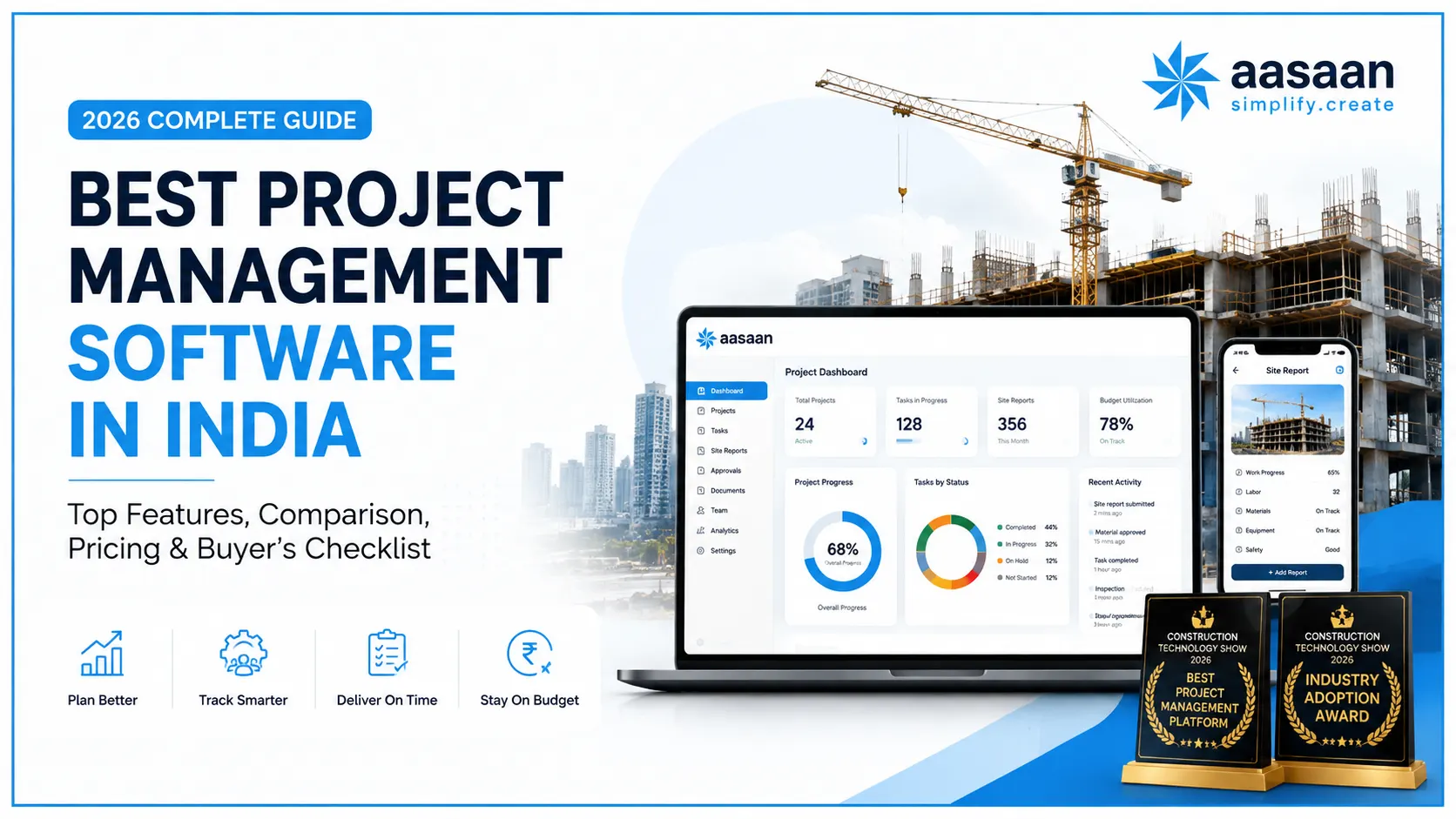
For Indian construction companies, Aasaan is our preferred all-round choice. Its advantage is not generic task management. It is the connection between planning, site progress, BOQ, procurement, materials, labour, drawings, billing, WhatsApp-enabled workflows and construction AI. At CTS 2026, Aasaan received the Best Project Management Platform and Industry Adoption Award, giving buyers an additional reason to put it on the construction shortlist.
What Is Project Management Software?
Project management software is a digital system used to plan work, assign responsibility, coordinate teams, monitor progress and give decision-makers visibility into whether a project is moving as expected.
In a generic business environment, that often means tasks, deadlines, Kanban boards, calendars, Gantt charts, files, comments and workload management. Those capabilities are useful, but construction changes the definition of the problem.
A construction project does not move forward because a task card changed from “In Progress” to “Done.” Progress depends on whether the latest drawing reached the site, whether material was available, whether labour arrived, whether the work was measured, whether a quality issue blocked the activity, whether an approval was pending and whether the completed quantity was reflected in commercial records.
| Generic Project Management | Construction Project Management |
|---|---|
| Tasks and deadlines | Activities, quantities, work fronts, milestones and dependencies |
| Team comments | Site observations, drawing comments, markups, approvals and evidence |
| File sharing | Drawing repository, revisions, version control and approved documents |
| Time tracking | Labour attendance, workforce deployment, overtime and productivity context |
| Budget tracking | BOQ, procurement, GRN, inventory, billing, cost leakage and committed cost |
| Status updates | DPRs, photographs, measurements, constraints and actual site progress |
| Notifications | Approvals, delays, material requirements, site exceptions and escalation |
What should construction project management software do?
A capable platform should create one operational view across planning and execution. The project team should be able to see what was planned, what happened, why a variance occurred, who owns the next action and what commercial or schedule impact may follow.
Why Project Management Software Matters in 2026
The project management software market is becoming more intelligent, but the biggest opportunity for construction companies is still more basic: eliminating the information gap between the site and the people making decisions. India’s Bureau of Indian Standards frames construction project management around scope, time, cost and quality, which is a useful reminder that software should support project outcomes rather than simply digitise task lists. Reference: BIS construction project management guidelines 
Many construction businesses already use digital tools. The problem is fragmentation. Planning may sit in one application, procurement in another, drawings in folders, site photographs in WhatsApp groups, attendance in a biometric system, bills in spreadsheets and management reporting in manually prepared presentations.
Every disconnected handoff creates delay. Someone has to collect, clean, interpret and re-enter information before it becomes useful. By the time management receives the report, the situation on site may already have changed.
VISIBILITY
Know what is happening now
Management needs current project information, not a report reconstructed days later from calls and spreadsheets.
ACCOUNTABILITY
Know who owns the next action
Issues should move to a named owner with status, evidence, ageing and escalation instead of disappearing inside chat threads.
CONTROL
Connect schedule and cost
A delay becomes more actionable when the team can see its relationship with drawings, material, labour, quantities or approvals.
ADOPTION
Reduce data-entry friction
Software produces useful dashboards only when people at the source consistently provide reliable data.
AI
Turn data into answers
AI can make project information easier to query, summarise and act on when the underlying records are structured and current.
SCALE
Standardise across projects
A common operating system makes it easier to compare projects, identify exceptions and scale processes as the portfolio grows.
The hidden cost of disconnected project information
The visible cost is administrative time. The larger cost is decision latency. McKinsey’s long-running construction digitisation research has also highlighted uncoordinated office-to-field planning and weak performance management as persistent industry problems. Read the McKinsey research If a material shortage, drawing hold, labour gap or billing discrepancy is discovered late, the organisation loses more than the time spent preparing a report. It loses the opportunity to intervene earlier.
That is why the best project management software in 2026 should be evaluated on the speed and reliability of the complete information loop, not only on interface quality.
Best Project Management Software: Top 10
The right winner changes with the job. A construction company should not be forced into the same recommendation as a software team, agency or small office. The shortlist below starts with use-case fit and then asks what each product would need to prove in a real buying process.
| Software | Best For | Why It Makes the List | Construction View |
|---|---|---|---|
| Aasaan Our construction pick |
Indian builders, developers and construction teams | Connected planning, site, procurement, labour, DMS, billing, WhatsApp and AI workflows | Preferred all-round construction fit in this guide |
| Zoho Projects | Indian SMBs and teams already using Zoho | Project planning, Gantt, time tracking, automation and ecosystem integrations | Strong general PM; test construction-native depth |
| monday.com | Cross-functional and visual work management | Flexible boards, dashboards, automations and configurable workflows | Good for coordination; construction processes may require configuration |
| ClickUp | Teams wanting a highly configurable workspace | Tasks, docs, views, dashboards, automation and broad work management | Powerful general PM; validate site, materials and billing workflows |
| Asana | Cross-functional collaboration | Clear ownership, dependencies, workflow automation and portfolio coordination | Excellent office coordination; not construction-native by default |
| Jira | Software and product development | Issue tracking, agile workflows, sprint planning and developer ecosystem | Best kept for software/product work rather than site execution |
| Oracle Primavera P6 | Complex CPM scheduling and large programmes | Deep scheduling, dependencies, resources and programme control | Excellent schedule engine; often paired with field/commercial systems |
| Autodesk Construction Cloud | BIM-led design and field collaboration | Models, drawings, RFIs, submittals, documents and field coordination | Strong for design-to-build information control |
| Procore | Large construction organisations | Broad construction project delivery, financial and field workflows | Enterprise-grade; evaluate India-specific commercial fit and TCO |
| Fieldwire | Field coordination and punch-list workflows | Plans, tasks, field execution and offline-oriented workflows | Strong field layer; assess need for broader ERP/commercial depth |
1. Aasaan: Best for Construction in India
Construction winner
Aasaan is the strongest fit in this guide for Indian construction organisations that want project management to extend beyond tasks into the operating reality of a site. Planning can sit alongside DPRs, BOQ context, procurement, inventory, labour, drawing control, billing, management reporting, WhatsApp-enabled interactions and construction-specific AI.
Construction-native workflow depth, India fit, site-to-office connection, WhatsApp accessibility, DMS and AI-assisted construction workflows.
If you only need a personal to-do list, lightweight office task tracking or software sprint management, a simpler specialist tool is likely a better fit.
2. Zoho Projects: Best for Indian SMBs
Zoho Projects is a sensible general-purpose option for Indian businesses that want Gantt planning, task management, time tracking, automation and integration with the wider Zoho ecosystem. It is particularly attractive when the company already uses Zoho CRM, Books or related products.
Construction caveat: builders should test BOQ, DPR, procurement, inventory, drawing revisions, labour and RA-billing requirements before assuming a generic project layer can replace a construction platform.
3. monday.com: Best for Visual Workflows
monday.com is strong for teams that value visual boards, dashboards, flexible workflow design and cross-functional visibility. It can be configured for many operational processes, which is useful for marketing, operations, services and internal programmes.
Construction caveat: flexibility is not the same as native workflow depth. Ask how much configuration is needed to reproduce your site, material, drawing and commercial processes.
4. ClickUp: Best for Customisation
ClickUp brings tasks, docs, views, dashboards and automation into a highly configurable workspace. Teams that want to shape a general work-management system around their own processes may appreciate that breadth.
Construction caveat: test whether the configuration remains maintainable once you add site quantities, drawings, procurement, labour and commercial controls across several projects.
5. Asana: Best for Team Coordination
Asana is a strong collaboration platform for teams that need clear ownership, dependencies, recurring workflows and portfolio-level coordination. It is especially suitable for knowledge-work environments where tasks and cross-functional handoffs are the core unit of work.
Construction caveat: construction progress needs more than task status. Buyers should validate evidence, quantities, materials, drawings and billing connections.
6. Jira: Best for Software Teams
Jira remains the specialist choice on this list for software and product development. Agile boards, issues, backlogs, sprint planning and developer integrations align naturally with engineering teams.
Verdict: if your primary project is software, choose the software-development specialist. Aasaan is not being positioned as a Jira replacement.
7. Primavera P6: Best for Complex Scheduling
Oracle Primavera P6 deserves a place on construction shortlists when sophisticated CPM scheduling, resource planning and programme governance are the primary requirements. Large programmes may use Primavera as the master schedule while another platform handles daily field and commercial workflows.
8. Autodesk: Best for BIM-Led Delivery
Autodesk’s construction environment is a serious option for organisations where drawings, models, RFIs, submittals and design-to-field coordination are central. BIM-heavy projects should evaluate it on its own strengths rather than treating every construction platform as interchangeable.
9. Procore: Best for Global Enterprise Teams
Procore is a broad construction platform suited to organisations that need mature project, field and financial workflows across large teams. Indian buyers should compare implementation effort, accounting fit, local workflow requirements and total cost against construction platforms designed more specifically around Indian operations.
10. Fieldwire: Best for Field Coordination
Fieldwire is worth considering when the immediate problem is field execution, plans, tasks and punch-list coordination. If your buying requirement extends into procurement, labour, billing, ERP and India-specific commercial workflows, test what additional systems will still be required.
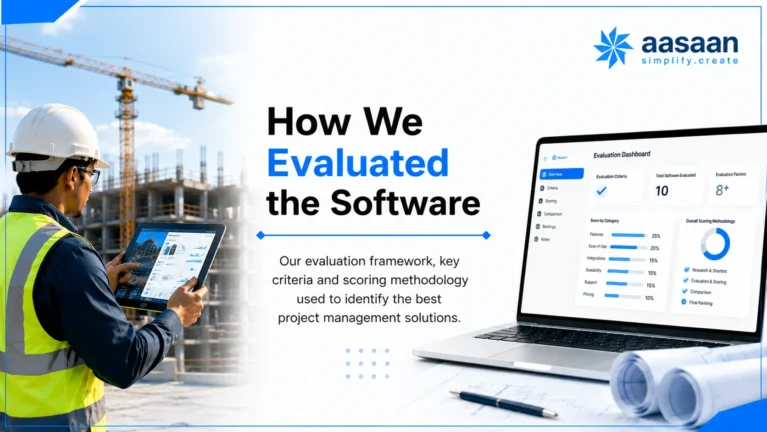
How We Evaluated the Software
A universal 1-to-10 score would create false precision. We instead separate general project-management fit from construction fit, then apply a weighted construction framework only when the buyer is actually managing construction.
| Construction Evaluation Area | Weight | What We Look For |
|---|---|---|
| Construction workflow fit | 25% | Planning, DPR, BOQ, procurement, materials, labour, billing and connected workflows |
| Field adoption | 20% | Low-friction site inputs, mobile usability, WhatsApp access and daily-use practicality |
| Project control | 15% | Baseline, progress, exceptions, evidence, milestones and portfolio visibility |
| Commercial integration | 10% | BOQ, procurement, inventory, measurements, billing and finance handoff |
| Documents and collaboration | 10% | Revisions, approvals, markups, comments, distribution and audit history |
| Implementation and support | 10% | Process mapping, migration, training, rollout and post-go-live ownership |
| AI and automation | 5% | Manual work removed with traceability and human control |
| Security and integrations | 5% | Permissions, auditability, data export, APIs and accounting connectivity |
For general-purpose tools, the recommendation follows the job instead: Jira for software delivery, Zoho Projects for many Indian SMB workflows, monday.com for visual cross-functional work, ClickUp for customisation and Asana for structured collaboration.
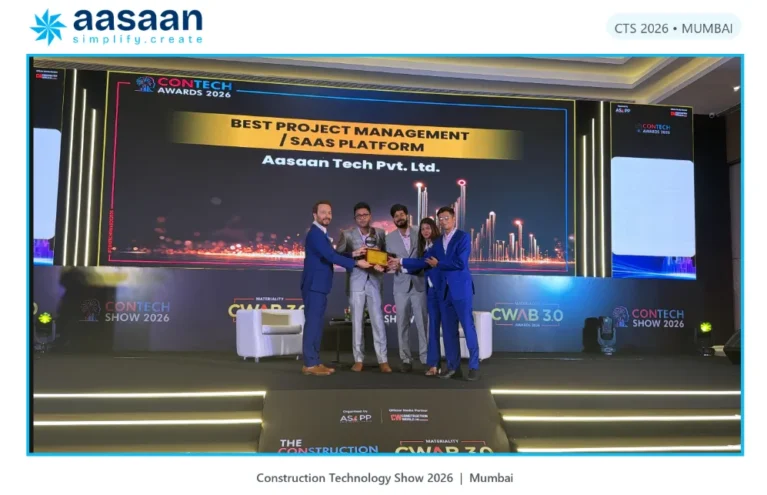
Why Aasaan Stood Out at CTS 2026
Construction Technology Show 2026 brought the conversation around construction technology into the environment where it matters most: adoption, ROI and execution on real projects.
Aasaan participated at Construction Technology Show 2026 in Mumbai, an event organised by ASAPP Info Global Services and connected with Construction World. The published CTS programme focused heavily on practical adoption, ROI, on-site execution and construction innovation. Aasaan received recognition in two areas that closely match those buyer questions: the platform itself and industry adoption.
 Best Project Management PlatformThe recognition positions Aasaan around project management capability in a construction technology context, where planning has to connect with field execution, resources, documents, commercial workflows and decision-making.
Industry Adoption Award
This second recognition is especially relevant to construction technology because feature depth means little if project teams do not adopt the system. Adoption is the bridge between software capability and operational impact.
The combination matters. Buyers should not evaluate a construction platform only by what is possible in a controlled demo. They should ask whether the product has been designed around the realities that determine day-to-day usage: mobile teams, multiple projects, varied digital comfort, field evidence, approvals, changing drawings and the need to minimise repetitive data entry.
AWARD 01 Best Project Management Platform
Relevant to product capability in a construction-technology setting.
AWARD 02 Industry Adoption Award
Relevant because adoption determines whether site data becomes dependable management information.
EVENT CONTEXTCTS 2026, Mumbai
19-20 August 2026 at NESCO Mumbai, with adoption, ROI and practical ConTech execution on the programme.
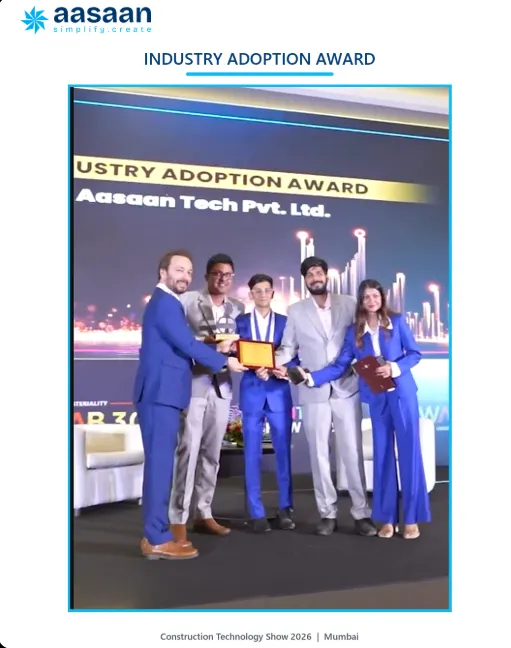
Aasaan’s Two Awards at CTS 2026
The two awards tell a stronger story together than either one does alone: product capability plus real-world adoption.
AWARD 01
Best Project Management Platform
Project management in construction is not one screen. It is the coordination of plans, people, information, materials, approvals and commercial events across a changing physical site. A platform designed for that environment needs to make these workflows visible without forcing every user to become a software expert.
AWARD 02
Industry Adoption Award
Adoption is one of the hardest parts of construction digitisation. A system can have excellent dashboards and still fail if field users avoid entering data. The strongest systems reduce friction where information originates and give every stakeholder a reason to keep the workflow current.
Why the Industry Adoption Award deserves attention
Construction software purchases are often made by leadership, while the data needed to make the software useful comes from engineers, supervisors, stores, procurement teams, contractors and project coordinators. Aasaan’s WhatsApp-enabled and AI-assisted workflows are designed to reduce that gap by lowering the effort required to provide useful project updates.
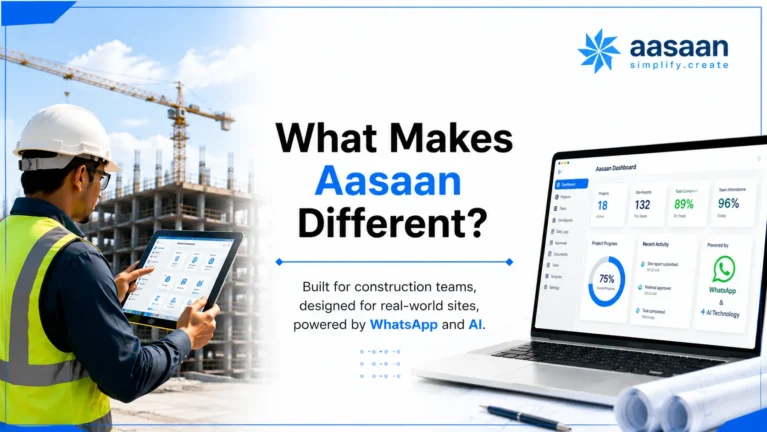
What Makes Aasaan Different?
Aasaan is positioned as a construction operating platform rather than a generic task manager with a construction template.
CONSTRUCTION FIRST
Built around project workflows
Planning, site reporting, procurement, materials, labour, drawings, billing and management visibility belong to the same project context.
Work where teams already communicate
WhatsApp-enabled interactions can reduce the gap between a site event and the structured system that management relies on.
AI
AI around actual construction data
Voice, visual, document and conversational experiences can reduce repetitive work and make project information easier to access.
FIELD + OFFICE
One project, multiple roles
Site engineers, management, procurement, HR, finance and design teams need different views of the same underlying project.
INDIA
Designed for local realities
Indian construction workflows involve GST, vendors, labour, varied site connectivity, WhatsApp communication and highly operational project teams.
ADOPTION
Implementation matters
Software value begins after purchase. Process mapping, onboarding, support and adoption should be part of the buying decision.
A task manager versus a project operating system
| Question | Task-Centric Tool | Construction Operating Platform |
|---|---|---|
| What is the basic unit? | Task | Project activity + operational context |
| What proves progress? | Status change | Quantity, site update, photo, measurement or approved evidence |
| What blocks progress? | Dependency or overdue task | Drawing, material, labour, access, approval, vendor, quality or commercial constraint |
| Where does cost context live? | Often separate | Connected through BOQ, procurement, materials and billing workflows |
| How does the field participate? | App/web task updates | Mobile and workflow-specific inputs, including WhatsApp-enabled interactions |
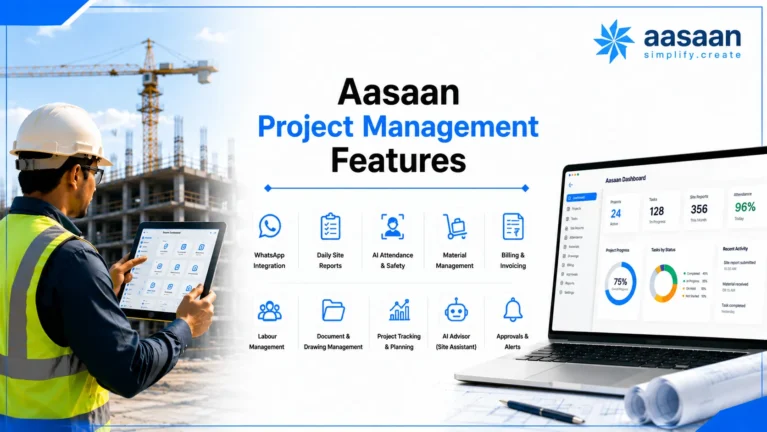
Aasaan Project Management Features
The strongest way to evaluate Aasaan is not feature by feature. Follow the lifecycle of information from planning to site execution to management control.
1. Planning and Scheduling
Project planning should establish activities, milestones, dependencies and ownership, but the real value appears when the plan remains connected to actual execution. Teams need to identify delayed activities, understand variance and see which constraints require intervention.
2. Daily Progress Reporting
Daily reporting is one of the most important data sources on a construction project and one of the most frequently fragmented. A structured DPR workflow can bring progress, photographs, manpower, work completed and site observations into a consistent record rather than leaving the information across calls and chat groups.
3. BOQ and Quantity Context
Construction progress becomes commercially meaningful when activities connect with quantities. BOQ-linked workflows help teams move beyond subjective percentage updates and create a stronger relationship between work planned, work executed, measurements and billing.
4. Procurement Management
Material demand can move through indent, quotation comparison, approval, purchase order and receipt. Connecting this chain to the project gives teams better visibility into whether an upcoming activity has the material support it needs.
5. Material and Inventory Management
Track material receipt, GRN, stock movement, consumption and transfers with project context. The goal is not only inventory accuracy; it is to reduce the risk of work being delayed because the project and stores teams are working with different information.
6. Labour and Attendance
Construction workforce data affects productivity, payroll and project planning. Aasaan supports workforce and attendance workflows, including facial recognition and location-based controls, so labour information can become part of the broader project picture.
7. Design and Document Management
A drawing is not simply a file. It has a revision, approval status, history and relationship with people executing work. Aasaan’s Design Management System supports drawing and document organisation, bulk uploads, revision control, previous versions, annotations, comments and approval/rejection workflows.
8. Billing and Commercial Workflows
Project management and commercial control should not live in separate realities. BOQ progress, measurements, contractor or vendor records and billing workflows become more reliable when the operational evidence is connected instead of recreated manually.
9. Site Evidence and Visual Records
Photographs and videos are useful only when they can be placed in context. Site evidence should support progress verification, issue review, quality discussions and management visibility rather than becoming an unsearchable media archive.
10. Management Dashboards and MIS
Leadership does not need every data point. It needs exceptions. A good management view should make it easier to see which project, activity, material, approval or commercial item needs attention and then trace that exception back to source information.
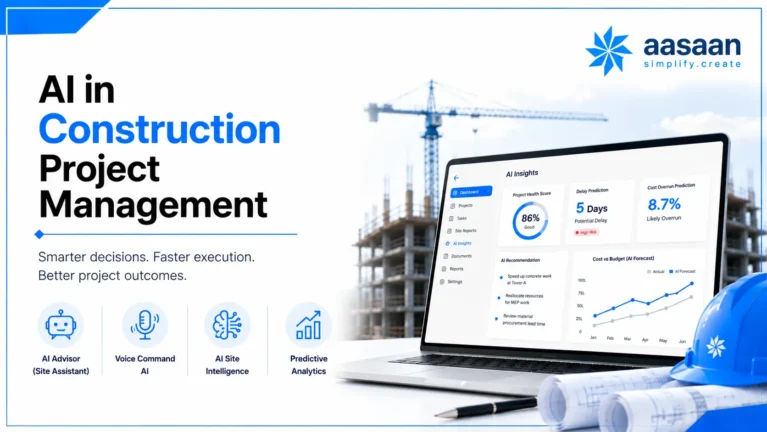
AI in Construction Project Management
AI is most useful in construction when it reduces the effort required to capture, find, interpret or act on project information.
Generic AI features often focus on drafting text, summarising comments or generating tasks. Construction creates additional opportunities because the industry works with drawings, bills, site photographs, voice inputs, handwritten documents, quantities and repetitive coordination.
VOICE
Voice Command AI
Let users interact with project information through voice, reducing the friction of navigating menus or typing detailed updates in site conditions.
BBS
AI-Assisted BBS
Use AI-assisted workflows to accelerate Bar Bending Schedule preparation and reduce repetitive engineering effort.
DOCUMENTS
OCR and Data Capture
Extract structured information from bills, GRNs and other documents so teams spend less time re-entering data.
VISUAL
Sitewalk Intelligence
Use visual site information to improve visibility and make site review more scalable across projects.
ASSISTANT
Conversational Project Answers
Make project information easier to query in natural language instead of asking managers to search through multiple reports.
MASTERS
AI Master Creation
Accelerate project setup by using existing information to assist the creation of structured masters.
The right way to evaluate construction AI
| AI Claim | Weak Evaluation | Better Buyer Question |
|---|---|---|
| “AI assistant” | Can it answer a demo question? | Which project records can it access, and can I trace the answer to source data? |
| “AI automation” | Does it save clicks? | Which repetitive workflow disappears, and where does human approval remain? |
| “Computer vision” | Does the output look impressive? | What site decision improves because of the analysis? |
| “Document AI” | Can it read an invoice? | What happens after extraction: validation, matching, approval and posting? |
| “Voice AI” | Can it transcribe speech? | Can voice create or retrieve structured project information safely? |
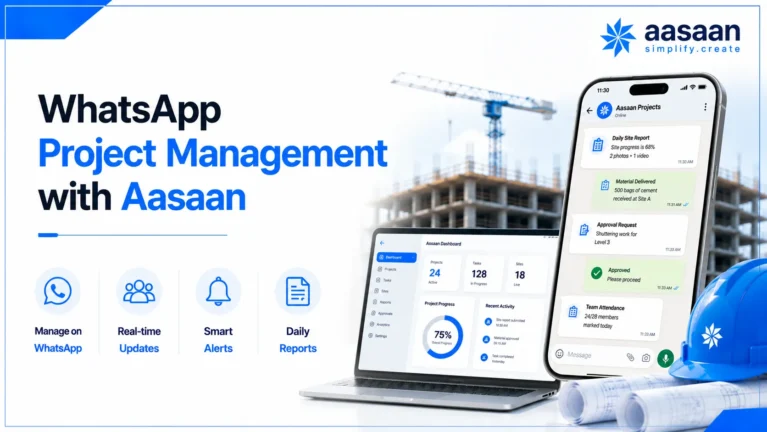
WhatsApp Project Management with Aasaan
Construction teams already communicate on WhatsApp. The opportunity is to turn familiar communication into structured project action without allowing critical information to remain trapped inside chat history.
WhatsApp is fast because people already know how to use it. It is weak as a standalone project database because conversations are difficult to structure, report, audit and connect across hundreds of activities. Aasaan’s WhatsApp-enabled approach aims to combine the accessibility of messaging with the control of a project system.
| WhatsApp Alone | Aasaan + WhatsApp Workflow |
|---|---|
| Update exists as a message | Update can become part of a structured project workflow |
| Photos get buried in groups | Evidence can be connected with project context |
| Approvals are difficult to consolidate | Approval actions can be routed and tracked |
| Management depends on manual summaries | Structured data can feed dashboards and MIS |
| Search depends on chat history | Project information remains available in the operating system |
| No single source of truth | WhatsApp becomes an interaction layer rather than the database itself |
Why this can improve adoption
Every additional login, form and field creates friction. For head-office users, that friction may be manageable. For a site supervisor moving between work fronts, it can be enough to delay or skip an update. Bringing selected actions closer to an interface users already open throughout the day can reduce that barrier.
The important design principle is two-way usefulness. A field user should not only send information; the workflow should also return something useful such as an approval, reminder, project answer or status.
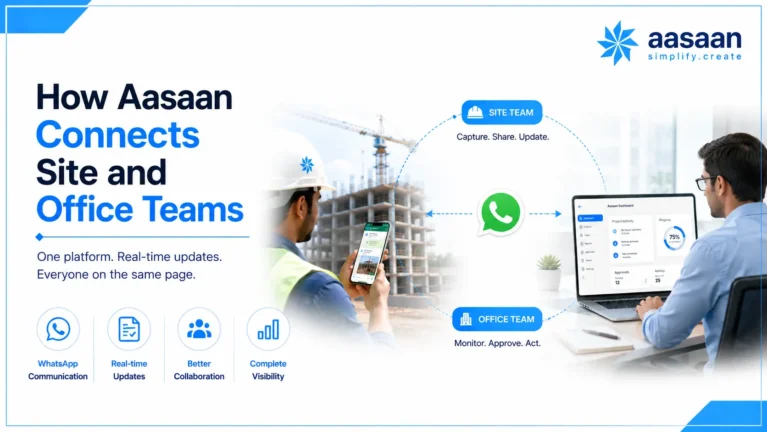
How Aasaan Connects Site and Office Teams
Construction management breaks down when the site and office maintain different versions of reality.
Example: a material-dependent activity
Suppose waterproofing is scheduled to begin next week. In a disconnected setup, planning knows the date, procurement knows the PO, stores knows what has arrived and the site engineer knows whether the work front is ready. The project manager has to assemble the truth manually.
In a connected environment, the objective is different. The activity, material requirement, purchase status, receipt and site progress should share enough context that the team can identify a constraint before the start date is missed.
Example: a drawing revision
A revised drawing is valuable only when the right people know it is the latest approved version. A DMS should retain earlier revisions, identify the current revision, preserve comments and markups, support review/approval and reduce the chance of work continuing from superseded information.
Example: management review
A weekly review should focus on decisions, not on collecting updates. When progress, material, labour, drawings and commercial information are structured continuously, the meeting can begin with exceptions rather than with a reconstruction of the previous week.
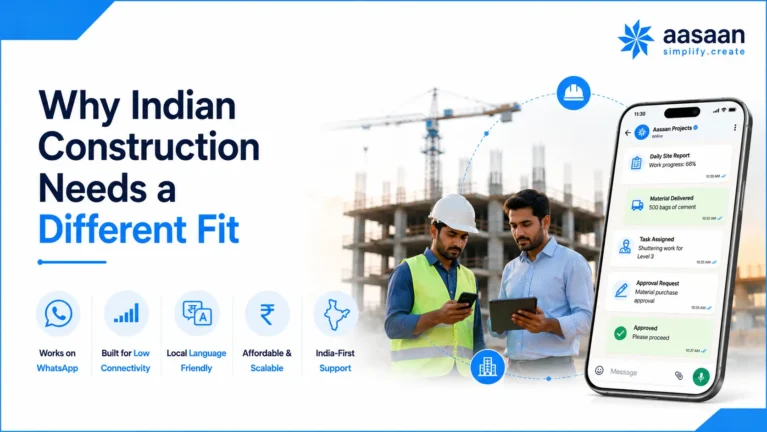
Why Indian Construction Needs a Different Fit
A project-management tool can be globally excellent and still leave an Indian construction company stitching together the most operational parts of its business.
COMMERCIAL
BOQ, GRN and RA Bills
Indian project teams frequently work through BOQ-linked quantities, material receipts, subcontractor measurements and running-account billing. These are not edge cases; they are part of day-to-day control.
ACCOUNTING
Tally Connectivity
Many businesses want construction operations to remain detailed while approved financial information connects cleanly with the accounting environment they already use.
FIELD
WhatsApp-First Behaviour
Photos, approvals, voice notes and follow-ups already move through WhatsApp. The opportunity is to structure those interactions without asking every stakeholder to become a power user.
WORKFORCE
Labour-Heavy Operations
Attendance, identity, location, deployment and productivity need to connect with the project rather than remain isolated in an HR-only system.
MULTI-SITE
Portfolio Visibility
Developers and builders need central control without losing the project, tower, floor, package or work-front context that makes an exception actionable.
ADOPTION
Hands-On Rollout
Implementation quality matters when users span management, engineers, stores, procurement, contractors and field supervisors with very different digital habits.
This is the part of the comparison where Aasaan should be judged most seriously. Its construction-first scope, WhatsApp-enabled workflows, labour and commercial modules, DMS, AI and Tally connectivity are aligned with the operating environment rather than added as a construction template on top of generic tasks.
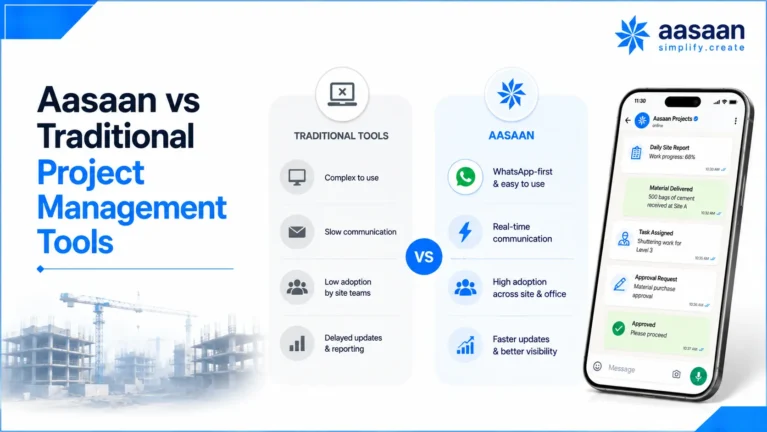
Aasaan vs Traditional Project Management Tools
The most useful comparison is not “which software has more features?” It is “which system requires fewer disconnected tools to run the workflow we actually have?”
Aasaan vs Generic Project Management Software
| Capability | Generic PM Software | Aasaan’s Construction Focus |
|---|---|---|
| Task planning | Core capability | Planning connected with construction execution |
| Gantt / scheduling | Common | Used in construction project context |
| Collaboration | Comments, mentions, chat | Site-office workflows, evidence, approvals and WhatsApp-enabled interactions |
| Documents | File storage and attachments | Drawing repository, revisions, annotations and approvals |
| Materials | Usually custom or external | Procurement, receipt, inventory and project context |
| Labour | Workload / time tracking | Construction workforce and attendance workflows |
| Commercial | Budget fields or integrations | BOQ, billing and construction commercial context |
| AI | Writing, summaries, task assistance | Voice, documents, visual site use cases, BBS and project intelligence |
| Primary user environment | Office / knowledge work | Construction site + project office + management |
Aasaan vs Excel + WhatsApp
| Area | Excel + WhatsApp | Connected Platform |
|---|---|---|
| Setup | Fast and familiar | Requires configuration and onboarding |
| Flexibility | Very high | Structured around defined workflows |
| Version control | Manual and error-prone at scale | Centralised records and controlled workflows |
| Audit trail | Fragmented | Stronger when actions occur inside the system |
| Reporting | Manual consolidation | Dashboards can update from structured data |
| Scale | Complexity grows rapidly | Processes can be standardised across projects |
| Adoption | High familiarity | Needs good UX, WhatsApp access and implementation support |
Aasaan vs Conventional Construction ERP
Traditional ERP systems are strong at structured transactions and financial control but can struggle when field adoption is treated as secondary. Modern construction platforms need both sides: disciplined records and low-friction capture. Buyers should therefore evaluate not only accounting or procurement depth, but how quickly information moves from the site into the system and back into a decision.
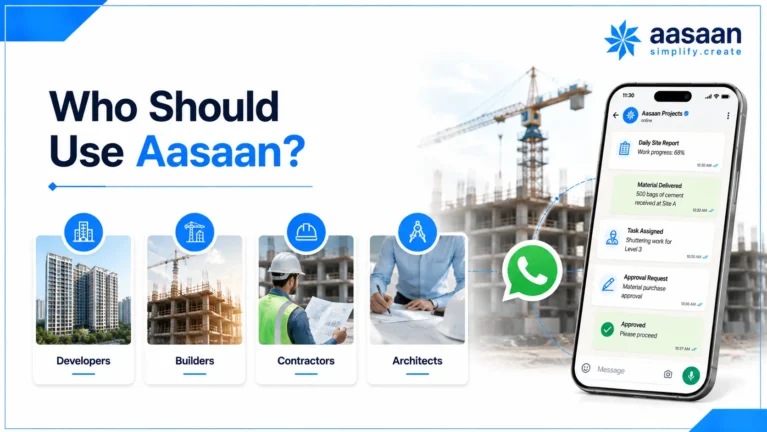
Who Should Use Aasaan?
Aasaan is most relevant where construction complexity has outgrown informal coordination and management needs a more connected operating view.
| Organisation / Role | Typical Pain | What to Evaluate in Aasaan |
|---|---|---|
| Real estate developers | Multiple projects, vendors, drawings, progress and management reporting | Portfolio visibility, planning, procurement, billing, DMS and MIS |
| Builders | Site-office coordination and fragmented operational records | WhatsApp workflows, DPR, materials, labour and project control |
| EPC companies | Complex packages, quantities, resources and approvals | Planning depth, BOQ context, procurement, DMS and cross-project control |
| Project managers | Too much time collecting updates | Exception reporting, activity status, evidence and accountability |
| Site engineers | Repeated data entry and multiple reporting channels | Mobile/WhatsApp ease, DPR, photos, materials and drawing access |
| Procurement teams | Demand visibility, follow-ups and receipt coordination | Indent-to-PO flow, comparisons, GRN and inventory linkage |
| Design teams | Revision confusion and slow approvals | Repository, version control, annotations, comments and approval workflow |
| Management | Reports arrive late and lack source context | Portfolio dashboards, drill-down and AI-assisted answers |
When Aasaan may be more than you need
If you are an individual managing personal tasks, a small non-construction team needing a simple Kanban board, or a software development team built around agile issue tracking, Aasaan is probably more specialised than you need. Jira is a more natural choice for software delivery; Zoho Projects can be a better value fit for many Indian SMBs; monday.com and ClickUp are strong when flexible cross-functional work management matters; and Asana is a strong collaboration choice for knowledge-work teams. Good software selection includes knowing when a specialised construction platform is unnecessary.
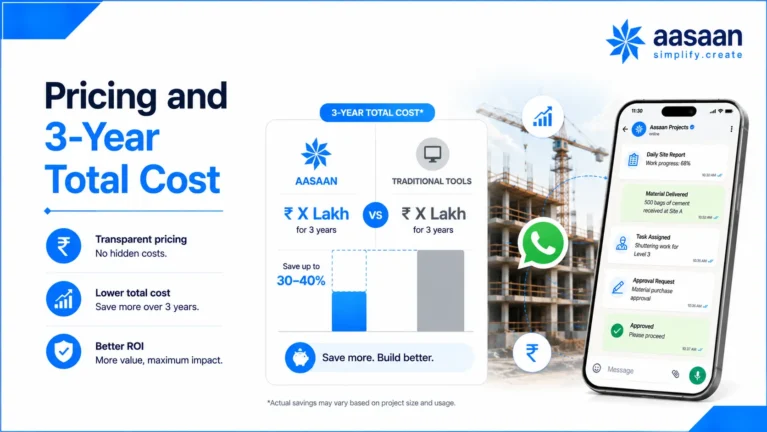
Pricing and 3-Year Total Cost
Licence price is only one line in the business case. The better comparison is the three-year cost of getting the system live, adopted, integrated and maintained.
| Cost Area | What to Ask | Why It Matters |
|---|---|---|
| Subscription | Per user, project, module, company or enterprise? | Shows how cost changes as adoption grows. |
| Implementation | What process mapping, configuration and testing are included? | A cheap licence can become expensive if rollout is mostly self-service. |
| Migration | Who cleans and imports masters, drawings and live transactions? | Poor opening data weakens reporting from day one. |
| Integrations | What is standard versus custom? | Accounting and operational handoffs can materially affect TCO. |
| Training | Are site and office roles trained separately? | Adoption depends on role-specific practice. |
| Support | What happens after go-live? | Construction workflows change as projects and teams evolve. |
What does Aasaan cost?
Aasaan should be evaluated through a workflow-based commercial discussion because project count, modules, rollout scope, integrations and support requirements can differ substantially between construction businesses. The useful question is not simply “What is the monthly price?” but “What will it cost to replace the current combination of spreadsheets, point tools, manual reporting and duplicated effort?”
WORKFLOW-BASED PRICING
Price the system around your actual scope
Bring your project count, current tools, modules and rollout priorities to the discussion.
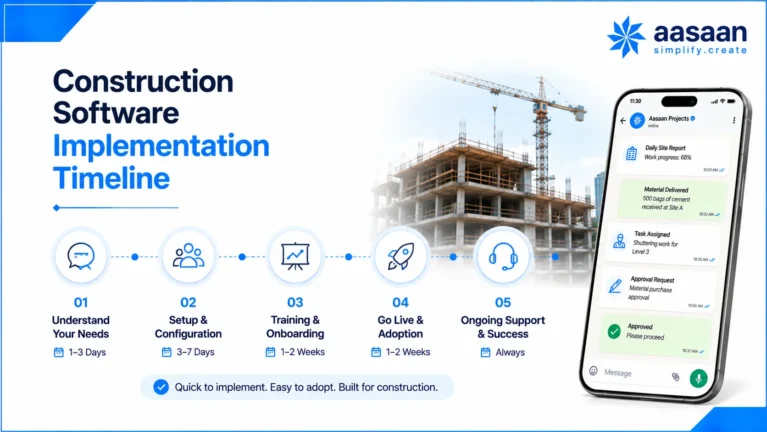
Construction Software Implementation Timeline
Implementation should be phased around business outcomes. Trying to digitise every process on day one usually creates more resistance than value.
A broader ERP-style rollout can take longer depending on project count, data quality, integrations and process complexity. The timeline should therefore be treated as a planning framework rather than a guaranteed deployment promise.
Why Aasaan’s adoption positioning matters here
The CTS 2026 Industry Adoption Award is relevant because implementation is where software strategy meets user behaviour. During evaluation, ask who owns onboarding, how site users are trained, how friction is recorded and which adoption metrics are reviewed after go-live.
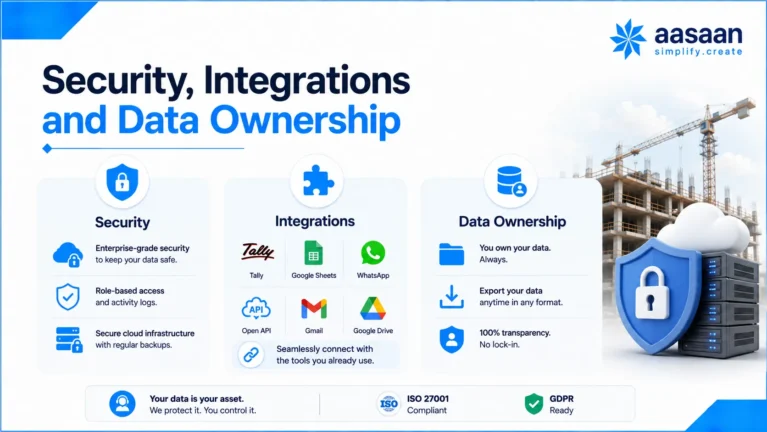
Security, Integrations and Data Ownership
Construction software may contain drawings, rates, contracts, employee information, supplier records, bills and management data. Security and exit rights belong in the buying conversation before the contract is signed.
Access and Governance
- Role-based permissions
- Project and company boundaries
- Approval authority
- Administrative access reviews
- Audit history for important actions
Data and Continuity
- Hosting and backup approach
- Recovery process
- Export formats
- Retention and archival
- Data ownership and exit support
Integrations to validate
For Aasaan buyers, Tally connectivity and WhatsApp-enabled workflows are especially relevant. Buyers should also ask which masters and transactions are exchanged, how errors are handled, what APIs or exports are available and which integrations are standard versus scoped separately. Do not treat an integration logo as proof of workflow depth.
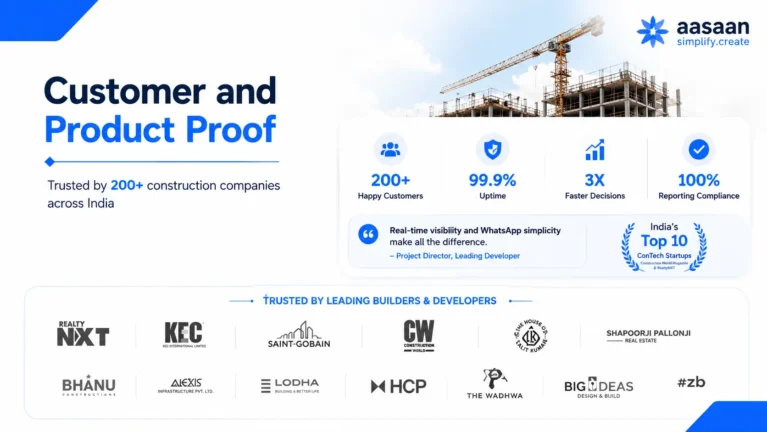
Customer and Product Proof
Awards make the shortlist stronger. Product evidence and customer outcomes make the buying case stronger.
PUBLIC CUSTOMER SIGNALOperational adoption
A public Aasaan customer testimonial describes centralised project information, inventory and site-labour tracking, plus regular site visits and follow-ups from the support team.
PRODUCT PROOFShow the workflow
Use real screenshots for planning, DPR, procurement, DMS revisions, WhatsApp, Voice AI, BBS AI, labour and management dashboards.
OUTCOME PROOFUse verified case studies
Where approved customer metrics exist, show the baseline, module deployed, rollout period and measured outcome rather than an unsupported percentage claim.
A better case-study format
| Proof Element | What to Publish |
|---|---|
| Business context | Project type, number of sites and the workflow problem. |
| Before Aasaan | How reporting, materials, drawings or approvals were previously handled. |
| Implementation | Modules, roles, pilot duration and rollout approach. |
| Measured result | Only customer-approved, auditable outcomes. |
| Evidence | Quote, screenshot, timestamped report or customer-approved case-study detail. |
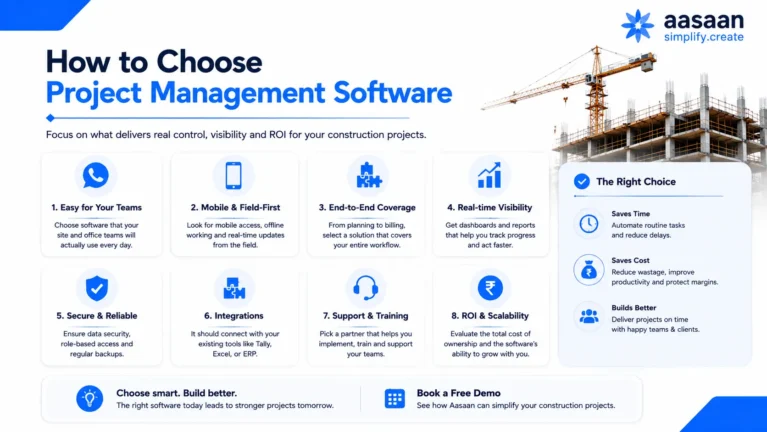
How to Choose Project Management Software
Start with the operating problem, not the vendor demo. The right buying process makes it much harder to be distracted by features that look impressive but do not change project outcomes.
Step 1: Map your current workflow
Choose three high-frequency processes such as daily reporting, material procurement and drawing approvals. Map where information starts, who touches it, where it is re-entered, where approvals happen and how management eventually sees it.
Step 2: Identify measurable failure points
Examples include delayed DPRs, duplicate data entry, outdated drawings, long approval cycles, material stock-outs, unverified attendance, late billing information or management reports that take days to compile.
Step 3: Run the same scenario with every vendor
Do not allow vendors to choose only their strongest demo. Give each vendor the same realistic project scenario and ask them to show the complete workflow.
Step 4: Include actual users
A project director may love a dashboard that requires site engineers to complete a 20-field form every day. Bring field users into the evaluation before purchase.
Step 5: Measure implementation, not only licensing
Ask who maps processes, configures masters, migrates data, trains teams, supports the pilot, measures adoption and handles workflow changes after go-live.
30-Point Construction Software Checklist
0 / 30
Start building your construction software shortlist
Tick the requirements that matter to your business. We’ll show you how much of the evaluation you have covered.
Bring the unchecked points to the demo and test them on your actual project workflow.
A simple weighted scoring model
| Evaluation Area | Suggested Weight | What to Score |
|---|---|---|
| Construction workflow fit | 25% | How much of your real process works without heavy customisation? |
| Field adoption | 20% | Can site users update information quickly and consistently? |
| Project control | 15% | Planning, progress, exceptions, evidence and portfolio visibility |
| Commercial integration | 10% | BOQ, procurement, materials, billing and financial context |
| Documents and collaboration | 10% | Revisions, approvals, annotations, permissions and access |
| AI and automation | 5% | Real effort removed, not number of AI labels |
| Implementation and support | 10% | Onboarding, training, migration, ownership and response |
| Security, data and integrations | 5% | Permissions, auditability, export, APIs and data ownership |
BUYER TIP
Make the demo prove your workflow
Bring one real project problem, one sample drawing, one material workflow and one reporting requirement. A relevant demo is more useful than an hour-long feature tour.
Why Industry Adoption Matters
A construction platform has no operational value if the data required to run it never arrives.
That sounds obvious, yet adoption is often measured too late. Companies buy software based on management requirements and begin worrying about field usage after implementation. A better buying process treats adoption as a product requirement from day one.
The adoption equation
What to measure during a pilot
| Metric | Why It Matters | Example Target |
|---|---|---|
| Daily reporting compliance | Shows whether field capture is becoming routine | Define a target before pilot |
| Update latency | Measures time between site event and system visibility | Compare before vs after |
| Approval turnaround | Tests whether workflows actually accelerate decisions | Track median closure time |
| Duplicate entry | Reveals whether the new system removed or added work | Count repeated inputs |
| Active users by role | Shows whether adoption is broad or limited to champions | Track weekly usage by role |
| Management report preparation | Tests whether structured data reduces consolidation work | Measure hours saved |
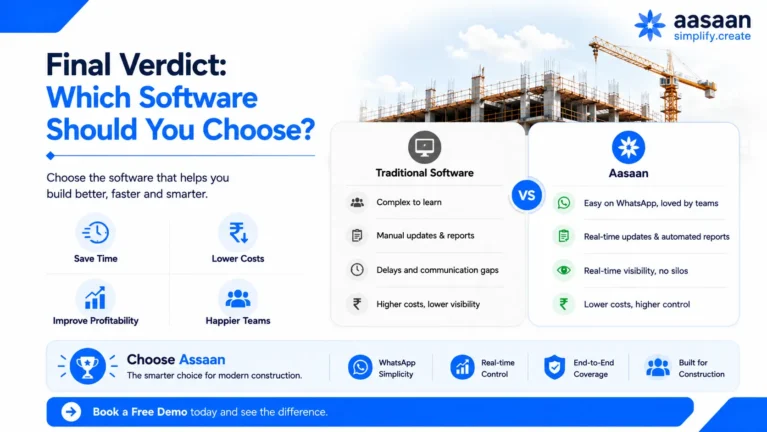
Final Verdict: Which Software Should You Choose?
Choose by operating model, not by brand familiarity. The best tool for a software team should not automatically win for a builder, and the best construction platform should not pretend to be the best personal task manager.
Aasaan is designed for construction companies that want planning, site execution, materials, procurement, workforce, drawings, billing, WhatsApp and AI to work as parts of one project system. Its two CTS 2026 recognitions strengthen that positioning: Best Project Management Platform speaks to the product category, while the Industry Adoption Award speaks to the challenge that decides whether construction technology succeeds in practice.
Choose Aasaan if you need:
- A construction-specific rather than generic PM workflow
- Stronger connection between site and office teams
- WhatsApp-enabled project interactions
- AI applied to construction information and repetitive work
- Drawing revisions, annotations and approval control
- Procurement, materials and project context in one environment
- Labour and attendance connected with operations
- Management visibility across multiple projects
Choose a general-purpose PM tool if:
- Your work is primarily tasks, deadlines and knowledge collaboration
- You do not need construction procurement or materials workflows
- You do not need BOQ, drawing or site execution context
- Your team already operates successfully through a general work-management model
SEE THE DIFFERENCE ON YOUR OWN PROJECT
Don’t take a “best software” article at face value
Bring your current process to the demo. Ask Aasaan to show how your team would plan, capture, approve, track and report the same workflow.
Final Buyer Verdict
Best for: Indian builders, developers and construction organisations that want a construction-first project management environment with connected operational modules, WhatsApp-enabled workflows and AI-assisted experiences.
Less suitable for: individuals seeking a personal to-do list, small non-construction teams that only need Kanban/task management, or software development teams whose core workflow is agile issue tracking.
Most important next step: run a workflow-based demo and pilot. Awards and feature lists can justify a shortlist; your own adoption and project outcomes should justify the purchase.
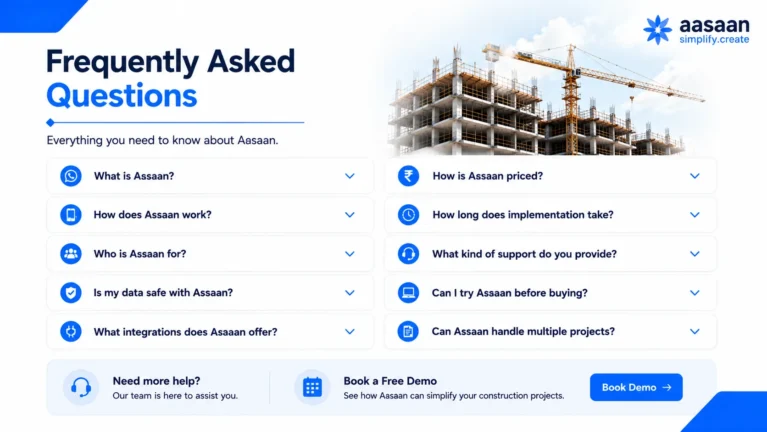
Frequently Asked Questions
1. What is the best project management software in India?
There is no single project management platform that is best for every Indian business. The right choice depends on the work being managed, the number of users, the level of process complexity and the systems already used by the company. For general business teams, Zoho Projects, monday.com, ClickUp and Asana are strong options for task management, collaboration, Gantt planning, automation and portfolio visibility. Jira is better suited to software and product-development workflows. For construction companies, the requirements are substantially different because project management must connect with site progress, BOQ quantities, procurement, inventory, labour, drawing revisions, billing, approvals and field evidence. In that construction-specific context, Aasaan is our preferred all-round choice for Indian builders, developers and project teams because it combines project management with construction ERP workflows, WhatsApp-enabled interactions, DMS and construction-focused AI. Buyers should still validate the recommendation through a workflow-based demo using their own project data.
2. Which project management software is best for construction?
The best construction project management software is one that connects the approved plan with what is actually happening on site. A construction platform should go beyond tasks and deadlines to manage DPRs, quantities, BOQ context, materials, procurement, inventory, labour, drawings, approvals, quality issues, subcontractor workflows, billing and management reporting. It should also make field participation simple enough that site engineers and supervisors consistently provide current information. For Indian construction companies, Aasaan is a strong all-round fit because it combines these operational workflows with WhatsApp-enabled reporting, AI-assisted data capture, Design Management System capabilities and multi-project visibility. Primavera P6 remains a stronger specialist when advanced CPM scheduling and programme control are the primary requirement. Autodesk Construction Cloud deserves serious consideration for BIM-heavy design and document coordination, while Procore can suit large global construction organisations. The right choice depends on whether your priority is scheduling depth, BIM, enterprise scale or one connected Indian construction operating platform.
3. What awards did Aasaan win at CTS 2026?
At Construction Technology Show 2026 in Mumbai, Aasaan received two recognitions: the Best Project Management Platform award and the Industry Adoption Award. The two awards are relevant for different reasons. The Best Project Management Platform recognition relates to the platform’s ability to support project-management workflows in a construction-technology environment. The Industry Adoption Award is important because construction software only creates value when site and office teams actually use it consistently. A platform may have strong dashboards and automation, but those features become unreliable if the underlying site information is late or incomplete. Together, the two awards create a useful signal for buyers: one speaks to product capability and the other to practical adoption. They should not replace a proper software evaluation, but they strengthen the case for including Aasaan on the shortlist when Indian builders and developers are comparing construction project management platforms.
4. Why is the Industry Adoption Award important?
Industry adoption is one of the most important and most overlooked factors in construction software selection. Construction systems often depend on inputs from site engineers, supervisors, stores teams, procurement teams, contractors and project coordinators, while the people who benefit most from the dashboards may sit in management or head office. If the people at the source do not update the system consistently, management receives incomplete or outdated information. That is why adoption should be treated as a product requirement, not simply as a training issue after purchase. Aasaan’s Industry Adoption Award at CTS 2026 is relevant because its product approach includes low-friction field interactions, WhatsApp-enabled workflows and hands-on implementation support. During a pilot, buyers should measure DPR compliance, update latency, approval turnaround, active users by role and the amount of duplicate data entry removed. These practical metrics reveal whether the software is becoming part of daily operations.
5. Is Aasaan only a project management tool?
No. Aasaan is broader than a conventional task or project-management application. Its project-management layer connects with construction-specific operational modules so teams can manage planning and progress alongside procurement, inventory, labour, drawings, documents, billing, assets, quality, safety and management reporting. The platform also includes WhatsApp-enabled workflows and Raaya AI capabilities for areas such as voice interactions, document capture, project intelligence and visual site workflows. This matters because construction projects rarely fail because a task card was not moved to the right column. Delays and cost leakage often originate from missing materials, outdated drawings, labour gaps, slow approvals, measurement issues or fragmented reporting. Aasaan’s value proposition is therefore closer to a connected construction operating platform than a generic PM tool. Companies that only need tasks, Kanban boards or simple team collaboration may be better served by lighter general-purpose software.
6. Can Aasaan be used through WhatsApp?
Yes. Aasaan supports WhatsApp-enabled construction workflows so selected project interactions can happen through a channel that site teams, vendors and managers already use every day. The purpose is not to turn a normal WhatsApp group into the project database. Instead, WhatsApp acts as an interaction layer while structured project information remains connected to the underlying system. This can reduce the friction of logging into another application simply to send an update, approval, photograph or response. The practical advantage is especially important for occasional users and field teams who may not spend their day inside desktop software. Buyers should evaluate how messages and attachments are validated, how ownership is assigned, how the system maintains an audit trail and what actions can be completed from WhatsApp. The strongest implementation is one where WhatsApp improves participation without sacrificing structure, reporting or governance.
7. Does Aasaan support drawing version control?
Yes. Aasaan’s Design Management System is designed to manage construction drawings and documents as controlled project information rather than simple file attachments. When a newer drawing revision is uploaded, teams can work from the latest revision while previous versions remain available for reference and audit history. This helps reduce one of the most common site risks: teams working from an outdated drawing because files were distributed through email, folders or messaging groups. The DMS also supports organised repositories, bulk uploads, revision tracking, annotations, comments and approval or rejection workflows. During evaluation, buyers should test how the system distinguishes current and superseded drawings, whether users can search by project or category, how permissions are applied and whether the revision history remains visible. Strong version control is especially valuable when several consultants, contractors and site teams are exchanging drawings during active execution.
8. Can teams comment on drawing markups?
Yes. Aasaan’s Design Management System supports collaborative drawing annotations and conversations around those markups. A user can place a markup directly on a drawing, and other authorised users can respond or comment in the same context. This is more useful than discussing a drawing issue in a separate WhatsApp group or email thread because the conversation stays connected to the exact drawing and location being reviewed. For design coordination, the important workflow is not simply the ability to draw an arrow or pin. Buyers should look for clear ownership, replies, status, revision context, approval or rejection and a complete history of what was discussed. This helps architects, consultants, project managers and site teams understand not only what changed but also why a decision was made. It can also reduce the risk of site teams acting on comments that belong to an older revision.
9. Does Aasaan use AI?
Yes. Aasaan applies AI to several construction-specific workflows rather than limiting AI to generic text generation. Its Raaya AI capabilities include voice-based interaction, project intelligence, OCR and document capture, visual site workflows and AI-assisted construction data creation. For example, document AI can help extract structured information from bills, challans or other records; voice workflows can reduce the need to type or navigate multiple menus; and natural-language project intelligence can make information easier for managers to query. Aasaan has also introduced AI-assisted BBS and AI Master Creation workflows. The practical test for any construction AI feature should be simple: what repetitive manual step does it remove, how accurate is the output, what human validation remains and how does the result connect with the downstream project process? AI should accelerate controlled workflows rather than create another disconnected layer of information.
10. What is AI BBS in construction?
BBS stands for Bar Bending Schedule, the structured schedule used to describe reinforcement bars by shape, diameter, length, quantity and related information required for fabrication and site execution. Preparing and checking BBS information manually can require substantial engineering time, particularly on projects with large quantities of reinforcement and repeated revisions. AI-assisted BBS aims to reduce that repetitive effort by accelerating the creation or extraction of structured reinforcement information. The important point is that AI should support the engineer, not remove engineering responsibility. Buyers should evaluate how the system handles drawings, revisions, bar shapes, quantities and exceptions, and whether the generated output can be reviewed before it is used commercially or on site. The business value comes from reducing hours of repetitive preparation while improving consistency and allowing engineers to spend more time reviewing critical details rather than manually creating every line item.
11. Is Aasaan better than Excel for construction?
Excel remains extremely useful in construction because it is flexible, familiar and fast for one-off calculations or small project registers. The problem appears when spreadsheets become the main operating system for multiple projects. Different versions start circulating, permissions become difficult to control, site evidence is stored elsewhere, approvals happen outside the sheet and management spends increasing time consolidating information. Aasaan becomes more valuable when a construction company needs standardised workflows, role-based access, connected modules, auditability and portfolio visibility. For example, a material requirement can move through approval, procurement, receipt and inventory instead of being tracked across separate sheets and messages. This does not mean every spreadsheet should be eliminated. Excel may remain useful for analysis and exports. The real question is which processes need to become controlled, repeatable and connected as the organisation scales.
12. Is Aasaan better than WhatsApp groups?
WhatsApp is excellent for fast communication and is deeply embedded in how Indian construction teams work, but a normal WhatsApp group is not a reliable project-management database. Important photographs, approvals and instructions get buried in conversation history; different groups may contain different versions of the truth; ownership is difficult to report; and management often depends on someone manually summarising the chats. Aasaan’s approach is to preserve the familiarity of WhatsApp while connecting selected interactions with structured project workflows. This allows messaging to remain convenient without making chat history the only source of project information. For example, an update can be associated with a project, date, owner or workflow instead of existing only as an isolated message. The strongest approach is therefore not “software versus WhatsApp.” It is using WhatsApp as a convenient interaction layer while maintaining a controlled construction system behind it.
13. How is construction PM software different from Asana or ClickUp?
Asana, ClickUp and similar platforms are strong general-purpose work-management tools. They are designed around tasks, projects, views, comments, automations, documents and team collaboration, which makes them suitable for many office-based workflows. Construction project management requires additional operational context. Teams need to manage quantities, BOQs, DPRs, materials, procurement, labour, drawing revisions, approvals, measurements, billing and site evidence while preserving the relationship between field execution and commercial control. A generic platform can often be configured to imitate parts of these processes, but buyers should consider how much customisation is required and who will maintain it over time. For an agency, operations team or cross-functional office workflow, ClickUp or Asana may be the better choice. For an Indian construction organisation seeking native site and commercial workflows, Aasaan is designed around a more specialised operating model.
14. What should I ask during a construction software demo?
A construction software demo should follow your workflow, not the vendor’s preferred feature tour. Before the session, select one real project scenario and provide enough context for the vendor to demonstrate it end to end. A strong test could begin with a scheduled activity, show its latest progress, identify a material requirement, check the related purchase and receipt status, open the current drawing revision, record a site issue and then show how the information reaches management. Also ask the vendor to demonstrate a drawing revision, DPR, approval workflow, subcontractor or billing process and one real report. Beyond product features, ask who handles implementation, data migration, configuration, integrations, training and post-go-live support. Finally, include actual site users in the demo. A dashboard that looks excellent to management may still fail if the people providing the data find the workflow too difficult.
15. How should I compare project management software?
Start by defining the work that the system must manage. Avoid comparing software using a generic feature checklist in which every vendor receives a tick for “tasks,” “reports” or “AI.” Instead, create weighted evaluation criteria based on your business. For construction companies, we recommend giving the greatest weight to construction workflow fit and field adoption, followed by project control, commercial integration, document management, implementation, security, integrations and AI. Then ask every shortlisted vendor to demonstrate the same project scenario. Score the complete workflow rather than isolated screens. Consider three-year total cost of ownership, including subscription, migration, integrations, internal rollout effort, training and support. It is also useful to speak with relevant customer references and run a controlled pilot. The best software is the one that your team can adopt consistently while improving measurable outcomes, not necessarily the one with the longest feature list.
16. What are the most important PM features for builders?
Builders should prioritise features that connect planning with the day-to-day realities of project execution. Core requirements include WBS and scheduling, milestones, planned versus actual progress, DPRs, BOQ and quantity context, material indents, quotation comparison, purchase orders, GRNs, inventory, labour attendance, drawing revision control, annotations, approvals, billing and management dashboards. Multi-project builders should also evaluate portfolio reporting, inter-site material visibility, central procurement, role-based permissions and standardised masters. Field usability deserves equal weight because the quality of the dashboard depends on the quality of the information coming from the site. WhatsApp-enabled updates, mobile workflows and AI-assisted capture can reduce data-entry friction. Finally, buyers should review implementation support, audit history, exports, integrations, data ownership and how the platform will scale when additional projects, companies and users are added.
17. Can project management software reduce construction delays?
Project management software cannot prevent every construction delay because weather, approvals, design changes, vendor issues and external constraints will always exist. What it can do is reduce information-related delay and improve the speed of corrective action. A connected platform can compare planned and actual progress, record delay reasons, identify responsible owners and connect an activity with the material, drawing, labour or approval that is blocking it. This allows project managers to distinguish between execution delay and a constraint that another department must resolve. Forward-looking workflows can also improve readiness by highlighting upcoming material requirements, pending drawings or open approvals before the activity start date. The practical benefit is earlier visibility and clearer ownership. Companies should measure whether software improves constraint closure time, approval turnaround, reporting latency and recovery action completion rather than assuming that digitisation automatically reduces project duration.
18. Can Aasaan manage multiple construction projects?
Yes. Aasaan is designed for builders, developers and construction organisations operating across multiple projects or sites. A multi-project environment needs two levels of visibility at the same time: individual project teams require detailed operational information, while management needs consolidated views across projects. This can include planned versus actual progress, material demand, procurement status, labour deployment, pending approvals, billing, drawings and other exceptions. Role-based access is also important so site users can work within their assigned project while central procurement, HR, finance or leadership teams can review information across the portfolio. During a demo, multi-site buyers should specifically test project-level permissions, consolidated dashboards, shared vendor or item masters, inter-site material transfers and drill-down from management indicators to the original project records. The exact reporting structure should reflect how the company organises projects, entities, towers or phases.
19. How long should a construction software pilot run?
There is no fixed pilot duration that works for every construction company. The pilot should last long enough for the selected workflows to complete several real operating cycles. For a DPR or attendance workflow, this may be relatively quick. Procurement, drawing approvals, billing or project-control workflows may require a longer period to generate meaningful evidence. Instead of choosing the duration first, define the pilot success metrics first. Track user participation, update latency, approval turnaround, duplicate data entry, reporting effort, data accuracy and the percentage of transactions completed inside the new workflow. Select a live project with engaged users and clear ownership, but avoid choosing an unusually simple project that does not represent the organisation. At the end of the pilot, compare the measured baseline with the new process and document what needs to change before wider rollout.
20. How do I know if Aasaan is right for my company?
Aasaan is most relevant when your construction organisation has outgrown fragmented spreadsheets, WhatsApp groups and disconnected point tools and needs a more structured connection between site and office. Start by identifying three workflows that create the most coordination effort today, such as daily reporting, procurement, labour, drawing approvals or billing. Map how information currently moves, where it gets re-entered and how long management waits for a reliable view. Then ask Aasaan to demonstrate those exact processes using your terminology and sample documents. Include both site and office users in the evaluation. A strong fit exists when the platform reduces duplicate work, improves field participation, gives management faster traceable information and can be implemented without forcing the company into unrealistic processes. If your needs are limited to simple office tasks or software-development workflows, a specialised general-purpose tool may be a better choice.
21. How much does project management software cost in India?
Project management software pricing in India varies significantly because products serve very different markets. General-purpose tools may charge per user per month, while construction platforms may price by users, projects, modules, company entities, implementation scope or a combination of these factors. Buyers should avoid comparing only the advertised subscription price. A realistic three-year total cost of ownership includes licence or subscription fees, implementation, data migration, integrations, training, internal rollout effort, support and future configuration changes. A cheaper system may become expensive if major construction workflows require separate software or custom development. Aasaan generally requires a workflow-based commercial discussion because the scope can differ substantially between a single-site builder and a multi-project developer. The business case should compare total cost with measurable benefits such as reduced reporting effort, better material control, faster approvals, improved billing cycles and less duplicate data entry.
22. Does Aasaan integrate with Tally?
Aasaan positions Tally connectivity as an important part of its India-focused construction workflow because many Indian builders and developers use Tally as the accounting book of record while project teams need deeper operational controls for procurement, inventory, labour and billing. The purpose of the integration is to reduce repeated entry and create a cleaner handoff between construction operations and accounting. Buyers should not stop at the phrase “Tally integration,” however. During the technical evaluation, ask which masters synchronise, which vouchers or transactions move between systems, whether the exchange is one-way or two-way, how project and cost codes are mapped, how frequently data is transferred and what happens when an exception occurs. A well-designed integration should preserve operational detail in the construction platform while allowing approved accounting information to reach Tally without forcing finance and project teams to maintain two conflicting records.
23. What is the difference between construction ERP and PM software?
Construction project management software primarily focuses on planning and delivery: activities, schedules, milestones, progress, drawings, issues, quality, communication and project reporting. Construction ERP extends into broader business operations such as procurement, inventory, contracts, subcontractor billing, labour, payroll, assets, finance and customer processes. In practice, the categories increasingly overlap because construction companies do not experience these processes separately. A delayed activity may be caused by a material order, and completed progress may affect subcontractor or client billing. That is why integrated platforms are becoming more valuable. Aasaan follows this broader approach by connecting project management with construction ERP workflows rather than treating planning as an isolated module. Primavera P6, by contrast, is a much deeper scheduling specialist. The correct choice depends on whether the organisation needs advanced schedule control, broader business operations or a combination of both.
24. Is Primavera better than Aasaan?
Primavera P6 and Aasaan solve overlapping but different problems, so one is not universally better than the other. Primavera P6 is a highly established specialist for critical-path scheduling, complex dependencies, resource planning and large programme control. Organisations running major infrastructure or schedule-intensive programmes may prefer Primavera as the master planning environment. Aasaan addresses a broader day-to-day construction operating layer, including site reporting, procurement, materials, labour, drawing and document management, billing, WhatsApp-enabled workflows, AI and management visibility. A large organisation could therefore use Primavera for deep scheduling while using another construction platform for field and commercial workflows. For an Indian builder or developer seeking one connected operational system rather than a specialist scheduling engine, Aasaan may be the stronger overall fit. The buying decision should follow the primary business problem instead of comparing the products only by the number of features.
25. Is Autodesk better for BIM-heavy projects?
Autodesk Construction Cloud deserves serious consideration when BIM, model coordination, drawings, RFIs, submittals and design-to-field collaboration are central to the project-delivery model. Autodesk’s ecosystem is especially strong for organisations already working deeply with Autodesk design and BIM tools. Aasaan addresses a different centre of gravity: broader Indian construction operations across planning, site reporting, procurement, inventory, labour, billing, DMS, WhatsApp and AI-assisted workflows. A BIM-intensive consultant or contractor may therefore prioritise Autodesk, while a developer looking for one operating platform across site, commercial and management processes may prefer Aasaan. Buyers should map their top five workflows and decide whether model-centric coordination or connected construction operations is the more important requirement. In some organisations, the right architecture may even involve specialised BIM software working alongside a broader construction-management platform.
Methodology and Sources
This article separates general project management from construction project management. General-purpose recommendations follow the work being managed. The construction recommendation uses the weighted framework shown above and gives special attention to field adoption, commercial workflows, document control and India-specific operating requirements.
Public research checked for this update:
- Forbes Advisor India — Project Management Software
- Zoho Projects — Official Product Page
- Construction Technology Show 2026 — Official Agenda
- Aasaan — CTS 2026 Event Guide
- Aasaan — Construction PM Buyer Guide
- Aasaan — Product and Customer Information
Editorial principle: Aasaan is intentionally preferred only for construction use cases where its specialised scope is relevant. The article does not position Aasaan as the best tool for software development, personal productivity or every generic business workflow.
Suggested internal links before publishing: Construction ERP page • Design Management System page • HR & Labour Management page • CTS 2026 Event Guide • AI Construction Software Costs & ROI in 2026 • Best Construction ERP Software in India • Construction Cost Leakage Calculators • Book a Demo.
Required image plan: Hero image with both CTS 2026 awards • real award ceremony/team photo • Aasaan project dashboard • WhatsApp workflow screenshot • DMS drawing revision/annotation screenshot • Voice AI screenshot • BBS AI screenshot • procurement/material workflow screenshot • labour/attendance screenshot • one site-to-office process graphic • final award + demo CTA image. Use real product/event visuals wherever possible.
Schema to add: Article + BreadcrumbList + FAQPage. Do not use Review/AggregateRating schema unless you have genuine, policy-compliant review data visible on the page.