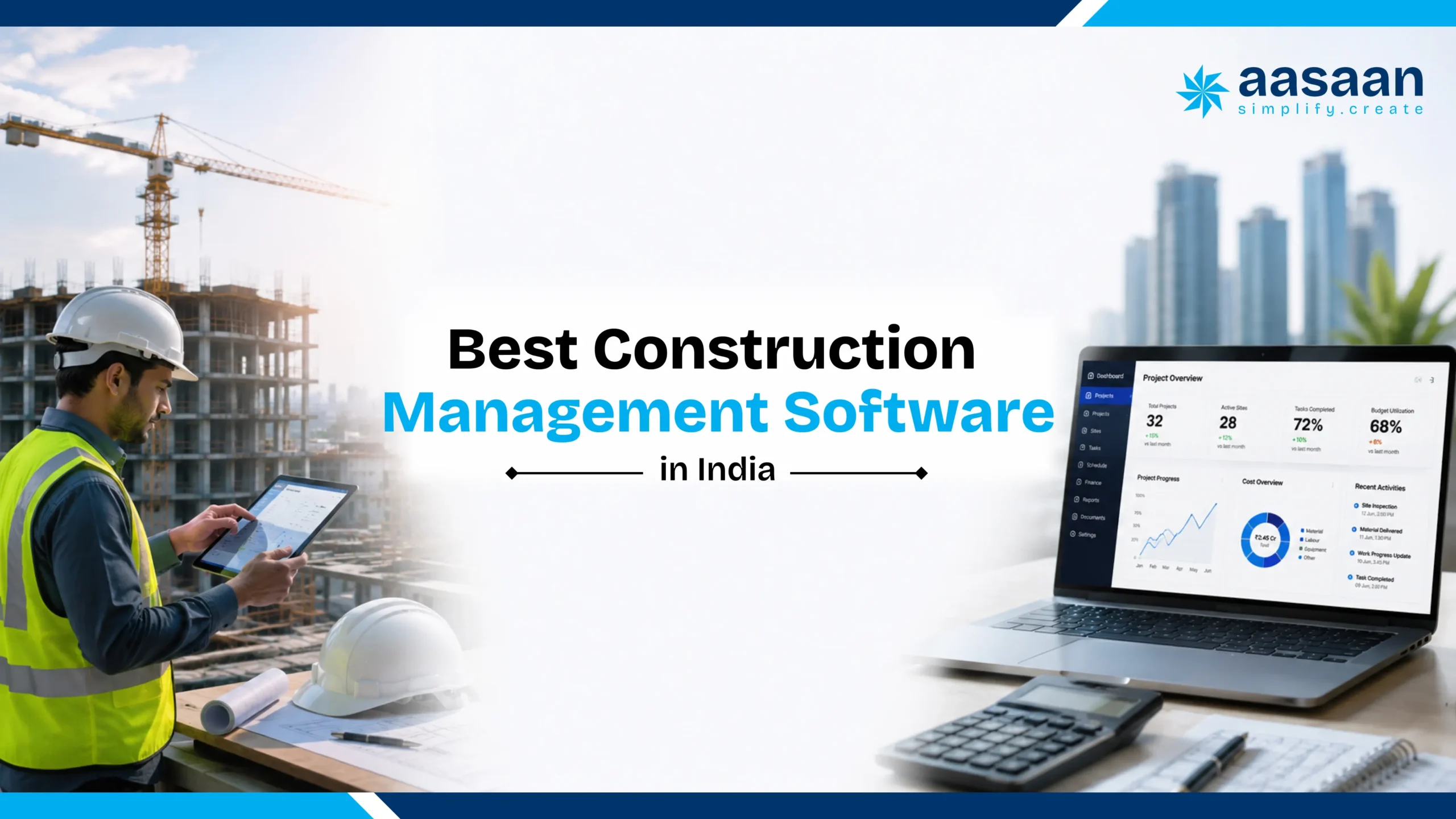
Best Construction Project Management Software in India
2026 buyer guide for Indian construction teams
Best Construction Project Management Software in India
Your schedule says the slab is ready. The site says the steel has not arrived. Accounts is still waiting for the bill. Which version of the project should management trust?
Choose software that connects the plan, daily site evidence and the decisions holding work up. Compare Aasaan and seven alternatives by project fit, scheduling depth, materials, billing, documents, field adoption and total cost.
Published by Aasaan. Our recommendation favours Aasaan for connected Indian construction operations. Alternative strengths are assessed using public vendor information; this is an editorial buyer guide, not a claim that every product was tested hands on.
✓
Which construction project management software is best in India?
Aasaan is our recommended choice for Indian builders and developers who want project management connected with ERP, materials, labour, billing, design management, CRM, AI and 2 way WhatsApp workflows. For specialist needs, shortlist Primavera P6 for complex CPM scheduling, Autodesk Forma Build for connected document and field collaboration, or Procore for a broad global construction platform. RDash, Powerplay and Onsite are relevant India focused alternatives; Zoho Projects suits configurable task and schedule coordination.
The best fit is the platform that demonstrates your essential workflows, works for your site team and offers a clear implementation scope and total cost.
AASAAN LIVE DEMO
See Aasaan across your real workflows
Share your current tools, active projects and priority bottlenecks. The demo can follow your planning, site reporting, procurement, billing and management review cycle.
Indian construction businesses operate through a distinctive mix of formal systems and fast moving field communication. Schedules may live in Primavera or Excel. Accounts may live in Tally. Site evidence arrives through WhatsApp. Purchase decisions move across calls, quotations and approvals. Progress reviews depend on photographs, DPRs and meetings.
The winning platform connects these habits into controlled workflows while preserving field speed. Value appears when the distance between a site event and a management decision becomes shorter. A concrete pour, material receipt, labour deployment, revised drawing, subcontractor measurement or quality observation should create structured evidence, update the relevant control and reach the right decision maker.
Site plus office
One operating picture across execution and commercial control.
Mobile first
Simple capture for engineers, supervisors, vendors and labour teams.
India ready
Tally, GST, RA bills, subcontractors and multi site operations.
AI assisted
Faster capture, summaries, document reading and alerts.
1. Site eventWork, labour, material, bill or drawing activity occurs.
2. Structured recordProject, quantity, date, evidence and ownership become clear.
3. Control impactSchedule, stock, billing, cost or compliance receives an update.
4. Management actionLeaders approve, reallocate, accelerate, certify or investigate.
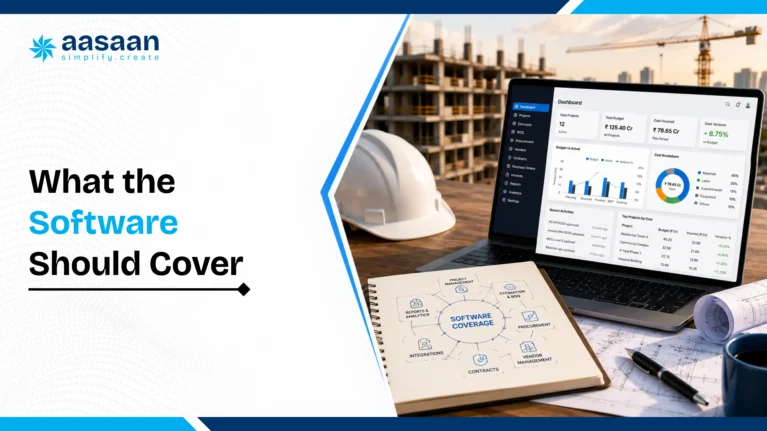
What construction project management software should cover
Construction project management software is a digital system for planning, coordinating, monitoring and controlling project delivery. Its practical scope spans schedules, activities, progress, documents, issues, resources, materials, quality, safety, billing and stakeholder reporting.
Capture daily work, materials, labour, photographs, inspections, constraints, approvals and site evidence.
Control
Compare actual performance against schedule, budget, BOQ, stock, productivity and quality targets.
Decide
Surface risks, assign actions, approve transactions, recover delays and communicate the latest project picture.
Buyer insight: A product earns the construction label through connected workflows. Construction control requires quantities, baselines, evidence, approvals, cost context and accountability.
Area
General task software
Construction project management software
Work structure
Tasks, owners and dates
WBS, quantities, dependencies, baselines and work fronts
Progress
Status or percentage
Measured quantity, date, location, photos, contractor and evidence
Documents
File sharing
Revisions, approvals, RFIs, submittals and transmittals
Commercial impact
Time tracking
BOQ, commitments, billing readiness, retention and variance
Field use
App updates
Mobile, WhatsApp, OCR, GPS and site specific forms
How this guide evaluates construction software
The shortlist compares public vendor positioning with the workflows an Indian construction business needs to control. Aasaan coverage reflects the current construction platform and its confirmed capabilities. Vendor information was reviewed on 9 October 2026.
Operational depth
Planning, measured progress, materials, labour, billing, documents and approval ownership.
Field adoption
The effort needed to create an accurate daily record, including mobile use, WhatsApp and low connectivity scenarios.
Implementation value
Integration scope, configuration, training, support, data export and three year total cost.
Use the editable scorecard below to build your own evidence based ranking. A vendor earns a score only after showing the workflow you asked for.
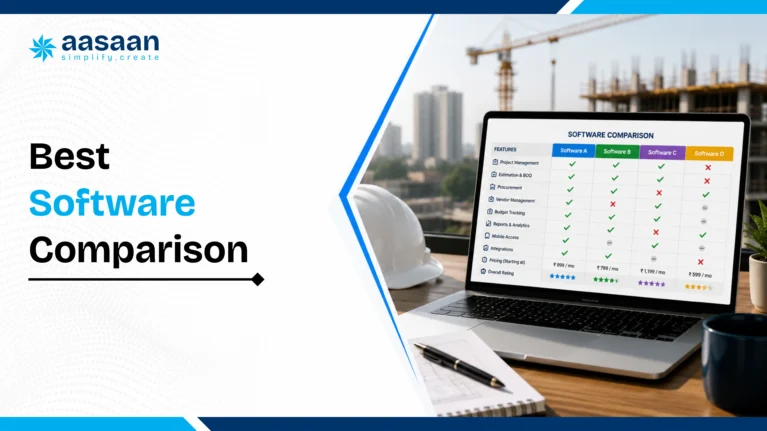
Best construction project management software in India: 8 options compared
Start with your main operational problem. A schedule specialist, a field platform and a connected ERP platform can all be valuable, but they solve different parts of the project.
Editorial shortlist checked on 9 October 2026
Software
Focus
Buyer fit
Capabilities to assess
Pricing basis
Aasaan
Connected construction platform
Builders and developers connecting sites with business controls
Project management, ERP, labour and HR, design and CRM; AI and WhatsApp
Per user, billed yearly; quote for selected scope
Oracle Primavera P6
Specialist planning and scheduling
Complex programmes with dedicated planning teams
CPM schedules, resources and portfolio control
Confirm edition, licences and services
Autodesk Forma Build
Documents and field collaboration
Teams coordinating design information and construction delivery
RFIs, submittals, documents, schedules and field workflows
Confirm products, licences and project scope
Procore
Global construction delivery platform
Organisations coordinating many project stakeholders
Field records, drawings, RFIs, submittals and cost workflows
Annual quote based on products and construction volume
RDash
Connected project and commercial workflows
Construction and fit out teams coordinating design and procurement
Schedules, BOQ, change orders, DPR, materials and approvals
Confirm current plan and scope
Powerplay
Mobile construction operations
Teams prioritising daily reporting and site coordination
Task and material management, site images and blocker updates
Confirm current plan and included modules
Onsite
Construction operations and cost control
Teams linking progress with materials, labour and expenses
DPR, RFQ to PO to GRN, attendance and billing workflows
Confirm current plan and included modules
Zoho Projects
Configurable project coordination
Teams using the Zoho ecosystem for tasks and schedules
Gantt charts, task dependencies, collaboration and app integrations
Confirm plan, users and companion applications
Public features identify candidates; a scripted demonstration establishes fit. Specialist schedules can also work alongside a construction operating platform when responsibilities and data exchange are defined.
Current product names matter. Autodesk Forma Build is now part of Autodesk Forma, and Autodesk Build is presented as Forma Build. Microsoft Project Online retired on 30 September 2026; that retirement does not apply to Project desktop, Project Server Subscription Edition or Planner.
Software reviews: strengths, tradeoffs and the demo question
These evaluations focus on the requirement each product should prove. Implementation effort and integrations depend on the selected edition, modules and customer scope.
Aasaan
For builders and developers connecting execution with commercial control
Why shortlist it: Aasaan brings project management, construction ERP, CRM, labour and HR, and design management together with Raaya AI and 2 way WhatsApp workflows. It fits teams that want a site update, material receipt or drawing revision to contribute to one operating picture.
Buying tradeoff: A broad rollout needs clean masters, agreed approvals and a responsible process owner. Start with the workflows creating the largest daily friction. Where complex programme scheduling is mandatory, assess planning depth separately.
Ask in the demo: Follow one slab activity from plan and site update to material use, labour, bill approval and management action.
Oracle Primavera P6
For complex CPM schedules and resource planning
Why shortlist it: Primavera P6 supports critical path scheduling, resource management and project portfolios. It is a relevant shortlist choice when planners manage extensive dependencies, resource constraints and programme reporting.
Buying tradeoff: Map daily field inputs and commercial workflows to the systems that will own them. P6 with other Oracle products is different from a standalone planning licence.
Ask in the demo: Reschedule a delayed predecessor and show the effect on the critical path, resources and the reporting baseline.
Autodesk Forma Build
For document and field coordination
Why shortlist it: Forma Build supports construction correspondence, RFIs, submittals, schedule access and field collaboration. It can bring schedules from tools including Primavera P6 and Microsoft Project into the field workflow.
Buying tradeoff: Specify the Forma products and modules required. Test the route from design issues to field closure and the accounting connection your business needs.
Ask in the demo: Upload a drawing revision, raise an RFI, assign the response and show how the field team works from approved information.
Procore
For broad project collaboration across stakeholders
Why shortlist it: Procore covers daily logs, drawings, RFIs, submittals, field records and connected project workflows. Its annual pricing uses product selection and construction volume.
Buying tradeoff: Evaluate local accounting mappings, project onboarding and the commercial scope for all participating teams. Do not compare a volume based quote with a per user price without normalising scope.
Ask in the demo: Trace a site issue through its drawing, RFI, responsible party, schedule context and cost impact.
RDash
For projects connecting design, procurement and finance
Why shortlist it: RDash presents activity schedules, design management, BOQ and change orders, DPR, purchase requests, materials, approvals and AI assisted analytics in a connected platform.
Buying tradeoff: Use a project resembling your own, including the change approval process. Ask which accounting connections and operational modules are included in the selected scope.
Ask in the demo: Change one BOQ item and trace its effect on the vendor order, material requirement, approval and installed progress.
Powerplay
For mobile reporting and everyday site coordination
Why shortlist it: Powerplay highlights task and material management, progress reporting, site photographs, blocker notifications and centralised files. It is relevant when consistent daily field input is the immediate priority.
Buying tradeoff: Test your next stage of requirements too, including billing approvals, revision control and central portfolio reporting, in the proposed plan.
Ask in the demo: Ask a site engineer to record progress, attach a photograph and report a blocker from a phone without help.
Onsite
For construction operations and project costs
Why shortlist it: Onsite presents progress tracking, materials, labour, expenses and billing. Its public workflows include RFQ, purchase order and GRN, alongside attendance and subcontractor processes.
Buying tradeoff: Examine permissions, approval stages and the mapping from operational records to project costs using your actual commercial terms.
Ask in the demo: Record a material receipt, verify the related bill and show how stock, supplier balance and project cost update.
Zoho Projects
For configurable tasks, schedules and collaboration
Why shortlist it: Zoho Projects offers project scheduling, task coordination, collaboration and links with the wider Zoho ecosystem. It can fit teams that already run customer and finance processes in separate applications.
Buying tradeoff: Model construction specific records such as BOQ quantities, GRNs and RA bills explicitly. Include companion apps, configuration and integration effort in the cost.
Ask in the demo: Show a quantity based progress record and explain where procurement, certified billing and accounting will be managed.
Why Aasaan leads for Indian workflows
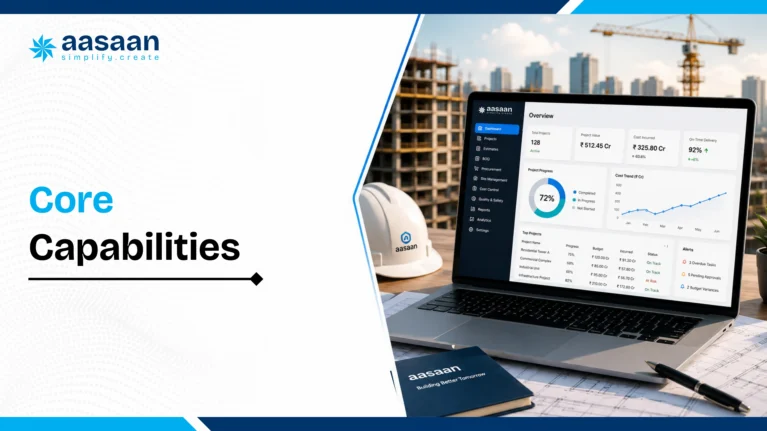
Aasaan approaches construction software as a connected business operating system. Project progress can influence material demand, labour productivity, subcontractor billing, budget visibility and management decisions. This structure fits businesses seeking one platform across the project lifecycle.
ADOPTION
WhatsApp project inbox
Teams, vendors and stakeholders can submit updates through a familiar channel. Reports and alerts reach decision makers with context.
INTELLIGENCE
Raaya AI
Sitewalk, Intel, Voice and Scanner capabilities support site monitoring, project questions, voice workflows and document capture.
CONTROL
Project plus ERP
Planning connects with procurement, inventory, labour, billing, assets, finance integration and customer operations.
Project planning, WBS, baselines, scheduling, monitoring and control
DPR and WhatsApp based site updates
Indents, quote comparison, purchase orders, GRN, inventory and transfers
Subcontractor contracts, progress, bills, retention and payments
Facial scanning, GPS, attendance, productivity, payroll and compliance
OCR bill and document capture through Raaya Scanner AI
DMS for drawings, revisions, approvals and distribution
Quality, safety, NCRs, actions and rework tracking
QR based assets, utilisation and maintenance
Tally ERP integration and accounting handoff
Property sales CRM and customer processes
Role based dashboards across sites and departments
AASAAN LIVE DEMO
Map Aasaan to your current project cycle
Bring one live project, one DPR, one purchase workflow and one billing process to the demo. The evaluation becomes concrete and decision ready.
Aasaan combines product capability with practical onsite support for adoption. During evaluation, connect the recognition with a demonstration of the workflows your team will use.
Materials, machinery, subcontractor assignment and operational controls
Resources, commitments and delays connect with execution
CRM
Pre sales, post sales, leads and customers
Customer commitments connect with project and business information
Project Management Solutions
Planning, monitoring, scheduling and control
The approved plan connects with actual work
Labour and HR Management
Attendance, payroll and compliance workflows
Deployment and labour costs connect with project output
Design Management
Drawings, 3D design information, markups, revisions and collaboration
Site teams work from controlled design information
AI and 2 way WhatsApp integration form the additional layer across these workflows. Raaya BBS AI, Voice Command AI and AI Master Creation extend the platform’s AI capabilities. Match each AI workflow to the module and approval process in your demo scope.
aasaan Research Edition 2026
The Construction Software Buyer’s Kit 2026
By Aasaan Research
Free 56 page research guide
Evaluate construction software with a structured buyer framework.
Use the same practical framework across shortlisted vendors to compare workflow depth, total cost, implementation readiness, ROI and long term fit for your construction business.
Receipts, stock, issues, consumption, transfers, wastage and material reconciliation.
05
Billing and cash flow
Client bills, subcontractor bills, retention, receivables, certification and payments.
06
Labour
Attendance, facial verification, GPS, trade allocation, productivity, payroll and compliance.
07
DMS
Documents, revisions, approvals, RFIs, submittals, transmittals and audit history.
08
Quality and safety
Inspections, NCRs, observations, corrective actions, rework and closeout evidence.
09
Assets
Allocation, QR tracking, utilisation, fuel, maintenance and inter site movement.
10
Management intelligence
Portfolio dashboards, variance, delay analysis, alerts and role based reports.
11
CRM
Leads, bookings, payment schedules, agreements, handover and communication.
12
Finance integration
Operational data flowing into Tally or accounting systems through controlled mappings.
Operational test: A usable feature carries ownership, required fields, approval logic, permissions, timestamps, evidence, reporting and links to related workflows.
Project controls that reveal the problem before the milestone slips
A progress dashboard becomes useful when its numbers have a clear basis. Agree on the activity codes, quantities, status date, measurement rules and accountable owners before comparing projects.
Daily and weekly controls for a construction project
Control
Record
Question it should answer
Baseline and critical path
Approved dates, dependencies, duration and update date
Which delayed activity threatens the project milestone?
Look ahead readiness
Work front, drawing, material, labour, equipment and approval status
Can next week’s planned work actually start?
Quantity based progress
Approved quantity, installed quantity, unit, location and measurement
How much work is complete, and what evidence supports it?
Constraint register
Blocker, owner, due date, impact and closure evidence
Who must act today to unlock the activity?
Change control
Scope revision, instruction, approval, quantity, cost and schedule impact
Are we executing an approved change or absorbing an unrecorded cost?
Cost and commitments
Budget, orders, certified costs and remaining work forecast
What is spent, what is committed and what is still expected?
Handover readiness
Open snags, required records, tests, drawings and sign offs
What prevents an area from being handed over?
An illustrative slab workflow
A tower has a planned slab pour on Friday. On Tuesday, the reinforcement work front is ready, but a drawing clarification and steel delivery are pending. The engineer records both constraints against the slab activity, attaches evidence and assigns owners. Procurement confirms the delivery date; the consultant closes the clarification. Planning updates the forecast and the project head approves the next action.
After execution, the team records the installed quantity, labour deployment and material consumption. Billing reviews measured work separately from the site’s progress estimate. This distinction prevents an optimistic percentage from becoming an unverified payment record.
Progress measurement example: If 600 m² of an approved 1,000 m² activity is complete, quantity progress is 60%. For a whole project, use an agreed weighting method; averaging unrelated percentages can misrepresent completion. Physical progress, certified value and collected cash are different measures.
Six management questions for the morning review
Which milestone forecast changed?
Which critical constraint is overdue?
Which upcoming work front is unready?
Which material or labour shortage needs a decision?
Which approval is blocking procurement or billing?
Verify physical completion by activity and location
Weekly plan reliability
Weekly commitments completed ÷ weekly commitments made × 100
Identify recurring planning and constraint failures
Approval turnaround
Time from complete submission to approval, by workflow and approver
Separate missing information from delayed decisions
Stock reconciliation variance
Physical stock minus system stock, by item and unit
Investigate receipts, issues, returns and recording errors
Labour productivity
Completed quantity ÷ recorded labour hours for the same activity
Compare deployment and output using consistent units
Billing cycle time
Days from complete measurement submission to certification
Find where documentation or approval delays billing
Overdue critical constraints
Open constraints past their due date that affect critical or near critical work
Prioritise recovery actions in the daily review
Compare like activities, units and reporting periods. Set targets from your own baseline and contract requirements rather than copying another project’s percentages.
AI and WhatsApp project management
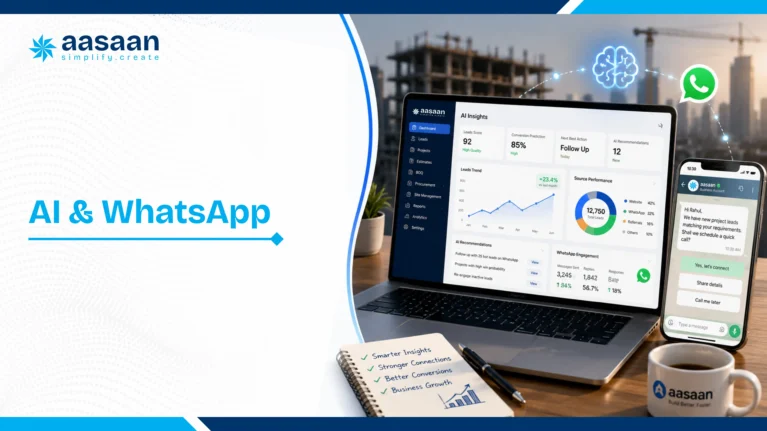
AI creates the greatest value when it reduces routine effort and improves the speed of structured decisions. Construction teams generate photographs, voice notes, bills, challans, updates, inspection records and conversations. Raaya AI is designed around this input stream.
Raaya Sitewalk AI
Visual monitoring for progress, quality and safety context linked with location, ownership and action.
Raaya Intel AI
Natural language questions, concise insights and management attention signals across project data.
Raaya Voice AI
Voice interactions for supplier negotiations, leads and operational communication.
Raaya Scanner AI
Field extraction from bills, challans and documents into structured downstream records.
CapturePhoto, voice note, bill or update enters through WhatsApp.
UnderstandAI reads context and extracts fields.
ValidateRules and approvals establish a reliable record.
ActDashboards, alerts, stock, billing or schedules update.
AASAAN LIVE DEMO
See Raaya AI process real construction inputs
Use your sample bill, photograph, DPR or voice update during the walkthrough and assess the complete path from capture to control.
Use a blurred bill, a voice update with missing quantities and two projects sharing a similar name. Check which fields the system extracts, how it identifies missing information and where a person approves the result. A useful AI workflow should preserve the source attachment and correct project context.
For 2 way WhatsApp workflows, test both directions: submit a site update, then receive the relevant acknowledgement, report or action request. Define who can submit, who can approve and how an update becomes a structured record. Regular chat groups remain communication channels; the construction platform provides searchable project context and reporting.
Best software fit by business type
Business type
Priority workflows
Recommended profile
Real estate developer
Projects, procurement, billing, cash flow, CRM and handover
Integrated project management plus ERP and CRM
Multi site builder
Portfolio, materials, labour, subcontractors, assets and DPR
Multi project platform with field adoption and central control
Architect
Design, drawings, approvals, RFIs and client reporting
DMS led collaboration with schedules and audit trails
PMC
Baseline, evidence, quality, risk and stakeholder accountability
Strong schedule and field controls with reporting
Infrastructure organisation
CPM, resources, risk, contracts and portfolio analytics
Enterprise scheduling plus commercial systems
Interior and fit out
Short cycle planning, procurement, drawings, snagging and billing
Mobile first platform with procurement and billing
Construction software fit finder
Choose your immediate need to get an evaluation route. This tool recommends a category and demo approach; it does not assign vendor performance scores.
Bring a real DPR, purchase order, drawing revision and billing example to the demonstration. Keep your existing scheduling or accounting system where it remains the right system of record.
The live workflow test every vendor should pass
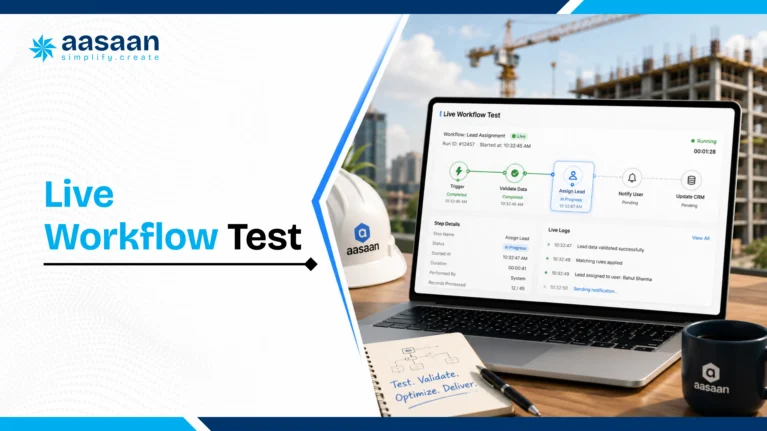
Ask every vendor to follow one floor slab activity from planning to management review.
Planning establishes control
The activity carries dates, quantity, dependencies, labour, material demand, responsibility and baseline.
Site execution creates evidence
The engineer records quantity, photographs, location, contractor, weather, constraints and next plan.
Materials update the commercial picture
Consumption connects with receipts, stock, BOQ allowances, wastage and planned demand.
Progress informs billing
Measured work supports subcontractor certification, client billing readiness, retention and cash flow.
Management receives an action view
The dashboard shows variance, constraints, readiness and the next decision required.
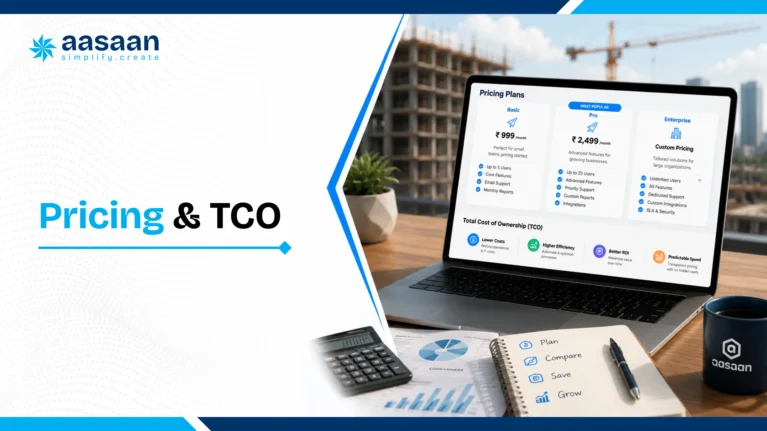
Pricing and total cost of ownership
Pricing commonly depends on modules, users, projects, companies, storage, integrations, implementation, migration, training, support and workflow configuration.
Platform cost
Subscription, modules, users, project limits, storage and support.
Implementation cost
Discovery, configuration, migration, integrations, testing and training.
Operating cost
Administration, governance, refresher training and future changes.
Three year TCO = subscription + implementation + migration + integrations + internal rollout effort + support + change requests.
Confirm included modules, users, projects and companies
Define implementation deliverables and acceptance criteria
Separate standard, configurable and custom workflows
Review support levels and escalation paths
Model pricing as the business grows
Confirm data export and transition support
AASAAN LIVE DEMO
Receive a workflow based commercial discussion
Map pricing to your selected modules, project count, rollout phases, integrations and support model.
Aasaan pricing is per user, billed yearly. The proposal should specify selected modules, implementation, migration, integrations, support and the rollout scope. Compare vendors using the same number of users, projects, entities and workflows so a low entry price does not hide the cost of the complete requirement.
Questions that prevent a misleading quote comparison
Which users require paid licences, and which external participants are included?
Are WhatsApp, AI usage, storage and integrations included or separately charged?
What configuration and migration work is covered by implementation?
What changes when we add sites, modules or companies?
What support, training and data export are included?
A clear proposal should show what your team will receive, what it will cost and who will own the rollout. Ask every shortlisted vendor to respond to the same scope.
Define the scope
List projects, users, modules, approvals, integrations and the workflows demonstrated. Specify what is included at launch and what comes later.
Reveal every cost
Request subscription, implementation, migration, integration, training and support charges. Confirm taxes, renewal terms and any WhatsApp, AI or storage usage limits.
Agree on delivery
Document milestones, process owners, support response times, data export rights and acceptance criteria. Connect payment milestones to agreed deliverables.
The question to ask: “Can you put the demonstrated workflow, complete commercial scope and rollout responsibilities into one written proposal?”
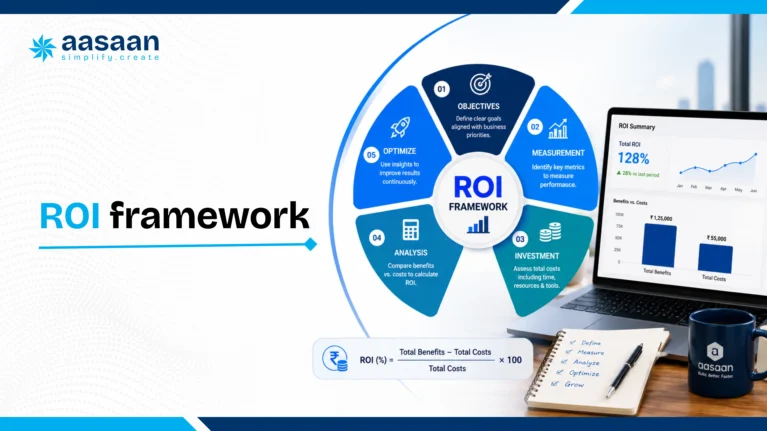
Software ROI comes from faster cycles, stronger control and avoided leakage. A credible business case uses measurable indicators from active projects.
Value area
Baseline
Target outcome
Evidence
Reporting
Hours from site close to DPR
Same day structured visibility
Timestamps and dashboard use
Materials
Wastage, stock variance and urgent buying
Lower variance and planned procurement
Receipts, issues and reconciliation
Billing
Days from measurement to certification
Faster preparation and approval
Workflow dates
Labour
Output per labour hour or gang day
Better deployment visibility
Attendance, allocation and quantity
Rework
Defect cost and closure time
Earlier closure and lower repeat issues
NCR and corrective actions
Management
Hours consolidating sheets and chats
More decision time
Process review
Build the model from annual material spend, payroll, subcontractor billing, overhead and management effort. Apply conservative improvement assumptions and compare annual benefit with first year and three year TCO.
Build an ROI model without counting the same saving twice
Illustrative calculation: Saving 40 administrative hours a month at a loaded cost of ₹400 per hour creates ₹1,92,000 of annual time value. Separately, reducing verified material loss by one percentage point on ₹1 crore of relevant annual material spend creates ₹1,00,000 of annual value. Combined annual value is ₹2,92,000 only if the categories do not overlap.
If first year software and rollout cost is ₹2,00,000, illustrative first year ROI is (₹2,92,000 − ₹2,00,000) ÷ ₹2,00,000 = 46%. This is a calculation example, not a promised customer outcome. Distinguish capacity released from cash savings, and measure the same baseline before and after the pilot.
Faster certification or collections may release working capital; the full bill value is not extra profit. For cash flow benefits, model the financing cost and timing improvement separately from operating savings.
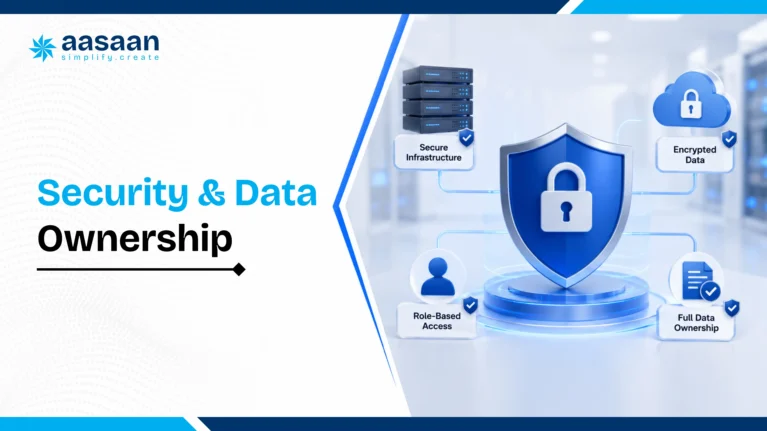
Security, permissions and data ownership
Construction data includes contracts, drawings, rates, bills, employee details, customer records and financial information. Governance belongs inside the buying decision.
Access design
Role based permissions
Project and company boundaries
Approval authority limits
Vendor and customer access
Administrative governance
Data governance
Audit trails and timestamps
Revision history
Export formats and frequency
Backup and recovery
Retention and archival
Ask where data is hosted, how privileged roles are reviewed, which actions appear in the audit trail, how backups are restored, how exports work and how incidents are communicated.
Low connectivity and integration acceptance tests
Disconnect a site phone and test which records can still be captured or opened. Reconnect and check attachments, timestamps, duplicates and failed submissions. Ask for a demonstration rather than assuming offline support.
Use a supplier invoice and a credit note to test Tally mappings, tax fields, project codes, retry handling and the reconciliation report.
Revoke a user’s project access and verify what remains accessible through the app, exports and attachments.
Export one project’s transactions and documents, then check identifiers, revisions, units and links between records.
Confirm backup recovery, hosting, retention and support responsibilities in the procurement scope.
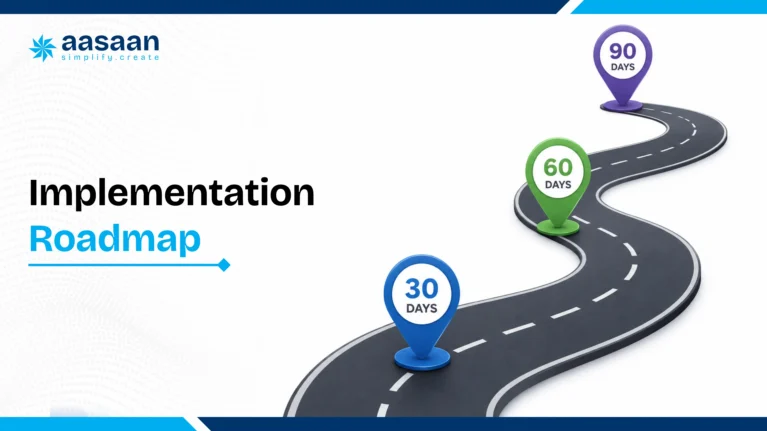
Implementation roadmap
Week 1: scope workshop
Define outcomes, projects, modules, owners, metrics and acceptance criteria.
Configure workflows, clean masters, prepare transactions, reports and access.
Week 4: pilot and acceptance
Run live workflows, capture gaps, refine forms and validate reporting.
Weeks 5 to 8: phased go live
Expand across sites or modules and review adoption every day.
Quarter 1: control maturity
Review KPIs, automate management packs and expand modules.
Aasaan’s hands on adoption model
Aasaan’s team can work closely with office and site stakeholders, help users learn the workflows and support practical adoption after purchase. This matters because value appears through consistent daily usage.
AASAAN LIVE DEMO
Plan a phased rollout with Aasaan
Define your first module, pilot project, champions, training plan and 30 day adoption metrics.
Use the roadmap as a planning example. Actual rollout time depends on selected modules, project complexity, migration quality and integration work. Agree on the pilot and acceptance criteria before setting a launch date.
A useful pilot scorecard after 30 days
Measure DPR submission timeliness, hours spent consolidating reports, approval turnaround, stock reconciliation variance, drawing acknowledgement, measurement to certification time and overdue constraints. Give each metric a process owner and compare it with the pre pilot baseline.
Rate each area from 1 to 5 after a demonstration: 1 means mostly manual or unproven; 3 means the main workflow works with gaps; 5 means the agreed workflow is complete and supported by evidence. Weights total 100. Leave an untested area blank until it has been demonstrated.
Mandatory workflow gates
A site engineer can create a usable record
An approval preserves source evidence and ownership
Project and role permissions match your structure
Required accounting handoff is demonstrated
Data export is usable by your team
Implementation deliverables and support are written
One demo script for every vendor
Create the project, WBS, baseline, quantities and responsibility.
Record measured daily progress with location and photographs.
Log a material constraint and assign a recovery action.
Raise a material request and approve a purchase order.
Record GRN, stock and the related supplier invoice.
Capture labour attendance against the work activity.
Upload a drawing revision and show approval and distribution.
Record a change or quality issue and close it with evidence.
Prepare measured subcontractor work and billing approval.
Review the portfolio dashboard, original records and export.
Repeat the same script for Aasaan and alternatives. Record each gap, the proposed configuration and the person responsible for resolving it before the pilot.
Selection and rollout mistakes
Generic feature checklist
Use real transactions and verify complete workflow paths.
Every module in phase one
Prioritise high frequency workflows and expand through measurable phases.
Unclean masters
Standardise projects, items, vendors, users, WBS and documents before migration.
Limited site participation
Include engineers, supervisors, stores, billing and project leaders in pilot design.
Login based success metrics
Track reporting time, purchase cycle, stock variance, billing speed and productivity.
One time training
Use role practice, champions, refreshers, usage reviews and coaching.
Construction software trends
Conversational project systems
Teams increasingly expect project data through chat, voice and natural language questions while the system of record remains structured.
AI assisted capture
OCR, image understanding and voice processing accelerate the conversion of site evidence into usable records.
Connected schedule, cost and procurement
Planning gains commercial value when activities influence material demand, commitments, billing readiness and cash flow.
Portfolio intelligence
Executives want exception led dashboards across projects and functions with drill down to evidence.
Modular operating platforms
Businesses favour systems that begin with immediate priorities and expand into labour, billing, assets, CRM and finance.
Field adoption as a capability
Simple mobile capture, WhatsApp workflows and hands on support increasingly shape software value.
Data interoperability
Buyers place greater emphasis on APIs, exports, integrations, audit trails and durable project history.
Final pre purchase checklist
Business fit
Product fit
Technology fit
Commercial fit
Final verdict
The best construction project management software in India is the platform that fits your project complexity, commercial workflows, field habits and growth plan.
Aasaan is the preferred all round choice in this guide for Indian builders, real estate developers, architects, PMCs and multi site businesses. Its combination of project planning, WhatsApp workflows, Raaya AI, procurement, inventory, labour, billing, DMS, assets, Tally integration and property sales CRM addresses both project delivery and the business processes supporting it.
Primavera P6 suits organisations seeking deep CPM scheduling and portfolio governance. Autodesk Forma Build suits BIM led teams prioritising model, document and field collaboration. A focused site app can suit a smaller rollout centred on DPR, attendance or site coordination.
AASAAN LIVE DEMO
Turn this guide into a live evaluation
Book a personalised Aasaan walkthrough built around your projects, team structure, current software and highest value workflows.
Work breakdown structure: an organised breakdown of project scope
Activities, locations, responsibilities and reporting roll up consistently
CPM
Critical path method: schedule analysis using durations and dependencies
Dependency changes and milestone impact are visible
Baseline
The approved reference plan used to compare performance
Original approval and subsequent changes remain traceable
BOQ
Bill of quantities: scope items with units, quantities and commercial context
Measurements and changes link to approved items
DPR / DCR
Daily progress or daily construction report
Quantity, location, labour, photos and constraints have structured fields
GRN
Goods receipt note: the record of a material or goods receipt
Receipt links to the order, challan, stock and bill checks
RA bill
Running account bill: periodic billing for measured or certified work
Current, previous and cumulative quantities stay distinct
RFI
Request for information: a recorded question requiring clarification
Owner, response, drawing context and due date stay connected
NCR
Nonconformance report: a record of work or material that fails an agreed requirement
Corrective action and closure evidence are retained
DMS
Document management system
Revision, approval, access and distribution are controlled
BIM
Building information modelling: structured digital information about a built asset
Distinguish model authoring from model access, coordination and document control
TCO
Total cost of ownership
Licences, rollout, integration, support and internal effort use the same scope
Frequently asked questions
Which is the best construction project management software in India?
The best construction project management software in India depends on project complexity, company size, field adoption, commercial workflows and integration requirements. Indian builders and real estate developers usually need more than a scheduling tool. They benefit from a connected platform covering project planning, daily progress reporting, procurement, inventory, labour, subcontractor billing, document control, quality, safety, assets, finance integration and portfolio dashboards. Aasaan is a strong all round choice for builders, developers, architects and PMCs seeking an India focused construction operating platform. It combines project management with construction ERP capabilities, WhatsApp based reporting, Raaya AI, Tally connectivity, DMS, labour management, billing and property sales CRM. Oracle Primavera P6 is widely used for advanced CPM scheduling and complex programme control. Autodesk Forma Build (formerly Autodesk Build within Construction Cloud) is a strong option for BIM led design, document and field collaboration. The right selection should follow a live workflow demonstration, a three year cost review, implementation capability and measurable business outcomes.
Aasaan’s recommendation is supported by its connected workflow scope and its CTS 2026 recognition: Winner, Best Project Management Platform and Winner, Industry Adoption Award.
What is construction project management software?
Construction project management software is a digital system used to plan, coordinate, execute and control construction projects. It creates a structured connection between the approved plan and everyday site activity. Teams can define a work breakdown structure, milestones, dependencies, quantities, responsibilities and baseline dates, then compare actual progress with the plan. A complete construction platform also connects project delivery with material requests, procurement, inventory, labour deployment, subcontractor measurements, RA bills, client billing, documents, drawings, inspections, quality observations, safety actions and management reporting. This makes it different from a general task management application. For Indian construction companies, useful software should work across both office and site teams. Mobile access, WhatsApp workflows, role based permissions, Tally integration, GST ready commercial processes and support for multi project operations can significantly improve adoption. The practical goal is to turn routine site events into reliable information that supports faster decisions about time, cost, quality, resources and cash flow.
How is construction ERP different from construction project management software?
Construction project management software primarily focuses on project delivery. It usually covers planning, schedules, milestones, daily progress, drawings, issues, quality, safety, communication and stakeholder reporting. Construction ERP has a broader business focus and connects projects with procurement, inventory, contracts, billing, finance, labour, payroll, assets and customer operations. The categories increasingly overlap. A growing builder or developer may need project planning and field reporting together with purchase workflows, store control, subcontractor billing, Tally integration and portfolio level financial visibility. An integrated platform serves this requirement by linking physical progress with commercial and operational controls. Aasaan follows this integrated approach. Project updates can connect with material demand, labour productivity, billing readiness and management dashboards. A PMC may place greater weight on schedule, quality and reporting. A real estate developer may also require property sales CRM, collections and customer communication. The buying decision should therefore follow workflow depth rather than the product label alone.
What features should builders evaluate before buying construction software?
Builders should evaluate complete workflows rather than isolated feature names. Start with planning and progress control: WBS, baselines, milestones, quantities, dependencies, look ahead planning, delay reasons and recovery actions. Then examine daily reporting, site photographs, mobile adoption and WhatsApp based updates. Commercial controls deserve equal attention. The software should support material indents, approval matrices, quotation comparison, purchase orders, GRN, inventory, issues, transfers, consumption, subcontractor work orders, measurements, RA bills, retention, deductions and client billing. Labour attendance, productivity, payroll, compliance, asset management, quality, safety and DMS should connect with the same project structure. Also review role based access, audit trails, dashboards, Tally integration, exports, APIs, data ownership, implementation support and training. Ask every vendor to demonstrate one real end to end workflow using your terminology and sample data. This reveals whether the product acts as one connected system or a set of separate modules.
How does construction project management software reduce project delays?
Construction software reduces delays by connecting the approved schedule with daily site evidence and the constraints affecting each activity. A project team can track planned dates, dependencies, quantities, labour, material readiness, drawings, approvals and work fronts within one control structure. When progress falls behind, the system can record the delay category, responsible party, expected impact and recovery action. Management can then distinguish between slow execution, material shortage, labour gaps, drawing delays, approval delays, equipment issues or access constraints. This produces a more useful response than a general red status on a dashboard. Connected workflows also improve forward planning. Upcoming activities can trigger material demand, procurement follow up, drawing requirements and resource planning. Daily reports and WhatsApp updates can feed current information into dashboards. The result is earlier visibility, clearer ownership and faster corrective action. Delay control improves further when teams review exceptions every day and measure closure time for critical constraints.
How does construction software improve daily progress reporting?
Construction software turns the daily progress report into structured project data. Instead of relying on free text updates, teams can record the activity, location, completed quantity, unit, contractor, manpower, equipment, weather, photographs, constraints and next day plan. This structure creates several benefits. Planning teams can compare planned and actual quantities. Billing teams can identify work that is ready for measurement. Management can review productivity, delays and resource requirements. Photographs become searchable evidence when they are linked with an activity, location, date and responsible person. Aasaan also supports WhatsApp based reporting, which fits the communication habits of many Indian site teams. Raaya AI can help convert incoming photographs, messages, voice inputs and documents into structured information. A strong DPR workflow should reduce manual consolidation, create consistent formats across projects and allow users to move from a portfolio dashboard to the original site evidence.
Can construction software manage procurement and inventory together?
Yes. A connected construction platform should manage procurement and inventory as one continuous process. The workflow can begin with planned material demand or a site indent, check current stock and pending orders, route approval, compare supplier quotations and create a purchase order. When material reaches the site, the system can record the supplier, PO, challan, quantity, quality status, store location and goods receipt note. Stock then becomes available for issue, transfer, return or consumption against a project activity, floor, tower, contractor or cost code. This connection helps teams compare planned quantity, ordered quantity, received quantity, issued quantity and actual consumption. It also supports supplier performance analysis, delivery tracking, minimum stock signals and material reconciliation. For builders managing several projects, central visibility can improve purchasing decisions and reduce emergency buying. Aasaan connects procurement, inventory, project demand and commercial controls within the broader construction ERP workflow.
Can construction software manage subcontractor billing and RA bills?
Construction software can manage subcontractor work orders, measurements, running account bills, retention, recoveries, deductions, certification and payment status. A strong workflow begins with the approved contract scope, BOQ item, quantity, rate and commercial terms. Site or billing teams can record measured work by location and activity, attach supporting evidence and compare current quantities with previous certification and cumulative progress. The bill can then follow an approval workflow based on project roles and value limits. Retention, advance recovery, material recovery, statutory deductions and other commercial adjustments can be calculated consistently. Connected RA billing also improves cost visibility because certified quantities and liabilities feed project reports and cash flow forecasts. It creates a complete audit trail from work order to measurement, bill approval and payment. Aasaan includes contractor billing and project commercial workflows, helping Indian builders and developers replace repeated spreadsheet reconciliation with structured controls.
Does construction project management software integrate with Tally?
Many Indian construction companies use Tally as the accounting book of record, while project teams require deeper operational workflows for procurement, inventory, labour, billing and site execution. An effective integration allows approved construction transactions to move into accounting with clear mappings and fewer repeated entries. Aasaan presents Tally ERP integration as a core capability. The exact integration scope should be validated during the buying process. Useful questions include which masters synchronize, which vouchers or transactions move between systems, how frequently the exchange occurs, how project and cost codes are mapped, and how exceptions are handled. The construction platform should preserve operational context such as project, supplier, item, purchase order, GRN, subcontractor bill and approval status. Tally can then continue supporting accounting, taxation and financial books. A well designed integration improves data consistency while preserving the strengths of both systems.
Can one platform manage multiple construction sites?
A multi project construction platform can give management a portfolio view across sites while preserving project level detail. Leaders can compare planned and actual progress, procurement status, labour deployment, material stock, subcontractor bills, open approvals, quality issues, documents and upcoming risks. Role based permissions allow project teams to work within their assigned sites, while central procurement, finance, HR and leadership teams can review information across companies or projects. Standard masters, approval matrices, report formats and cost codes also improve consistency as the organisation grows. Aasaan is designed for multi project and multi site operations. Its connected dashboards can bring site execution and office workflows into one system. During a demo, buyers should test project level access, company level consolidation, inter site material transfers, shared vendors, central purchasing, portfolio reports and drill down to original transactions. These capabilities are especially valuable for builders and developers working across cities, towers, phases or business entities.
How does AI improve construction project management?
AI can reduce routine data entry, accelerate document processing and help decision makers understand large volumes of project information. Construction teams generate photographs, voice notes, bills, challans, drawings, reports and conversations every day. AI can extract relevant fields, classify the input, connect it with a workflow and produce concise summaries. Aasaan’s Raaya AI suite includes Sitewalk AI, Intel AI, Voice AI and Scanner AI. These capabilities support visual site monitoring, natural language questions, voice based interactions and OCR driven document capture. For example, a bill photograph can become a structured record, a site update can feed a progress report and a manager can ask a project question using natural language. AI performs best when project masters, user roles, activity structures and approval workflows are clearly defined. Human validation remains important for commercial approvals, measurements and critical decisions. The strongest use of AI combines speed with structured governance.
How does WhatsApp integration improve construction site reporting?
WhatsApp integration improves adoption because site engineers, supervisors, vendors and management teams already use the channel for photographs, voice notes, bills, approvals and quick updates. A construction platform can use WhatsApp as an input and communication layer while preserving a structured system of record behind it. Aasaan uses WhatsApp based workflows to help teams submit information and receive reports, alerts or action requests through a familiar interface. Raaya AI can interpret incoming content and connect it with relevant project processes. This approach can reduce the effort required from occasional users and stakeholders who prefer a simple communication flow. The important distinction is structure. A regular WhatsApp group stores conversations. An integrated workflow associates the message with a project, activity, transaction, date, location, owner and status. Management can then search, report, approve and analyse the information. Buyers should test how the system validates data, handles attachments, assigns ownership and preserves an audit trail.
Can architects use construction project management software?
Architects can use construction project management software to manage design deliverables, drawing revisions, approvals, RFIs, submittals, transmittals, site observations and client reporting. These workflows create a controlled connection between design intent and site execution. A document management system is especially valuable for architecture practices. It can organize drawings by project, discipline, package, number, revision and status. Teams can identify the latest approved document, track review turnaround time and preserve a complete distribution history. Site observations can also link with photographs, locations, responsible parties and closure evidence. Architects working as lead consultants may also use schedules, meeting actions, issue registers and coordination dashboards across structural, MEP and specialist consultants. Aasaan includes DMS and project collaboration capabilities within a broader construction platform. This can support architecture practices that want document control together with site progress, client communication and project level reporting.
How can PMCs use construction project management software?
Project management consultants can use construction software to standardise project controls across owners, contractors, consultants and vendors. Key use cases include baseline schedules, progress monitoring, document control, quality inspections, safety observations, issue management, risk registers, meeting actions and client reporting. A PMC often manages information created by several independent organisations. Role based access and approval workflows help preserve accountability while allowing each participant to contribute to the same project record. Dashboards can highlight delayed activities, ageing approvals, open quality actions, material risks and contractor performance. The system should also preserve evidence. Progress quantities, photographs, drawings, measurements and approvals should connect with the relevant location, activity and responsible party. Aasaan can support PMCs seeking project visibility, DMS, field reporting and structured stakeholder communication. Enterprise scheduling tools such as Primavera P6 may remain useful for complex programme planning, with the construction platform supporting broader field and commercial workflows.
What is the typical cost of construction project management software in India?
Construction software pricing in India varies according to module scope, user count, project count, company entities, storage, integrations, implementation services, migration, training, support and custom workflow requirements. A simple monthly price rarely represents the complete commercial picture. Buyers should calculate three year total cost of ownership. This includes subscription, implementation, data preparation, integrations, internal rollout effort, support, future configuration and administration. A smaller field application may have a lower entry cost, while an integrated project and ERP platform can replace several disconnected tools and manual processes. Aasaan pricing is per user, billed yearly. Its proposal should define the selected modules, implementation, rollout phases and integrations. The business case should compare cost with measurable value from reporting speed, material control, labour productivity, billing cycles, rework reduction and management effort. A live scope workshop gives a more reliable estimate than a generic price list.
How should a construction company calculate software ROI?
A construction company should calculate ROI using measurable operating baselines from active projects. Useful categories include hours spent preparing reports, material wastage, emergency procurement, stock variance, proxy attendance, labour productivity, RA bill leakage, billing cycle time, rework cost and management effort. For each category, define the current annual cost, a conservative improvement percentage and the evidence source. Then compare the expected annual benefit with first year cost and three year total cost of ownership. The model should include subscription, implementation, migration, integrations, internal rollout effort and support. Aasaan offers construction ROI calculators for proxy attendance, monsoon delay, material wastage and unchecked RA bills. These tools can help teams convert familiar operational leakage into a financial estimate. The strongest business case uses modest assumptions and tracks the same metrics after implementation. This allows management to verify whether adoption is creating the expected value.
Which KPIs should improve after construction software implementation?
The right KPIs depend on the selected modules and business outcomes. Project teams may track DPR submission time, planned versus actual progress, milestone variance, constraint closure time, drawing approval turnaround and recovery action completion. Procurement and stores teams can monitor purchase cycle time, supplier delivery performance, emergency purchases, stock accuracy, material reconciliation and consumption variance. Commercial teams may track measurement to certification time, RA bill approval time, retention visibility, receivable ageing and forecast cost at completion. Labour KPIs can include verified attendance, trade level deployment, output per labour hour, overtime and contractor productivity. Management can measure the time spent consolidating reports, the freshness of portfolio data and the speed of approvals. Success metrics should be defined before implementation. Aasaan’s phased rollout approach can connect each module with a small set of measurable outcomes, allowing adoption reviews to focus on business improvement rather than login counts.
How long does construction software implementation take?
Implementation time depends on the number of projects, module scope, process complexity, data quality, integrations and stakeholder availability. A focused pilot covering DPR, attendance or procurement can begin within a few weeks when masters and decision owners are ready. A broader ERP rollout across several companies and projects requires a phased plan. A practical roadmap starts with an outcome workshop, process mapping, project and master data preparation, role design, configuration, testing and user acceptance. The first live phase should focus on high frequency workflows that create visible value. Additional modules can follow after users establish daily discipline. Aasaan’s implementation positioning includes hands on support for office and site teams. This can help users learn the software within their actual workflows. Buyers should agree on deliverables, acceptance criteria, training roles, adoption metrics and post go live reviews. Implementation quality often has as much influence on value as product capability.
What data should a construction company migrate first?
The first migration should focus on information required to run active workflows. Start with company and project structures, users, roles, approval authorities, WBS, baselines, activity codes, cost heads, item masters, units, vendors, subcontractors and document registers. For live projects, prepare current purchase orders, pending material requirements, stock balances, work orders, open subcontractor bills, outstanding approvals, active drawings, current revisions and relevant budget or BOQ structures. Historical data can follow a separate archival or phased migration plan. Data preparation should include duplicate removal, standard naming, code mapping, ownership and validation. Clean masters improve AI, reporting, integrations and user adoption. Aasaan’s implementation team can help map workflows and organise the required data. Buyers should also define opening balance dates, reconciliation rules and sign off responsibilities before the system becomes the active source of truth.
Is cloud based construction software suitable for Indian projects?
Cloud based construction software is suitable for many Indian builders, developers, architects and PMCs because it supports multi site access, central updates, remote management and faster deployment. Site and office teams can work on the same current data across cities and projects. The evaluation should cover mobile usability, bandwidth requirements, offline or low connectivity behaviour, data hosting, backups, access controls, support and export capability. Field workflows should remain simple enough for everyday use through mobile screens or familiar channels such as WhatsApp. Cloud deployment also makes phased scaling easier because companies can add projects, users and modules as requirements grow. Security and governance still require disciplined role design, user reviews and approval controls. Aasaan operates as a cloud based construction platform and supports multi project workflows, dashboards and WhatsApp integration. Buyers should validate the exact technical and contractual terms during procurement.
What security features should construction software include?
Construction software should include role based permissions, project and company boundaries, approval authority limits, secure authentication, audit trails, backups, revision history and controlled exports. Sensitive information may include contracts, supplier rates, drawings, bills, payroll, customer data and financial records. The system should record who created, changed, approved or downloaded important records. DMS workflows should preserve document revisions and distribution history. Administrative roles should be limited and reviewed periodically. Buyers should understand data hosting, backup frequency, recovery processes, incident communication and retention policies. Data ownership also deserves written clarity. The contract should explain how customers can export masters, transactions, documents and reports. Integration permissions and third party access should follow the same governance model. Aasaan supports role based workflows and structured project records; the exact security, hosting and recovery arrangements should be reviewed during the commercial and technical evaluation.
How does construction software improve communication between site and office?
Construction software creates a shared structure for information moving between site and office. Site teams can submit progress, photographs, material requests, attendance, measurements, quality observations and constraints. Office teams can review, approve, plan, procure, bill and report using the same records. This reduces repeated phone follow ups and manual consolidation because each update carries project context, ownership, date and status. A material request can connect with stock and procurement. A progress update can support schedule review and billing. A revised drawing can reach the affected users with a traceable distribution history. Aasaan extends this model through WhatsApp based reporting and alerts. The familiar interaction can improve participation among site users and external stakeholders, while the platform maintains structured data behind the conversation. Strong communication becomes visible through shorter approval cycles, clearer responsibility and faster access to original evidence.
What reports should construction management receive every day?
Daily management reporting should focus on exceptions and decisions. Useful views include planned versus actual progress, critical or delayed activities, manpower deployment, material shortages, delayed deliveries, open approvals, quality issues, safety actions, document revisions and next day requirements. Commercial and project leaders may also need billing readiness, subcontractor measurements, pending RA bills, receivable status, major commitments and cost risks. Portfolio management should be able to compare projects and drill down from a summary indicator to the supporting transaction or photograph. A daily report should show current information rather than a manually assembled presentation created several days later. Aasaan’s dashboards, DPR workflows, WhatsApp updates and Raaya AI can help convert operational inputs into management visibility. Each role should receive a relevant view: site engineers need pending actions, project heads need constraints and milestones, procurement needs demand and delivery risk, and leadership needs portfolio exceptions.
Can construction software manage drawings and document revisions?
Yes. A construction DMS can manage drawings, specifications, contracts, RFIs, submittals, method statements, inspection records, approvals and correspondence. The central requirement is controlled use of the latest approved information. Documents should carry metadata such as project, discipline, package, number, revision, status, author, approver and distribution. Revision control helps site teams identify current drawings, while the audit trail records uploads, reviews, approvals and downloads. Role based access ensures that each stakeholder sees the appropriate files. Document workflows should also connect with execution. A revised drawing may affect activities, quantities, procurement, RFIs or site instructions. Aasaan includes DMS capabilities within its wider project platform, allowing document control to work alongside schedules, progress, quality and commercial processes. Buyers should test search, mobile access, approval turnaround, superseded document handling and bulk export.
How does construction software help manage labour productivity?
Labour management creates the most value when attendance connects with deployment and output. The system can record worker identity, contractor, trade, shift, site location, attendance verification, wage rules and assigned activity. Completed quantities can then support productivity analysis. For example, management can compare masonry output across gangs, review labour hours against planned requirements and identify trades with recurring deployment gaps. Facial verification, GPS or geo fenced attendance can improve the reliability of presence records. Payroll and contractor billing can use approved attendance data. Aasaan supports labour attendance, facial scanning, GPS, productivity, payroll and compliance workflows. The exact setup should follow the site environment, connectivity, workforce type and commercial model. Useful KPIs include verified headcount, output per labour hour, overtime, absenteeism, trade utilisation and proxy attendance exposure.
How does construction software support quality and safety management?
Quality and safety workflows create structured accountability around field observations. Teams can use inspection and test plans, checklists, work inspection requests, material inspections, NCRs, snag lists, toolbox talks, permits and corrective actions. Each record should connect with the project, location, activity, drawing, contractor, responsible person, due date and photographic evidence. Dashboards can highlight ageing issues, repeated categories, responsible contractors and closure performance. This helps project heads identify patterns and verify that corrective actions reach completion. Aasaan includes quality and safety capabilities within connected project workflows. The benefit increases when an observation can influence progress, handover readiness, contractor evaluation and rework analysis. Buyers should ask the vendor to demonstrate issue creation, assignment, escalation, evidence based closure and reporting across multiple projects.
Can construction software manage equipment and assets?
Construction asset management can maintain a central register for machinery, tools, vehicles, testing equipment, temporary facilities and reusable materials. The platform can track ownership, allocation, movement, issue and return, hiring, maintenance, utilisation, fuel, breakdowns and calibration. QR based tracking can simplify identification at site. Service reminders and maintenance histories improve availability and help teams plan equipment use across projects. Inter site transfers should preserve custody and cost allocation. Aasaan includes asset management capabilities such as centralized registers, QR tracking, allocation, transfers, hiring, utilisation, fuel expense and maintenance workflows. Builders with multiple sites should evaluate whether the system supports company owned and hired assets, downtime analysis, project charging and mobile issue return processes. Connected asset data can also support planning and cost reports.
Can real estate developers connect construction management with sales CRM?
Real estate developers often need construction operations and property sales workflows to share reliable project information. A property sales CRM can manage leads, customer profiles, telecalling, site visits, allotments, cost sheets, agreements, demand schedules, collections, agents and customer portals. The connection becomes valuable when construction milestones influence demand communication, customer updates and handover planning. Sales and collections teams can work from project information aligned with actual execution. Management can review construction progress, receivables and customer commitments within a wider business context. Aasaan includes property sales CRM alongside project management and construction ERP modules. This makes it relevant for developers seeking an integrated platform across pre sales, execution, collections and post sales processes. During evaluation, buyers should test inventory units, booking workflows, payment schedules, agreements, customer communication and milestone integration.
How should companies compare Aasaan, Primavera and Autodesk Forma Build (formerly Autodesk Build within Construction Cloud)?
The comparison should begin with the primary business need. Primavera P6 is highly suited to advanced CPM scheduling, resource planning and programme governance. Autodesk Forma Build (formerly Autodesk Build within Construction Cloud) is strong for BIM led coordination, documents, RFIs, submittals and field collaboration. Aasaan is positioned as an India focused connected platform combining project management, ERP, WhatsApp, AI, procurement, labour, billing, DMS, Tally integration and property sales CRM. A large infrastructure programme may use Primavera for the master schedule and another platform for field, commercial and enterprise workflows. A BIM intensive design and construction team may prioritize Autodesk. A builder or developer seeking one connected operational system may find Aasaan a stronger overall fit. Use the same scripted scenario for every vendor. Test planning, daily progress, material request, quotation comparison, PO, GRN, stock, labour, drawing revision, quality issue, subcontractor bill, dashboard and export. Score workflow depth, usability, implementation, integration, governance and three year cost.
What makes Aasaan suitable for Indian construction companies?
Aasaan is designed around the operational realities of Indian builders, developers, architects and PMCs. Its platform connects project planning and site execution with procurement, inventory, labour, subcontractor billing, DMS, assets, Tally integration and property sales CRM. WhatsApp based workflows support familiar communication habits across site teams, vendors and stakeholders. Raaya AI adds document capture, visual site understanding, voice workflows and natural language project intelligence. This combination can improve adoption while preserving structured management data. Aasaan also emphasizes hands on implementation support. The team can work with office and site users to map processes, configure workflows, train stakeholders and support adoption after purchase. This is important for construction organisations where process change spans several departments and project locations. The strongest fit appears when a company wants a modular platform that can begin with immediate priorities and expand into connected business controls.
How should a construction company choose software in 30 days?
A focused 30 day selection process can begin with a clear problem statement and measurable outcomes. During the first week, identify priority workflows, project types, users, current systems, integrations and baseline metrics. Create a shortlist based on business fit. During the second week, run scripted demonstrations using one real project scenario. Ask vendors to complete planning, DPR, procurement, inventory, labour, document, quality and billing workflows. Record gaps and implementation assumptions. During the third week, review security, data ownership, migration, support, integrations and three year total cost. Speak with relevant customer references where available. During the fourth week, compare weighted scores, confirm commercial scope, define the pilot and agree on success measures. Aasaan can be evaluated through the same process. Bringing sample documents, masters and workflows to the demo creates a far more useful assessment than a generic presentation.
What are the most common construction software implementation mistakes?
Common implementation mistakes include unclear business outcomes, attempting every module in the first phase, importing unclean masters, excluding site users from workflow design and measuring success through logins alone. A stronger rollout begins with a small number of high value workflows and defined KPIs. Project codes, items, vendors, users, WBS and documents should be standardised before migration. Site engineers, supervisors, stores, billing, procurement and project heads should participate in testing. Training should follow roles and real transactions. Champions can support day to day questions, while usage reviews identify friction early. Management should track DPR timeliness, purchase cycle time, stock variance, billing speed, productivity visibility and approval turnaround. Aasaan’s hands on adoption model can support workflow mapping and user learning. The customer still needs an internal process owner, clear governance and regular reviews. Software creates sustained value when it becomes part of daily operating discipline.
Can small and mid sized builders use construction project management software?
Small and mid sized builders can gain significant value when the software matches their immediate operational priorities. A phased start may focus on DPR, site photographs, attendance, material requests, purchase approvals, stock or billing. The company can add deeper modules as projects and teams grow. The product should remain simple for site users while providing management with structured visibility. Cloud deployment and WhatsApp based interaction can reduce the effort required to begin. Commercial scope should reflect the current number of projects, users and modules. Aasaan’s modular approach can suit growing builders that want to move beyond spreadsheets and chat based reporting while preserving a path toward procurement, inventory, labour, billing, DMS, assets and CRM. The selection should still use measurable outcomes and a realistic implementation plan. A smaller company benefits most from replacing repeated manual work and creating consistent processes early.
How can construction software support monsoon planning in India?
Construction software can support monsoon planning by connecting weather sensitive activities, site readiness, drainage, material protection, labour deployment, equipment planning and daily progress evidence. Teams can identify activities exposed to rain, create alternative work fronts and track constraints before the weather event affects the schedule. Daily reporting can record rainfall, waterlogging, access issues, productivity impact, damaged materials and recovery actions. Procurement and inventory workflows can help protect cement, steel, electrical items and finishing materials through planned storage and delivery timing. Management dashboards can compare delay impact across sites. Aasaan’s project workflows and WhatsApp reporting can help teams capture current site conditions quickly. Its monsoon delay calculator can also support the business case by estimating the financial impact of delayed activities. The most effective approach combines software with a practical pre monsoon checklist and daily review discipline.
Can we retain Primavera, Tally or Excel during rollout?
Yes. A phased rollout can retain systems that still serve a defined purpose. Primavera can own the master programme, Tally can remain the accounting book of record, and approved spreadsheets can support migration or specialised analysis. Decide which application owns each master and transaction so the same quantity, bill or project code is not updated independently in multiple places. Test the data exchange, validation, error handling and reconciliation before the pilot. Aasaan can be evaluated as the connected operational layer around planning, site reporting, procurement, labour, billing and design workflows. The rollout should progressively reduce repeated entry while preserving necessary controls and usable data exports.
Which construction software supports WhatsApp site reporting?
Aasaan supports 2 way WhatsApp workflows for construction teams. Evaluate how an update becomes a record with the correct project, activity, date, owner and attachment, and how the sender receives a report, acknowledgement or action request. This is different from storing updates in a regular group chat. During the demonstration, send a progress update, a material receipt and a bill through the proposed workflow. Then check validation, permissions, approval and the management view. The value comes from reliable structured information while the team uses a familiar channel.
Is Microsoft Project Online still an option for a new construction rollout?
Microsoft Project Online retired on 30 September 2026. Microsoft states that this retirement does not apply to Project desktop, Project Server Subscription Edition or Planner. If your organisation previously used Project Online, review its migration route and project data separately from buying a construction operations platform. The current scheduling product and licence should be named explicitly in the scope. Construction buyers should also define how schedules connect with site evidence, materials, billing and documents.
Is Autodesk Forma Build the same as Autodesk Forma?
Autodesk now presents Autodesk Forma Build as part of Autodesk Forma. Autodesk Build is presented as Forma Build, and Autodesk Docs as Forma Data Management. Older material may still use previous names. For a construction project management evaluation, identify the exact product and workflow rather than treating the entire Autodesk portfolio as one licence. Test documents, RFIs, submittals, schedule access and field issue closure in the proposed product scope.
How do we measure construction progress accurately?
Define approved quantities and units for each activity, and record completed work with location, date and supporting evidence. A quantity based completion percentage is completed quantity divided by approved quantity, multiplied by 100. For a project made up of unlike activities, agree on a weighting method so low value tasks do not distort overall completion. Maintain separate views for physical progress, certified work and cash collected. A construction platform should make the measurement basis visible and allow reviewers to trace a dashboard figure back to its records.
What should we test when a construction site has poor connectivity?
Test the actual workflow on a phone with connectivity interrupted. Check which forms, drawings and attachments remain available, whether a submission queues safely and how the record synchronises on reconnection. Verify timestamps, duplicate prevention, error messages and access permissions. Ask the vendor to explain which functions require a live connection and what the team should do during an outage. WhatsApp familiarity does not establish offline support for every platform action. Agree on a practical fallback process for critical site records.
Product information reviewed on 9 October 2026: Oracle Primavera P6; Autodesk Forma Build and its project management workflows; Procore Project Management and pricing; RDash product workflows; Powerplay’s project manager workflows; Onsite construction operations; Zoho Projects for construction; and Microsoft’s Planner and Project Online retirement guidance. Aasaan coverage includes its current product scope and CTS 2026 recognition.
The comparisons are editorial interpretations of these published capabilities. Exact pricing, integration scope and implementation deliverables belong in the proposal and workflow demonstration.
For broader project governance terminology, consult the Project Management Institute’s standards resources. The recommendations here are adapted to construction buying decisions, not a claim of PMI certification or endorsement.